real MIS -3
Skills:
Data Literacy80%
Key Takeaways
The video by ExcelGuru provides a solution to find the first occurrence of a value in Excel, which can be either a number or a character, using the MIN function and the IF function with the ISNUMBER and ISEXT functions.
Full Transcript
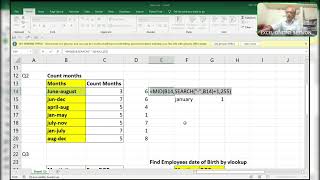
hi friends this is once again rajinikant Amaya's Guru and here I'm going to share a solution for this this query already I asked in WhatsApp group how to find first urrent of a value it may be a number or it may be a character it doesn't know just we have to find first occurrent of value see if it is a text okay we can find it out if it is a number we can find it out either do is a number and so 75% are failed 75% interview or fail fail so here we will find to know you better now coming back to this formula see what I did here try to understand first of all what I'm asking King is here it may be two things anything we doesn't know that is a character if it is a character means you can use ease text E text okay if it is a number we can use ease number but we doesn't know which one it is there so which one it is there so we have to find the first occurrent or I said in previous video what is the when we will use a plus sign and when we will use asri that is multiplication sign here it is now I'm showing here it is EAS number right anything so I highlight and it will pick up see what it will pick up it will pick up like this right is go row of row of this okay F9 so it will pick up like this so we need a minimum why why I'm using minimum over here function so it will pick up the minimum function that is six okay done now function address function address function so now it will comma but by default it will take see I press enter F2 f99 okay okay column number four either column number four either row number six okay observe here guys automatically it will show you the curly brackets when I press a special key stroke that is control shift and enter double click text and numb Z right 1 and 1 equal to 1 + one it's an or function it's an or function and here 1 into one here is equal to enter see what I mean to say here and either zero pleas I'm ready to answer okay in the comment box or in my in our sh group you can ask me doubts J
Original Description
by Excel Guru
#Excel interview questions
#mis interview questions
Watch on YouTube ↗
(saves to browser)
Sign in to unlock AI tutor explanation · ⚡30
Playlist
Uploads from ExcelGuru · ExcelGuru · 55 of 60
1
 2
2
 3
3
 4
4
 5
5
 6
6
 7
7
 8
8
 9
9
 10
10
 11
11
 12
12
 13
13
 14
14
 15
15
 16
16
 17
17
 18
18
 19
19
 20
20
 21
21
 22
22
 23
23
 24
24
 25
25
 26
26
 27
27
 28
28
 29
29
 30
30
 31
31
 32
32
 33
33
 34
34
 35
35
 36
36
 37
37
 38
38
 39
39
 40
40
 41
41
 42
42
 43
43
 44
44
 45
45
 46
46
 47
47
 48
48
 49
49
 50
50
 51
51
 52
52
 53
53
 54
54
 ▶
▶
 56
56
 57
57
 58
58
 59
59
 60
60

Total Sumproduct Session By Excel Expert Mr.Sanjeev kaushik
ExcelGuru
Uses and Technics of Transpose in 3 Methods
ExcelGuru
Query Solved ExcelExpert
ExcelGuru
counting numbers and text with creteria lenngth
ExcelGuru
For Reverse Looking Fing age By Using Database Function
ExcelGuru
MIS INTERVIEW QUESTION EXTRACTING FIRST AND LAST NAME WHICH IS NOT HAVING DELIMETER
ExcelGuru
finding Unique count of sales between Dates
ExcelGuru
counting 2 lookup values as per dupicates
ExcelGuru
Reverse Vlookup to get DOB
ExcelGuru
17-04-2022 Sridevi Marriage Celebrations
ExcelGuru
INTERVIEW QUERIES WITH ANOTHER QUERY
ExcelGuru
finding maximum sales of product when duplicate products
ExcelGuru
QUERY ASKED IN GROUP
ExcelGuru
MIS TEST WITH AMAZING SOLUTION BY JR.BILLGATES(ANAND)
ExcelGuru
query to count not saled products after saled products
ExcelGuru
Explanation about birla mandir at Hyderabad
ExcelGuru
counting specific weekday in between dates
ExcelGuru
Extract Data As per Creteria with power Query
ExcelGuru
Extracting data as per creteria in different sheets
ExcelGuru
SOLUTION FOR INPHOSYS MIS-1(1-4)
ExcelGuru
solution for inphosis mis 2(12-13)
ExcelGuru
INPHOSIS MIS SOLUTION-3(5-10)
ExcelGuru
LOGICAL MIS INPHOSIS-4(17-18)
ExcelGuru
MIS INTERVIEW QUESTION
ExcelGuru
MIS INPHOSIS -5(19-21)
ExcelGuru
MIS INPHOSIS - 6(23-25)
ExcelGuru
extracting pin codes or number from text string
ExcelGuru
finding maximum sales in one value
ExcelGuru
finding how many months are there between months
ExcelGuru
Quarter sales by month
ExcelGuru
Finding rate with 2 conditions by using vlookup
ExcelGuru
how to find max length word from text string
ExcelGuru
Group query To find sales and Quantity With 2 conditions by using VLOOKUP
ExcelGuru
my angels birthday celebrations
ExcelGuru
Group Query Adding total sales when it is having random delimiter like inches,kgs,Ton
ExcelGuru
Seperating first and last Name by space using function
ExcelGuru
Finding Total Goals from different tables Team members
ExcelGuru
Group Query To Extract Team members Names
ExcelGuru
Extracting data in a single column
ExcelGuru
converting one column data into table interview question
ExcelGuru
MIS INTERVIEW QUESTION-100
ExcelGuru
MIS INTERVIEW QUESTION -101 FINDING VALUE AS PER CHARACTERS LENGTH BY VLOOKUP
ExcelGuru
chi.shreyansh
ExcelGuru
MIS INTERVIEW QUESTION-102(SORT BY LENGTH)
ExcelGuru
query to extract last words from sentence
ExcelGuru
MIS INTERVIEW -103(EXTRACT MAXIMUM CHARACTERS WORD IN A CELL)
ExcelGuru
group query
ExcelGuru
without len function count of characters
ExcelGuru
MIS QUERY
ExcelGuru
mis interview questions part -1
ExcelGuru
Real MIS Query-1
ExcelGuru
real mis interview questions-1
ExcelGuru
finding the value as per length of characters
ExcelGuru
real mis -2
ExcelGuru
real MIS -3
ExcelGuru
REAL MIS -4(PART A)
ExcelGuru
group query
ExcelGuru
tech mahindra mis
ExcelGuru
courier company MIS
ExcelGuru
tech Mahindra (UPDATED)
ExcelGuru
More on: Data Literacy
View skill →









Related Reads
🎓
Tutor Explanation

 DeepCamp AI