MIS INTERVIEW QUESTION -101 FINDING VALUE AS PER CHARACTERS LENGTH BY VLOOKUP
Key Takeaways
This video teaches how to use VLOOKUP to find values based on character length in Excel
Full Transcript
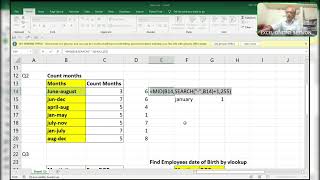
hi guys how are you all here your friend rajinikanth Excel Guru are you able to see my screen like okay I forgot to share my screen actually wait a minute forgot to share my screen [Music] yes this one just this one okay done okay now I think everyone can able to view my screen properly right and here is the interview question which is asked by one of the company so my friend asked me how to find uh the number of characters length to find this one the visited doctors I mean to say that the character is one then the value should come 15. the character is 2 the character number pack is true then it should come like this whenever we change this one the 15th one see here you can able to see 15 it is pre formatted in it is pre-formatted okay so it is showing only number if I enter 1 here should pick up the first thing this one the 15. okay how is it possible that too with the vlookup only right so here I will explain you the procedure kindly observed clearly right see what I'll do first of all right let's explain you this and this now this and this note see this indicates that the asterisk indicates more than one characters more than one character okay question mark question mark indicates more than oh sorry question mark indicate one character only okay question mark indicates one character only indicates indicates more than one character and question mark indicates single candidate Single Character okay so here observed clearly that how I can do this one I will do this one with help of this asterisk and question mark okay which one I have to use first of all see what I'll use is equal to a repeat of which one you have to repeat mark how many times this many times okay this many times see I'll show you what actually it will show you the repeat function see the text which you want to repeat which text you want to repeat text always in double quotes so which text you want to repeat repeat of which text the question mark question mark indicates Single Character if you give abstract what it will happen it will pick up more than one character all characters more than one characters but we need count of characters that first character I mean this is two characters three characters the length of the characters we need length of the characters so for that reason I am pickuping question mark it indicates Single Character so what you'll do with this I'm asking how many times you should repeat maybe 10 times 5 times how many times so what I will do I'll pick up this one so what it will happen it will show you only one one question mark I am pressing F9 function key see I'll press enter and here again I will show you instead of one I will write 15. so it will show you 15. if I type 2 it will pick up two question marks two question marks with two character strength water it may be two characters of it may be equal sign it may be uh other than numbers other than numbers it has to pick up that thing okay so here what I'll do now I'll use vlookup of here two characters length the lookup value two character strength okay understood what I mean to explain you the two characters length is the look of value so what will be the table array the t is the same table array the same table array F2 I'm selecting the data F4 locking simply unlocking so that I can jump to the formula and which characters under which column do you need I need second column that is 2 comma and it should be exact match not exact story it's the false it's an exact match so I will use 0. now I press enter let's check it out the two characters length of the customer name visited doctor is level so two ways to here it is two okay now I want a conditional format so that whenever I enter any number over here like a two or three or four like this okay so it should highlight this both things simultaneously okay customer name and visited doctors four things it will highlight so what I'll do first of all I'll move a little bit okay from here again I'm coming here what I'll do here most of my characters four characters means it will become what it is become very good value okay sorry Ctrl Z test right four okay it's working perfectly no what I'll do what I'll do wait a minute right now see what I'll do is equal to length of this length of this I need two and false for conditional format length of this equal to this F4 and here I am locking only this column but not the row because I want to copy formula from E to e 2 to f 2. so I don't want uh we should move to C okay only it has to check three four five six but not B to C for that reason I log to B and here it should not move anywhere it should be stable over there only whenever I drag the formula enters controller Ctrl d see here it is showing four characters see here showing true if I enter 2 here not 2 1. see it is pickuping this one still so what I'll do I'll copy this one I'll copy this formula over here Ctrl c f k i highlight this one Ctrl shift right arrow control shift down arrow alt h l n I think you should not uh yes it is visible use formula to determine control V and the format as you like depends on your criteria or anything else okay what I'll do alone color black bold okay now okay okay it should like it should see we have to see like this okay see now I'll change one to five immediately it will go to 50 prime number of characters that is III and value is 25 C here 25 this indicates and if I enter anything else other than one see two four I'm not understood if I understood in next video I am going to show you another thing that is here I think so ah yes okay I'll Zoom it okay everyone should keep concentration on this there are class sections class one first class second class third class fourth class and here is the section whenever you change the student name over here it should reflect that in which from which class and from which section that is student number 10 so here it is what uh 10 a uh 10th class a section okay I did not done just I'm showing tenth class a section there's two pickup okay this thing you have to done by yourself I have not done yet okay I have to do right guys and and I'm expecting thousand likes and thousand views for this video because next video this this is the query I'm going to explain you guys right 10th class and a section here is to the 10th class a section understood okay guys thanks for your support have a nice day
Original Description
MIS INTERVIEW QUESTION -101
FINDING VALUE AS PER
CHARACTERS LENGTH
BY VLOOKUP
#vlookup
#lookup
#Mis
#interview
Watch on YouTube ↗
(saves to browser)
Sign in to unlock AI tutor explanation · ⚡30
Playlist
Uploads from ExcelGuru · ExcelGuru · 42 of 60
1
 2
2
 3
3
 4
4
 5
5
 6
6
 7
7
 8
8
 9
9
 10
10
 11
11
 12
12
 13
13
 14
14
 15
15
 16
16
 17
17
 18
18
 19
19
 20
20
 21
21
 22
22
 23
23
 24
24
 25
25
 26
26
 27
27
 28
28
 29
29
 30
30
 31
31
 32
32
 33
33
 34
34
 35
35
 36
36
 37
37
 38
38
 39
39
 40
40
 41
41
 ▶
▶
 43
43
 44
44
 45
45
 46
46
 47
47
 48
48
 49
49
 50
50
 51
51
 52
52
 53
53
 54
54
 55
55
 56
56
 57
57
 58
58
 59
59
 60
60

Total Sumproduct Session By Excel Expert Mr.Sanjeev kaushik
ExcelGuru
Uses and Technics of Transpose in 3 Methods
ExcelGuru
Query Solved ExcelExpert
ExcelGuru
counting numbers and text with creteria lenngth
ExcelGuru
For Reverse Looking Fing age By Using Database Function
ExcelGuru
MIS INTERVIEW QUESTION EXTRACTING FIRST AND LAST NAME WHICH IS NOT HAVING DELIMETER
ExcelGuru
finding Unique count of sales between Dates
ExcelGuru
counting 2 lookup values as per dupicates
ExcelGuru
Reverse Vlookup to get DOB
ExcelGuru
17-04-2022 Sridevi Marriage Celebrations
ExcelGuru
INTERVIEW QUERIES WITH ANOTHER QUERY
ExcelGuru
finding maximum sales of product when duplicate products
ExcelGuru
QUERY ASKED IN GROUP
ExcelGuru
MIS TEST WITH AMAZING SOLUTION BY JR.BILLGATES(ANAND)
ExcelGuru
query to count not saled products after saled products
ExcelGuru
Explanation about birla mandir at Hyderabad
ExcelGuru
counting specific weekday in between dates
ExcelGuru
Extract Data As per Creteria with power Query
ExcelGuru
Extracting data as per creteria in different sheets
ExcelGuru
SOLUTION FOR INPHOSYS MIS-1(1-4)
ExcelGuru
solution for inphosis mis 2(12-13)
ExcelGuru
INPHOSIS MIS SOLUTION-3(5-10)
ExcelGuru
LOGICAL MIS INPHOSIS-4(17-18)
ExcelGuru
MIS INTERVIEW QUESTION
ExcelGuru
MIS INPHOSIS -5(19-21)
ExcelGuru
MIS INPHOSIS - 6(23-25)
ExcelGuru
extracting pin codes or number from text string
ExcelGuru
finding maximum sales in one value
ExcelGuru
finding how many months are there between months
ExcelGuru
Quarter sales by month
ExcelGuru
Finding rate with 2 conditions by using vlookup
ExcelGuru
how to find max length word from text string
ExcelGuru
Group query To find sales and Quantity With 2 conditions by using VLOOKUP
ExcelGuru
my angels birthday celebrations
ExcelGuru
Group Query Adding total sales when it is having random delimiter like inches,kgs,Ton
ExcelGuru
Seperating first and last Name by space using function
ExcelGuru
Finding Total Goals from different tables Team members
ExcelGuru
Group Query To Extract Team members Names
ExcelGuru
Extracting data in a single column
ExcelGuru
converting one column data into table interview question
ExcelGuru
MIS INTERVIEW QUESTION-100
ExcelGuru
MIS INTERVIEW QUESTION -101 FINDING VALUE AS PER CHARACTERS LENGTH BY VLOOKUP
ExcelGuru
chi.shreyansh
ExcelGuru
MIS INTERVIEW QUESTION-102(SORT BY LENGTH)
ExcelGuru
query to extract last words from sentence
ExcelGuru
MIS INTERVIEW -103(EXTRACT MAXIMUM CHARACTERS WORD IN A CELL)
ExcelGuru
group query
ExcelGuru
without len function count of characters
ExcelGuru
MIS QUERY
ExcelGuru
mis interview questions part -1
ExcelGuru
Real MIS Query-1
ExcelGuru
real mis interview questions-1
ExcelGuru
finding the value as per length of characters
ExcelGuru
real mis -2
ExcelGuru
real MIS -3
ExcelGuru
REAL MIS -4(PART A)
ExcelGuru
group query
ExcelGuru
tech mahindra mis
ExcelGuru
courier company MIS
ExcelGuru
tech Mahindra (UPDATED)
ExcelGuru
Related AI Lessons
🎓
Tutor Explanation

 DeepCamp AI