MIS INTERVIEW QUESTION-100
Skills:
Excel & Spreadsheets90%
Key Takeaways
Covers an interview question on using the INDEX function in Excel to extract data without using indirect functions
Full Transcript
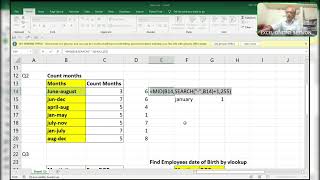
hi guys how are you all due to a busy schedule I'm unable to uh do these things okay like now I'm first of all I'll copy this one I'll copy this one Ctrl C and control B before starting the session I will show you one thing actually this is the interview question Okay so here they asked without using indirect function how can you get all those details okay all those like this when I change from name to Bob automatically it will pick up all the date of birth okay it's like 10 sales to uh name okay see all names are occurred so I want like this whenever you change the field name automatically it should get all because from the table corresponding records from the table right so I will show you how to do that work Ctrl C control V okay now I'll show you how to do that one so first of all what you will do in best of the whole data right will take a whole data as for locking both row and a column comma you need first row and the first column example I'm saying example okay so it will pick up the first row First Column when exchange from one two it will become second column but it's first row if I change to second row second column so see what did you pick up it will pick up this one date if I change a third row total there is sales rep 3 and second column so it will pick up second to 1997. see control one I'll convert this into a normal date okay see normal date so like this we need okay so what you have to do here first of all what I'll do first of all I'll use the rows function see how we are doing the rows function wave where the formula is in h dollar 13. colon hex 13 right enter Ctrl shift friendly so it will convert into a general format that is it will wrap all the this is all my mode is not working properly sorry for that control r Ctrl D okay so here it's becoming all arrows this all of a stroke is all a second row dissolute totals okay now I will show you another thing that now what I'll do here so okay so this is the road path so I am using the index function and if you have any doubt ask me in the comment box whenever I get the time I will reply and if if you anybody is having any doubts so let me know in the comment box and this is the Rose Part okay this is two-way lookup I mean the whole table not of one column it's a whole table including rows and columns the room's part is over index part is over now we have to get the caller part that is we have to use match function where it will pick up the position okay F1 locking this row but not the column blocking the row but not the column okay because whenever I copy the formula from h13 to i14 so it will correspondingly it has to move from h14 at 13 to I thirteen okay so for that reason I am not locking column comma and here you have to pick up this and make sure that the table starts from here and your your selection is also starting from here so that's it then you have to pick up from the way it started here the table starts from here and your selection also started from here so for mat also you have to start from here only not from here look up array F4 comma zero it's a normal function double it's a normal function okay it's not a array function it's a normal function when you press enter now see the magic what it will happen so pick up dates what I'll do control are copies on the right side controls to Brown Arrow control d or reference is not J so we have to remove that one because it's not there and I'll convert this into a normal date by using Ctrl shift hats and if you want the dates so go over here control one and there you can find and instead of double M you would only instead of Triple M you have to use double m okay when I change from salary suppose it to salary so it will become all salary particles when I change here the sales uh seems to make name already since uh sales only here Bob Ctrl shift has Ctrl 1 convert this into double M instead of Triple M M okay whenever you change the header automatically it will change accordingly okay this is very very important and another thing this is the query which I am asking you guys so where it is here it is see I'll Zoom whenever I whenever I change even it's like five you can pick up five kgs because it's a plural not a singular when I click one it will pick up only KD okay when when I give more than one it will pick up kgs when it is equal to one it will pick up only the singular that is kg so let me know how is it possible how can we do it without helper column okay only in unit path you have to change like 55 kgs five kgs one kg okay so this thing you have to let me know uh I'll try on it's a simple there is not a big data so make sure that you have to do by yourself it's not a big data because it's uh only four or five rows okay and try by yourself thank you guys thanks for your support and make sure that like share and subscribe my channel because I am working hard and I am giving um I'm doing my level best I'm sharing my knowledge to everyone as of I know so please I request everyone to like share and subscribe thank you guys thanks for your support
Original Description
#MIS
#Excel
#intervuew
Watch on YouTube ↗
(saves to browser)
Sign in to unlock AI tutor explanation · ⚡30
Playlist
Uploads from ExcelGuru · ExcelGuru · 41 of 60
1
 2
2
 3
3
 4
4
 5
5
 6
6
 7
7
 8
8
 9
9
 10
10
 11
11
 12
12
 13
13
 14
14
 15
15
 16
16
 17
17
 18
18
 19
19
 20
20
 21
21
 22
22
 23
23
 24
24
 25
25
 26
26
 27
27
 28
28
 29
29
 30
30
 31
31
 32
32
 33
33
 34
34
 35
35
 36
36
 37
37
 38
38
 39
39
 40
40
 ▶
▶
 42
42
 43
43
 44
44
 45
45
 46
46
 47
47
 48
48
 49
49
 50
50
 51
51
 52
52
 53
53
 54
54
 55
55
 56
56
 57
57
 58
58
 59
59
 60
60

Total Sumproduct Session By Excel Expert Mr.Sanjeev kaushik
ExcelGuru
Uses and Technics of Transpose in 3 Methods
ExcelGuru
Query Solved ExcelExpert
ExcelGuru
counting numbers and text with creteria lenngth
ExcelGuru
For Reverse Looking Fing age By Using Database Function
ExcelGuru
MIS INTERVIEW QUESTION EXTRACTING FIRST AND LAST NAME WHICH IS NOT HAVING DELIMETER
ExcelGuru
finding Unique count of sales between Dates
ExcelGuru
counting 2 lookup values as per dupicates
ExcelGuru
Reverse Vlookup to get DOB
ExcelGuru
17-04-2022 Sridevi Marriage Celebrations
ExcelGuru
INTERVIEW QUERIES WITH ANOTHER QUERY
ExcelGuru
finding maximum sales of product when duplicate products
ExcelGuru
QUERY ASKED IN GROUP
ExcelGuru
MIS TEST WITH AMAZING SOLUTION BY JR.BILLGATES(ANAND)
ExcelGuru
query to count not saled products after saled products
ExcelGuru
Explanation about birla mandir at Hyderabad
ExcelGuru
counting specific weekday in between dates
ExcelGuru
Extract Data As per Creteria with power Query
ExcelGuru
Extracting data as per creteria in different sheets
ExcelGuru
SOLUTION FOR INPHOSYS MIS-1(1-4)
ExcelGuru
solution for inphosis mis 2(12-13)
ExcelGuru
INPHOSIS MIS SOLUTION-3(5-10)
ExcelGuru
LOGICAL MIS INPHOSIS-4(17-18)
ExcelGuru
MIS INTERVIEW QUESTION
ExcelGuru
MIS INPHOSIS -5(19-21)
ExcelGuru
MIS INPHOSIS - 6(23-25)
ExcelGuru
extracting pin codes or number from text string
ExcelGuru
finding maximum sales in one value
ExcelGuru
finding how many months are there between months
ExcelGuru
Quarter sales by month
ExcelGuru
Finding rate with 2 conditions by using vlookup
ExcelGuru
how to find max length word from text string
ExcelGuru
Group query To find sales and Quantity With 2 conditions by using VLOOKUP
ExcelGuru
my angels birthday celebrations
ExcelGuru
Group Query Adding total sales when it is having random delimiter like inches,kgs,Ton
ExcelGuru
Seperating first and last Name by space using function
ExcelGuru
Finding Total Goals from different tables Team members
ExcelGuru
Group Query To Extract Team members Names
ExcelGuru
Extracting data in a single column
ExcelGuru
converting one column data into table interview question
ExcelGuru
MIS INTERVIEW QUESTION-100
ExcelGuru
MIS INTERVIEW QUESTION -101 FINDING VALUE AS PER CHARACTERS LENGTH BY VLOOKUP
ExcelGuru
chi.shreyansh
ExcelGuru
MIS INTERVIEW QUESTION-102(SORT BY LENGTH)
ExcelGuru
query to extract last words from sentence
ExcelGuru
MIS INTERVIEW -103(EXTRACT MAXIMUM CHARACTERS WORD IN A CELL)
ExcelGuru
group query
ExcelGuru
without len function count of characters
ExcelGuru
MIS QUERY
ExcelGuru
mis interview questions part -1
ExcelGuru
Real MIS Query-1
ExcelGuru
real mis interview questions-1
ExcelGuru
finding the value as per length of characters
ExcelGuru
real mis -2
ExcelGuru
real MIS -3
ExcelGuru
REAL MIS -4(PART A)
ExcelGuru
group query
ExcelGuru
tech mahindra mis
ExcelGuru
courier company MIS
ExcelGuru
tech Mahindra (UPDATED)
ExcelGuru
More on: Excel & Spreadsheets
View skill →









Related AI Lessons
🎓
Tutor Explanation

 DeepCamp AI