MIS INPHOSIS -5(19-21)
Key Takeaways
This video teaches data analytics using MIS INPHOSIS tools and techniques 19-21
Full Transcript
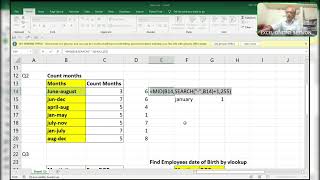
hi friends this is excel guru the ginikant and here i am going to actually this is the company i said already i informed you this is the company where it's having 50 questions so i'm uploading step by step step by step in some videos few few queries in some income videos few solutions for the activities so totally 50 now i'm going to explain you the question number 19 20 and 21 three questions right so i'll have to ask you how is it possible okay how is it possible how to get the names as per this so everyone is thinking that why don't we use normal vlookup okay we'll try that one also that is normal vlookup right see is equal to we look up we look up this one comma and this one comma two comma second column comma zero enter why what is the reason is this extra space inside there no it's not having any extra spaces right it's not having any extras just a minute okay i'm taking is it recording or not so what you'll do here first of all here it is wrap text means it is so it is taking extra line a new line okay a new line so there will be ascii characters to 55 right in that here they use the extra line that is grab text see that is wrap text so what will be the extra text number how can we find that so what i'll do alt enter sorry f2 alt enter this is the extra line enter and i use this function called a core function where i can get this code numbers 10. so i use this code number over in this formula see how i'll do here substitute of the old text will be the character sorry code 10 code of 10 and with blank i want to remove that extra spaces from here right extra new line not a space story is extra new line and i press enter f2 control shift enter now see the magic why it's happening so what i used i inserted space over here and replaced with the code here here new line is this here space is there i am removing this space and replacing this space with a new line so it will show you as it is here f9 c but here it is extra line enters what happened it is right only what happened substitute of space yes with cotton yes wait a minute f9 49 okay i cannot quote any captain sorry it's character character 10 sorry guys sorry for that okay i played only enter not a ctrl shift enter it's normal enter if i change this name to the ginikan 15 right i replace the new line and replace the space in new line okay so it will consider there's a new line over here f2 let me tap f9 to show you as it is but it's a new line okay if you have any doubt ask me sorry for uh this thing and here desired output is like this everyone is thinking why don't you concatenate okay we'll try concatenate over here i will try concatenate over here is equal to this ampersand space ampersand this is this right answer let me check convert this into type [Applause] see it's not changing control one will try in another method also control one time is there so i use custom for your confirmation h colon mm see no it's not working so what i'll use here before going to this i will explain you this i'll convert this into general format by using ctrl shift delay so this is the general format from here date will consider as decimals like this and sorry time will consider decimals like this and get a serial number like this okay so what i did here see observe carefully suppose okay i uh first of all what i'll do just i'll copy over here from here and i'll paste it here and what i'll do see wait a minute okay what i'll do first of all i'll convert this into general control shift tilde and i will add these both things okay now this is the thing lesser decimals are there sorry after five automatically it will take the nearest number of eight that is more than eight that is nine so it is showing 27486.9 now i will convert this into time now control only this thing is showing so we will convert like this control one time where it is date and time we have to use date and time over here so custom remove whole thing just to come wait a minute okay i have to remove am pm over here sorry dd column not colon dash mm dash y y y y 4 y space okay so i'll convert this into normal by date format um general what i'll do is i'll use date format over here that is date short date the year and here here i've used time format time t i type this is the thing i used over here is equal to this plus this here is not yet formatted so what i'll use i'll go to here format painter and i'll click over here and i will test it right i hope you are understood and if you have any doubts ask me in the comment box double click right guys and coming to the third one what i said you have to find the duplicate which number which name or a number is having duplicate so here raju ravi kiran ramo and all names are there so we have to find which name is having duplicate name so simple thing that i will use countif here see by using vlookup without helper so we look up this one contain this one comma and the criteria will also be the same range expecting single criteria but i am giving a range so it considers an array f9 see here raju is occurring two times so it is showing two and again this radio over here that is two and remaining are all one so what i am interested i am interested in two not one so what i'll do is greater than is anything greater than one right now now what i'll use here i'll use cues function one comma two flower bracket comma and this is the value sorry this is index these are just index means i want both things if you will enter one it will pick up one but i entered this array constraint means it is having two things i need two things to pick up this is the value one and what will be the value two the value two will be the same thing closed parenthesis now i will show you how it occurs see true raju false ravi false kiran false ramu falsita false meena true raju false excel okay so here it's a cable format so it can it will convert into a table format that is f9 all truths are in one one row and why are you in another row it will be like this see i will show you i'll press enter [Applause] suppose true a year only i'll show you so that you can understand better true false false again here too sorry guys here's some okay sorry for that right you're also false f2 false you're also false you're also false you are also false right so it will it conjure like this so what i did here i have to home vlookup i want to pick up this true means i want to pick up like this the table converted in like this and i want to pick up the true means it has to take this one comma 2 comma 0 no it's an array function you have to use ctrl shift and enter that's it for now thank you guys thanks for your support and if you have any doubts please let me know in the comment box thank you guys
Original Description
https://t.me/+8TESWEKBXukwOWVl
Watch on YouTube ↗
(saves to browser)
Sign in to unlock AI tutor explanation · ⚡30
Playlist
Uploads from ExcelGuru · ExcelGuru · 25 of 60
1
 2
2
 3
3
 4
4
 5
5
 6
6
 7
7
 8
8
 9
9
 10
10
 11
11
 12
12
 13
13
 14
14
 15
15
 16
16
 17
17
 18
18
 19
19
 20
20
 21
21
 22
22
 23
23
 24
24
 ▶
▶
 26
26
 27
27
 28
28
 29
29
 30
30
 31
31
 32
32
 33
33
 34
34
 35
35
 36
36
 37
37
 38
38
 39
39
 40
40
 41
41
 42
42
 43
43
 44
44
 45
45
 46
46
 47
47
 48
48
 49
49
 50
50
 51
51
 52
52
 53
53
 54
54
 55
55
 56
56
 57
57
 58
58
 59
59
 60
60

Total Sumproduct Session By Excel Expert Mr.Sanjeev kaushik
ExcelGuru
Uses and Technics of Transpose in 3 Methods
ExcelGuru
Query Solved ExcelExpert
ExcelGuru
counting numbers and text with creteria lenngth
ExcelGuru
For Reverse Looking Fing age By Using Database Function
ExcelGuru
MIS INTERVIEW QUESTION EXTRACTING FIRST AND LAST NAME WHICH IS NOT HAVING DELIMETER
ExcelGuru
finding Unique count of sales between Dates
ExcelGuru
counting 2 lookup values as per dupicates
ExcelGuru
Reverse Vlookup to get DOB
ExcelGuru
17-04-2022 Sridevi Marriage Celebrations
ExcelGuru
INTERVIEW QUERIES WITH ANOTHER QUERY
ExcelGuru
finding maximum sales of product when duplicate products
ExcelGuru
QUERY ASKED IN GROUP
ExcelGuru
MIS TEST WITH AMAZING SOLUTION BY JR.BILLGATES(ANAND)
ExcelGuru
query to count not saled products after saled products
ExcelGuru
Explanation about birla mandir at Hyderabad
ExcelGuru
counting specific weekday in between dates
ExcelGuru
Extract Data As per Creteria with power Query
ExcelGuru
Extracting data as per creteria in different sheets
ExcelGuru
SOLUTION FOR INPHOSYS MIS-1(1-4)
ExcelGuru
solution for inphosis mis 2(12-13)
ExcelGuru
INPHOSIS MIS SOLUTION-3(5-10)
ExcelGuru
LOGICAL MIS INPHOSIS-4(17-18)
ExcelGuru
MIS INTERVIEW QUESTION
ExcelGuru
MIS INPHOSIS -5(19-21)
ExcelGuru
MIS INPHOSIS - 6(23-25)
ExcelGuru
extracting pin codes or number from text string
ExcelGuru
finding maximum sales in one value
ExcelGuru
finding how many months are there between months
ExcelGuru
Quarter sales by month
ExcelGuru
Finding rate with 2 conditions by using vlookup
ExcelGuru
how to find max length word from text string
ExcelGuru
Group query To find sales and Quantity With 2 conditions by using VLOOKUP
ExcelGuru
my angels birthday celebrations
ExcelGuru
Group Query Adding total sales when it is having random delimiter like inches,kgs,Ton
ExcelGuru
Seperating first and last Name by space using function
ExcelGuru
Finding Total Goals from different tables Team members
ExcelGuru
Group Query To Extract Team members Names
ExcelGuru
Extracting data in a single column
ExcelGuru
converting one column data into table interview question
ExcelGuru
MIS INTERVIEW QUESTION-100
ExcelGuru
MIS INTERVIEW QUESTION -101 FINDING VALUE AS PER CHARACTERS LENGTH BY VLOOKUP
ExcelGuru
chi.shreyansh
ExcelGuru
MIS INTERVIEW QUESTION-102(SORT BY LENGTH)
ExcelGuru
query to extract last words from sentence
ExcelGuru
MIS INTERVIEW -103(EXTRACT MAXIMUM CHARACTERS WORD IN A CELL)
ExcelGuru
group query
ExcelGuru
without len function count of characters
ExcelGuru
MIS QUERY
ExcelGuru
mis interview questions part -1
ExcelGuru
Real MIS Query-1
ExcelGuru
real mis interview questions-1
ExcelGuru
finding the value as per length of characters
ExcelGuru
real mis -2
ExcelGuru
real MIS -3
ExcelGuru
REAL MIS -4(PART A)
ExcelGuru
group query
ExcelGuru
tech mahindra mis
ExcelGuru
courier company MIS
ExcelGuru
tech Mahindra (UPDATED)
ExcelGuru
Related AI Lessons
⚡
⚡
⚡
⚡
Müşteri Değerini Anlamak: RFM, CLTV ve Tahmine Dayalı CRM Analitiği
Medium · Machine Learning
Müşteri Değerini Anlamak: RFM, CLTV ve Tahmine Dayalı CRM Analitiği
Medium · Data Science
Müşteri Değerini Anlamak: RFM, CLTV ve Tahmine Dayalı CRM Analitiği
Medium · Python
Surviving the Data Science Behavioral Interview
Towards Data Science
🎓
Tutor Explanation

 DeepCamp AI