EV3 datalogging RPM challenge (highlights)
Key Takeaways
The video demonstrates how to build a spinning top using LEGO EV3 parts and measure its RPM using the color sensor and datalogging features, with a challenge to calculate the fastest spinning top.
Full Transcript
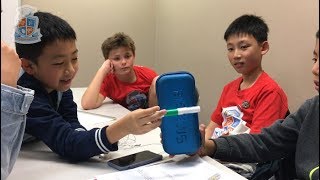
I have a challenge for you today I want you to build something that I always tell everyone not to build chicken cups I want you to build a top a spinner a spinning top okay with whatever parts you have in your Eevee three kids I want you to build a spinning top we're going to have a challenge in the class today where we're going to see who can build the spinning top that spins the fastest okay and if you can build a spinning top that spins the fastest we also need you to be able to calculate how fast it is spinning our challenge is that we want to use this and measure how many times that the arms break through the the color sensor okay every time it spins the arm screams past the color sensor it's gonna cut out the light very very very slightly okay very slightly every time it goes past the color sensor so you can see now that it is logging our color sensor so if I'm you can see it like in the small screen now I'm moving the the robot around I'm moving the sensor around if I move it really close to the table because I have a wide table my sensor reading is going go up see on the screen but if I move it away from the table the sensor reading goes down because it's not detecting the reflected light anymore so now this is how we we do it all right what we need to do is once you've found the experiment as soon as you press the middle button on that experiment it will start logging for 10min seconds because we told it that this experiment will last for 10 seconds and it starts as soon as you press the button so what I need you to do is I need you to spin the top spin the top and then press the button for the experiment and then hover over the edge of the arms so then you're tracking the screen it doesn't have to track it for the whole 10 seconds you just have to track it for a few seconds ok and now I need to do something else to make it more obvious because it's it's still very very small and I couldn't really see the bumps exactly so here there's a little error when you hover over the left hand side it's got switch from full scale to auto scale so that's what we need we switch it to auto scale which means that it's going to emphasize those ups and downs will impress that and now this should give you some really cool data and then I press on point analysis and then it adds this line to point analysis so now I need to move my cursor to this line to drag it to that first dip and then I do the same and then I do the same to add another point analysis to the fourth tip so I go here when analysis and then I drag this to my fourth tip so this is how we do it okay so the fourth the fourth tip is at one point one nine seconds one point one nine and then what I do need to do is take away the first dip which was 1.08 1.08 and that equals 0.11 so it takes point 1 1 seconds for me to spin one rotation find out how many rotations that is in one second then it's 1/0 point on one so it's 1 divided by zero point on one that equals the 9 about 9 rotations per second nine revolutions per second and to find out the RPM which is the revolutions per minute then all I have to do is multiply this by 60 so multiply it by 60 mils 545 so when I was spinning my top the fastest it was going at 545 rotations per minute
Original Description
Enjoy this preview of the Robotics course from Creator Academy.
For more in-depth science, building and coding on this subject, visit www.creatoracademy.com.au
Support us for more videos, coding and teaching content at www.patreon.com/creatoracademy
LEGO® is a trademark of the LEGO Group of companies which does not sponsor, authorise, or endorse this video.
Playlist
Uploads from Creator Academy Australia · Creator Academy Australia · 37 of 60
1
 2
2
 3
3
 4
4
 5
5
 6
6
 7
7
 8
8
 9
9
 10
10
 11
11
 12
12
 13
13
 14
14
 15
15
 16
16
 17
17
 18
18
 19
19
 20
20
 21
21
 22
22
 23
23
 24
24
 25
25
 26
26
 27
27
 28
28
 29
29
 30
30
 31
31
 32
32
 33
33
 34
34
 35
35
 36
36
 ▶
▶
 38
38
 39
39
 40
40
 41
41
 42
42
 43
43
 44
44
 45
45
 46
46
 47
47
 48
48
 49
49
 50
50
 51
51
 52
52
 53
53
 54
54
 55
55
 56
56
 57
57
 58
58
 59
59
 60
60

LEGO Wedo 2.0 Kangaroo and Joey Demonstration
Creator Academy Australia
LEGO Wedo 2.0 Koala Demonstration
Creator Academy Australia
LEGO WeDo 2.0 Eagle vs Rabbit Demonstration
Creator Academy Australia
Animatronic Australia: The Kangaroo
Creator Academy Australia
How Semiconductors Work: 3D Animation
Creator Academy Australia
LEGO Wedo 2.0 Koala
Creator Academy Australia
First impressions and unboxing First Lego League: Into Orbit 2018
Creator Academy Australia
FLL Into Orbit Team Ranking Gears talks about Artificial Gravity
Creator Academy Australia
FLL Into Orbit team Ev3lution discusses isolation in space
Creator Academy Australia
PI3-BOT (Pie Bot) Prototype
Creator Academy Australia
Dynamic display stand for LEGO Bugatti Chiron (preview)
Creator Academy Australia
Creative Kids TV announcement featuring Creator Academy
Creator Academy Australia
LEGO WeDo 2.0 Guided Lesson: Milo
Creator Academy Australia
LEGO SPIKE PRIME: Turtle Prime Demonstration
Creator Academy Australia
LEGO SPIKE PRIME "Wheelchair Prime"
Creator Academy Australia
10 Reasons why EV3 is SUPERIOR to SPIKE Prime
Creator Academy Australia
Your first launch after installing Python: Python for Kids Webinar Highlight
Creator Academy Australia
What is "Sharpening the Saw": Python for Kids Webinar Highlight
Creator Academy Australia
Why We Use Comments: Python for Kids Webinar Highlight
Creator Academy Australia
Build a Scratch Dinosaur Park (Full Lesson)
Creator Academy Australia
Scratch 3.0: Cat and Mouse Game Stream (Krunal)
Creator Academy Australia
Python Tutorial: Make a Toilet Paper Calculator (Full Lesson)
Creator Academy Australia
Scratch 3.0 Tutorial: Making a chatbot that plays 'heads or tails' (Full Lesson)
Creator Academy Australia
Getting Started with MicroPython on SPIKE PRIME (old)
Creator Academy Australia
Easter Egg Game Tutorial in Scratch (Full Lesson)
Creator Academy Australia
Accessing Weather API with Python (Highlights)
Creator Academy Australia
Accessing Translate API with Python (Highlights)
Creator Academy Australia
Scissors, Paper, Rock with Scratch 3.0 (Highlights)
Creator Academy Australia
Making a really scary game with Scratch 3.0 (Highlights)
Creator Academy Australia
Making a Lemmings game with Scratch 3.0 (Highlights)
Creator Academy Australia
Space Navigation Game in Scratch (Highlights)
Creator Academy Australia
Scratch Supercat Game (Full Lesson)
Creator Academy Australia
Introduction to Robots with LEGO Wedo 2.0 (Full Lesson)
Creator Academy Australia
Getting Started With LEGO Spike Prime (Full Lesson)
Creator Academy Australia
Scratch Walk Cycle Animation Tutorial (Full Lesson)
Creator Academy Australia
Building a Scissor Lift with LEGO Simple Machines (Highlights)
Creator Academy Australia
EV3 datalogging RPM challenge (highlights)
Creator Academy Australia
Learning about buses with LEGO (Full Lesson)
Creator Academy Australia
Make "Flappy Bird" in Scratch 3.0 (Highlights)
Creator Academy Australia
"Memory Arrows" game with Scratch 3.0 Lists (Highlights)
Creator Academy Australia
Learning about Gear Ratios with LEGO Simple Machines (Highlights)
Creator Academy Australia
Scratch 3.0 Bouncing Ball with Stretch, Speed and Acceleration (Full Lesson)
Creator Academy Australia
LEGO SPIKE Prime Order Tracking Robot (Highlights)
Creator Academy Australia
Scratch 3.0 Race Guesser (Full Lesson)
Creator Academy Australia
How Banks Work - a quick explanation for kids
Creator Academy Australia
SPIKE Prime Safe + importance of passwords (Highlights)
Creator Academy Australia
Combination Safe Coding Guide with LEGO SPIKE Prime
Creator Academy Australia
LEGO SPIKE Prime Parcel Scanning Robot
Creator Academy Australia
Building "Addy" the Addition Chatbot
Creator Academy Australia
SPIKE 2.x PID Balancer with Scratch for SPIKE Prime / 51515: Gyro Girl
Creator Academy Australia
What is Procedural Programming
Creator Academy Australia
Zombie game in SCRATCH (plus horrifying zombie facts!)
Creator Academy Australia
Swarming Bugs Scratch Game
Creator Academy Australia
LEGO Mindstorms/SPIKE Prime Scanner and Printer
Creator Academy Australia
Fishing Game with SCRATCH (For Fathers Day!)
Creator Academy Australia
Measuring Paper Plane Speed with SPIKE Prime Line Graphs
Creator Academy Australia
Comparing Mindstorms Robot Inventor and SPIKE Prime
Creator Academy Australia
Code a 'Knock Knock Joke' game in Scratch 3.0
Creator Academy Australia
Creator Academy Australia Live Stream
Creator Academy Australia
Discovering LEGO Mindstorms/SPIKE Gyro Pitch Deadzone
Creator Academy Australia
More on: Data Literacy
View skill →









Related Reads
📰
📰
📰
📰
What Workflow Builders Learn When AI Draft Quality Improves but Publishing QA Still Breaks: Practical Notes for Builders
Dev.to AI
Meshy AI 3D Generator Review 2026: 185 MB Per House, $193 to Ship It
Medium · AI
5 Claude Tricks That Feel Almost Like Cheating
Medium · Data Science
[Video] I Tested Grok 4.7 With One Simple Job: Turn My vi Task Files Into a Bash Agenda
Dev.to AI
🎓
Tutor Explanation

 DeepCamp AI