Code a 'Knock Knock Joke' game in Scratch 3.0
Key Takeaways
Coding a Knock Knock Joke game in Scratch 3.0, a project-based introduction to programming concepts for kids, utilizing Scratch's visual coding environment to create interactive stories and games.
Full Transcript
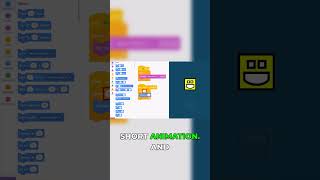
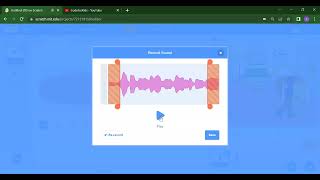
today we are doing a test stream uh using our new streaming software so i'm going to do a very easy class today we're going to learn how to do a knock-knock joke using scratch 3. so here uh if you haven't used scratch before scratch is a really um awesome bit of technology okay teaches kids and also grown-ups how to do some really solid coding fundamentals and uh it looks like it is made for kids but in fact it is very very um uh fleshed out and it's an actual coding language uh especially with um uh the way that it uses technical technical terms and technical names for a lot of its features and also the scratch 3 language is used in things like lego robotics which is a really big part of my channel so uh i'm just experimenting with this live stream uh using this new software so uh if there are any issues then bear with me but uh if you have any comments or suggestions then please make sure you uh write it in the comment below uh i might not be able to read it i haven't got everything set up properly yet but i'll definitely get back to you if you leave me a message okay so knock knock jokes well uh i guess the first thing we got to do uh would be to think of some knock-knock jokes so um if i had an audience here then we would have a lot of really cool banter and interaction where you would be able to suggest some knock-knock jokes for me but because i'm not set up to read your comments and also because i probably don't have an audience right now i haven't done this streaming live for a long long time uh so i'm going to have to make up some knock-knock jokes for myself so knock knock who's there um cows go cows go cows go who cows don't go who they go move okay so that wasn't the first ever knock-knock joke that came to my head okay that's terrible joke but we're going to roll with it because this is live and i can't take another take okay so we're going to create a character to be telling this joke for us okay so we have this cat uh in our sprite list here uh so if you this is the first time you're using scratch this is the list of sprites uh this on the top right corner is our stage where we get to see the actual uh interaction uh with our game uh in the middle here this is our coding area where you can drag uh coding blocks from the side and these coding blocks snap together to form our code on the left here is our coding blocks you can scroll up and down to see all the different types of coding blocks and interactions and as we go through the different lessons i'm sure we'll touch on every single different type of one and then here we have some different tabs we have the code tab which is uh holding all our code get our costume so that we can change the look of our sprites and we have the sound tab where we can change some sounds but today we're going to do a very short one just to do this test stream like i said we don't want to do anything too dramatic okay so here is our sprite gonna get rid of it don't choose a new sprite because we want someone funny to tell this joke who is funny well i go into my sprite list and uh i'm going to look for somebody who looks like they would love to tell us a joke so um we go all the way down you know what monkeys are funny animals we're going to get this monkey to tell us a joke and then we're also going to choose our backdrop so uh here is where we choose a sprite here is where we choose a backdrop so here i'm going to choose a backdrop you know what this this monkey is going to be telling us a joke in a theater because he's a stand-up comedian monkey okay stand-up comedian monkey is going to tell us a joke so uh first thing we're going to do is decide how this monkey is going to be interacting oh should we be telling it the joke or should it be telling us the joke that is the question i think the monkey should be telling us the joke just to start off with just for this screen okay so when we click on the flag oh actually when we click on the monkey let's when we click on the monkey i think it should uh ask us to tell to tell us the track okay so let's go to in order to do that we click on the monkey and then we go into events and then what we do is we go uh when this sprite is clicked okay when this sprite is clicked is uh what happens when we actually tap on the monkey okay so if we tap on the monkey then it will trigger this block and whatever it is connected to okay so we want our monkey to ask us knock knock right so let's go here so we go into well normally if you've done scratch before it would say something like this right you'd go into looks you go say knock knock for two seconds right knock knock for two seconds and we will test if this works i guess we snap the uh um the code to our play button and then we click on the um the monkey and it says not pretty easy but um this is a one-sided conversation we don't want this one-sided conversation we want the monkey to actually be asking us a question so instead of saying knock knock for two seconds we're going to go into sensing and then it's going to ask knock knock and then it's going to wait all right knock knock uh and then it's going to wait hey what's it going to wait for well it's going to wait until uh we say who's there okay because the way that a knock-knock joke works is that one person says no not the other person says who's there right so we're going to go uh here and then we are going to keep asking knock knock until the answer is who's there why am i doing that well watch this because if the monkey says knock knock and i don't say who's there then it means that i'm not getting the joke right because it's um uh the the joke only flows if i say who's there and if i don't say who's there it's just going to keep asking me until i say the right word which is who's there so operators i'm going to go into the answer has to be equal to who's there okay and uh the thing that it's equal to go to sensing we go answer okay knock knock who's there okay this is getting uh pretty simple but now we have a problem okay we have a little bit of a user experience issue if we have answer equals who's there uh there are some people who might not especially kids might not know how to type in the apostrophe they might just type who's there without the apostrophe so we're going to make sure that we also make it so that we will let people through the game if it says the answer is who's there with the apostrophe and also who's there without the apostrophe right because uh there are kids who are not um who may or may not write down the the apostrophe so we create another one and who's there and we make that the answer as well so here we are saying that um uh if you say no we are accepting the answer as equal to who's there with an apostrophe or who's there without an apostrophe that is just a user experience improvement because sometimes some kids might not know how to use an apostrophe okay after we say knock knock we say who's there and then it's going to say cows go all right so let's do the same thing so we go ask cows go and wait okay but here is another thing because uh the only correct answer that's going to accept is when we say cows go who right because that's the way that not much work so here same reason same uh thing as we did before we go oh sorry not repeat that would be silly uh we go uh repeat until repeat until uh so it's going to keep going cows go until we say the right word which is that the answer equals cows go who okay so we got to make sure that the answer equals cows go who so this is a simple knock-knock joke right uh we go when we click on the sprite monkey is going to ask us not and then it's going to move on to the next one only if we type in who's there with an apostrophe or who's there without an apostrophe because some kids might not be able to find that apostrophe key so we can want to let those kids through too so after we say who's there then it's going to ask cows go okay and this is the joke right this is the set up for the joke cows go and then we have to say the kids have to say cows go who right and then the punchline is going to be funny okay cows don't go who they go move okay so here we go into motion uh well sorry looks and then we say the punchline cows don't go they go moo all right so here we say it for two seconds but you know what let's test it let's test this out see if it works so i'm gonna make this a big screen let's click on our whoops let's pause everything let's click on our monkey and see our coding nature oh no that's totally not no oh i see what's going on okay what happened was that our answer did not get uh re uh refreshed okay so uh we need to make sure we change the answer over here okay so let's uh go over here you know what i'm lazy i'm just going to do it this way okay all right let's go press on the monkey what okay this is not supposed to happen why is it going if answer equals who's there or answer equals who's there then ask no no and oh okay so here okay because i uh did not uh do this correctly i had to make repeat until instead of uh if so i have an if then block which is not correct so this is the same like this is like like i said this is actual coding all right the same debugging methods uh are still going to be required a lot of people think scratch is a kid's programming language but it is not it is actually very uh very fleshed out very mature uh let's try this knock knock and then i go blah no it's not gonna work i have to say who's there okay in order to go through which is great all right so now we attach the rest of our code and then we'll try it again all right knock knock who's there cows go cows go and then cows don't go who they go moo okay so that is the punch line but it's not that funny yet okay have you ever been to a joke um or a stand-up uh comedy show where someone tells a joke that no one's laughing uh maybe there's like uh that wasn't really funny well uh we need to make this more funny by making people laugh okay we're making a laugh track so we go into sounds over here so here we were at the coding tab then we go up to the sounds now we're gonna look for a laugh track okay so we're going to choose a sound and then we're going to laugh crowd yep this is perfect so crowd life is good so here when we hit the punch line we say start sound crowd laugh okay so that is how we do it and let's try it let's try okay we got this uh monkey is there is there a funny name for this monkey can i make a pun out of it and not not on the spot i don't think so i click on it is knock knock and uh let's say i don't get the joke huh he keeps asking me knock knock because we have coded it to make sure that we are only taking who's there and we can do it with or without the apostrophe so let's do it with the apostrophe today so who's there cows go and then here i can also still keep on doing uh i don't know so here it's going to keep saying it until i say the right word okay so part of me i mean right words cows go who got a nice crowd reaction there uh this monkey is now infinitely more funny because there is a laugh track okay so what did we do today we created a sprite we chose a monkey put it on a backdrop which was a theater just to make this example like i said this is our first test stream for uh coding videos and uh this is just testing some of our new software so here when we are clicking onto our sprite what we do is um with the monkey is going to ask knock knock and wait until the answer is equal to who's there we created a new operator to make sure that it accepts who's there with or without the apostrophe that's just so that uh the user experience for little kids is going to be better because some kids might not find the apostrophe key and we don't want to leave them out of the fun right so we keep asking not not someone on the computer will say who's there and then it goes to the next part it's going to say cows go and then we repeat this question until the person says cows go who and then after that if someone says goes cows go who then we start a laugh track and also we have the punchline cows don't go who they go moo okay and uh maybe for your challenge when you get back home then you can uh try to make this app uh yourself and add your own knock-knock joke maybe you have a more funny one alright maybe you have a funnier knock-knock joke that is going to be better than maya one so uh that's it from me today this is a test stream on youtube i hope you enjoyed it and i'll see you again next time okay bye-bye
Original Description
Join us as we code a Knock-Knock joke in Scratch 3.0! This is a test of our streaming software.
Playlist
Uploads from Creator Academy Australia · Creator Academy Australia · 58 of 60
1
 2
2
 3
3
 4
4
 5
5
 6
6
 7
7
 8
8
 9
9
 10
10
 11
11
 12
12
 13
13
 14
14
 15
15
 16
16
 17
17
 18
18
 19
19
 20
20
 21
21
 22
22
 23
23
 24
24
 25
25
 26
26
 27
27
 28
28
 29
29
 30
30
 31
31
 32
32
 33
33
 34
34
 35
35
 36
36
 37
37
 38
38
 39
39
 40
40
 41
41
 42
42
 43
43
 44
44
 45
45
 46
46
 47
47
 48
48
 49
49
 50
50
 51
51
 52
52
 53
53
 54
54
 55
55
 56
56
 57
57
 ▶
▶
 59
59
 60
60

LEGO Wedo 2.0 Kangaroo and Joey Demonstration
Creator Academy Australia
LEGO Wedo 2.0 Koala Demonstration
Creator Academy Australia
LEGO WeDo 2.0 Eagle vs Rabbit Demonstration
Creator Academy Australia
Animatronic Australia: The Kangaroo
Creator Academy Australia
How Semiconductors Work: 3D Animation
Creator Academy Australia
LEGO Wedo 2.0 Koala
Creator Academy Australia
First impressions and unboxing First Lego League: Into Orbit 2018
Creator Academy Australia
FLL Into Orbit Team Ranking Gears talks about Artificial Gravity
Creator Academy Australia
FLL Into Orbit team Ev3lution discusses isolation in space
Creator Academy Australia
PI3-BOT (Pie Bot) Prototype
Creator Academy Australia
Dynamic display stand for LEGO Bugatti Chiron (preview)
Creator Academy Australia
Creative Kids TV announcement featuring Creator Academy
Creator Academy Australia
LEGO WeDo 2.0 Guided Lesson: Milo
Creator Academy Australia
LEGO SPIKE PRIME: Turtle Prime Demonstration
Creator Academy Australia
LEGO SPIKE PRIME "Wheelchair Prime"
Creator Academy Australia
10 Reasons why EV3 is SUPERIOR to SPIKE Prime
Creator Academy Australia
Your first launch after installing Python: Python for Kids Webinar Highlight
Creator Academy Australia
What is "Sharpening the Saw": Python for Kids Webinar Highlight
Creator Academy Australia
Why We Use Comments: Python for Kids Webinar Highlight
Creator Academy Australia
Build a Scratch Dinosaur Park (Full Lesson)
Creator Academy Australia
Scratch 3.0: Cat and Mouse Game Stream (Krunal)
Creator Academy Australia
Python Tutorial: Make a Toilet Paper Calculator (Full Lesson)
Creator Academy Australia
Scratch 3.0 Tutorial: Making a chatbot that plays 'heads or tails' (Full Lesson)
Creator Academy Australia
Getting Started with MicroPython on SPIKE PRIME (old)
Creator Academy Australia
Easter Egg Game Tutorial in Scratch (Full Lesson)
Creator Academy Australia
Accessing Weather API with Python (Highlights)
Creator Academy Australia
Accessing Translate API with Python (Highlights)
Creator Academy Australia
Scissors, Paper, Rock with Scratch 3.0 (Highlights)
Creator Academy Australia
Making a really scary game with Scratch 3.0 (Highlights)
Creator Academy Australia
Making a Lemmings game with Scratch 3.0 (Highlights)
Creator Academy Australia
Space Navigation Game in Scratch (Highlights)
Creator Academy Australia
Scratch Supercat Game (Full Lesson)
Creator Academy Australia
Introduction to Robots with LEGO Wedo 2.0 (Full Lesson)
Creator Academy Australia
Getting Started With LEGO Spike Prime (Full Lesson)
Creator Academy Australia
Scratch Walk Cycle Animation Tutorial (Full Lesson)
Creator Academy Australia
Building a Scissor Lift with LEGO Simple Machines (Highlights)
Creator Academy Australia
EV3 datalogging RPM challenge (highlights)
Creator Academy Australia
Learning about buses with LEGO (Full Lesson)
Creator Academy Australia
Make "Flappy Bird" in Scratch 3.0 (Highlights)
Creator Academy Australia
"Memory Arrows" game with Scratch 3.0 Lists (Highlights)
Creator Academy Australia
Learning about Gear Ratios with LEGO Simple Machines (Highlights)
Creator Academy Australia
Scratch 3.0 Bouncing Ball with Stretch, Speed and Acceleration (Full Lesson)
Creator Academy Australia
LEGO SPIKE Prime Order Tracking Robot (Highlights)
Creator Academy Australia
Scratch 3.0 Race Guesser (Full Lesson)
Creator Academy Australia
How Banks Work - a quick explanation for kids
Creator Academy Australia
SPIKE Prime Safe + importance of passwords (Highlights)
Creator Academy Australia
Combination Safe Coding Guide with LEGO SPIKE Prime
Creator Academy Australia
LEGO SPIKE Prime Parcel Scanning Robot
Creator Academy Australia
Building "Addy" the Addition Chatbot
Creator Academy Australia
SPIKE 2.x PID Balancer with Scratch for SPIKE Prime / 51515: Gyro Girl
Creator Academy Australia
What is Procedural Programming
Creator Academy Australia
Zombie game in SCRATCH (plus horrifying zombie facts!)
Creator Academy Australia
Swarming Bugs Scratch Game
Creator Academy Australia
LEGO Mindstorms/SPIKE Prime Scanner and Printer
Creator Academy Australia
Fishing Game with SCRATCH (For Fathers Day!)
Creator Academy Australia
Measuring Paper Plane Speed with SPIKE Prime Line Graphs
Creator Academy Australia
Comparing Mindstorms Robot Inventor and SPIKE Prime
Creator Academy Australia
Code a 'Knock Knock Joke' game in Scratch 3.0
Creator Academy Australia
Creator Academy Australia Live Stream
Creator Academy Australia
Discovering LEGO Mindstorms/SPIKE Gyro Pitch Deadzone
Creator Academy Australia
More on: Visual / Block Coding
View skill →




Related Reads
📰
📰
📰
📰
I tried all “coding for kids” apps with my 9-year-old so you don’t have to
Medium · Programming
Best platform for teaching young kids to code for free
Reddit r/learnprogramming
12 Scratch Project Ideas for Students to Learn Coding the Fun Way
Dev.to · Danieldsouza
Why Building a Virtual Pet Game in Scratch Is the Perfect Coding Project for Kids
Medium · Programming
🎓
Tutor Explanation
 DeepCamp AI