Getting Started with MicroPython on SPIKE PRIME (old)
Skills:
AI Pair Programming60%
Key Takeaways
Installs and runs MicroPython on SPIKE PRIME hardware
Full Transcript
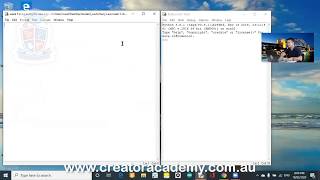
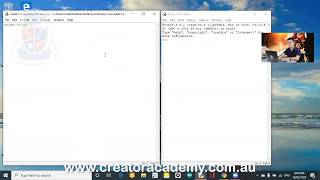
okay today YouTube my name is Gary and I'm the founder of creator Academy Pro Academy is based in Sydney Australia and we're dedicated to teaching kids science and technology so if you are around Australia you hang around and say hi to us in any of our four education centres so today we're going to look at using Python to control this this is the LEGO Education spike prime hub it is using a micro Python processor which means that we're going to be able to access it with certain tools and we're going to be able to give it some very simple commands and today we're going to learn how to do some very very simple exercises using Python okay so today make sure that this tutorial is going to be done using a Windows computer I might do one with Mac OS at another day make sure you have your spike prime hub with you and make sure you have the USB cable that comes with you spike front so that we can connect it and if you are interested in our classes make sure you do go to our website okay it's WWE at our Academy comm today and then there you can scroll down to see all the cool things that we do for our students and you can also see some webinars they're there you can subscribe and sign up for our online learning courses we've got lots of introduction to pricing courses the Python absent interactivity we got Python game projects and we got scratch as well depending on the age of your students you might want to do scratch you might want to do Python we also have some really cool robotics and coding tutorials as well so make sure you do check us out at www.hsn I did a video a while back that was comparing the pros and cons between spike prime and a v3 one of the big ones that I really liked for a lot right really like AV 3/4 was the ability to code in and Python feature for spike prime hasn't been officially unveiled yet so what we're going to do is a little bit of an unofficial way of accessing the micro - processor until Lego releases a proper development environment for it ok so this is what you mean and another thing that you'll need is Patti ok so if you're using Windows we're going to download so you go over here org and then we go to download' pay yeah the first thing that you see and nobody here and then we download the correct version based on your operating systems I'm using Windows 10 so I need 64-bit installer click on that and then you're going to see um I'll just make sure I'm sharing the correct screen so after you've installed it now we're going to have to run the file click on the file and I hope you can see this installation screen because sometimes the screen sharing doesn't share these screens but then to install this setup wizard next then we go make sure that you save it in the right directory you go next and then all these default items against then I agree with anything that pops up they need to read the readme file that's it finish installed Patti all right so now that we have Patti installed let's let's try to do something cool so are you going to start and then I'm going to look for Patti scroll down to p-party 64 bit and then run putty this is what you'll see as party configuration at this point you can probably now attach your hub to the USB you you now that we're attached now in putty we got SSH highlighted this is on this radio button we need to select serial so like serial and then it says comm one so this is the communication port at which it's starting to look for your device but we're not sure if we are connected to come one on them so we need to go look for it so inside in Windows you can go down to the bottom here to search for your device manager okay so the EBI device manager which is it usually in the control panel and then you go down to ports and then you'll see I have a USB serial device income eight now I don't have any other USB devices connected so come eight is most likely now where our spike prime hub is so just go to remember is in compaint so go back into putty now come 8:00 so we changed from come one to come eight and then for speed we go 115 200 less the board's be and then we press open then you'll see all these numbers start popping up so what are these numbers these are the sensor readings that are coming out of your spike prime hub just notice on the right-hand side here where it's got the 1000 negative 1000 if I rotate the hub around you'll see these numbers start to change so I would assume that these are my accelerometer readings so in to interrupt this so that we can stop coding we go control see so one their finger under control and then see you know that and that's how we stop it and now we can start to access some code so first little simple exercise we can go import huh now this is really important because if you don't use this line then you're not going to be able to access the input help there we go hub dot display that show open parenthesis open quotation marks hello from later okay and before I hit the enter button on this going to show you this screen so that hopefully you will see [Music] that it's going to start saying hello from creator enemy so that's that's it that's how you do a very very simple a simple command to show a message spike prime huh what else can we do well I'm glad you asked because I'm sure you have a billion questions right now what else can we do it well we can go hub dot really I'll show you like this show your so it's a little bit larger so go hubbed up and then we're not sure what commands are so we hit tab after you hit tab you'll see all this kind of stuff you did see how we have display before this display there so we go help done and then I can [Music] temperature don't and then I could tap again your sir oh it says it's a class so maybe that means that I can go like this open close parenthesis and then you can read the hub's temperature twenty six point eight degrees very nice what else can I do well I can get help done motion don't and then tab what else is there hmm let's do orientation orientation yeah and then I get tab it's another function so yeah I've been in close parenthesis now it says it's up which is kind of cool because my my hub is standing up so I wonder if like down it's going to show something different so now I go [Music] humped up missioned orientation now says front ok so that's kind of cool all right alongside you left side okay and that's it you have now made your first forays into connecting your spike Prime hub with with Python and I hope you enjoyed the lesson if you have any questions feel free to send me a message or post it in the comment section below okay until next time I'll see you again bye
Original Description
UPDATE: This tutorial was made before the official SPIKE Python update. For the updated tutorial, watch here: https://youtu.be/lmOWPjEhGPw
Learn how to use MicroPython on SPIKE Prime.
For more in-depth science, building and coding on this subject, visit www.creatoracademy.com.au
Playlist
Uploads from Creator Academy Australia · Creator Academy Australia · 24 of 60
1
 2
2
 3
3
 4
4
 5
5
 6
6
 7
7
 8
8
 9
9
 10
10
 11
11
 12
12
 13
13
 14
14
 15
15
 16
16
 17
17
 18
18
 19
19
 20
20
 21
21
 22
22
 23
23
 ▶
▶
 25
25
 26
26
 27
27
 28
28
 29
29
 30
30
 31
31
 32
32
 33
33
 34
34
 35
35
 36
36
 37
37
 38
38
 39
39
 40
40
 41
41
 42
42
 43
43
 44
44
 45
45
 46
46
 47
47
 48
48
 49
49
 50
50
 51
51
 52
52
 53
53
 54
54
 55
55
 56
56
 57
57
 58
58
 59
59
 60
60

LEGO Wedo 2.0 Kangaroo and Joey Demonstration
Creator Academy Australia
LEGO Wedo 2.0 Koala Demonstration
Creator Academy Australia
LEGO WeDo 2.0 Eagle vs Rabbit Demonstration
Creator Academy Australia
Animatronic Australia: The Kangaroo
Creator Academy Australia
How Semiconductors Work: 3D Animation
Creator Academy Australia
LEGO Wedo 2.0 Koala
Creator Academy Australia
First impressions and unboxing First Lego League: Into Orbit 2018
Creator Academy Australia
FLL Into Orbit Team Ranking Gears talks about Artificial Gravity
Creator Academy Australia
FLL Into Orbit team Ev3lution discusses isolation in space
Creator Academy Australia
PI3-BOT (Pie Bot) Prototype
Creator Academy Australia
Dynamic display stand for LEGO Bugatti Chiron (preview)
Creator Academy Australia
Creative Kids TV announcement featuring Creator Academy
Creator Academy Australia
LEGO WeDo 2.0 Guided Lesson: Milo
Creator Academy Australia
LEGO SPIKE PRIME: Turtle Prime Demonstration
Creator Academy Australia
LEGO SPIKE PRIME "Wheelchair Prime"
Creator Academy Australia
10 Reasons why EV3 is SUPERIOR to SPIKE Prime
Creator Academy Australia
Your first launch after installing Python: Python for Kids Webinar Highlight
Creator Academy Australia
What is "Sharpening the Saw": Python for Kids Webinar Highlight
Creator Academy Australia
Why We Use Comments: Python for Kids Webinar Highlight
Creator Academy Australia
Build a Scratch Dinosaur Park (Full Lesson)
Creator Academy Australia
Scratch 3.0: Cat and Mouse Game Stream (Krunal)
Creator Academy Australia
Python Tutorial: Make a Toilet Paper Calculator (Full Lesson)
Creator Academy Australia
Scratch 3.0 Tutorial: Making a chatbot that plays 'heads or tails' (Full Lesson)
Creator Academy Australia
Getting Started with MicroPython on SPIKE PRIME (old)
Creator Academy Australia
Easter Egg Game Tutorial in Scratch (Full Lesson)
Creator Academy Australia
Accessing Weather API with Python (Highlights)
Creator Academy Australia
Accessing Translate API with Python (Highlights)
Creator Academy Australia
Scissors, Paper, Rock with Scratch 3.0 (Highlights)
Creator Academy Australia
Making a really scary game with Scratch 3.0 (Highlights)
Creator Academy Australia
Making a Lemmings game with Scratch 3.0 (Highlights)
Creator Academy Australia
Space Navigation Game in Scratch (Highlights)
Creator Academy Australia
Scratch Supercat Game (Full Lesson)
Creator Academy Australia
Introduction to Robots with LEGO Wedo 2.0 (Full Lesson)
Creator Academy Australia
Getting Started With LEGO Spike Prime (Full Lesson)
Creator Academy Australia
Scratch Walk Cycle Animation Tutorial (Full Lesson)
Creator Academy Australia
Building a Scissor Lift with LEGO Simple Machines (Highlights)
Creator Academy Australia
EV3 datalogging RPM challenge (highlights)
Creator Academy Australia
Learning about buses with LEGO (Full Lesson)
Creator Academy Australia
Make "Flappy Bird" in Scratch 3.0 (Highlights)
Creator Academy Australia
"Memory Arrows" game with Scratch 3.0 Lists (Highlights)
Creator Academy Australia
Learning about Gear Ratios with LEGO Simple Machines (Highlights)
Creator Academy Australia
Scratch 3.0 Bouncing Ball with Stretch, Speed and Acceleration (Full Lesson)
Creator Academy Australia
LEGO SPIKE Prime Order Tracking Robot (Highlights)
Creator Academy Australia
Scratch 3.0 Race Guesser (Full Lesson)
Creator Academy Australia
How Banks Work - a quick explanation for kids
Creator Academy Australia
SPIKE Prime Safe + importance of passwords (Highlights)
Creator Academy Australia
Combination Safe Coding Guide with LEGO SPIKE Prime
Creator Academy Australia
LEGO SPIKE Prime Parcel Scanning Robot
Creator Academy Australia
Building "Addy" the Addition Chatbot
Creator Academy Australia
SPIKE 2.x PID Balancer with Scratch for SPIKE Prime / 51515: Gyro Girl
Creator Academy Australia
What is Procedural Programming
Creator Academy Australia
Zombie game in SCRATCH (plus horrifying zombie facts!)
Creator Academy Australia
Swarming Bugs Scratch Game
Creator Academy Australia
LEGO Mindstorms/SPIKE Prime Scanner and Printer
Creator Academy Australia
Fishing Game with SCRATCH (For Fathers Day!)
Creator Academy Australia
Measuring Paper Plane Speed with SPIKE Prime Line Graphs
Creator Academy Australia
Comparing Mindstorms Robot Inventor and SPIKE Prime
Creator Academy Australia
Code a 'Knock Knock Joke' game in Scratch 3.0
Creator Academy Australia
Creator Academy Australia Live Stream
Creator Academy Australia
Discovering LEGO Mindstorms/SPIKE Gyro Pitch Deadzone
Creator Academy Australia
More on: AI Pair Programming
View skill →







Related Reads
📰
📰
📰
📰
AIWriteBook Review 2026: Features, Pricing & Top Alternatives
Dev.to AI
Do you also think that AI can take away the job of Creative person ?
Medium · Programming
Why Fusebox doesn't support Claude yet
Dev.to · Sifat Ahmed
Five Ways College Students Can Save Hours Studying With AI in 2026
Medium · AI
🎓
Tutor Explanation

 DeepCamp AI