13 SEO Tips That Actually Work
Skills:
SEO & SEM90%
Key Takeaways
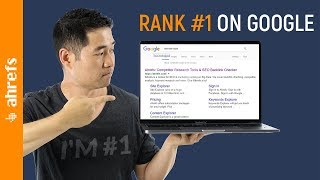
Implements 13 evergreen SEO techniques to rank on Google and get more traffic
Full Transcript
have a mobile-friendly site increase your page speed but you already know these things if you're sick and tired of hearing the same SEO tips over and over and over again then make sure to watch this whole video because I have tactics techniques and strategies that you are not gonna want to miss stay tuned hey it's Sam oh here with eight reps the SEO tool that helps you grow your search traffic research your competitors and dominate your niche and we have a lot of juicy stuff to cover so let's skip the formalities and get straight into this thing the first tip is to get more traffic from your existing pages by covering subtopics that Google wants to see last year we did a study on three million searches to find how many keywords you can rank for with one page and found that the average number one ranking page will also rank for about a thousand other relevant keywords so how do you find these keywords easy you do a content gap analysis so let's assume that you run SEO for bodybuilding calm first you'd go to HR site Explorer and paste in the URL of your page on how to lose weight which ranks somewhere on page two or three of Google search results and you can see that this page ranks for around 1,100 keywords with 2600 monthly search visitors not too shabby but let's quickly compare that against the top ranking page from Healthline com they rank for over 30 times the keywords and gets more than a hundred and seventy times more search traffic so all you need to do is go to the content gap tool in the sidebar next paste health lines URL here and I'll actually paste in a couple more of the top ranking URLs to get more relevant results I'll set this filter here to show keywords where all of these targets ranked in the top 100 and at least one of them ranks in the top 10 while my site doesn't rank at all finally I'll make sure that our URL is set to prefix mode and run the search and you can see that there are over 1600 keywords where all of these pages rank while the bodybuilding.com one doesn't you can see ideas here like to include modifiers like best and here are a couple great subtopics you can include in your post you can write about diets and also have a section specifically on weight loss for women the next tip is to reverse engineer Korah and other forums to find low competition keywords plus a bonus traffic hack that you have to see no matter what niche you're in there are likely forms that are generating search traffic from user-generated content and since no one is actively building links to these forum threads they are likely going to be really easy keyword targets here's how you find popular threads on forums like Korra go to site Explorer tool and enter in a domain of a forum so I'll use Cora calm and you can see that they generate over a hundred and fifty four million search visitors every single month next click on top pages in the sidebar to see which pages from Chora generate the most search traffic finally use the search box to look for a generic topic related to your niche so let's say that I have a blog on Bitcoin and right away you'll see a couple here like Bitcoin generator which only has five referring domains gets five thousand monthly searches and ranks in position four and then there's this one how long does it take to mine a Bitcoin with one referring domain 3400 monthly searches in position 1 and owns the featured snippet these would likely be low competition keywords that you can go after but why limit your SEO knowledge and this golden data just to play the Google game let's click through to this one here on Bitcoin versus some other cryptocurrencies you can see that this question has been viewed over a million times despite having only eleven hundred monthly searches for their top keyword if you look at this response it was answered around six point five months ago from the time I'm recording this video and it's gotten over 73 thousand views so post your answer here and some relevant links to your website and start getting quality referral traffic in fact I tested this exact trick as an experiment with a brand new domain to generate over 40,000 visitors and 15,000 leads from Quora alone the next tip is to convert images into links back to your page creating quality graphics is hard and expensive so what do people do they steal them if you've created an infographic image graphs with data or taking some cool photos then you probably want credit for those right here's how you do it using Google Chrome just right-click on the image then click search Google for images and you can see that these images appear on a bunch of different sites so go to these sites and make sure that they've linked back to you here's an even easier way to do this go to the backlinks profile for your domain in site explorer and type in jpg or whatever file extension in the search bar and will you look at that it looks like we have 868 links to our images from here you can open up the referring pages and see if they link to the post where the image is from so on this page I'll open up the page source and do a fine for our domain HFS com and it looks like there's only one link pointing to our image that's embedded on our email outreach post from here I could contact the author and politely ask if they could change the link to our post instead of the image because it doesn't really pass much value to us since we're not trying to rank the image next tip don't underestimate the effectiveness of broken link building broken link building is one of the easiest link building tactics that anyone can do here's how it works you find pages that are broken and have backlinks pointing to it you recreate that page then you reach out to the websites that are linking to the broken page and ask them for a link the easiest way to do this is to go to HR site Explorer and turn a domain of a closely related competitor and run the search next click on Best Buy links in the sidebar from here you'll use this filter to show only 404 pages and right away you can see all the pages that are broken and the number of unique linking websites that are pointing to these pages here are a few tips to make your campaigns convert better number one include a screenshot of where the broken link is this one tip took my conversion rate from sub 7% to around 13% number two don't copy people's email scripts they're over done and when someone receives that first line that says I was looking for some resources on topic then they'll just click away or delete it and number three make sure your resource is relevant and actually impressive the next tip is to include case studies and stats in your calls stats build trust and links period exclamation point happy face take a look at the backlink profile for hrs blog if I do a search for the % you can see that we have over a thousand backlinks where this symbol is either in the anchor or surrounding text but Sam HFS is a big data company well let's look at back linkle's backlinks Brian has over 2,600 backlinks with a % in the anchor or surrounding text and if you look through some of the links that he has there based on his personal results like this one that says Brian Dean increased his search traffic by a hundred and ten percent in just 14 days here are a couple more ideas on how you can add stats and data to your posts number one use your own surveys with email subscribers social media followers or whoever would fit the profile and number two gather boring data and make it interesting you can do this by turning it into an infographic a video or a map the next tip is to avoid keyword unicorns and consider search intent first just because a keyword has high search volume it doesn't mean it's one that you should target search intent says Allah if we look at the keyword metrics for the search query Google Analytics and hrs keywords Explorer you'll see that there are around a 1.5 million searches per month the thing is that the vast majority of people searching for this they probably want to log in to Google Analytics right so even if your page ranked in the number 1 or 2 position you probably wouldn't get very many clicks because you can't serve the searchers intent and our keywords Explorer shows that only 5% of the time search results for this query get clicked but if we search for how to use Google Analytics then the search intent becomes more clear people likely want a guide or tutorial on how to navigate their way around Google Analytics and extract actionable insights in the clicks data shows that the search results for this query get clicked around 51 percent of the time so always consider search intent first and ask yourself questions like do people searching for this likely have intent to buy what I have can I convert this traffic into leads is there enough search to men to make it worth creating and promoting if the answer is no then you might want to move on the next tip is to add modifier key words to your titles modifier keywords are add-ons to a base keyword here are for my favorites best top by or the current year for example someone who is searching for keyword research tools they might also look for best keyword research tools or even best keyword research tools - 2018 modifiers can help you rank for more keywords and also meet people in different parts of their buying journey so if you own an e-commerce site and you sell this KitchenAid mixer you might want to add by KitchenAid mixer and then the model number so do your keyword research on phrases with modifiers and play around with your titles and content the next tip is to monitor your competitors links and then steal them like a thief in the night when someone links to your competitors content you need to ask yourself why do they link to them and not me and the answer is almost always because that they don't know your resource even exists and even if you email them right now and you tell them about your resource it's probably too late because timing is a critical component in successful outreach you can solve this by monitoring new backlinks for one of your competitors pages then reach out to the site owner or author ASAP here's how you can automate the process go to HR salutes menu then under the backlinks menu setup a new one and enter in the URL of one and for your competitors pages set the notifications to real time and as soon as your competitor gets a link to that page and we find it you'll get an email notification so that you can contact the author and pitch your resource the next tip is to find low competition keywords that no keyword research tool can find something that's widely accepted in the SEO community is that quality backlinks help you rank high on Google agree but wait a second then that should mean that if a page has no backlinks but gets a ton of organic search visitors then that page must rank for some low competition keywords right so using content Explorer which has an index size of nearly 1 billion pages you can do just that just type in a general topic in your niche and set the option to a title search then set the maximum number of referring domains to zero so no backlinks at all and then set the minimum organic traffic value to something like 1,000 scrolling down a bit you'll see this cool topic here on backpacks for professionals that gets over 2,000 search visitors each month without a single linking website next I'll click on details and then organic keywords and just like that I found some great keywords that I can create a post round like professional backpack best professional backpack and professional backpacks for work and I know that I can probably rank high for these keywords with one page and only a few quality backlinks or maybe none at all since this page is doing it the next tip is to claim unlinked mentions and this strategy is simple when someone mentions you or your company and they should link to you right well people don't always do that there are a few ways to find people who have mentioned you but haven't linked to you first go to Google insert for something like your brand name - site colon your domain but it'd be quite the feat to search through this many results only to find that most people have already linked you instead you can use content Explorer you can type in something like your brand name and common misspellings so I'll type in brackets Netflix or net space flicks as a phrase match or Netflix - site : Netflix com this query is gonna look for any of these keywords and exclude results from their own domain next I'll click on the one articles for domain filter to narrow down our result set since we don't need to get links from every page that has mentioned the brand name next click on the highlight unlink domains drop down and enter in the domain Netflix calm down you can see that this result is highlighted in yellow which tells us that this website has never linked Netflix calm form here we could reach out to the site and claim an unlink brand mention if you have a lot of results like Netflix then you can click the export button and make sure that this checkbox is checked to export only the unlinked domains the next tip is to repurpose your best content if you have a blog post that is done particularly well by gaining links or garnering engagement then it might be a good idea to repurpose that call in two different media types so you might turn that into an infographic a podcast a video or a map or a SlideShare presentation the video that you're watching right now is the perfect example we have a blog post on 70-plus SEO tips that's earned two hundred and fifty four links from different domains over 7,000 shares it has a hundred and forty comments by repurposing your content you can expand your reach on different platforms and reach larger audiences the next tip is to grab links from Wikipedia and make sure they stick before I show you how to do this there are two things that I need to address number one yes Wikipedia's links are nofollow number two yes you should still consider getting links from these pages but why because just the English version of Wikipedia gets around three billion search visitors every single month translation an awesome place for referral traffic with Wikipedia anyone can edit the wiki's and add links to their pages just find the wiki you want to add click the edit button and add your contribution but they do have a pretty tight moderation team so you can't just spam links when you're adding content and/or links to the pages you need to make sure that the resources you're adding are bang-on and adds value to what's already there something that I found to work well is to include a supporting statistic next you need to make sure that you're contributing to the right wiki here's a surefire way to find pages that get organic search traffic first go to google and type in something like site colon wikipedia.org and add your keyword term as a phrase match then I'll make a note of any of the URLs that are clearly relevant to the article I want to promote next I'll go to hrs batch analysis tool and paste these URLs here and run the search and right away you can see which pages are getting the most organic search traffic and now it's just a matter of finding the balance between impressions and relevance the final SEO tip I have for you is an important one and I predict it's only going to become more important and that's the optimize for featured snippets featured snippets are when Google shows an answer or a partial answer to the question directly in the search results hrs did a study on featured snippets and found that 8.6 percent of clicks go to these featured snippets which is stealing clicks away from the top organic rankings whether you like these SERP features or not you're going to have to adapt and play the game here are a few quick tips to optimize your content for featured snippets number one our studies showed that ninety nine point five eight percent of featured pages ranked in the top 10 search results not top three top ten so your first task is to make sure your page ranks there number two look and see how the current featured snippet is formatted and understand what part of the question is being answered for example if we search for how to make chicken soup then you'll see the featured snippet that highlights the directions and only the directions as a numbered list if we look up chicken soup ingredients then you'll see just the ingredients appear and from a different website than our first example looking deeper at one of these pages you'll see that there's a simple headline in no introductory text just the list there are a lot of great resources out there on optimizing for featured snippets and hey we actually have a great video on this topic which I highly recommend watching there are probably some maybe even a lot of tips in here that you haven't used so I'd love to hear from you and see which SEO tip was your favorite make sure to leave a comment and hit the subscribe button to get more actionable SEO and marketing tutorials and don't just close this video and go about your day I've left links in the description to some more helpful videos and of course to our full SEO tips post with 70-plus actionable SEO tips keep grinding away take action get results and I'll see you in the next tutorial
Original Description
Tired of hearing the same SEO tips over and over? This tutorial shows 13 evergreen techniques that will help you rank on Google and get more traffic.
Google SEO is continuously evolving. With numerous algorithmic updates, things might seem confusing. But the one thing that hasn’t changed is that Google tries to serve the best search results to their users for any given query.
This video covers various on page techniques, keyword research tips, and off page tactics (link building) that you can use to grow your organic traffic via. search engine optimization.
Here is a summary of the SEO tips and tricks covered in this video:
1. Get more traffic from your existing pages by covering subtopics that Google wants to see.
With algorithm updates like Hummingbird and RankBrain, Google is smarter than ever.
People used to create new pages for every single keyword they wanted to rank for. They would go as far as paying thousands of dollars for exact match domains in an attempt to rank faster in Google.
Now, a single page can rank for thousands of keywords.
This tip will show you a twist to doing a content gap analysis to find sub topics that Google wants to see.
2. Reverse engineer Quora and other forums to find low competition keywords (plus a bonus traffic hack)
Since Quora and other forums are powered by user generated content, it’s unlikely that people are intentionally building links to these pages.
You’ll learn a powerful way to find low competition topics by analyzing forums.
Also, you’ll learn the ridiculously simple traffic hack that Sam used to generate over 48,000 visitors and 15,000 leads.
3. Convert images into links back to your page.
Using this tip, you’ll learn how to turn your images into high quality editorial backlinks.
4. Why you shouldn’t ignore broken link building (and how to do it fast).
Broken link building is a strategy for SEOs at all levels. You’ll learn a simple way to find tons of new broken pages that you can recreate from y
Watch on YouTube ↗
(saves to browser)
Sign in to unlock AI tutor explanation · ⚡30
Playlist
Uploads from Ahrefs · Ahrefs · 43 of 60
1
![Can you Rank on Google WITHOUT Links? [OSEO-03]](https://i.ytimg.com/vi/WikWn29F0sI/mqdefault.jpg) 2
2
![How To Rank #1 On Google For ANY Keyword [OSEO-02]](https://i.ytimg.com/vi/rVyU2KT3Dr0/mqdefault.jpg) 3
3
![How To Build Links With Guest Articles - The Robin Hood Technique [OSEO-01]](https://i.ytimg.com/vi/_aiw71GdSGY/mqdefault.jpg) 4
4
![How To Get Powerful Links That Help You Rank In Google [OSEO-04]](https://i.ytimg.com/vi/8WzTO3RBBoI/mqdefault.jpg) 5
5
![How To Retain Your Top Position In Google For EVER! [OSEO-05]](https://i.ytimg.com/vi/2DWfK7kaUmk/mqdefault.jpg) 6
6
![Why Your Links Are Not Helping You To Rank High In Google [OSEO-06]](https://i.ytimg.com/vi/ejpbSZKj-pA/mqdefault.jpg) 7
7
![How To Find Popular Content With Lots Of Backlinks And Social Shares? [OSEO-07]](https://i.ytimg.com/vi/zt0vUIgvI84/mqdefault.jpg) 8
8
![How To Find Broken Links And Broken Backlinks That Hurt Your SEO [OSEO-08]](https://i.ytimg.com/vi/79NQlL6c8w8/mqdefault.jpg) 9
9
![How To Find Sites That Are Highly Likely To Link To You [OSEO-09]](https://i.ytimg.com/vi/oVlUXONpTVY/mqdefault.jpg) 10
10
![How to Create Backlinks with the Broken Link Building Technique [OSEO-10]](https://i.ytimg.com/vi/Q6aYWovKaNM/mqdefault.jpg) 11
11
![How to find the best content of your competitors [OSEO-11]](https://i.ytimg.com/vi/RNYp2byMdIY/mqdefault.jpg) 12
12
![The Basics Of On-Page SEO [OSEO-12]](https://i.ytimg.com/vi/n458LcMzqQg/mqdefault.jpg) 13
13
![How to Find Keywords That Drive Traffic to Your Competitors [OSEO-13]](https://i.ytimg.com/vi/cIPZ3-KnH9A/mqdefault.jpg) 14
14
![How To Uncover PPC Ads Of Your Competitors [OSEO-14]](https://i.ytimg.com/vi/okVlUZ4flG4/mqdefault.jpg) 15
15
![How To Find Influencers Who Are Talking About Your Business [OSEO-15]](https://i.ytimg.com/vi/veMXv7HvfbM/mqdefault.jpg) 16
16
![Why You Need To Keep Track Of Your New & Lost Backlinks [OSEO-16]](https://i.ytimg.com/vi/vaIhU4nwx3I/mqdefault.jpg) 17
17
![How To Create Linkable Assets For Your Website [OSEO-17]](https://i.ytimg.com/vi/RcLrW59UzHc/mqdefault.jpg) 18
18
![How To Track Your Keyword Rankings [OSEO-18]](https://i.ytimg.com/vi/Q44G4-kSaIc/mqdefault.jpg) 19
19
![How to find the keywords to rank for [OSEO-19]](https://i.ytimg.com/vi/aUR1e8vO55A/mqdefault.jpg) 20
20
![SEO Link Building 101 [OSEO-20]](https://i.ytimg.com/vi/ocrmQTA9QSY/mqdefault.jpg) 21
21
 22
22
 23
23
 24
24
 25
25
 26
26
 27
27
 28
28
 29
29
 30
30
 31
31
 32
32
![How to Find and Steal Google Featured Snippets [AMS-08]](https://i.ytimg.com/vi/-p0XyoO1WSA/mqdefault.jpg) 33
33
 34
34
![How to Do an SEO Audit (in 20 Minutes or Less) [AMS-09]](https://i.ytimg.com/vi/vdFm0J-tizI/mqdefault.jpg) 35
35
 36
36
 37
37
 38
38
 39
39
 40
40
 41
41
 42
42
 ▶
▶
 44
44
 45
45
 46
46
 47
47
 48
48
 49
49
 50
50
 51
51
 52
52
 53
53
 54
54
 55
55
 56
56
 57
57
 58
58
 59
59
 60
60

Can you Rank on Google WITHOUT Links? [OSEO-03]
Ahrefs
How To Rank #1 On Google For ANY Keyword [OSEO-02]
Ahrefs
How To Build Links With Guest Articles - The Robin Hood Technique [OSEO-01]
Ahrefs
How To Get Powerful Links That Help You Rank In Google [OSEO-04]
Ahrefs
How To Retain Your Top Position In Google For EVER! [OSEO-05]
Ahrefs
Why Your Links Are Not Helping You To Rank High In Google [OSEO-06]
Ahrefs
How To Find Popular Content With Lots Of Backlinks And Social Shares? [OSEO-07]
Ahrefs
How To Find Broken Links And Broken Backlinks That Hurt Your SEO [OSEO-08]
Ahrefs
How To Find Sites That Are Highly Likely To Link To You [OSEO-09]
Ahrefs
How to Create Backlinks with the Broken Link Building Technique [OSEO-10]
Ahrefs
How to find the best content of your competitors [OSEO-11]
Ahrefs
The Basics Of On-Page SEO [OSEO-12]
Ahrefs
How to Find Keywords That Drive Traffic to Your Competitors [OSEO-13]
Ahrefs
How To Uncover PPC Ads Of Your Competitors [OSEO-14]
Ahrefs
How To Find Influencers Who Are Talking About Your Business [OSEO-15]
Ahrefs
Why You Need To Keep Track Of Your New & Lost Backlinks [OSEO-16]
Ahrefs
How To Create Linkable Assets For Your Website [OSEO-17]
Ahrefs
How To Track Your Keyword Rankings [OSEO-18]
Ahrefs
How to find the keywords to rank for [OSEO-19]
Ahrefs
SEO Link Building 101 [OSEO-20]
Ahrefs
How To Find High Quality Backlink Opportunities with Ahrefs
Ahrefs
What is Ahrefs?
Ahrefs
How to Steal Organic Search Traffic From Your Competitors
Ahrefs
Basic Keyword Research Tutorial: Find Low Competition Keywords with Ahrefs Keywords Explorer
Ahrefs
Complete Keyword Research Tutorial using Ahrefs’ Keywords Explorer Tool
Ahrefs
How to Submit Your Website to Google, Bing, and Yahoo Search Engines (EASY Guide)
Ahrefs
How to Find Guest Blogging Sites and Easy Keyword Targets with Content Explorer
Ahrefs
How to Find Pages That Send Your Competitors Organic Search Traffic
Ahrefs
SEO Audit: How to Fix Your Website’s Technical SEO Issues (Tutorial)
Ahrefs
How to Do a Basic Backlink Analysis on Your Competitors
Ahrefs
Backlink Analysis: Find Thousands of Link Building Opportunities
Ahrefs
How to Find and Steal Google Featured Snippets [AMS-08]
Ahrefs
Link Building Strategies on Steroids: How to Get Backlinks FAST!
Ahrefs
How to Do an SEO Audit (in 20 Minutes or Less) [AMS-09]
Ahrefs
How to Find High Quality Backlink Opportunities (in Real Time)
Ahrefs
How to Do Keyword Research: Go Beyond Search Volume
Ahrefs
How to Find Thousands of Keyword Ideas for SEO
Ahrefs
How to Measure Keyword Difficulty and Rank on Google
Ahrefs
Ahrefs’ Rank Tracker Overview and Tutorial
Ahrefs
How to Do an Effective Content Gap Analysis for SEO
Ahrefs
How to Google with Advanced Search Operators (9 Actionable Tips)
Ahrefs
SEO For Beginners: A Basic Search Engine Optimization Tutorial for Higher Google Rankings
Ahrefs
13 SEO Tips That Actually Work
Ahrefs
Top 10 On Page SEO Techniques (Backed by Data)
Ahrefs
SEO Tutorial: 10 Detailed Steps to Rank #1 in Google
Ahrefs
How to use Google Trends to Find Sizzling Hot Topic Ideas 🔥
Ahrefs
6 Free Keyword Research Tools for SEO (and How to Use Them)
Ahrefs
Analyze Google Ranking History for ANY Keyword (Ahrefs’ Position History = Unlocked)
Ahrefs
Ecommerce SEO Tutorial to Get More Free Search Traffic
Ahrefs
7 Easy SEO Hacks using Ahrefs’ New Traffic Filter
Ahrefs
How to Use Google Keyword Planner: 6 Hacks Most SEOs Don’t Know Exist
Ahrefs
How to Do Local SEO: Complete A-Z Tutorial
Ahrefs
How to Submit Your Website to Search Engines Like Google, Bing and Yahoo
Ahrefs
The New SEO Toolbar by Ahrefs (and How to Use it)
Ahrefs
How to Set up Google Alerts for Passive SEO and Marketing
Ahrefs
How to Choose Long Tail Keywords For Explosive Search Traffic
Ahrefs
How to Get Website Traffic With Evergreen Content and Social Media Marketing
Ahrefs
Broken Link Building in Action (Strategies, Outreach Emails and Stats Revealed)
Ahrefs
How to Promote Your Website and Get More Traffic (on a Shoestring Budget)
Ahrefs
Wordpress SEO Tutorial for Beginners (Search Engine Optimization Basics)
Ahrefs
More on: SEO & SEM
View skill →




Related Reads
📰
📰
📰
📰
We Built Yet Another Social App.
Medium · Startup
Funnel-Hacking My First 90 Days as an AI API Affiliate: A Growth Marketer's Teardown
Dev.to AI
India’s Reliance Retail to pilot search and discovery platform in multi-channel push
Dev.to AI
I built free email, phone & card validators + a tiny hosted API (with real MX deliverability)
Dev.to · Choi Changhwan
🎓
Tutor Explanation

 DeepCamp AI