QUERY BY ANAND -2
Skills:
Data Literacy80%
Key Takeaways
ExcelGuru solves an interview question from Anand's set of 25 questions, demonstrating data validation and manipulation techniques in Excel to find the number of employees who joined before 2015.
Full Transcript
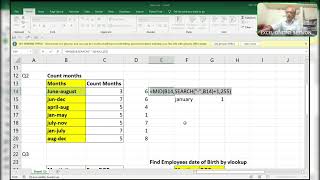
hi friends this is Excel Guru rajinikant and today I'm going to share a solution with you guys uh and this is interview question which is asked by Anand totally 25 questions are there already one question is completed remaining 24 questions are there daily I try to upload one or two because I have to complete all 25 questions as early as possible for that reason I'm trying to solve as early as possible before starting before showing before sharing the screen I like to tell you that please like share and subscribe my channel as early as possible and click on Bell icon so that you whenever I upload a new interview MNC company questions you'll get a notification over there right now here is the screen see one thing one thing I like to tell you one thing guys before uh taking or recording video I not practicing anything directly I'm doing okay see here here they did a logic over here here the dates are in text format if you do like this it will not accept see how how they did I'm unable to uh see everyone will say like why don't use date value okay I'm using date value collect it will show you value errors suppose if I do equal to this plus 0 then also value because here in month place there is 27 23 about 12 for that reason it it is not able to understand so find the number of employees who have joined before 2015 okay here we can make it see how I do it's very simple write off whole thing control backspace comma the here in two digits okay that's enough for us don't need to take any more risk it's enough for us right two digits it will pick up two two characters from the right side that is 13 14 17 like this F9 okay without any spaces and without any special characters control Z Now what is less than 2015 right so I'll use less than I will not use direct 15 15 direct 15 is a number but here it is a text numbers observe here is a text number directly if you do 15 it will show you falses okay so you have to convert this number as a text number by double code okay then it will understand that it's a text number you are searching text number that is below 15 okay F9 wherever it find the true whereever find the less than 2015 or something it will show you the true and remaining or all Fales so convert this true and falses by using double negative mathematical operator so it will convert this into true and P F9 so simply use sum or some product so always I use some product because it can handle array in some cases some will also not help us to solve big arrays in some cases totally eight are there that is below 2015 totally eight 13 12 14 okay now coming to
Original Description
By ExcelGuru
#Frequently asking these type of questions from the reputed companies
"Copyright 2024 Rajanikanth. All rights reserved.
This video is protected by copyright law. Any unauthorized use or reproduction is prohibited.
if u do so, will be taken legal action against them
#data validation will blanks are in range
#most frequently occurring value
#sorting alphabetical order
#rows
#small
#index
#array
#excel guru
#Excel challenges
#ms excel
#mis challenge
#excel challenges
MNC company interview questions
#mid
#left
#right
#vlookup
#frequently asking Excel interview questions
#Real excel interview questions
telegram group link:-
https://t.me/iamExcelGuru
WhatsApp channel link
https://whatsapp.com/channel/0029VaLlQ4y5q08VYttYW41m
Watch on YouTube ↗
(saves to browser)
Sign in to unlock AI tutor explanation · ⚡30
Playlist
Uploads from ExcelGuru · ExcelGuru · 0 of 60
← Previous
Next →
1
 2
2
 3
3
 4
4
 5
5
 6
6
 7
7
 8
8
 9
9
 10
10
 11
11
 12
12
 13
13
 14
14
 15
15
 16
16
 17
17
 18
18
 19
19
 20
20
 21
21
 22
22
 23
23
 24
24
 25
25
 26
26
 27
27
 28
28
 29
29
 30
30
 31
31
 32
32
 33
33
 34
34
 35
35
 36
36
 37
37
 38
38
 39
39
 40
40
 41
41
 42
42
 43
43
 44
44
 45
45
 46
46
 47
47
 48
48
 49
49
 50
50
 51
51
 52
52
 53
53
 54
54
 55
55
 56
56
 57
57
 58
58
 59
59
 60
60

Total Sumproduct Session By Excel Expert Mr.Sanjeev kaushik
ExcelGuru
Uses and Technics of Transpose in 3 Methods
ExcelGuru
Query Solved ExcelExpert
ExcelGuru
counting numbers and text with creteria lenngth
ExcelGuru
For Reverse Looking Fing age By Using Database Function
ExcelGuru
MIS INTERVIEW QUESTION EXTRACTING FIRST AND LAST NAME WHICH IS NOT HAVING DELIMETER
ExcelGuru
finding Unique count of sales between Dates
ExcelGuru
counting 2 lookup values as per dupicates
ExcelGuru
Reverse Vlookup to get DOB
ExcelGuru
17-04-2022 Sridevi Marriage Celebrations
ExcelGuru
INTERVIEW QUERIES WITH ANOTHER QUERY
ExcelGuru
finding maximum sales of product when duplicate products
ExcelGuru
QUERY ASKED IN GROUP
ExcelGuru
MIS TEST WITH AMAZING SOLUTION BY JR.BILLGATES(ANAND)
ExcelGuru
query to count not saled products after saled products
ExcelGuru
Explanation about birla mandir at Hyderabad
ExcelGuru
counting specific weekday in between dates
ExcelGuru
Extract Data As per Creteria with power Query
ExcelGuru
Extracting data as per creteria in different sheets
ExcelGuru
SOLUTION FOR INPHOSYS MIS-1(1-4)
ExcelGuru
solution for inphosis mis 2(12-13)
ExcelGuru
INPHOSIS MIS SOLUTION-3(5-10)
ExcelGuru
LOGICAL MIS INPHOSIS-4(17-18)
ExcelGuru
MIS INTERVIEW QUESTION
ExcelGuru
MIS INPHOSIS -5(19-21)
ExcelGuru
MIS INPHOSIS - 6(23-25)
ExcelGuru
extracting pin codes or number from text string
ExcelGuru
finding maximum sales in one value
ExcelGuru
finding how many months are there between months
ExcelGuru
Quarter sales by month
ExcelGuru
Finding rate with 2 conditions by using vlookup
ExcelGuru
how to find max length word from text string
ExcelGuru
Group query To find sales and Quantity With 2 conditions by using VLOOKUP
ExcelGuru
my angels birthday celebrations
ExcelGuru
Group Query Adding total sales when it is having random delimiter like inches,kgs,Ton
ExcelGuru
Seperating first and last Name by space using function
ExcelGuru
Finding Total Goals from different tables Team members
ExcelGuru
Group Query To Extract Team members Names
ExcelGuru
Extracting data in a single column
ExcelGuru
converting one column data into table interview question
ExcelGuru
MIS INTERVIEW QUESTION-100
ExcelGuru
MIS INTERVIEW QUESTION -101 FINDING VALUE AS PER CHARACTERS LENGTH BY VLOOKUP
ExcelGuru
chi.shreyansh
ExcelGuru
MIS INTERVIEW QUESTION-102(SORT BY LENGTH)
ExcelGuru
query to extract last words from sentence
ExcelGuru
MIS INTERVIEW -103(EXTRACT MAXIMUM CHARACTERS WORD IN A CELL)
ExcelGuru
group query
ExcelGuru
without len function count of characters
ExcelGuru
MIS QUERY
ExcelGuru
mis interview questions part -1
ExcelGuru
Real MIS Query-1
ExcelGuru
real mis interview questions-1
ExcelGuru
finding the value as per length of characters
ExcelGuru
real mis -2
ExcelGuru
real MIS -3
ExcelGuru
REAL MIS -4(PART A)
ExcelGuru
group query
ExcelGuru
tech mahindra mis
ExcelGuru
courier company MIS
ExcelGuru
tech Mahindra (UPDATED)
ExcelGuru
More on: Data Literacy
View skill →









Related Reads
📰
📰
📰
📰
Why Synthetic Healthcare Data Isn’t Enough for Commercial Analytics
Medium · Data Science
Why Synthetic Healthcare Data Isn’t Enough for Commercial Analytics
Medium · Python
Scraping Indian government open data in 2026: what actually works
Dev.to · Manideep Chittineni
2026 Enterprise Data Recovery: What IT Teams Should Look For
Medium · AI
🎓
Tutor Explanation

 DeepCamp AI