JUNE REAL MIS -1
Key Takeaways
The video presents various Excel challenges and solutions, covering topics such as string manipulation, data analysis, and array functions, using tools like VLOOKUP, INDEX, MATCH, and IF functions.
Full Transcript
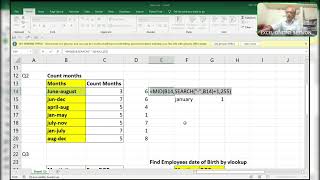
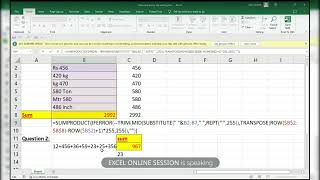
okay and one guy goam Mr goam did excellent uh procedure but I will do in different way okay lot of queries are there to discuss to share with you all and here I'm going to show you some amazing query that is two things okay you have a I'll do with you look up okay so here observe guys Star indicates one and more characters star indicates one and more characters okay when wait a minute I will right indicates one and more characters and question mark indicates one character this is the thing which I'm going to show you without using length function without using length function I'm going to show you how to find the length of four length character AG right without using length function but what I'll do repeat of question mark comma this so what it will happen it will show you the question marks that many times which I have given the condition that is four F9 C are you able to follow Lo okay ENT see if I change to some two observe here guys observe this question marks right without using length function I'm doing this one as to here the condition not able to see all f2c right so using length function now I will simply use V lookup to find this thing comma 2 comma 0 it's very easy if someone asking this companies regarding without using length function you have to find the percent AG as per given condition that is length then you have to use this one if is not given that one you can use the length function as you wish okay if you want I'll show you the length function also why it's an error two length character why an errors it should not show the error two characters length is not there yes two characters length is not there so typ three understood a normal function FS2 enters normal function it's not an array function it's a normal function if I change to four to pick up the r AG that is 25 okay if anybody having any doubt let me know in the telegram group I'll explain you over there no issues no problem for that and coming to here you have to find the ID okay you have to find the ID here also I remove you have to find the ID as for this score so score is six so ID should come 1 to 10 if I change these things if I change any of these things like uh I mean to say eight so it has to pick up this one not this one this one okay as for this suppose if I not this one have wrong over here so when I type any value between this it has to pick up it has to check and pick up the ID from there see how I'll do it first of all I'll do the left function comma two characters but here is the text right here is a text so what I'll do here double negative F9 so it will convert into number numbers T numbers into numbers so what I'll do match of eight comma here I will use a one that is greater than or less than or what it approximately greater than actually F9 so it will pick up the eight is in between 1 to 10 index of again this one I'm not using the scores observe guys I'm not at all using this course over this F9 see okay did you go ENT okay so it's an ARR function all right if I enter any number between this 11 to 20 that is 7 not 7 sorry from 19 okay so now I will ask you one thing okay so here by tomorrow after tomorrow whenever I get a free time I will show you that one also but I am asking this query that the numbers which are enter here if that number enters over here okay five it will it will give you the correct answer okay if I change to 24 then greater than understood see so I need one query so that I'm asking sorry I'm asking one query that you have to enter only these numbers not other numbers only these numbers but this is this is not the procedure which I have shown you to find this one so I'm asking 1 to 23 only 1 to 23 only if I type here then first of all I I'm going to ask you that I have given the sces but I have not used in Formula so if you want to use this course also to get that one you have to use CES how you'll do you have to use this course and find this one right understood guys what I mean to say that any doubt Mr gutam sing any doubts please let me know no unmute yourself can you please loud if you uh speaking because here my mic sorry earphones are not working properly so you do one thing you can post in group that is BR because my earphone is not working the I the earbuds okay thank you guys another Del whatever the deler is there you have to add that Del over here only right minus of wait a minute I'll do it like this so that you can able to see length of this minus of length of substitute of this okay comma old text this one again I'm adding hyphen okay any doubt till now and as usual the what you say right this one the new text will be the blank I'll do F9 F9 see so it will not come the values the positions actually okay to remove the hyph first of all adding hyph not adding also I me to say yes removing hyph and adding all those things right still now okay guys any doubts you can ask me not yet over now I the new the amazing part divided by length of the whole thing actually I'm converting four for all fours to Once okay I need once one one one whereever is aable it has to show one one one one like that that is the thing I'm doing here not any other magic right F9 see what it is showing to understand sanj are you able to understand what I mean to say whereever the value there showing one and remaining are all zeros the value found it is showing one else zeros simply I'm using some produ over here wow you want you can check it out like uh ABC ABC 5 DF 7 5 + 7 G 9 this one this one this one totally 12 + 9 21 only Stu is there what is only Stu 14 14 14 V WX y z these two things n could you show the formula again sir just a minutes let me take a screenshot okay wow sir brilliant got it sir nothing is there just I'm adding Hy okay nothing is there nothing I'm not doing any extra thing for everything I'm adding hyph and substituting with that and dividing by the total length of the values over here okay I'll do one thing this better more it's very big is better for you right Che this one I got that if you have any doubts ask me no no sir it's understood that you made that very simple sir done sir there you are genius Junior Bill Gates why you asking formula if I said once means it will be keeping your brain forever nothing thing is there yeah how to find this letters listing letters can I explain this to can I postpone by tomorrow just check it out you can leave this I this can you try no I have met this I posted in the group can you please load I posted in the group sir I am done this yes you did with text split no no no not with text to split uh with r indir with mid row indir sir yeah okay I I don't have no if you want I can explain you that's not a big matter for me okay you can carry on sir see I'm removing this one okay leave off from here we'll do so what I'm doing first of all extracting as you know there is no delimiter so I'm not adding any characters over there right extracting each and every value from there that's it here is the magic we have to find out comma one each and every character from the value right e for the hello sorry actually I was in mute not uh notice that one sorry for that just checked it now tell me yes yes correct corre is it right or wrong you are converting numbers as a numbers yes and error as a falses is it right or wrong now you tell me what is it right what the whatever the procedure I'm doing is it right or wrong right right sir no why sir no mat use match over this find the false match will give you the position Okay match the false okay so inste of doing that one what I'll do here in of value I will sorry instead of number I will use e error f okay now I'll do Mach of true comma comma Z it will pick up the position the missing position is in R the missing position is R now see the Magic by using index and just I copied that formula I I paste it control sh and enter wow amazing did you got this idea this simply W everything is okay did you got it yes I got it because my mic is not working properly sorry not mic the Bluetooth the earphones okay so I'm unable to hear properly your system divide to convert truth into on and false divisible by error no we are interested in last one right last one so what I'll do here I will use the look up is having the maximum number I will enter here that is 9.9 e + 307 that is the number which entered in one did you understand the last number not more than this there is no other digits the length of the characters the I mean to say these many characters we can enter these many numbers we can enter in Exel so last one here we can't say that all ones are there it may be more than one also there if you type two also it will work that's not a big matter step two sorry again I'll come because sorry for that 2 comma 1 / by E number SE of this comma this close parenthesis close parenthesis and the result VOR will be this one see I typed two okay not one here observe guys the biggest number which is not available here I mean to say that the biggest number which is not available here all ones are there more than one is two you can type 10 n but not one okay not once the biggest number whatever it may be there you have to type that one only then only it will accept it will pick up the last number control Z get enter ABC wait a minute 60 yes yes BF okay data validation this I have to remove that one okay all uh allow any value enter DF see the of last value is wait a minute wait a minute yes here it is 60 42 okay yeah I'll do now I'll do with aome aw yes very easy V up yes I I I do I to with v but you did the long me very long very long same nothing is this SE of ABC comma okay last criteria the last argument will be the shocking if you'll see okay and comma the second value will be this one okay M close parenthesis F9 okay the last value the last argument in this you'll Beed after seeing that value column index is two comma two but no nothing is there just close the bracket wow andol shift procedure is correct I don't where I went wrong it is there actually somewhere went wrong in this formula comma one let's see no something went wrong here the procedure is correct I don't know where I went wrong over here because four five times I did with look and I confirmed that it is working then only I'm posting M I think somewhere the procedure is correct where I went to understand if I it will Pi up the first one we know that one if it close it has to pick up the last one okay we'll do one thing s to a to A to B sorry uh s where it isable copy short option is not there here yes here is there to is not working has to work actually why DF is taking 16 DF is it is becoming this one one DF one the last last two characters I don't know why it taking this one the procedure is correct did you understand you understand look up first of all I have to zoom it did you understand look up is anybody having doubt in this okay don't ask me I'll go to next query yes please I'm converting this into once that's it the look of vector I'm converting this into once and divisible by errors that's it because we interested number for that reason I'm removing other than numbers that's it you can type 10 also it will work if you type if you type 100,000 but repeating the number should not be here whatever the number you are entering here it should not be available over in this that's it any number but it should be bigger than this right can I go for a second right okay okay now what I said find the DAT the same it is also same no no difference what I'll do I'll copy this one same procedure but little bit different equal 1 divided by same procedure okay divide is not working yes look up two comma and the result will be comma this one F convert 1101 this one if I enter to give you 112 it is awesome okay no coming to Magic squaring magic query I was after completing this see first of all you have to extract each every each and everything right wait a minute okay okay right is equal to Mid of as usual mid of row of indirect everything everything Lo okay every everyone knows this okay comma one this indirect okay right here we have to do some logic some Magics mhm into again same form F9 you like this wait a minute wait a minute wait a minute I have to convert this into number first of all e numbers no now see okay will pick up the positions M okay MH understood okay now what I'll do here I'll pick up the large Lar comma of indirect same Formula One formula repeating so many times that's it in different ways I meant to say okay okay understood mhm because I'm uh taking the lowest T up from here for that is showing that numbers okay okay uhh any don't ask me made of zero because we interested in zeros numbers I'm going to say this one comma comma one blindly I'm doing to not come at actually we pick it out err from here wait a minute plus one this one I think so wait wait wait wait wait wait wait wait wait wait this one one wait a minute let me check where it it should not come at actually uh large of this okay I have to add one [Music] here because Zer will not pick up it will show you errors Zer will not for large number Zer it will not pick up okay done okay then okay because for large it will not pick up that number from large Z it will not pick up for that showing the value error the K value now we will check it F9 M okay now see the magic again I'm showing this one okay so you have to convert this things from that number okay like how many digits we doesn't know so we have to get after five these many zeros after four these many zeros after seven these many zeros I will Zoom it if you want I zoom it wait a minute I'll Zoom it a little bit so you can able to now see F9 F9 see see what I mean to say that here five is there okay so after five these many zeros we need after four these many zeros right this is the thing we have to follow here so that we'll get see into 10 the power of I have explained in previous video why I'm using this power function indirect indir 1% length of this okay here um taking this one and here you have to use minus one because we need 10^ 0 we need 10^0 if it is not there what it will come F9 okay first of all I remove zus one then I will show you why I'm showing this one see so here we need all numbers are there from 10 all numbers are there from 10 but we need from 0 10 100 01000 for that reason we are using minus one here and press F9 did you got what I mean to say here now right yes yes okay here I will show here I will here I will show again this 10 the power of F9 C I will decrease the zoom part so that you can able to understand F9 F9 c 1 10 100,000 10,000 one lak 10 laks understood okay right right so 10^ 1 is equal to 10 I highight this whole thing and press F9 see the three comes into unit place and two comes into 10 place and N9 comes into 100 Place 100 100 place right right so simply use some product it's an AR part because we are using lot of arrays control sh enter only one function I'm using repeatedly that's it only one function that is row indirect the row indirect function I'm using repeatedly two to three times that's it and remaining around same only one function I'm repeating more than one time I'm not doing any magic only one function I'm using but the position we have to know whether where we have to put where we have to apply this function in what way what are the procedures all those things okay I just joined to ask let him allow to speak because he also one of the gem yes brother gam you can unmute yourself and you can ask me Mr goam are you there I mute goam is there brother and another gy Gupta are you there you can unmute by yourself Gupta because we are not having any right to unmute your you this thing so you have to unmute yourself correct correct we are we are having right to allow to speak only that thing we are allowing you to speak then you have unmute [Music] yourself uh you understand that quy which I exp this one the third one yes yes third one was was bit complicated but yes I understood that I think you try you try no no you try by this I'll show you one thing you try this one I want to find the sum of numbers maximum numbers M okay you try and let me know by tomorrow 24 hour time 24 hour time perfectly I need perfect answer this one by using this this type of function let me know the max Min and some that's it three things because zero there so we can't do so let see in what way you'll do okay the in the group find them your your voice is having lot of disturbance from your side yes a lot bad Network all right all right but totally different solutions okay okay sure sure sure sure here we are searching first of all think that we are searching a text okay so what will be the last letter in alphabet uh Jed yes look up Z okay you are using lookup lookup is a quite amazing amazing thing yes this one D4 only close paresis I'm loocking okay okay done mhm when I drag this formula what will happen Okay heretically is coming from here oh that's that's pretty amazing actually we are looking see what What's Happening Here M see here we are looking the character from this area the letter the text letter okay these two are blanks so it's not finding that one mhm so ising mhm oh that's pretty amazing sir did you understand that yes yes yes I understood that okay what I I'll do totally different M F4 comma 2 comma 0 the normal function mhm no part oh my God this is brilliant okay this is brilliant any doubt look up always find the last one that is the actual function actually we never think about lookup lookup is used by very that is the thing that is the thing you have to you have to think about all functions and you have to implify or correct correct sir then only it will work whatever it may be of all think what are the what are the these things are there possibilities what are the possibilities how to get that one correct another person did really great with we look okay who vikas GTA Vias Gupta oh my God he also then very good he did yes he did but it a long procedure this one the second one okay okay show you shortest method okay anybody whatever functions I'm using now nobody will think this function will use over here that's what that's what that is count if okay count if the range okay okay M comma and what what will be the criteria column of E2 minus column of A2 plus one this is the I want to count from over the range okay all the see I'm counting all the things if it is now I highlight all the thing and I press F9 it will give you all numbers whatever it is available over there in a Range yeah okay okay so what I'll do I'll use a minan function to a minute contr no number one number ising from to okay uh what is the logic here sir I mean uh find the all numbers one to five in I'm not getting this like okay you want the all see here we are the [Music] formula left n we see see here you'll get the IDE M we are counting these numbers in that numbers okay okay okay okay got it got it now got it okay simp there not any big thing very simple okay counting each cell um in in the entire range counting each cell in the entire range okay yes this is amazing nice sir very nice one thing one you're not using your brain Frankly Speaking Frankly Speaking no no no no no query number I could not understand the logic and query number three I I was just working suddenly I saw the video chat uh going on so I joined that no it's very easy guys it's very easy what I did I do totally different right me invite someone let me invite let me invite inv you have to invite by in yourp in our group yes yes I am again doing that just a moment please that process saying that conation is not the best way no even I think also concr nating is not the best because Excel has to do lot of calculation first it will be you know like in the back end it will be concatenating then so if there is if there is another way so you can share but uh yes I'm doing one okay okay fine even I would like love to watch concat nating as well because I was thinking but I didn't make attempt it's very easy okay I'll that one over here ABC because here we have main thing is you are freezing the can you do a favor can you zoom time in a little bit so that because uh okay okay if that's possible if what what you tell me brother I can wait that's not a big matter for me no I mean just can you zoom the screen zoom like you have to okay okay okay okay exactly let me let me do okay okay I got that I got now no I comfortable now okay I'm searching this not breathing only the okay okay only the column column column equal to yes because you don't want the concatenate for that reason I'm showing this [Music] one okay and the both things and should concate okay okay ABC here I'm feing the row but not the column correct correct F4 correct correct so give you very I was I was up to the stage yes yes you can do match now match match match of what oh one of oh wow oh my God oh my God here we'll get the this one those things simply use uh sorry simply use IND index of names that's you don't want yes taking big big very simple I'm asking very simple queries you not not actually you may be busy with your work for that reason you are not [Music] right brilliant blank that's it moving how these two how have you seen that how these two guys met this query query number three had they followed the same approach guy did this way okay okay okay and I did with concate okay no sir I think this approach is much better this approach is the best depends on their skills and talent that's it that's true that's true comfortable that's true that's true but um I have all the time I have in Long procedure here okay really appreciate is patience very long procedure I am just thinking about why I could not find that match I I had to use match to find the that thing and I forgot that okay I think you you have did with ch right you did great thing actually I mean to say that one thing when I post a query you think in different way you won no no no I have always done that I always think of not this one not this one the previous group N okay AC and we look up oh that that but but but oh my God you raised good question now let me let me tell you sir had that had that data contain AC and after that XY then PQ then my formula would have not produced error but but concatenating things made the things simpler I I agree uh there you could have there concatenating was the best possible thing but I was think I always try to think that even if there is some changes like if AC is not there and XY is there y z is there I think that something will be there differently I don't know I observe that one in you no such a wonderful collection sir it's such a you know how completed we were seeing the numbers in same cell so here it's very easy guys before starting this I will like to share some mathematical function over here so that you can you can understand easily that 10 okay what I'll do here I'll explain you no need to worry G do2 G2 - one all right okay so what I'll do here I'll drag this formula okay I'll drag this formula from 0 to 6 right so what I'll do here here what I I'll multiply these things four into this I freezed this one but not this one so so whenever I drag this formula it has to move correspondingly control enter Z 10 20 okay wait a minute here it should not be one actually it should be 10 power of 10 to the into 10 the power of right power actually here I have to use power not into sorry power I have to use see what will happen Okay 10^ 0 anything to the^ of 0 1 anything to the sorry 10^ 1 equal to 10 10^ of 2 is equal 100 10^ 3 = th000 so this pattern this thing I'll use in here did you got my point this pattern this type of formula I will use in this function to get 5432 so first of all what I'll do I have to extract each and everything right mid of if you have any doubt ask me in the telegram group mid of comma as usual row of indirect here what I do see okay and comma one f F9 so it will extract differently did you got I meant to say different values separately so what I'll do here I will use here I will use l function because we want reverse Len of this minus so what will happen here let's see F9 reverse three 2 1 yes okay here when I do here it will show you 1 2 3 4 okay I'll press enter and I'll show you F9 here also F9 so what will happen it minus this one 4 - 1 3 4 - 2 2 4 - 3 1 4 - 4 - 4 0 so this is the pattern I will use over here you have any doubt ask me no need to worry here I will I'll copy this one the whole thing it's very easy guys into 10 to the power of this thing but here some logic is there here actually I have to use plus one over here see what will happen see yes F9 100 what is it how many are there four are there 1 2 3 4 1 2,10 it's it came into reverse control enter so step by step I'll explain you I'll highlight this thing F9 here value error so we have to remove this value error so what I'll do we need zero right so I'm adding one over here see now iight this whole thing first of all I'll press enter see what will happen highlight of allight you highlight this one still plus one F9 it will come like this when I highlight this one it will come like this when I highlight this one see 10^ 3,000 10 2 is equal to 100 10 1 is equal to 10 10^ 0 = to 1 this pattern I used so what will happen I highlight this one also F9 see 5 into, 5, 4 into 100 400 3 into 10 3 2 to the power 2 into 1 2 right got that point now I will use I highight the whole thing and I will show you just use some product to add those things some product enter okay did you got uh what I meant to say it's very easy just little bit of uh what you say skills or logic right thank you guys and if you have any doubt ask me in the telegram group or in comment box may all Lord sha bless you mik is not working I think um Amit please okay coming to coming to the actually his micing not working over there he he posted that okay his micing not working so nothing is there in this just I explain you first of all here is the questions and here is the answers from the main sheet and here the students who attempt those these things two so we don't know actually we have to find who did the correct answers from this okay from the question and answer we have to find who did the correct answers okay so already posted 289 all those things so we have to find it so first of all what I'll do I will add these things okay a minute okay this thing and this thing equal to this whole thing just to check whether it is there or not whereever it find it show us the true and remaining are all FAL as we know that's what your beauty true and false this this is this is the exact moment makes such a pleasure to watch you sir these are these are some of the Privileges for any aspiring data scientist to even see these things and what I'll do here I will make it to count oh sorry not this one this one just to pick up the correct answers M column to get 1 2 3 4 5 6 like that column of G5 + one wait a minute I have to freeze these things F4 F4 now see F9 see here it is just are you able to see the fourth position 1 B is in fourth position okay I will check it where the fourth position 1 B wait a minute it it's in columns see here it is fourth column 1 2 3 4th column one B that is JK so so you have to get jkl over here okay so first of all we have to get that number so for my don't love Excel is one now because now see the function which I'm going to use okay some product wow some that's what I'm waiting for I I thought you going to for that reason every time you some only for that Reas I don't know go to automatically no when iy to Max will not go will go only some product I have made a quotation like if Excel is robust it is because of some product by your own I think so yes okay so here we got the position that is fourth column it is column fourth column yes so simply use index to find this names so we need names right so we have to highlight that array as a names it's not an array function it's a normal function only enter here it is not there no one answered 11 no one answered 14 B correct 16 a 18 B all those things no nobody had answered so let us check that 11 a okay somewhere we type 11 over here 11 let us check whether it's working or not yes is working D okay and uh did you understand Amit and Junior billgates if this is not bank then what you want match each and every record so see it's an array function match each and every record right comma 0 comma Z right right uh now coming to the bin part okay value false we don't need and the bin part is 1 2 3 like that okay 1 2 3 like that so you have to make it how you can make it see here first of all I will show you this one logical text F9 okay nothing is blank here value true F9 nothing is see here one one means matching one and one third position again one mean these three are equal 59 59 59 and 45 is only single number is there for that is showing only one and again five fifth position 1 2 3 4 5 also one 41 okay so like that see what I'll do here I want to pick up each and every number from here so what I'll do row of f4 minus row of this + one close parenthesis now okay sorry actually again I have to do frequency if this is not equal to blank F4 then match each and every record from there F4 comma F4 comma 0 close par close parth and B array means low of this F4 minus row of this F4 + one see what did happen F9 okay somewhere I went wrong where I went wrong okay not equal to blank actually not equal to blank right now see F9 so here it is showing that 59 is occurring three times see 59 is occurring three times 1 2 only two times are there yes three times 1 2 3 the frequency will pick up the positions and it will show us that how many times it is repeating how many times it is repeating and the second occurrent will be zero okay second occurrent will be zero it will show you one number which is repeating maximum times the count of number like three 1 2 3 three times again two is there where it is two yes 58 and 58 2 here some logic is there it will take extra number see 1 2 3 4 5 6 7 8 9 10 now how many these things are there it will be nine 1 2 3 4 6 7 8 9 so it will pick up extra one right frequency will pick up extra one so we got this one now what I'll do here I want to pick up the second smallest C F9 so I want to pick up this smallest right this smallest I have to pick up so what I'll do here small if and uh the row of again the same formula I'm repeating minus row of this F4 + 1 and this will be K will be the second position I'll show you second close parentheses control shift and enter why showing three 1 2 3 position three but it has to show this one let's see by using index okay and index of f4 comma this thing let's see F9 45 but second smallest is 58 but here is showing 45 right so you have to make it 58 how you'll do that one simply use here instead of small use large F9 that's it we want second largest I forgot to keep uh I forgot uh smallest so I kept small actually it is the second largest so you have to use large second largest three and two is there three is the first largest and two is the second largest so you have to pick up second largest row number F9 it will pick up the seventh position 1 2 3 4 5 6 7 when having duplicate also it will pick up the unique value and it will give you the proper answer right control shift enters this is Excel 2010 functions which I which I have used now and is there anybody can solve this n b so you have to count here you have to count of numbers here count of texts text so I'm trying to find it out how to do this one I tried like this row of mid of mid of this comma row of indirect length of this so we are interested in numbers so what I'll do see what I'll do here F9 so it will give you number as a text actually this could just now by today got it from my team one of the team member asked this query so I hope I I also added this query over here see so convert text numbers into numbers by using double negative it's done so what I'll do if error we have to remove value errors so comma double codes F9 simply use count here count F9 1 2 3 4 control shift enter control enter wrong answer control shift enter right answer for text F2 for text what I'll do contr c Escape F2 for text what I'll do instead of everything is right here I will make it uh if what it will be there wait a minute value F9 F9 simply remove double negative okay keep double negative nothing happen okay so I'll type EAS error I'm using each and every function over here f n oh sorry extra bracket is there is error F9 Z because here they show you true and falses E true and false again extra bracket F9 C4 so simply double negative some product control enter some can handle AR a b c b four letters count if I change to 1 2 3 BC three numbers two letters BBB 2 three letters and one number okay guys I hope you understood and I have given this query just know I think so yes this query so try to solve this query and M four one fourth one is there I have to complete that one also within a span of one week I'm going to complete that query thank you guys thanks for all and may God lord sha bless you all so a b c a indicates 1 B indicates 7 C indicates three DF D EF D indicates three e indicates f e indicates three and F indicates 4 g l g indicates 6 and L indicates s so whenever I enter any value among these it should add those numbers and give the answer like suppose for your first of all I do ABC 173 1 + 7 8 8 + 3 11 okay again l t l stands for 7 T stands for 9 7 + 9 16 right so we will make it how to do this one right so here is the logic you have to follow first of all what you have to do means you have to extract each and every letter from here right each and every letter from there so what I'll do mid of this thing comma row of indirect it will give wrong answer okay I'll make it right answer length of it will give you errors I mean to say that close parth close parenthesis again close parenthesis comma 1 so it will give you the error so I will make it how to do that one F9 A and E but each and every letter should extract but here only A and D is extracting not other things so what I'll do I'll do simple magic that to transpose this range from rows to columns transpose goes to columns now see each and every letter will extract automatically a d g j m p s again b e h l n q some are blanks because only two letters are there so for that reason you can see the blanks over here so what I'll do here I will search these letters in this right so we have to find those letters in it it is there or not if it is there the position where it is occurs F9 so it will give you the why it is coming three letters it should come four letters coming 1 2 3 okay it should not come for letters I'll L stands for here and again one one one one three values are there no we should not find that like that okay let's see okay F9 there positions 1 2 3 four five positions are there is right where I went wrong here I'll press enter and and I'll go back to my previous one let me check whether it is right or wrong yes it's right only I don't know why it's showing like that but it's right what I'll do I need only the numbers ease number give me the ease number so wherever it finds it will give you the true and remaining are all falses right now into again same formula made of Comm starting number row of indirect this thing of indirect sorry length of this then here also you have to do transpose right comma number of vectors one it will give you error no need to worry so you have to transpose again for this because we transpose is this so here also you have to do transpose same thing transpose I expected two things F9 see here it find seven and N the positions right remaining are all falses okay so what you have to do here you have to add directly if you do some product it will not accept because value addor is dead some product and some will not like errors like n value error like that but we have to remove those things value and we have to add right so what I'll do if error if you find any error in this formula so give me the blank and remaining are all numbers wherever it finds the error it it has been removed and replaced with blank so easily you can do it some product over here if you have any doubts ask me if I press enter it will give you value zero or when I press control shift and enter it will give the right answer suppose if I did MC M4 C3 4 + 3 7 right anything a b c d e f only D let's see only d three only T9 that is the Magic in Excel 20 10 understood guys and if you have any more doubts and by today or tomorrow I'm going to post query six so if you have any doubts ask me guys in telegram group thanks for your support may God bless May Lord sha bless you all it's very easy what you'll do first of all find is there any text over there it's very easy that's it okay first thing is over this is the first thing F9 so it will give all the truths so here we want only this thing Jan only three J are there but we need only one J and here Feb March Feb here again we need March not Feb because Feb already taken April May two M are there but we need only one may okay is true so here something which is match match true it will pick up the first occurrent value the math will pick up first a current value so it's an array function F9 so it will pick up one control Z control shift enter double click see how what it will pick up it will pick up two and March it will pick up three April it will pick up one may it will pick up two this is the position okay it's very easy guys just to make confuse they are given like this and here index of this I'm not locking because when I drag this formula it should move according to this table okay so I'm not locking or not freezing now it's an array function you have use control shift and enter it's very easy right guys hope you understood and if you have any doubts ask me in my telegram group thank you guys and more more videos are going to be there daily I'll post one query in my group telegram group so I request everyone to join and participate in that and ask doubts if anybody wants this group uh link let me know in the YouTube Channel thank you guys hello guys this is group query 4 okay first of all I'll explain this query so that you can able to understand first of all actually what I mean to say that you have to whenever it finds these two letters in this codes it has to pick up corresponding numbers and it should add like this right this is the thing so b i is there b means B here you can find B so 17 17 right and I means here I so I means 44 17 + 44 61 so you have to get 61 like this right so what I'll do first of all is equal to I'll separate these things I'll separate differently these things by using mid and row indirect indirect length of this close close again close comma each and every characters right so if I press F9 it will give you b i separately separate in column wise in column wise semic colum is column okay in column wise why I'm telling column wise now you can able to see what I mean to say it is B and in column wise it is separated now what you have to do means search these things here but it will give you some errors F9 C it's a wrong answer it's a wrong answer you are comparing columns with the rows for that reason it is wrong answers I highlight this one and F9 see it is in uh rows and here it is in columns f n so it is separate you are searching separately for that reason it is unable to understand what you mean to say so what you have to do you have to transpose the thing with this then it can understand and it will show you the letters where it is the position where it is available F9 c 2 3 here in second place I in the third place these two things are there right now you have to add those things like this but again it will give you error why because this one also arrows here columns and here you as a row for that reason it is giving an error so what you have to do you have to transpose this one also then it will understand the positions again I did something wrong here wait a second guys B and I yes wait a second here starting we will check this one the search position find text within text okay transpose over yes what is here why is coming like this okay here you have to use ease numbers you're searching numbers not so you have to use these numbers then it will pick up pick the whereever it find the numbers where find the number you pick up as a true and remaining are all Fales let's see F9 true true only two truths will be there see one and two if I highlight whole thing and F9 it will pick up 17 plus 44 you have to use some product some product sorry F to some product some product and it's an array function if I press enter it will give you error you have to use control shift and enter if I change these letters from here f l see F here and L is here f is 33 L is 25 so 3 + 5 8 3 + 2 5 so it has to come 58 right understood and if I change any letter from this if I suppose if I do like ABC so it is G 51 why it is ging 51 you have to say ABC here only ABC here only why it is so for that reason what you have to do means here you have to use some logic okay because if I press a BC to give 51 why 51 there is no meaning of 51 right so you have to use here function you have to use that if or this equal to any of this any of this F4 then to find the same as it is wherever it finds then use V lookup normal normal V lookup if it is not there then you have to use F4 comma 2 comma 0 comma not comma sorry okay no R also sorry no or also right if this is equal to True logical test then close this one comma right if this if you find find anything in this then use we look up I'll use some product enter if you find anything equal to ABC then use we look up or else if you find like this f i sorry f i then use normal sum understood if you are not able to understand please let me know in the comment box and may Lord sha bless you all thank you guys think we have to P only these two so maybe it is not there I don't know about that but here with formula we can do it I can do it with formula okay function I mean to say that okay so what I will do first of all count if C if freezing comma it's an array function F4 actually it's expecting only single criteria but I'm giving more than one so it become an array so I will highlight and I will show you F9 so here 3 3 3 here one one one so we are interested only in this one ones okay so what I'll do here if equal to 1 then I want 1 2 3 4 like that still 1 2 3 4 five like that I need here so what I'll do here I use one function that is array constraint F4 minus row of this F4 + one okay so I'll do this one see what will happen it will show you 1 2 3 4 5 if I press F9 okay so where it the this one we pick up that number from here that is four and five so four see first of all I enter like this F2 if logical test F9 and R value is true F9 so it will pick up both this thing true so it is four and another true it is five so it will pick up four and five to ignore 1 2 3 because first three are falses right so now see I want first the smallest first small if I comma one it will pick up first one F9 so I need both so what I'll do here I'll use one function called row e sorry e doar where we are the formula in three E3 coln on E3 see will pick up here it will pick up sorry before that I will show you this one equal to row of H dollar3 col H3 so what will happen it will show whenever drag this formula it will show you 1 2 3 4 5 6 7 8 like this okay so row is increasing here okay rows are increasing here see H3 to6 okay this pattern I will use in this function this one okay so here I'll will show you control shift and enter it will give you only four and five remaining are all errors four and five simply we can use it by index index of f4 comma close par that's it control sh enter marry and here to remove errors you it is the function called if error if you find any error in this function give me the blank control shift enter double click right guys previously I asked query this one so no one has tried I think so rajini K Guru okay so it you have to extract these three things in different columns like first name middle name last name first name I'll show you here first name middle name last name see how you will do M substitute space is there so space this one comma old text space comma the new text will be the repeat space 255 times okay uh wait a minute right okay new text okay comma new text instance is not there okay comma the number of characters 1 into 255 comma 255 okay so it will pick up only the first name okay when I drag this it will I have not logged it actually I4 anything uh it is not array it's normal function it will be all Raj Raj Raj okay first of all I'll trim it because it may have uh more spaces so I'm trimming if I instead of one I'll use two instead of two in one here again I'll use three it will pick up third name so if it is more than that so again one replacing with two and two replacing with three three replacing with four it will take lots of time so what I'll do simply I use columns dollar e 12 col E12 so here it is one when I drag this control enters here I will show you what is columns columns dollar e 13 col E3 to give one when I drag this one it will get 2 three same process I did here when I drag this here the same anwers it it will pick up the third one when I highlight and I'll do F9 see okay guys and if you have any more doubts you can ask me in the telegram group as soon as possible I will complete third week m test and my new YouTube channel at theate MIS interview interview Guru this is my new YouTube channel okay guys this is my new YouTube channel so I request everyone to like share and subscribe my channel thank you guys thanks for your support have a nice day hi guys this is ex Guru rajinikant and here I'm going to show you how to add those numbers which are in one cell right like this like this you have to I'll show you some you try Max Min and count it's very easy instead of some you have to use max Min and count okay see first of all what I'll do mid of the text so what I'll do substitute of adding the comma which is over here okay and this one I'm adding comma to that cell right now comma old text I'm adding old text so old text will be the comma and new text will be the what will be the new text here is the logic you have to follow okay here is the logic you have to follow let let me uh okay okay I came to another line for pressing Control Alt Enter okay so here uh and now the new text will be the repeat space comma How many times 255 times 250 times is the maximum characters which is allowed in a Cell so I want a total uh characters from the cell which is replaced with the space right close parenthesis now the starting number see the starting number is what will be the starting number 1 into 255 I'll show you all Pro full procedure I'll show you simply I want to show you how to do comma number of characters 255 that's it this is the small formula and if you have any doubt ask me I'll will explain you see 33 with lot of 255 space so simply I will use the trim function trim of this right F9 see when I given one/ J cing first before comma the the digits how however it may be 1 2 5 seven anything before first comma it will pick up that one when I'm using this one okay when I do two it will pick up this second 45 see F9 okay and when I see if you have any doubts I will show you if I place instead of 33 if I place 33 1 no not 33 leave of any characters seven okay single digit I'm keeping single digit the third place okay 1 2 third place okay Enter now see what I'll do here F2 I'll plus three over here it will pick up only one number from that cell F9 this is the Magic in Excel 2010 now I want all numbers not only this one two or three all numbers so what I'll do here before going all there I will show you one thing row of indirect indirect ENT a length of this so I want 1 2 3 4 everything okay F9 see 1 2 3 4 the total character starts from one okay the total characters or a numbers or a values from the cell I want one 2 three each and everything so this formula I will use over there control C F2 instead of three I will use that function okay just I copied and paste it just check it out F9 see it will come like this okay 33 45 7 21818 right so it is in a text number so you have to convert text numbers into numbers by using only small function that is double negative F9 see the text numbers converted into numbers and the blanks is converted into value errors so we want only the numbers but not the errors so we have to remove that value errors by simply using IF errors if you find any error in this function show me the blank F9 C wherever you find anything just show me the blank and text numbers is converted into numbers and value error is converted into blanks now simply you can use it by some product some product some product sometimes can handle array and sometimes does not doesn't so we'll try like this enter so it's not converting so what I do control shift enter see 33 45 7 218 118 equal see okay guys understood what I mean to say whenever I change any number from there F2 like 11 see everything will be removed because I typed manually for that reason it is showing only one number instead of eight I use the 11 right have to 11 okay so instead of some product here I'll show you in some product I will use a Max function control shift enters see instead of Max I will show you Min instead of Min I will show you count count always count the numbers right done and one thing I think everyone is understood this one and if you have any doubt ask me in my telegram group here I'll show you one thing that's first name middle name and last name by using that formula you have to convert it okay like my name my full name I'm typing my full name so make it sure that sorry like that it has to come and here I'm showing here okay it is li
Original Description
presented by Excel Guru
#excel guru
#Excel challenges
#ms excel
#mis challenge
#excel challenges
MNC company interview questions
#mid
#left
#right
#vlookup
#frequently asking Excel interview questions
#Real excel interview questions
telegram group link:-
https://t.me/iamExcelGuru
WhatsApp channel link
https://whatsapp.com/channel/0029VaLlQ4y5q08VYttYW41m
Watch on YouTube ↗
(saves to browser)
Sign in to unlock AI tutor explanation · ⚡30
Playlist
Uploads from ExcelGuru · ExcelGuru · 0 of 60
← Previous
Next →
1
 2
2
 3
3
 4
4
 5
5
 6
6
 7
7
 8
8
 9
9
 10
10
 11
11
 12
12
 13
13
 14
14
 15
15
 16
16
 17
17
 18
18
 19
19
 20
20
 21
21
 22
22
 23
23
 24
24
 25
25
 26
26
 27
27
 28
28
 29
29
 30
30
 31
31
 32
32
 33
33
 34
34
 35
35
 36
36
 37
37
 38
38
 39
39
 40
40
 41
41
 42
42
 43
43
 44
44
 45
45
 46
46
 47
47
 48
48
 49
49
 50
50
 51
51
 52
52
 53
53
 54
54
 55
55
 56
56
 57
57
 58
58
 59
59
 60
60

Total Sumproduct Session By Excel Expert Mr.Sanjeev kaushik
ExcelGuru
Uses and Technics of Transpose in 3 Methods
ExcelGuru
Query Solved ExcelExpert
ExcelGuru
counting numbers and text with creteria lenngth
ExcelGuru
For Reverse Looking Fing age By Using Database Function
ExcelGuru
MIS INTERVIEW QUESTION EXTRACTING FIRST AND LAST NAME WHICH IS NOT HAVING DELIMETER
ExcelGuru
finding Unique count of sales between Dates
ExcelGuru
counting 2 lookup values as per dupicates
ExcelGuru
Reverse Vlookup to get DOB
ExcelGuru
17-04-2022 Sridevi Marriage Celebrations
ExcelGuru
INTERVIEW QUERIES WITH ANOTHER QUERY
ExcelGuru
finding maximum sales of product when duplicate products
ExcelGuru
QUERY ASKED IN GROUP
ExcelGuru
MIS TEST WITH AMAZING SOLUTION BY JR.BILLGATES(ANAND)
ExcelGuru
query to count not saled products after saled products
ExcelGuru
Explanation about birla mandir at Hyderabad
ExcelGuru
counting specific weekday in between dates
ExcelGuru
Extract Data As per Creteria with power Query
ExcelGuru
Extracting data as per creteria in different sheets
ExcelGuru
SOLUTION FOR INPHOSYS MIS-1(1-4)
ExcelGuru
solution for inphosis mis 2(12-13)
ExcelGuru
INPHOSIS MIS SOLUTION-3(5-10)
ExcelGuru
LOGICAL MIS INPHOSIS-4(17-18)
ExcelGuru
MIS INTERVIEW QUESTION
ExcelGuru
MIS INPHOSIS -5(19-21)
ExcelGuru
MIS INPHOSIS - 6(23-25)
ExcelGuru
extracting pin codes or number from text string
ExcelGuru
finding maximum sales in one value
ExcelGuru
finding how many months are there between months
ExcelGuru
Quarter sales by month
ExcelGuru
Finding rate with 2 conditions by using vlookup
ExcelGuru
how to find max length word from text string
ExcelGuru
Group query To find sales and Quantity With 2 conditions by using VLOOKUP
ExcelGuru
my angels birthday celebrations
ExcelGuru
Group Query Adding total sales when it is having random delimiter like inches,kgs,Ton
ExcelGuru
Seperating first and last Name by space using function
ExcelGuru
Finding Total Goals from different tables Team members
ExcelGuru
Group Query To Extract Team members Names
ExcelGuru
Extracting data in a single column
ExcelGuru
converting one column data into table interview question
ExcelGuru
MIS INTERVIEW QUESTION-100
ExcelGuru
MIS INTERVIEW QUESTION -101 FINDING VALUE AS PER CHARACTERS LENGTH BY VLOOKUP
ExcelGuru
chi.shreyansh
ExcelGuru
MIS INTERVIEW QUESTION-102(SORT BY LENGTH)
ExcelGuru
query to extract last words from sentence
ExcelGuru
MIS INTERVIEW -103(EXTRACT MAXIMUM CHARACTERS WORD IN A CELL)
ExcelGuru
group query
ExcelGuru
without len function count of characters
ExcelGuru
MIS QUERY
ExcelGuru
mis interview questions part -1
ExcelGuru
Real MIS Query-1
ExcelGuru
real mis interview questions-1
ExcelGuru
finding the value as per length of characters
ExcelGuru
real mis -2
ExcelGuru
real MIS -3
ExcelGuru
REAL MIS -4(PART A)
ExcelGuru
group query
ExcelGuru
tech mahindra mis
ExcelGuru
courier company MIS
ExcelGuru
tech Mahindra (UPDATED)
ExcelGuru
More on: SQL Analytics
View skill →









🎓
Tutor Explanation

 DeepCamp AI