Real-time YOLOv4 Object Detection on Webcam in Google Colab | Images and Video
Key Takeaways
The video demonstrates how to implement real-time YOLOv4 object detection on a webcam using Google Colab, utilizing scaled-YOLOv4, a fast and accurate object detection system. It covers setting up a Colab notebook, cloning and building Darknet, and running YOLOv4 with Python and JavaScript code to access the local machine's webcam for images and video.
Full Transcript
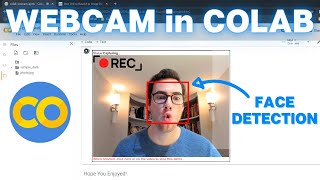
hey everybody and welcome back to another video in today's video i will be showing you how to perform real-time yolo version 4 object detections on your webcam within google collab we'll be doing real-time object detections on both images and video within google collab this is going to be an awesome one so please stick around and if you enjoy the video make sure to smash that like button and subscribe to the channel if you haven't already so let's get right into it [Music] alrighty so jumping straight into it this video is on yolo version 4 in collab on your local machines webcam so in this video we will be using scaled yolo version 4 which is the latest version of yolo v4 and is the most fast and accurate object detector there is right now out there so more specifically we're going to be using yolo v4 csp 640x640 you can see right here on the diagram so that's the one we're going to be using in this video and it'll allow us to run our real-time yolo version 4 on live streaming video from our webcam so let's get right into it and first and foremost to get this google collab notebook you're just going to go ahead into the comments section down below and there'll be a link to it and then you're going to see once you click that link you're going to see up here on the top left copy to drive button and if you go ahead and click that button you're going to have it copied over to your own google drive where you can then run it freely the second way you can also do is there'll be a link to the github repository down below where you can clone the code and then just go to file upload notebook and just upload upload the uh i p y n b file right to the notebook and that works as well once you've gotten your notebook properly up and running first things first you're going to want to go to edit right here in the top left and go to notebook settings and make sure that your hardware accelerator is set to gpu and hit save this is going to allow us to actually do the yolo version 4 detections in real time otherwise if you don't enable gpu you're going to be running on cpu and have much slower detections then we're just going to go ahead and import our dependencies that's going to download all of the required uh files and packages we need and then we're going to go ahead and clone over the famous darknet alexi ab github repository this is going to get us the backbone that is needed in order to run yolo version 4 object detections on our webcam images and video then we're going to go to this third command it's just going to step into the repository and edit the make file to enable gpu and opencv as well as this lib so libso is going to allow us to actually get access to darknet using python so that's key then you're going to go ahead and run the make command this is going to build all the binaries files and get darknet properly running so that we can access the darknet.pi file and run python functions in order to have the yolo v4 detections run so this command can take a few seconds up to like 30 seconds so be patient for this one so once that make command is finished running you're just going to go to the next cell which is this w get what this is doing is it's grabbing the scaled yolo v4 weights file the model file that's pre-trained on over 80 classes or 80 different objects that it can detect which we will utilize but if you wanted to use one custom trained in this spot you can do that just upload your custom trained model file and make sure that you change here so this is the weights we're using yolo v4 the scaled weights as well as the ov4 scaled config so if you have a custom config or custom weights you can just change this here so darknet and python we can utilize if we look in the files here on the left and into the dark net folder we can see that there's this darknet.pi file if we double click on it it'll pop it up and you'll see that there's a bunch of different commands and functions within this python file and these are what we're going to be utilizing in order to do our yolo v4 detection detections um within python in our collab notebook so if you want to check these out more in depth or see exactly what's going on it's just this darknet.pi file so we're just going to load in our model right here using the load network function from the darknet.pi so then there's this darknet helper function that just passes in the image the width and the height of the image and then it's going to go ahead and run the detect image command from the darknet.pi file on the image and get us those detections so it does all of the preprocessing of the image rescaling it and then gets a ratio for the bounding boxes and actually does the detections and then returns them so it's just a helper function that we're going to use and now just to quickly make sure that our it's properly set up when the dependencies have been installed we'll just run yolo v4 scaled on a test image and then show it so this is a test image already in the repository and we can see that we must we've done everything correctly because we can see in our image that there is a person dog and horse correctly detected with high accuracy so now we can go ahead to the webcam part so a couple helper functions run this cell here is just converting the images from javascript objects into opencv and vice versa because to actually utilize your webcam within google collab workstation you actually have to run javascript code so if we go down here and we're running the yolo v4 on webcam images we have this take photos function that is just taken from the code snippets of camera capture here and customized so this is the base code for this function right here in camera capture um that just uses utilizes javascript code so it implements javascript code in in order to access your local machines webcam which we will be then edited down here at the very bottom so if we scroll down i'll just run this function but you'll see that right down here is where we actually are doing the yolo v4 detections so once we get our image javascript image we're then running the detections using our dark net helper function that we ran up above and then we're looping through the labels confidences and bounding boxes of each detection within detections and then drawing it on to the image itself and then just saving the image so that's pretty straightforward for images and let's try it out so just running this one right here it's going to save it by whatever you have in as the parameter so right now by default it just saves it the file as photo.jpg so if you're ready to run it your webcam on images all you do is run this cell right here so go ahead and run it should pop open your webcam image along with the capture button and all you're going to want to do is when you're ready to run it you just hold up whatever objects you want to detect and then hit capture so let's do it so you can see that it worked successfully it detected myself with a 89.34 confidence as well as the basketball or sports ball that i held up with 93.66 percent confidence so you can see that works extremely well and it's going to go ahead and save it to that photo.jpg parameter so if we scroll on down to photo.jpg and double click you can see that there it is the image is saved so now let's get on to video so video is definitely a little bit harder from your webcam to run yolo v4 on because you have to stream the video live while at the same time running your yolo v4 detections on the video itself so the way i have it set up and the best way that i found to be able to do this is to open up a video stream as your input so constantly running a video stream running your vol yolo v4 detections on each frame of the video because yolo v4 runs in milliseconds we are able to do this and then we r we write our bounding box of yolo v4 onto a blank rgba image that works as an overlay so all the image has is the bounding boxes nothing else and then we overlay that back onto the video stream and then it results in a real-time yolo v4 object detections um it's technically one frame behind because you're getting the detections on one frame and applying the overlay of those detections onto the next frame but it's as darn real close as you'll get so in order to do that we once again are going to have a video stream which is a javascript code so we go ahead and run this helper function it's big and then you just head on down and to run it it's going to go ahead open the video stream and then do the detections on each frame so while true it's going to keep on looping through those detections and saving it into this blank array b box array this is the transparent overlay that i talked about and then saving the rectangle bounding box and the text of the class onto the blank overlay and then it's just going to write it b box update the overlay each frame that then gets passed in to the video frame um so let's go ahead and run it so in order to run yolo version 4 in collab on video you just run this cell right here you should go ahead and open up the video stream there i am and you'll see that it's doing detections constantly on the video frame so you can bring in other objects we'll bring back the sports ball that we saw let me grab something else i'll grab my cell phone so you can bring multiple objects play around with it um and yeah you can bring tons of different things into the frame there we go there's a mug that's detecting the cup and you can see it's all super high confidences and you can move them around you can see that there's a little delay because of the one frame behind but if you move slowly it doesn't really matter but if you whiz things around there'll be a little delay in when it catches up but you can see that yeah we're successfully running yolo version 4 on our webcam in our google cloud workstation so that's pretty much it for this video i hope you guys enjoyed and if you did please check out my youtube channel down here and i'll see you in the next one [Music] [Applause] [Music] you
Original Description
Learn how to implement YOLOv4 Object Detection on your Webcam from within Google Colab! This tutorial uses scaled-YOLOv4, the most fast and accurate object detection system there currently is. Perform object detections in real-time on webcam images and video with high accuracy and speed. ALL WITH A FREE GPU!
#yolov4 #objectdetection #cloud
THE GOOGLE COLAB NOTEBOOK:
https://colab.research.google.com/drive/1xdjyBiY75MAVRSjgmiqI7pbRLn58VrbE?usp=sharing
In this video I cover:
1. Setting up Colab Notebook and Enabling GPU.
2. Cloning and Building Darknet for Running YOLOv4.
3. Downloading Scaled-YOLOv4 pre-trained model file, the best object detector there is.
4. Custom Functions to run YOLOv4 with Python in Google Colab.
5. JavaScript code to access local machine's webcam for images and video.
6. Running scaled-YOLOv4 object detections on webcam images and video in real-time.
------------------------------Resources------------------------------
Github Code Repository (yolov4-webcam notebook): https://github.com/theAIGuysCode/YOLOv4-Cloud-Tutorial
Tutorial for YOLOv4 Pre-trained Model, Running on Video, Formatting Output and Detections etc.: https://www.youtube.com/watch?v=mKAEGSxwOAY
Train Your Own YOLOv4 Custom Object Detector in the Cloud: https://youtu.be/mmj3nxGT2YQ
Official Scaled-YOLOv4 Paper: https://arxiv.org/abs/2011.08036
If you enjoyed the video, toss it a like! 👍
To Subscribe: https://www.youtube.com/channel/UCrydcKaojc44XnuXrfhlV8Q?sub_confirmation=1
Thanks so much for watching!
- The AI Guy
Playlist
Uploads from The AI Guy · The AI Guy · 27 of 28
1
 2
2
 3
3
 4
4
 5
5
 6
6
 7
7
 8
8
 9
9
 10
10
 11
11
 12
12
 13
13
 14
14
 15
15
 16
16
 17
17
 18
18
 19
19
 20
20
 21
21
 22
22
 23
23
 24
24
 25
25
 26
26
 ▶
▶
 28
28

How to Setup a Machine Learning and AI Environment
The AI Guy
Introduction to Machine Learning | | Learning ML with Scikit | Iris Dataset
The AI Guy
Introduction to Machine Learning | Learning ML with Scikit | Iris Dataset | Part 2
The AI Guy
How to Install OpenCV on Windows | OpenCV Python Tutorial | Setting up Computer Vision
The AI Guy
How to Build and Install OpenCV from Source | Using Visual Studio and CMake | Computer Vision
The AI Guy
YOLOv3 Object Detection with Darknet for Windows/Linux | Install and Run with GPU and OPENCV
The AI Guy
Creating a YOLOv3 Custom Dataset | Quick and Easy | 9,000,000+ Images
The AI Guy
Train YOLOv3 Custom Object Detector with Darknet | Aimbot and Security Camera | Fast and Easy
The AI Guy
Create Labels and Annotations for Custom YOLOv3 Google Images Dataset | LabelImg Tutorial
The AI Guy
How to Build an Object Detection Classifier with TensorFlow 2.0 on Windows/Linux
The AI Guy
YOLOv3 in the CLOUD : Install and Train Custom Object Detector (FREE GPU)
The AI Guy
A.I. Learns to Play World's Hardest Game (QWOP)
The AI Guy
How to Build Object Detection APIs Using TensorFlow and Flask
The AI Guy
Getting Started with Azure Machine Learning Studio
The AI Guy
Real-time Yolov3 Object Detection for Webcam and Video (using Tensorflow)
The AI Guy
How to Build an Object Tracker Using YOLOv3, Deep SORT and TensorFlow
The AI Guy
YOLOv4 in the CLOUD: Install and Run Object Detector (FREE GPU)
The AI Guy
YOLOv4 in the CLOUD: Build and Train Custom Object Detector (FREE GPU)
The AI Guy
YOLOv4 Object Detection with TensorFlow, TensorFlow Lite and TensorRT Models (images, video, webcam)
The AI Guy
How to Build a Custom YOLOv4 Object Detector using TensorFlow (License Plate Detector)
The AI Guy
Counting Objects Using YOLOv4 Object Detection | Custom YOLOv4 Functions with TensorFlow
The AI Guy
Object Tracking Using YOLOv4, Deep SORT, and TensorFlow
The AI Guy
Crop and Save YOLOv4 Object Detections | Custom YOLOv4 Functions with TensorFlow
The AI Guy
License Plate Recognition Using YOLOv4 Object Detection, OpenCV, and Tesseract OCR
The AI Guy
YOLOv4 in the CLOUD: Build Object Tracking Using DeepSORT in Google Colab (FREE GPU)
The AI Guy
How to Use Webcam In Google Colab for Images and Video (FACE DETECTION)
The AI Guy
Real-time YOLOv4 Object Detection on Webcam in Google Colab | Images and Video
The AI Guy
Getting Started with Agent Development Kit Tools (MCP, Google Search, LangChain, etc.)
The AI Guy
More on: Modern CV Models
View skill →






Related Reads
📰
📰
📰
📰
Don’t Read Another 30-Page Paper Until You Try This
Medium · AI
6.5% of the Neuro-Symbolic Literature Can Be Reproduced from Its Published Artifacts, a Six-Stage Audit Framework and First Instantiation
ArXiv cs.AI
Research Publications, Patents & Innovation Output at Quantum University
Medium · Machine Learning
Every Researcher Should Start Managing Research Intelligence Assets™
Medium · AI
🎓
Tutor Explanation

 DeepCamp AI