Google Ads Help: How to set up remarketing list sharing
Key Takeaways
Google Ads remarketing list sharing setup and configuration, including continuous audience sharing and manager account settings
Full Transcript
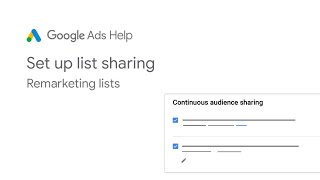
In Google Ads, you can continuously share your data segments between manager accounts and their linked sub accounts. Create a single manager account to link different Google Ads accounts for different locations and share audience segments. Continuous sharing lets you auto share newly added segments directly from your manager account. As new accounts are linked to the manager account, they'll get these segments. Go into your manager account and click on admin, then manager account settings. Click the drop-down to set continuous audience sharing. Select the checkbox next to add this manager as an audience manager for all sub accounts. This ensures that all audience segments from your manager account will be shared with sub accounts. You can also check the box beside access and share all audience segments from specific sub accounts to select which specific sub accounts will share segments with your manager account and other linked sub accounts. Click the pencil icon to open the select accounts menu and select sub accounts that will share segments with your manager account. Click done, then save. To enable segment sharing from individual accounts, make the manager account the owner account within each individual account. To do this, sign into an individual account, click admin, and then access and security. Click on the managers tab and make that manager account the owner by selecting yes in the owner column. Keep in mind, it'll take up to 4 hours for new lists to appear in linked accounts and for shared lists to appear in manager accounts. For more information, visit the Google Ads Help Center.
Original Description
Welcome to Google Ads YouTube channel!
° Subscribe to the Google Ads YouTube Channel: https://www.youtube.com/googleads?sub_confirmation=1
#GoogleAds #DigitalMarketing #GoogleAdsHelp
About Google Ads:
The Google Ads Channel features videos to teach you how to use Ads and online marketing to grow your business. Explore conceptual videos, instructional demonstrations, and Hangouts on Air featuring Ads specialists to learn how to make Google Ads work for you.
To learn more about Ads, visit the Ads Help Center https://support.google.com/adwords/ and engage with fellow advertisers on the Google Advertiser Community https://www.en.advertisercommunity.com/.
Try Google Ads now: https://www.ads.google.com/
Follow us on social:
Facebook: https://www.facebook.com/googleads
Twitter: https://twitter.com/googleads
LinkedIn: https://www.linkedin.com/showcase/goo…
Discuss your Google Ads issues on the Community:
https://support.google.com/google-ads/community
Learn more at Google Ads Help Center:
https://support.google.com/google-ads
Playlist
Uploads from Google Ads · Google Ads · 27 of 60
1
 2
2
 3
3
 4
4
 5
5
 6
6
 7
7
 8
8
 9
9
 10
10
 11
11
 12
12
 13
13
 14
14
 15
15
 16
16
 17
17
 18
18
 19
19
 20
20
 21
21
 22
22
 23
23
 24
24
 25
25
 26
26
 ▶
▶
 28
28
 29
29
 30
30
 31
31
 32
32
 33
33
 34
34
 35
35
 36
36
 37
37
 38
38
 39
39
 40
40
 41
41
 42
42
 43
43
 44
44
 45
45
 46
46
 47
47
 48
48
 49
49
 50
50
 51
51
 52
52
 53
53
 54
54
 55
55
 56
56
 57
57
 58
58
 59
59
 60
60

Google Ads Tutorials: Creating responsive display ads
Google Ads
Creative Excellence on Search: Responsive Search Ads | Google Ads
Google Ads
Creative Excellence on Search: Ad Extensions | Google Ads
Google Ads
Creative Excellence on Search: Overview | Google Ads
Google Ads
Creative Excellence on Search: Optimizing your Ad Rotation | Google Ads
Google Ads
Offline Conversion Tracking Implementation: Webmaster | Google Ads
Google Ads
Offline Conversion Tracking Implementation: CRM Admin | Google Ads
Google Ads
Google Ads Help: About the ad review process
Google Ads
Google Ads help: Learn why your ad doesn't show up in Google Search results
Google Ads
Google Ads Help: Fix a disapproved Google Ad
Google Ads
Google Ads Help: How to Sign into Google Ads
Google Ads
How to use the Help Center to meet your support needs | Google Ads
Google Ads
Google Ads Help: Change the payment profile for your client account
Google Ads
Google Ads Help: Ensure the best performance with high-quality image
Google Ads
Google Ads Help: Change how often you're charged
Google Ads
Google Ads Help: Reactivate a cancelled Google Ads account
Google Ads
Google Ads Help: Pause, remove or resume campaigns
Google Ads
Google Ads Help: About promotions
Google Ads
Google Ads Help: How to configure your shipping options
Google Ads
Google Ads Help: Unauthorized Google Ads Charges - Part 1
Google Ads
Google Ads Help: Unauthorized Google Ads Charges - Part 2
Google Ads
Google Ads Help: Link Google Analytics properties to your Google Ads account
Google Ads
DMEXCO 2020 Keynote -- Accelerate your digital marketing | Google Ads
Google Ads
Stay connected to your campaigns on the go with the Google Ads mobile app
Google Ads
A year in privacy | Privacy Week at Google
Google Ads
Google Ads Help: Simplify product feed management
Google Ads
Google Ads Help: How to set up remarketing list sharing
Google Ads
Google Ads Help: Reactivate a Google Ads account suspended due to age requirement
Google Ads
Google Ads Help: How to report an ad
Google Ads
OCT - Offline Conversion Tracker | Google Ads
Google Ads
Google Ads help: Choose the right option for adding products to Merchant Center
Google Ads
Google Ads Help: Submitting an ad for review
Google Ads
Google Ads Help: How to appeal policy decisions using Policy manager
Google Ads
Google Ads Help: How to appeal policy decisions through the Ads and extensions table
Google Ads
Google Ads Help: About the ad approval process
Google Ads
Product Deep-Dive: Keywords | Google Ads
Google Ads
TV in Reach Planner: Adjusting the plan and saving | Google Ads
Google Ads
TV in Reach Planner: Access | Google Ads
Google Ads
TV in Reach Planner: Methodology & Overview | Google Ads
Google Ads
TV in Reach Planner: Reviewing the forecast | Google Ads
Google Ads
TV in Reach Planner: Setup | Google Ads
Google Ads
Adidas: Driving customer loyalty with apps | Google Ads
Google Ads
Google Marketing Livestream Keynote
Google Ads
Google Marketing Livestream Keynote
Google Ads
Be Ready for What's Next with Google
Google Ads
Highlights from Google Marketing Livestream 2021 in under 3 minutes
Google Ads
Generate High Quality Leads at Scale | Google Ads
Google Ads
Win Customers in the New Online Consumer Journey | Google Ads
Google Ads
Amplify Awareness with Smarter Tools and Products | Google Ads
Google Ads
Increase In-Store Sales with Your Online Ads | Google Ads
Google Ads
Tap Your App to Build Brand Love and Grow Your Business | Google Ads
Google Ads
Power Tools for Powerful Performance | Google Ads
Google Ads
Marketing in the Age of Automation | Google Ads
Google Ads
Inside Google Marketing - Brand Measurement
Google Ads
Protect Privacy and Drive Performance with Google Marketing Platform
Google Ads
Get the Customer Insights You Need with Google Analytics
Google Ads
Measurement in a Changing Ecosystem | Google Ads
Google Ads
Future of Finance | Google Ads
Google Ads
Future of Auto | Google Ads
Google Ads
Future of Travel | Google Ads
Google Ads
More on: Marketing Basics
View skill →





Related Reads
📰
📰
📰
📰
SEO Is Changing in 2026. Here Is What Actually Works Now.
Medium · SEO
Google Search Console Generative AI Report: Measuring AI Visibility Share and the Actionable…
Medium · SEO
Local SEO Checklist for Hudson Valley Businesses in 2026
Medium · SEO
How Digital Marketing Services Help Businesses Get Found, Chosen, and Grow
Medium · SEO
🎓
Tutor Explanation

 DeepCamp AI