Stable diffusion 2.1 is GREAT. At this one thing. 2.1 install tutorial.
Skills:
Image Generation Basics80%
Key Takeaways
The video demonstrates the installation and usage of Stable Diffusion 2.1, a powerful AI tool for image generation, and showcases its capabilities in producing high-quality images with realistic textures and effects.
Full Transcript
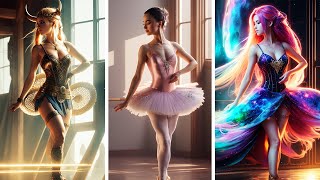
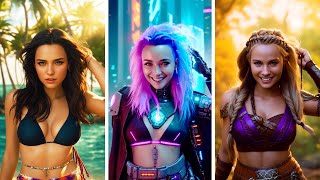
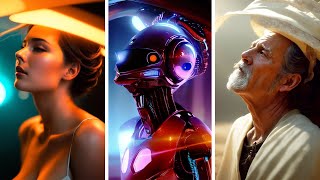
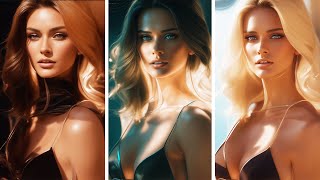
Hello friends today we're gonna take a quick look at 2.1 again and I'm going to show you how you can create some great looking images let's get started okay so first of all I'm just going to show you how to install 2.1 with your automatic 11 11. so there are two versions you can either have the 512 which is this link or the 768x768 and that's the resolution that you want to work with I would recommend running the 768 by a 768 so I'm going to download that file here now if you don't have a good GPU you might need to pick a 512 by 512 one but I mean it is nice to get some extra resolution with the 768 by 768 so if possible try that one out just remember that when you render you need to get the 768 plus 768 resolution and that's how you set here 768 7 68 okay so we have downloaded the file I'm gonna put that into my stable Fusion models stable Fusion so if you're on in your root directory you're going to go to models stable fusion and from your downloads just drag that in there now you will be needing a yaml file if you don't have one I'm going to put a link in the comments below but if you do have one maybe you had it from the 2.0 version you can just take that make a copy and rename it from the 2.1 and this will work for any new custom 2.1 model as well just take the yaml file that you have copy it and rename it so now that we have installed you need to make a little fix now if you have xformers already you don't need to do that in this and you can just skip past but if you don't you need to find your web UI user and then just gonna drag that into notepad and here you it might look look like this for you then you can type in exformers now if you don't have a graphic cards that supports exformers automatic 1111 will let you know when you try and start it so if that doesn't work for you you can run it like this instead Double Dash no dash half I'm gonna run it with X formers and then just double click your web UI user okay so we're now inside our stable Fusion we have our checkpoints up here we have the 2.1 loaded so I'm just gonna click that one now I have while this is loading I have prepared a prompt oh well actually we're going to wait with the prompt a little bit I'm going to show you first how most people did at the beginning and got well I'll show you let's say we want a dog let's just dog in here and let's try four Images well let's start with two this isn't going to look good I can tell you why but it won't so we had some sort of weird dog in the first one it's actually dogs merged together like this is I don't know what's going on here this is also terrible so this was people's first reaction to stable diffusion 2.0 and 2.1 now this can be fixed and let me just show you again by just and we have the random seed here so I haven't prepared the seed at all I'm just just gonna run to new two new ones you can see again that most likely they aren't going to be great you see the generation the first one just had a pattern of dogs this also has a lot of dogs and I mean what to do with this it's bad so what you need to do is you need to massage the prompts and you need to add some negative prompts in there and lucky you I've prepared this we're just gonna put the negative prompt in first which is you can have a have a negative prompt that basically works for anything so we're gonna do dog here but doesn't matter this is a negative problem that I use for people it says ugly disfigured deformed too many hands make up cartoon render close-up so I should remove the close-up there and then we're gonna add in a little something that I like is a raw Candid Camera I'm gonna have the subject here and I want the color graded Porsche 400 film remarkable color ultra realistic we're gonna skip actually this film here for now I'm gonna make it easy we're just gonna put dog in Here and Now it's not a super long prompt it's not one of those painted by Greg gritkowski and Alphonse motion or whatever in 4k octane render 8K Super Hyper realistic it's this time it's a short prompt and it's a short negative prompt so raw candid Cinema dog remarkable color ultra realistic and I'm going to show you without cherry picking anything I'm gonna take eight images here the resolution the sampling steps the scale the seed everything's the same well the seed isn't the same it's randomized so I have no control of it so I'm gonna render this we're gonna see what happens first we have a I think it has the golden retriever or something it's a great picture this is also a great picture and um I'll I'll bet you that all of these eight are gonna be great which wasn't the fact in 1.5 I might add then you had the cherry pick a lot and what I've noticed in 2.1 is that you have worked a little bit with your prompt ninety percent plus of your images will be good at if they're in a realistic style that is now anime stuff different things like that that's a whole another video topic so let's look at these we have the first dog looks great this one super cool here I mean this is amazing this is a great picture again nice super I don't know what the dog is doing on this bin here but uh I mean the the picture of the dog is cool I mean the rest of the image is good as well this is nice I mean it's almost passable hands who actually had a little something there so almost this one's nice yeah so let's say with the 90 that we talked about yeah it was just this one that was a little wonky but um the rest of them were great we're actually gonna do another one just change dog to um woman and let's go again and I'll bet you again without changing anything and without cherry picking that these are gonna look good so we had some sort of feeds taken out but that was a good image this seems to be a good image as well we have a decent hand it almost looked back so let's check that out later we have a woman standing in an orange dress here on the street that looked might could have been a little the deformed face but look at that what I like in 2.1 is the skin texture and the skin texture is freaking amazing compared to the other models so we had most of these were great I'm gonna look them over missing part of the woman but she could be out of frame so I mean just look at this look at the skin texture look at the eyes everything and this is without face Restoration in 1.5 1.4 you have to face restore everything this is just running it straight out of the box let's keep checking this one's nice hands aren't perfect but they're passable what I like about the new models are actually cloth or textures or clothing I think that just it's just fantastic not great here but it's it's all right yeah here we can see here we have a deformed face so this isn't very good the rest of the image is okayish it's leaning a little to the right this one looks great I think here we have a missing this is more like it's uh now we have some throwback to 1.4 and 1.5 where this was a common place here we have some deformed feeder hands but I think the face seems to be okay-ish so we're gonna run just gonna put the portrait in see if we can get some more close-ups I'm gonna run a eight just you can just do nine to get the last one in there and again I think we're gonna have like 90 again the good images there's always going to be some crappy ones but um I mean we can live with that with their amazing quality that we're getting on these I mean that second one that was just amazing this one's super cool just look at the ice you couldn't get these eyes in 1.4 and 1.5 and again here no check this no restore faces and no high risk fix nothing this just standard Straight Out of the Box Euler a 24 step 25 steps these images are fantastic so for photography in general we have gone the the two points oh and the 2.1 for photography is a real upgrade surely is so let's look at this this is cool I like The Faded film Vibe of it I mean just look at this look at the texture here this is great this is nice this is good as well they they look more alive they look look more real everyone's now these are you know obviously they're staged they have this classic Model look on their face you know the expression so to speak but the skin is is just it's much much better I mean this is this is great would you be able to tell that this is an AI generated image I don't think so I don't think so to be honest this is like um High aperture lens very nice photography I mean maybe you could have you can talk about the the ear but everyone's but every ear looks a little bit different if someone sent me this I wouldn't be able to tell this one's nice you can see a little cat eye there no this is a little blurry here from the from the pressure of the lens but again talking a little bit about the cloth here I love what they're they're doing with it okay so let's try and uh let's look at um look at some man actually let's have um old man portraits to get some wrinkles in there right okay so here we have you can see you're starting to see yeah they're all looking very realistic I love where this is going now with the particular prompt I have like raw candid Etc you're gonna have this um Style where everything is just you know the face is in focus on the background is out of focus because of the high aperture photography that people enjoy you can always get that bokeh effect sometimes okay let's have a quick look at these I mean this one's great this one's great too it's just a regular guy he works as a professor at a university this guy's into fashion I'm trying to find imperfections on the glasses or anything no it's a very distinct shape but uh I think it's all right here we have some the vest this little wonky here buy me in the face and the skin you can even see the little marks appear of them that you get from old age they're all bearded just look at the detail on this this is fantastic now they're all very similar though so you're gonna need to be a little more creative with your prompts to um go beyond this but apart from that amazing photography let's see if we can find um would you have what do you want to look at let's try some nature photography style Lion on the Savannah Savannah I I think that's going to be enough let's see what else can get that can get us so that looks um what was it called ion that one looks very realistic as well I think it would be interesting to try and get to remove the blur to have like a high high it was a low aperture lens because now everything's like that and I mean that is pretty but you might want to be able to control that as well but they are all looking great let me see if we can find some we don't need to find imperfections I mean most of the images are looking great so it's not going to be a lot of cherry picking if you're doing photography in stable Fusion 2.1 so that's that's really nice to be honest now this is some sort of weird thing here but the line looks great this lion looks great is that a hoof is that a hoof maybe it doesn't matter uh this Lions cool this one this yeah looks really realistic all right this is a great image I like this one this one's very nice so yeah I hope this little uh walkthrough is gonna help you create some nice images in stable Fusion 2.1 don't listen to all the haters but also listen to them a little bit because some things table Fusion 2.1 isn't great at the more painted art styles like your favorite painted by Greg Rutkowski and those kinds of images are a little easier to do in 1.5 it's not impossible but you're gonna need to cherry pick a little more in 2.1 in regards to those images but um maybe it's just a matter of someone finding the right prompt like we did for photography before we figure out the negative prompts I mean people couldn't get this kind of stuff so yeah I hope you enjoyed this little chat with that we had and that you can now use stable Fusion 2.1 on your own computer so try it out see if you can create something cool and if you do call me share it in our Discord link is in the description below if you like this content feel free to like And subscribe but if you don't want to that's fine too about one percent of all viewers press the Subscribe button actually so um the more you know until next video have a good one see you on Discord
Original Description
Support me on Patreon to get access to unique perks!
https://www.patreon.com/sebastiankamph
512x512
CKPT: https://huggingface.co/stabilityai/stable-diffusion-2-1-base/resolve/main/v2-1_512-ema-pruned.ckpt
YAML: https://raw.githubusercontent.com/Stability-AI/stablediffusion/main/configs/stable-diffusion/v2-inference.yaml
Rename YAML to: v2-1_512-ema-pruned.yaml
768x768
CKPT: https://huggingface.co/stabilityai/stable-diffusion-2-1/blob/main/v2-1_768-ema-pruned.ckpt
YAML: https://raw.githubusercontent.com/Stability-AI/stablediffusion/main/configs/stable-diffusion/v2-inference-v.yaml
Rename YAML to: v2-1_768-ema-pruned.yaml
Chat with me in our community discord: https://discord.com/invite/dFB7zuXyFY
Ultimate Stable diffusion guide
https://youtu.be/DHaL56P6f5M
Ultimate Animation guide in Stable diffusion
https://youtu.be/lztn6qLc9UE
Dreambooth tutorial for Stable diffusion
https://youtu.be/Z-hyKADmHmE
5 tricks you're not using
https://youtu.be/-5TaeHvnVxE
Avoid these 7 mistakes
https://youtu.be/b8xWjrzTAPY
How to fix live render preview:
https://youtu.be/_4rY0oPbUYA
CHAPTERS
0:00 Introduction and installation
2:34 Bad images??
4:12 Let's make great images!
7:23 Woman
12:08 Man
13:50 Animal
15:25 Summary
Playlist
Uploads from Sebastian Kamph · Sebastian Kamph · 37 of 60
1
 2
2
 3
3
 4
4
 5
5
 6
6
 7
7
 8
8
 9
9
 10
10
 11
11
 12
12
 13
13
 14
14
 15
15
 16
16
 17
17
 18
18
 19
19
 20
20
 21
21
 22
22
 23
23
 24
24
 25
25
 26
26
 27
27
 28
28
 29
29
 30
30
 31
31
 32
32
 33
33
 34
34
 35
35
 36
36
 ▶
▶
 38
38
 39
39
 40
40
 41
41
 42
42
 43
43
 44
44
 45
45
 46
46
 47
47
 48
48
 49
49
 50
50
 51
51
 52
52
 53
53
 54
54
 55
55
 56
56
 57
57
 58
58
 59
59
 60
60

How to install stable diffusion tutorial (automatic1111)
Sebastian Kamph
Inpainting in Stable diffusion for beginners.
Sebastian Kamph
OpenAI NEW Whisper is AMAZING!
Sebastian Kamph
Tutorial - Free AI Game assets in Stable diffusion. Episode 1: Sword
Sebastian Kamph
Game assets in Stable diffusion. Ep 2: Jewelry
Sebastian Kamph
Stable diffusion Animation tutorial with AUTOMATIC AUDIO SYNC. Make your own AI music video!
Sebastian Kamph
Stable diffusion img2img tutorial.
Sebastian Kamph
Stable diffusion tutorial - AI Game assets. Episode 3: Treasure chest
Sebastian Kamph
Stable diffusion animation tutorial. Deforum ALL settings explained. Make your own AI video!
Sebastian Kamph
Dreambooth tutorial for stable diffusion. Quick, free and easy!
Sebastian Kamph
Dreambooth to CKPT. NEW VERSION! Dreambooth locally on potato pc.
Sebastian Kamph
Stable diffusion tutorial. ULTIMATE guide - everything you need to know!
Sebastian Kamph
AI music video. Neffex - Winning
Sebastian Kamph
Stable diffusion video input tutorial. How I made this music video singing animation.
Sebastian Kamph
Stable diffusion color grading tutorial. Quick trick!
Sebastian Kamph
Prompt Editing and Alternating Words in Stable Diffusion.
Sebastian Kamph
Stable diffusion gui most important setting. Live render preview.
Sebastian Kamph
NEW Voice2img prototype! This AI assistant is using Stable diffusion!
Sebastian Kamph
Prompts and FREE ONLINE stable diffusion. OpenArt AI tutorial
Sebastian Kamph
Stable diffusion Halloween concept art tutorial.
Sebastian Kamph
Stable diffusion GTA 6 style image tutorial. Quick and EASY!
Sebastian Kamph
Stable diffusion prompt tutorial. NEW PROMPT BOOK released!
Sebastian Kamph
Stable diffusion GTA 6 style image tutorial. Quick and EASY!
Sebastian Kamph
How to install Deforum locally. Stable diffusion animation.
Sebastian Kamph
Dreambooth in Automatic1111. Cpu only & gpu option.
Sebastian Kamph
Nvidia's NEW text to image AI eDiff-I. Will it dethrone Stable diffusion?
Sebastian Kamph
NEW VR in Stable diffusion? The future is now!
Sebastian Kamph
Motion capture workflow implementation with Stable diffusion
Sebastian Kamph
Don't make these 7 mistakes in Stable diffusion.
Sebastian Kamph
Stable diffusion up to 50% faster? I'll show you.
Sebastian Kamph
Stable diffusion 2.0 Released
Sebastian Kamph
Top 5 Stable diffusion tips for newcomers.
Sebastian Kamph
3 AMAZING Stable diffusion models that will change your life!
Sebastian Kamph
Best NEW AI tool? InvokeAI tutorial for Stable diffusion.
Sebastian Kamph
Monetize your AI art on Creative Fabrica with CF Spark.
Sebastian Kamph
NEW Stable diffusion 2.1 RELEASED!
Sebastian Kamph
Stable diffusion 2.1 is GREAT. At this one thing. 2.1 install tutorial.
Sebastian Kamph
Your face in AI images? The EASY way.
Sebastian Kamph
3 FANTASTIC Stable diffusion models you don't know about!
Sebastian Kamph
Unstable diffusion JUST GOT BANNED! 😲
Sebastian Kamph
The end of AI Art? Lawsuit against Stable diffusion
Sebastian Kamph
Stable diffusion TIER LIST. Best GUI ranked.
Sebastian Kamph
Google's ChatGPT rival Bard. Is it better?
Sebastian Kamph
7 Secrets in ChatGPT (Don't tell your boss!)
Sebastian Kamph
How to ChatGPT? Chat GPT explained!
Sebastian Kamph
How to ChatGPT in 20 seconds!
Sebastian Kamph
Midjourney 4C Features
Sebastian Kamph
NEW ControlNet for Stable diffusion RELEASED! THIS IS MIND BLOWING!
Sebastian Kamph
Revealing my Workflow to Perfect AI Images.
Sebastian Kamph
LIVE Pose in Stable Diffusion's ControlNet.
Sebastian Kamph
Control Light in AI Images
Sebastian Kamph
Multi-ControlNet tutorial.
Sebastian Kamph
Control Text in AI Images
Sebastian Kamph
Full AI Art Workflow. ControlNet & Stable diffusion.
Sebastian Kamph
ControlNet Guidance tutorial. Fixing hands?
Sebastian Kamph
Illuminati Model with Noise Offset & Weekly AI Art Challenge
Sebastian Kamph
Paint&Text2Image - MultiDiffusion Region Control.
Sebastian Kamph
Style2Image in ControlNet (T2I)
Sebastian Kamph
Gen-1 AI Animation is WILD
Sebastian Kamph
Famous Scenes Remade by ControlNet AI
Sebastian Kamph
More on: Image Generation Basics
View skill →






Related Reads
Chapters (7)
Introduction and installation
2:34
Bad images??
4:12
Let's make great images!
7:23
Woman
12:08
Man
13:50
Animal
15:25
Summary
🎓
Tutor Explanation

 DeepCamp AI