Importing Animations in Microsoft Expressive Pixels (9 of 9)
Skills:
AI Productivity Tools70%
Key Takeaways
Imports animations and images into Microsoft Expressive Pixels for new creations
Full Transcript
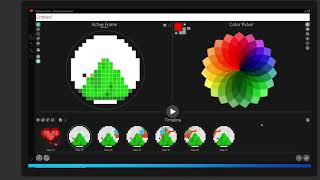
[Music] hello again in our last lesson we showed you how to export your animations to save them as a gif or png to use elsewhere well you can also import images and animations that you can use in new creations let's take a look i'll begin by creating a new animation and we'll look at the timeline options down at the bottom here next to adding a frame is import frames from an image and that's the one we want when you select this option it will bring up your explorer window where you'll choose the image or animation file that you want it'll automatically open the pictures folder but of course you could navigate to any folder to find the image or animation you want to import now if you don't see all of the images that you're looking for in the folder you may want to double check that it is searching for all the different file types here we can see it's looking for gif files only if we click the drop down button we can select all files and now we can see all of the files in that folder first i'm going to import a single image i'll choose a png file and let's take a look at our expressive pixels logo and i'll import that now if the size is different than the template you're using it will ask if you want to preserve the aspect ratio as in the original image or stretch it to fit the aspect ratio of your expressive pixels template that you're importing to i'm going to choose stretch here so it fits my new template but you might want to try both ways to see what works best okay there it is now it's in a frame ready to use and edit to create a new animation now let's try to import an animation that we previously created again i will go into import frames and i want to make sure i'm looking at all of my files and i'm going to choose a helicopter animation gif and this remember is a full animation so i'm going to select that and now it's going to import all of the frames from that animation you have the ability to import frames from any animation that you like they don't have to be only ones you've created the possibilities are endless go ahead and give it a try and see how you can create something new from something that already exists don't forget to save your work as you go and visit us at aka dot ms whack expressive pixels to see our other tutorials and let us know what you think you
Original Description
See how to import images and animations from your files into Expressive Pixels to help jump start the creation process.
More at https://aka.ms/expressivepixels
Watch on YouTube ↗
(saves to browser)
Sign in to unlock AI tutor explanation · ⚡30
Playlist
Uploads from Microsoft Research · Microsoft Research · 27 of 60
1
 2
2
 3
3
 4
4
 5
5
 6
6
 7
7
 8
8
 9
9
 10
10
 11
11
 12
12
 13
13
 14
14
![Microsoft Urban Futures Summer Workshop | Data Driven Urban Transformation [Day 1]](https://i.ytimg.com/vi/-5Cx8cUQRfY/mqdefault.jpg) 15
15
![Microsoft Urban Futures Summer Workshop | Sensors and Data [Day 2]](https://i.ytimg.com/vi/Q5HBThuj4bY/mqdefault.jpg) 16
16
![Microsoft Urban Futures Summer Workshop | Policy and Social Impact [Day 3]](https://i.ytimg.com/vi/zMmsXTcuYlQ/mqdefault.jpg) 17
17
 18
18
 19
19
 20
20
 21
21
 22
22
 23
23
 24
24
 25
25
 26
26
 ▶
▶
 28
28
 29
29
 30
30
 31
31
 32
32
 33
33
 34
34
 35
35
 36
36
 37
37
 38
38
 39
39
 40
40
 41
41
 42
42
 43
43
 44
44
 45
45
 46
46
 47
47
 48
48
 49
49
 50
50
 51
51
 52
52
 53
53
 54
54
 55
55
 56
56
 57
57
 58
58
 59
59
 60
60

Frontiers in ML: Learning from Limited Labeled Data: Challenges and Opportunities for NLP
Microsoft Research
Frontiers in Machine Learning: Climate Impact of Machine Learning
Microsoft Research
Frontiers in Machine Learning: Security and Machine Learning
Microsoft Research
Hope Speech and Help Speech: Surfacing Positivity Amidst Hate
Microsoft Research
Early Indicators of the Effect of the Global Shift to Remote Work on People with Disabilities
Microsoft Research
Remote Work and Well-Being
Microsoft Research
Challenges and Gratitude of Software Developers During COVID-19 Working From Home
Microsoft Research
Towards a Practical Virtual Office for Mobile Knowledge Workers
Microsoft Research
Impact of COVID-19 crisis on the future of work in India
Microsoft Research
Empowering and Supporting Remote Software Development Team Members through a Culture of Allyship
Microsoft Research
How Work From Home Affects Collaboration: Information Workers in a Natural Experiment During COVID19
Microsoft Research
Phong Surface: Efficient 3D Model Fitting using Lifted Optimization
Microsoft Research
Managing Tasks Across the Work-Life Boundary: Opportunities, Challenges, and Directions
Microsoft Research
Microsoft Urban Futures Summer Workshop | Data Driven Urban Transformation [Day 1]
Microsoft Research
Microsoft Urban Futures Summer Workshop | Sensors and Data [Day 2]
Microsoft Research
Microsoft Urban Futures Summer Workshop | Policy and Social Impact [Day 3]
Microsoft Research
Directions in ML: Algorithmic foundations of neural architecture search
Microsoft Research
MineRL Competition 2020
Microsoft Research
Can we make better software by using ML and AI techniques? With Chandra Maddila and Chetan Bansal
Microsoft Research
From Paper to Product
Microsoft Research
SkinnerDB: Regret Bounded Query Evaluation using RL
Microsoft Research
From SqueezeNet to SqueezeBERT: Developing Efficient Deep Neural Networks
Microsoft Research
Programming with Proofs for High-assurance Software
Microsoft Research
Platform for Situated Intelligence Overview
Microsoft Research
Directional Sources & Listeners in Interactive Sound Propagation using Reciprocal Wave Field Coding
Microsoft Research
Galactic Bell Star Music Demo
Microsoft Research
Importing Animations in Microsoft Expressive Pixels (9 of 9)
Microsoft Research
Welcome to Microsoft Expressive Pixels (1 of 9)
Microsoft Research
Getting Started with Microsoft Expressive Pixels (2 of 9)
Microsoft Research
Creating an Image in Microsoft Expressive Pixels (3 of 9)
Microsoft Research
Creating Animations in Microsoft Expressive Pixels (4 of 9)
Microsoft Research
Managing Animation Galleries in Microsoft Expressive Pixels (5 of 9)
Microsoft Research
Creating Fragments in Microsoft Expressive Pixels (6 of 9)
Microsoft Research
Using Layers in Microsoft Expressive Pixels (7 of 9)
Microsoft Research
Exporting Animations with Microsoft Expressive Pixels (8 of 9)
Microsoft Research
What Kind of Computation is Human Cognition? A Brief History of Thought (Episode 2/2)
Microsoft Research
What Kind of Computation is Human Cognition? A Brief History of Thought (Episode 1/2)
Microsoft Research
Planeverb: Interactive sound propagation for dynamic scenes using 2D wave simulation
Microsoft Research
Making cryptography accessible, efficient, and scalable with Dr. Divya Gupta and Dr. Rahul Sharma
Microsoft Research
Beyond the mega-data center: networking multi-data center regions (SIGCOMM 2020 Talk)
Microsoft Research
Optics for the cloud – Light at the end of the tunnel? (SIGCOMM 2020 Workshop)
Microsoft Research
Beyond the mega-data center: networking multi-data center regions (SIGCOMM 2020 short talk)
Microsoft Research
Sirius: A Flat Datacenter Network with Nanosecond Optical Switching (SIGCOMM 2020 short talk)
Microsoft Research
Novel Image Captioning
Microsoft Research
Forest Sound Scene Simulation and Bird Localization with Distributed Microphone Arrays
Microsoft Research
Decoding Music Attention from “EEG headphones”: a User-friendly Auditory Brain-computer Interface
Microsoft Research
How does holographic storage work?
Microsoft Research
The physics of hologram formation in iron doped lithium niobate
Microsoft Research
Introduction to coax: A Modular RL Package
Microsoft Research
Directions in ML: "Neural architecture search: Coming of age"
Microsoft Research
Microsoft Research AI Breakthroughs 2020: 20 minute research talks + Q&A panel
Microsoft Research
Fireside Chat with Johannes Gehrke during Microsoft Research AI Breakthroughs 2020
Microsoft Research
Fireside Chat with Susan Dumais during Microsoft Research AI Breakthroughs 2020
Microsoft Research
Microsoft Research AI Breakthroughs 2020: 20 minute research talks, Q&A panel, and event wrap-up
Microsoft Research
Clinical Research with FHIR
Microsoft Research
Soundscape Street Preview
Microsoft Research
Tilt-Responsive Techniques for Digital Drawing Boards
Microsoft Research
SurfaceFleet: Exploring Distributed Interactions Unbounded from Device, Application, User, and Time
Microsoft Research
Haptic PIVOT: On-Demand Handhelds in VR
Microsoft Research
SurfaceFleet Supplemental Video Demonstration (UIST 2020)
Microsoft Research
More on: AI Productivity Tools
View skill →








Related AI Lessons
🎓
Tutor Explanation

 DeepCamp AI