Creating Fragments in Microsoft Expressive Pixels (6 of 9)
Key Takeaways
Learn how to create and save small fragments of an image for use in other images and animations using Microsoft Expressive Pixels, a tool that allows users to create fragments from emojis or other images, and reuse them in various animations.
Full Transcript
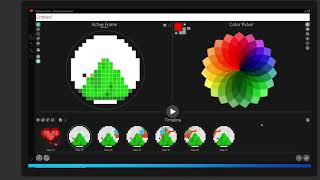
[Music] hello again and thanks for joining i'm stacy and today i'm going to open up a world of creative possibilities and show you how to create fragments from images and the hundreds of emojis that are built into expressive pixels so what are fragments they're small parts of an image that you can save to reuse over and over creating fragments from emojis or other images is a really fun way to get creative if you don't want to draw something from scratch there are a wide variety of emojis built into expressive pixels that you can use as they are or modify to create your own fragments let's get started by checking out our emoji collection first we need to be in our authoring screen so i'll select a new animation and we'll look at our media panel here in the toolbar and we have an icon for our fragments library and down below the smiley face is our emoji collection so i'm going to select that and you'll notice the different categories up at the top here i'm going to select travel and places and scroll down to find my favorite yellow helicopter okay there it is so when i select it it automatically pastes into the authoring panel and you'll notice a selection box around it so i'm going to right click to undo the selection now when emojis are used there are often outlines or borders that we may not want so let's clean that up with my eraser tool i'm just going to erase the black lines that are showing up in my image here and set those to transparent and you can erase one pixel at a time or by holding down the mouse button you can erase a number of pixels at once okay almost done okay now i want to change the color of my helicopter to orange so i'm going to select a new color by going into my color picker and i'm going to select a bright orange now this time i'm going to use my paint bucket so that i can fill a large area at once and i'm going to cover up the yellow and paint it orange and a couple of pixels did not get painted so i will just fix those up okay so now i have an orange helicopter now what in order to create a fragment i need to draw a selection i'm going to go into my selection tool and i will draw a square around my helicopter and now with the selection tool highlighted we can see the options at the top here and i can cut and paste resize the one i want here is our fragments icon and i'm going to just select that and when i go to our fragments library we can see my orange helicopter and it's here to use whenever i want okay so another great reason to create a fragment is if there's part of an emoji you want to use so let's cut my helicopter out of the active frame because we don't need that any longer we'll go back into the emoji collection and now i'm going to try and find a mountain so that my helicopter can fly by the mountain well this is a nice mountain but it does have a sun behind it so we can remove the sun i'll select the mountain and then when i come over into my active frame i will deselect by right-clicking okay so we do need to clean up the edges but also since i want to get rid of the sun remember we can erase a large area at once by selecting our color picker and choosing the color set to transparent and now with my paint bucket i can erase a large image all at once so that that is now transparent and then with my eraser tool i'm going to need to go in and just clean up the lines that did not get erased okay so again i want to create a fragment so i will highlight my mountain and [Music] create a fragment okay and now my mountain and my helicopter are ready to use now i also mentioned you can create fragments from one of the images in your animations gallery so i'm going to x out of this screen and go back to my animations gallery and i would like to have a fragment of just my heart here so i am going to choose edit and bring that into the authoring screen and i'd like to have a fragment of the heart that has the orange center so i need to select that frame at the bottom and now come up into my active frame again same thing just make a selection around your image and click create fragment and now we have my heart okay so one more thing is i'm going to show you how to create an image using the fragments that we've just created so i'm going to go into the new animation choose a template and i want my helicopter to fly behind the mountain so i'm going to select my mountain and i think i'll bring it down just a little bit like that deselect and then i can choose my helicopter and have it flying by the mountain okay there you have it now you give it a try and have fun creating something new from the emojis and images you already have thanks for watching be sure to view the other tutorials in our library to learn about using layers to animate multiple fragments and images and visit us at aka.ms whack expressive pixels to find out more you
Original Description
Learn how to create and save small fragments of an image for use in other images and animations.
More at https://aka.ms/expressivepixels
Watch on YouTube ↗
(saves to browser)
Sign in to unlock AI tutor explanation · ⚡30
Playlist
Uploads from Microsoft Research · Microsoft Research · 33 of 60
1
 2
2
 3
3
 4
4
 5
5
 6
6
 7
7
 8
8
 9
9
 10
10
 11
11
 12
12
 13
13
 14
14
![Microsoft Urban Futures Summer Workshop | Data Driven Urban Transformation [Day 1]](https://i.ytimg.com/vi/-5Cx8cUQRfY/mqdefault.jpg) 15
15
![Microsoft Urban Futures Summer Workshop | Sensors and Data [Day 2]](https://i.ytimg.com/vi/Q5HBThuj4bY/mqdefault.jpg) 16
16
![Microsoft Urban Futures Summer Workshop | Policy and Social Impact [Day 3]](https://i.ytimg.com/vi/zMmsXTcuYlQ/mqdefault.jpg) 17
17
 18
18
 19
19
 20
20
 21
21
 22
22
 23
23
 24
24
 25
25
 26
26
 27
27
 28
28
 29
29
 30
30
 31
31
 32
32
 ▶
▶
 34
34
 35
35
 36
36
 37
37
 38
38
 39
39
 40
40
 41
41
 42
42
 43
43
 44
44
 45
45
 46
46
 47
47
 48
48
 49
49
 50
50
 51
51
 52
52
 53
53
 54
54
 55
55
 56
56
 57
57
 58
58
 59
59
 60
60

Frontiers in ML: Learning from Limited Labeled Data: Challenges and Opportunities for NLP
Microsoft Research
Frontiers in Machine Learning: Climate Impact of Machine Learning
Microsoft Research
Frontiers in Machine Learning: Security and Machine Learning
Microsoft Research
Hope Speech and Help Speech: Surfacing Positivity Amidst Hate
Microsoft Research
Early Indicators of the Effect of the Global Shift to Remote Work on People with Disabilities
Microsoft Research
Remote Work and Well-Being
Microsoft Research
Challenges and Gratitude of Software Developers During COVID-19 Working From Home
Microsoft Research
Towards a Practical Virtual Office for Mobile Knowledge Workers
Microsoft Research
Impact of COVID-19 crisis on the future of work in India
Microsoft Research
Empowering and Supporting Remote Software Development Team Members through a Culture of Allyship
Microsoft Research
How Work From Home Affects Collaboration: Information Workers in a Natural Experiment During COVID19
Microsoft Research
Phong Surface: Efficient 3D Model Fitting using Lifted Optimization
Microsoft Research
Managing Tasks Across the Work-Life Boundary: Opportunities, Challenges, and Directions
Microsoft Research
Microsoft Urban Futures Summer Workshop | Data Driven Urban Transformation [Day 1]
Microsoft Research
Microsoft Urban Futures Summer Workshop | Sensors and Data [Day 2]
Microsoft Research
Microsoft Urban Futures Summer Workshop | Policy and Social Impact [Day 3]
Microsoft Research
Directions in ML: Algorithmic foundations of neural architecture search
Microsoft Research
MineRL Competition 2020
Microsoft Research
Can we make better software by using ML and AI techniques? With Chandra Maddila and Chetan Bansal
Microsoft Research
From Paper to Product
Microsoft Research
SkinnerDB: Regret Bounded Query Evaluation using RL
Microsoft Research
From SqueezeNet to SqueezeBERT: Developing Efficient Deep Neural Networks
Microsoft Research
Programming with Proofs for High-assurance Software
Microsoft Research
Platform for Situated Intelligence Overview
Microsoft Research
Directional Sources & Listeners in Interactive Sound Propagation using Reciprocal Wave Field Coding
Microsoft Research
Galactic Bell Star Music Demo
Microsoft Research
Importing Animations in Microsoft Expressive Pixels (9 of 9)
Microsoft Research
Welcome to Microsoft Expressive Pixels (1 of 9)
Microsoft Research
Getting Started with Microsoft Expressive Pixels (2 of 9)
Microsoft Research
Creating an Image in Microsoft Expressive Pixels (3 of 9)
Microsoft Research
Creating Animations in Microsoft Expressive Pixels (4 of 9)
Microsoft Research
Managing Animation Galleries in Microsoft Expressive Pixels (5 of 9)
Microsoft Research
Creating Fragments in Microsoft Expressive Pixels (6 of 9)
Microsoft Research
Using Layers in Microsoft Expressive Pixels (7 of 9)
Microsoft Research
Exporting Animations with Microsoft Expressive Pixels (8 of 9)
Microsoft Research
What Kind of Computation is Human Cognition? A Brief History of Thought (Episode 2/2)
Microsoft Research
What Kind of Computation is Human Cognition? A Brief History of Thought (Episode 1/2)
Microsoft Research
Planeverb: Interactive sound propagation for dynamic scenes using 2D wave simulation
Microsoft Research
Making cryptography accessible, efficient, and scalable with Dr. Divya Gupta and Dr. Rahul Sharma
Microsoft Research
Beyond the mega-data center: networking multi-data center regions (SIGCOMM 2020 Talk)
Microsoft Research
Optics for the cloud – Light at the end of the tunnel? (SIGCOMM 2020 Workshop)
Microsoft Research
Beyond the mega-data center: networking multi-data center regions (SIGCOMM 2020 short talk)
Microsoft Research
Sirius: A Flat Datacenter Network with Nanosecond Optical Switching (SIGCOMM 2020 short talk)
Microsoft Research
Novel Image Captioning
Microsoft Research
Forest Sound Scene Simulation and Bird Localization with Distributed Microphone Arrays
Microsoft Research
Decoding Music Attention from “EEG headphones”: a User-friendly Auditory Brain-computer Interface
Microsoft Research
How does holographic storage work?
Microsoft Research
The physics of hologram formation in iron doped lithium niobate
Microsoft Research
Introduction to coax: A Modular RL Package
Microsoft Research
Directions in ML: "Neural architecture search: Coming of age"
Microsoft Research
Microsoft Research AI Breakthroughs 2020: 20 minute research talks + Q&A panel
Microsoft Research
Fireside Chat with Johannes Gehrke during Microsoft Research AI Breakthroughs 2020
Microsoft Research
Fireside Chat with Susan Dumais during Microsoft Research AI Breakthroughs 2020
Microsoft Research
Microsoft Research AI Breakthroughs 2020: 20 minute research talks, Q&A panel, and event wrap-up
Microsoft Research
Clinical Research with FHIR
Microsoft Research
Soundscape Street Preview
Microsoft Research
Tilt-Responsive Techniques for Digital Drawing Boards
Microsoft Research
SurfaceFleet: Exploring Distributed Interactions Unbounded from Device, Application, User, and Time
Microsoft Research
Haptic PIVOT: On-Demand Handhelds in VR
Microsoft Research
SurfaceFleet Supplemental Video Demonstration (UIST 2020)
Microsoft Research
More on: RAG Basics
View skill →









Related Reads
📰
📰
📰
📰
Five Signals From the Frontier of AI Research
Medium · AI
AI Giants Are Handing Out Tons of Free Computing Power to Grab
Dev.to AI
The Great AI Chip Recalibration: Why Record Profits and Massive Investments Aren't Calming Markets
Dev.to AI
The Future of Artificial Intelligence in 2026: How AI Is Transforming Every Industry
Medium · Startup
🎓
Tutor Explanation

 DeepCamp AI