TELEGRAM QUERY BY RISHABH
Skills:
Systems Design Basics70%
Key Takeaways
The video demonstrates how to split text into rows and columns using a single formula in Excel, with the help of the MID, SUBSTITUTE, and TRIM functions.
Full Transcript
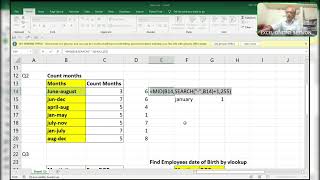
hi friends this is Excel Guru once again with a query by rishab in telegram group so here I'm going to share a solution and I will explain you how to do all those things before going to screen please I request everyone like share and subscribe after subscribe click on Bell icon so that whenever I upload any query any interview questions Excel interview questions then you will get a notification right so I'm expecting nearly 1,000 views plus th000 likes because it's very very important query here is the screen which I'm going to share with you guys see here is the screen so here is that you have to split by rows and columns with a single formula single formula means I going to say that you can use multiple formulas in one sing one cell okay like uh but not in another cell like you can use mid lat you will use left right no no no no not like that you have to use only one formula I mean to say the ne formula but it it should be a one formula right so it has to split like this and like this okay row as rows and columns see how I'll do first of all I'll take a mid of this mid substitute of what is the delimeter over there there is a space double space right so what I'll use space iyon space okay I'm adding a new I'm adding prefix for this value comma what will be the old text as we know that old text is this one space this one and instead of old space What will be the new text you have to add so I'm adding space 255 times why 255 because in one cell it will allow 255 characters for that reason maximum number of you can use 100 also right for that reason I'm using maximum 250 we don't need instance just close it and starting number here from here you will see all the Magics okay start starting number is suppose 1 into 255 comma 255 okay example I'm showing you right I press F9 so it is showing only 92 okay I will use trim function for this trim okay so it will pick a first character exactly but I want to extract as a column and rows with only one formula instead of one what I use F2 what your I have not Lo this one F4 it should not move anywhere and another thing is that only that thing right okay right let's check it out rowwise this one is rowwise okay the first value I mean to say the 92 92 b 29 understood only this value it is taking rowwise okay now this value it should be a column wise like this okay so what I'll do here instead of rows I will take colum dollar B B2 colon b 2 into 255 into 255 right now see okay I loged only this one so I have to remove the this one F4 it should move right now see control R control D go it if you want it's a very very Dynamic way if you want you can go through it and check it see here I'm adding another one okay let's see I'm adding another one like uh some x y z okay here you can see XY Z here again got it this is the dynamic way I will show you the formula here that is Formula text done if you want many more things you can ask me and thank you thank you guys thanks for your support
Original Description
Telegram query by Rishabh
#mis interview questions
#MNC company interview questions
#doubt clearance
#query solutions
Watch on YouTube ↗
(saves to browser)
Sign in to unlock AI tutor explanation · ⚡30
Playlist
Uploads from ExcelGuru · ExcelGuru · 0 of 60
← Previous
Next →
1
 2
2
 3
3
 4
4
 5
5
 6
6
 7
7
 8
8
 9
9
 10
10
 11
11
 12
12
 13
13
 14
14
 15
15
 16
16
 17
17
 18
18
 19
19
 20
20
 21
21
 22
22
 23
23
 24
24
 25
25
 26
26
 27
27
 28
28
 29
29
 30
30
 31
31
 32
32
 33
33
 34
34
 35
35
 36
36
 37
37
 38
38
 39
39
 40
40
 41
41
 42
42
 43
43
 44
44
 45
45
 46
46
 47
47
 48
48
 49
49
 50
50
 51
51
 52
52
 53
53
 54
54
 55
55
 56
56
 57
57
 58
58
 59
59
 60
60

Total Sumproduct Session By Excel Expert Mr.Sanjeev kaushik
ExcelGuru
Uses and Technics of Transpose in 3 Methods
ExcelGuru
Query Solved ExcelExpert
ExcelGuru
counting numbers and text with creteria lenngth
ExcelGuru
For Reverse Looking Fing age By Using Database Function
ExcelGuru
MIS INTERVIEW QUESTION EXTRACTING FIRST AND LAST NAME WHICH IS NOT HAVING DELIMETER
ExcelGuru
finding Unique count of sales between Dates
ExcelGuru
counting 2 lookup values as per dupicates
ExcelGuru
Reverse Vlookup to get DOB
ExcelGuru
17-04-2022 Sridevi Marriage Celebrations
ExcelGuru
INTERVIEW QUERIES WITH ANOTHER QUERY
ExcelGuru
finding maximum sales of product when duplicate products
ExcelGuru
QUERY ASKED IN GROUP
ExcelGuru
MIS TEST WITH AMAZING SOLUTION BY JR.BILLGATES(ANAND)
ExcelGuru
query to count not saled products after saled products
ExcelGuru
Explanation about birla mandir at Hyderabad
ExcelGuru
counting specific weekday in between dates
ExcelGuru
Extract Data As per Creteria with power Query
ExcelGuru
Extracting data as per creteria in different sheets
ExcelGuru
SOLUTION FOR INPHOSYS MIS-1(1-4)
ExcelGuru
solution for inphosis mis 2(12-13)
ExcelGuru
INPHOSIS MIS SOLUTION-3(5-10)
ExcelGuru
LOGICAL MIS INPHOSIS-4(17-18)
ExcelGuru
MIS INTERVIEW QUESTION
ExcelGuru
MIS INPHOSIS -5(19-21)
ExcelGuru
MIS INPHOSIS - 6(23-25)
ExcelGuru
extracting pin codes or number from text string
ExcelGuru
finding maximum sales in one value
ExcelGuru
finding how many months are there between months
ExcelGuru
Quarter sales by month
ExcelGuru
Finding rate with 2 conditions by using vlookup
ExcelGuru
how to find max length word from text string
ExcelGuru
Group query To find sales and Quantity With 2 conditions by using VLOOKUP
ExcelGuru
my angels birthday celebrations
ExcelGuru
Group Query Adding total sales when it is having random delimiter like inches,kgs,Ton
ExcelGuru
Seperating first and last Name by space using function
ExcelGuru
Finding Total Goals from different tables Team members
ExcelGuru
Group Query To Extract Team members Names
ExcelGuru
Extracting data in a single column
ExcelGuru
converting one column data into table interview question
ExcelGuru
MIS INTERVIEW QUESTION-100
ExcelGuru
MIS INTERVIEW QUESTION -101 FINDING VALUE AS PER CHARACTERS LENGTH BY VLOOKUP
ExcelGuru
chi.shreyansh
ExcelGuru
MIS INTERVIEW QUESTION-102(SORT BY LENGTH)
ExcelGuru
query to extract last words from sentence
ExcelGuru
MIS INTERVIEW -103(EXTRACT MAXIMUM CHARACTERS WORD IN A CELL)
ExcelGuru
group query
ExcelGuru
without len function count of characters
ExcelGuru
MIS QUERY
ExcelGuru
mis interview questions part -1
ExcelGuru
Real MIS Query-1
ExcelGuru
real mis interview questions-1
ExcelGuru
finding the value as per length of characters
ExcelGuru
real mis -2
ExcelGuru
real MIS -3
ExcelGuru
REAL MIS -4(PART A)
ExcelGuru
group query
ExcelGuru
tech mahindra mis
ExcelGuru
courier company MIS
ExcelGuru
tech Mahindra (UPDATED)
ExcelGuru
More on: Systems Design Basics
View skill →









Related Reads
📰
📰
📰
📰
Retain Cycle vs Memory Leak: They are NOT the same!
Medium · Programming
Real Time Rider Assignment in Grubhub Clone Architecture
Dev.to AI
The Skill Nobody Teaches You: Taking a System Apart Before You Build It
Medium · Programming
User-Space Mastery: From printf() to write() — Understanding How C Library Functions Become Linux…
Medium · Programming
🎓
Tutor Explanation

 DeepCamp AI