Accessing Translate API with Python (Highlights)
Key Takeaways
Accessing Google's Translate API with Python to perform language translations, using machine learning for translation improvement and handling different language codes
Full Transcript
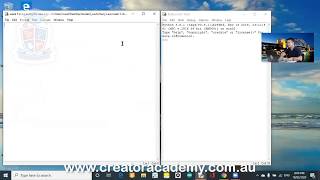
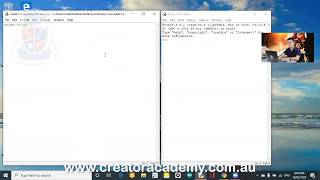
before we have the Internet the translation method used to be very bad it was a very bad way of translating hell the the easiest way to translate would just be to find a dictionary right of all your English words right find a dictionary of all your English words and then for every English word we'll replace it with the Chinese work but if you replace every single word in the dictionary with a Chinese word and then and then and then spell it out like when I say when I say I really like apples for example I really like apples in English and then I then I'm trying to translate in Chinese I really like apples so I go what's the word for I and then what's the word for really and then the word for like and then the word for apples and then if you string them all together it's not going to make much sense and now a lot of the time especially with things like Google Translate it uses machine learning to to determine how how well it translates have you seen on YouTube or on I'm not sure if you use websites where where you see a funny sentence but it is translated sentence so it says see translation or something like that well a lot of those links when you say see this translation it also has a link that says rate this translation okay and when you say arrange this translation you're telling the website how well your machine learning has started translating this thing because they don't actually have a person there anymore there's no people actually they're translating your text anymore it's just a machine trying to do it and they do it in a very very very random way so sometimes they translate a really good sentence sometimes they translate a really bad sentence but what they rely on is for people to check out the translation and then if you happen to know two languages then you would submit a review you'd say I rate this translation this was a very bad translation try again something and then they can people who develop the API would take all this feedback into account but it's not just one or two people's feedback they take thousands of people's feedback and then that improves on how how well they can translate language code and then we'll start off with just just a blank string so if language equals 1 then language underscore code equals en - said H right Elif language equals two in language underscore code equals Ian - fr for French does that make sense and now instead of putting the language here we can just put language code inside this parameter here inside this parameter for the dictionary now we can have a go save it run it welcome to the Gary translation service what's your name Gary would you like to translate I really really like apples what language do you want to change it to type 1 for Chinese type 2 for French - then it's gonna go and hopefully as late the French oh no because it has to print it out it didn't get out commented out the printer okay so let's do it again okay guide translation is my name is kennel what would you like to translate are really really like bananas nose to French then sends off the request and then this is French I really really like bananas
Original Description
For code from this lesson, visit https://www.patreon.com/creatoracademy
Playlist
Uploads from Creator Academy Australia · Creator Academy Australia · 27 of 60
1
 2
2
 3
3
 4
4
 5
5
 6
6
 7
7
 8
8
 9
9
 10
10
 11
11
 12
12
 13
13
 14
14
 15
15
 16
16
 17
17
 18
18
 19
19
 20
20
 21
21
 22
22
 23
23
 24
24
 25
25
 26
26
 ▶
▶
 28
28
 29
29
 30
30
 31
31
 32
32
 33
33
 34
34
 35
35
 36
36
 37
37
 38
38
 39
39
 40
40
 41
41
 42
42
 43
43
 44
44
 45
45
 46
46
 47
47
 48
48
 49
49
 50
50
 51
51
 52
52
 53
53
 54
54
 55
55
 56
56
 57
57
 58
58
 59
59
 60
60

LEGO Wedo 2.0 Kangaroo and Joey Demonstration
Creator Academy Australia
LEGO Wedo 2.0 Koala Demonstration
Creator Academy Australia
LEGO WeDo 2.0 Eagle vs Rabbit Demonstration
Creator Academy Australia
Animatronic Australia: The Kangaroo
Creator Academy Australia
How Semiconductors Work: 3D Animation
Creator Academy Australia
LEGO Wedo 2.0 Koala
Creator Academy Australia
First impressions and unboxing First Lego League: Into Orbit 2018
Creator Academy Australia
FLL Into Orbit Team Ranking Gears talks about Artificial Gravity
Creator Academy Australia
FLL Into Orbit team Ev3lution discusses isolation in space
Creator Academy Australia
PI3-BOT (Pie Bot) Prototype
Creator Academy Australia
Dynamic display stand for LEGO Bugatti Chiron (preview)
Creator Academy Australia
Creative Kids TV announcement featuring Creator Academy
Creator Academy Australia
LEGO WeDo 2.0 Guided Lesson: Milo
Creator Academy Australia
LEGO SPIKE PRIME: Turtle Prime Demonstration
Creator Academy Australia
LEGO SPIKE PRIME "Wheelchair Prime"
Creator Academy Australia
10 Reasons why EV3 is SUPERIOR to SPIKE Prime
Creator Academy Australia
Your first launch after installing Python: Python for Kids Webinar Highlight
Creator Academy Australia
What is "Sharpening the Saw": Python for Kids Webinar Highlight
Creator Academy Australia
Why We Use Comments: Python for Kids Webinar Highlight
Creator Academy Australia
Build a Scratch Dinosaur Park (Full Lesson)
Creator Academy Australia
Scratch 3.0: Cat and Mouse Game Stream (Krunal)
Creator Academy Australia
Python Tutorial: Make a Toilet Paper Calculator (Full Lesson)
Creator Academy Australia
Scratch 3.0 Tutorial: Making a chatbot that plays 'heads or tails' (Full Lesson)
Creator Academy Australia
Getting Started with MicroPython on SPIKE PRIME (old)
Creator Academy Australia
Easter Egg Game Tutorial in Scratch (Full Lesson)
Creator Academy Australia
Accessing Weather API with Python (Highlights)
Creator Academy Australia
Accessing Translate API with Python (Highlights)
Creator Academy Australia
Scissors, Paper, Rock with Scratch 3.0 (Highlights)
Creator Academy Australia
Making a really scary game with Scratch 3.0 (Highlights)
Creator Academy Australia
Making a Lemmings game with Scratch 3.0 (Highlights)
Creator Academy Australia
Space Navigation Game in Scratch (Highlights)
Creator Academy Australia
Scratch Supercat Game (Full Lesson)
Creator Academy Australia
Introduction to Robots with LEGO Wedo 2.0 (Full Lesson)
Creator Academy Australia
Getting Started With LEGO Spike Prime (Full Lesson)
Creator Academy Australia
Scratch Walk Cycle Animation Tutorial (Full Lesson)
Creator Academy Australia
Building a Scissor Lift with LEGO Simple Machines (Highlights)
Creator Academy Australia
EV3 datalogging RPM challenge (highlights)
Creator Academy Australia
Learning about buses with LEGO (Full Lesson)
Creator Academy Australia
Make "Flappy Bird" in Scratch 3.0 (Highlights)
Creator Academy Australia
"Memory Arrows" game with Scratch 3.0 Lists (Highlights)
Creator Academy Australia
Learning about Gear Ratios with LEGO Simple Machines (Highlights)
Creator Academy Australia
Scratch 3.0 Bouncing Ball with Stretch, Speed and Acceleration (Full Lesson)
Creator Academy Australia
LEGO SPIKE Prime Order Tracking Robot (Highlights)
Creator Academy Australia
Scratch 3.0 Race Guesser (Full Lesson)
Creator Academy Australia
How Banks Work - a quick explanation for kids
Creator Academy Australia
SPIKE Prime Safe + importance of passwords (Highlights)
Creator Academy Australia
Combination Safe Coding Guide with LEGO SPIKE Prime
Creator Academy Australia
LEGO SPIKE Prime Parcel Scanning Robot
Creator Academy Australia
Building "Addy" the Addition Chatbot
Creator Academy Australia
SPIKE 2.x PID Balancer with Scratch for SPIKE Prime / 51515: Gyro Girl
Creator Academy Australia
What is Procedural Programming
Creator Academy Australia
Zombie game in SCRATCH (plus horrifying zombie facts!)
Creator Academy Australia
Swarming Bugs Scratch Game
Creator Academy Australia
LEGO Mindstorms/SPIKE Prime Scanner and Printer
Creator Academy Australia
Fishing Game with SCRATCH (For Fathers Day!)
Creator Academy Australia
Measuring Paper Plane Speed with SPIKE Prime Line Graphs
Creator Academy Australia
Comparing Mindstorms Robot Inventor and SPIKE Prime
Creator Academy Australia
Code a 'Knock Knock Joke' game in Scratch 3.0
Creator Academy Australia
Creator Academy Australia Live Stream
Creator Academy Australia
Discovering LEGO Mindstorms/SPIKE Gyro Pitch Deadzone
Creator Academy Australia
More on: API Design
View skill →



![PHP REST API From Scratch [2] - Single & Create](https://i.ytimg.com/vi/-nq4UbD0NT8/mqdefault.jpg)




Related Reads
📰
📰
📰
📰
Why Copy-Paste Code Examples Need the Same Care as Production Code
Dev.to AI
TypeScript Operators, Explained
Medium · JavaScript
AxilJS: Building a JavaScript / TypeScript Backend Ecosystem, One Problem at a Time
Medium · JavaScript
TypeScript finally stopped making me wait
Medium · Programming
🎓
Tutor Explanation

 DeepCamp AI