Cl0neMast3r - GitHub Repository Cloning Tool
Skills:
Tool Use & Function Calling70%
Key Takeaways
The video demonstrates Cl0neMast3r, a GitHub repository cloning tool, which is a Python script designed to simplify the process of choosing and installing favorite tools from GitHub.
Full Transcript
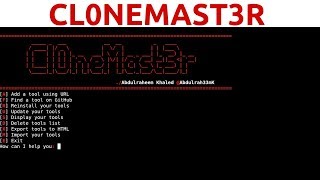
[Applause] [Music] [Applause][Music] thank you hey guys hackersploit here back again with another video and in this video we're going to be looking at an awesome tool that I'm sure will make your life a whole lot easier all right so the web penetration Edition testing series is a continuing and ongoing don't worry about that I just thought I'd throw in a video here uh you know showcasing a really useful tool that'll hopefully make your life easier alright so in this video we're going to be looking at clone master all right so let's get started with what clone Master is so if you open up the GitHub repository the link will be in the description uh if you just read what it's about as you can see clone Master is a python script that was coded to make your life easier now you can easily choose your favorite tools from GitHub and install them on your system with one click so again you can see how awesome this is even better you can ensure that you have the latest version of your favorite tools another way another great thing here is that obviously gives you the ability to check for updates for your tools so you don't have to manually update them from GitHub and all of this uh and you can do more with the Clone master all right so as you can see clone master was mainly made for penetration testers and Bug Hunters so again what whatever tool you're going to be installing whether the uh web application vulnerability scanners uh any tool from GitHub it can really easily be done from a clone master all right so let's get started I'm just going to clone the repository and we can look at how to get this installed all right so I'm going to install it on my desktop and we can just change my directory to my desktop here and I'm gonna clone it and let's get started with cloning it and that should take a few seconds um sorry about my internet connection there we are it's done let's change it into the Clone master oops there we are let me list the files in there as you can see we have some requirements that we need to install so we're going to use the pike the python package manager or the PIP uh so pip oops uh oops install I uh install R requirements Dot txt and I'm going to hit enter to install all the requirements give that a few seconds to load it there to load them all up that shouldn't take uh whoop for some reason yeah there we are so the requirements already satisfied so we don't need to do anything else so let me just clear that up and we can just enlarge this and let me clear it again sorry about that let me list the files in there so now we have the clonemaster.python file what we need to do is we need to change permissions so chmod plus X and clone monster clonemaster.py list that and now we can start it up with python and clone master and once we start it there we are as you can see clone Master is started and credits go to the uh the author the creator of this tool you can check him out on GitHub and now you might be asking well how do we get started well as as you can see it is sorted really really well in terms of firstly adding a tool using URL you can find a tool on GitHub you can reinstall your tools you can update your tools you can display your tools you can delete your tools list export tools to HTML again you know a great way of documentation you can import your tools and you can exit so let's say you want to find a tool on GitHub because adding a tool using a URL is fine but we you know that that can easily be done as we just did but let's look at finding a tool on GitHub this will be really interesting so I'm gonna hit find and let's see let's find better Cap all right and I'm going to hit enter and let's see whether it can find better cap for us I found four pages how many pages do you want me to display so I'm going to hit four and let's see what we were able to get all right so uh by default we've got a lot of uh you know tools here and I should have actually specified it more but they go you have your tool which is better cap right here that's probably the one that we want to to use uh so we've listed all the tools currently here and the rest of the tools have nothing that we need so let's look at the tool number that we require which is better cap I will be making a video on beta Gap so stay tuned for that um so as you can see here you have better cap obviously the first one is the correct one and we also have here better cap and author is Wi-Fi analyzer so you know what let's try the first one which is the tool number one and I'm just gonna scroll all the way to the bottom I'm gonna hit one and the new tool has been added and we can enter M to return to the main page so I'm going to enter M to return to the main page and now looking at updating your tools this is also something important that I wanted to look at so I'm going to you to update um so let's see uh let's update all the old tools so I'm gonna hit update and there we are better cap is being updated that's the first one uh let's see if it's able to do it for us again we're testing everything live so again I haven't gone through this before there we are all tools have been updated uh M to return to the main page all right so that was updating now looking at uh displaying our tools that's also a very important command that comes in handy and as you can see it's showing us the currently installed tools with clone master that being only beta cap and again you can word install others as well so let's return back to the main page and you can finally also delete your tools list if you want to start over again but but that being said you can also add a tool using URL as you can see you can uh you can we can paste the URL that we did which is clone master and if we hit enter let's see if it is able to do that there we are um the new tool has been added you want to add it no I don't and I'm going to hit M to return to the main page now overall as you can see this is really giving you a great way of organization in terms of your tools now if you're going to be installing a lot of these scripts and tools you know I really don't care about the specifics whether they be uh you know really Advanced tools or they be script Kitty tools you know uh irregardless of that the purpose of this video was to really help you and to show you that uh you know they are you know good tools like this that can really save you a lot of time in terms of managing the tools that you're going to be installing so if you install a lot of tools this is a fantastic uh you know tool for you the link will be in the description you can check it out and the credits go to the author I'm not taking any credit for creating this script uh kudos to the author it's fantastic tool and yeah that's going to be it for this video I you know I really recommend that you check it out it's one of those tools that will really help you in terms of your productivity that's if you're using a lot of tools anyway I hope you liked this video or you found value in it if you did please leave a like down below if you have any comments or suggestions or questions let me know in the comment section or you can hit me up on my social networks and you can hit me up on the website you can post your questions there if you have any video suggestions you can also post them on the website and thank you so much for watching this video I'll be seeing you in the next video peace [Music]
Original Description
Hey guys! Hac3kerSploit here back again with another video, in this video we will be looking at Cl0neMast3r, a GitHub repository cloning tool.
Cl0neMast3r is a Python script that was coded to make your life easier.
Now you can easily choose your favorite tools from GitHub and install them on your system with one click.
GitHub Repo: https://github.com/Abdulraheem30042/Cl0neMast3r
I Hope you enjoy/enjoyed the video.
If you have any questions or suggestions feel free to ask them in the comments section or on my social networks.
🔗HackerSploit Website: https://hsploit.com/
➡️HackerSploit Android App: https://play.google.com/store/apps/details?id=com.hsploitnews.hsploit&hl=en
Support The Channel✔️
Pure VPN Affiliate Link:
PureVPN: https://billing.purevpn.com/aff.php?aff=33288
Patreon: http://patreon.com/hackersploit
➡️Get Our Courses✔️
📗 Get Our Courses at $10 Only!
The Complete Deep Web Course 2018:
https://www.udemy.com/the-complete-deep-web-course-2017/?couponCode=DWCBP2017
✔️SOCIAL NETWORKS
-------------------------------
Facebook: https://www.facebook.com/HackerSploit/
Instagram: https://www.instagram.com/alexi_ahmed/
Twitter: https://twitter.com/HackerSploit
Kik Username: HackerSploit
Patreon: http://patreon.com/hackersploit
--------------------------------
Thanks for watching!
Благодаря за гледането
感谢您观看
Merci d'avoir regardé
Grazie per la visione
Gracias por ver
شكرا للمشاهدة
देखने के लिए धन्यवाद
Watch on YouTube ↗
(saves to browser)
Sign in to unlock AI tutor explanation · ⚡30
Playlist
Uploads from HackerSploit · HackerSploit · 57 of 60
1
 2
2
 3
3
 4
4
 5
5
 6
6
 7
7
 8
8
 9
9
 10
10
 11
11
 12
12
 13
13
 14
14
 15
15
 16
16
 17
17
 18
18
 19
19
 20
20
 21
21
 22
22
 23
23
 24
24
 25
25
 26
26
 27
27
 28
28
 29
29
 30
30
 31
31
 32
32
 33
33
 34
34
 35
35
 36
36
 37
37
 38
38
 39
39
 40
40
 41
41
 42
42
 43
43
 44
44
 45
45
 46
46
 47
47
 48
48
 49
49
 50
50
 51
51
 52
52
 53
53
 54
54
 55
55
 56
56
 ▶
▶
 58
58
 59
59
 60
60

How To Install Kali Linux 2.0 On Virtual Box
HackerSploit
100 Subscriber Q&A! - How I Learned Ethical Hacking
HackerSploit
BlackArch Linux Review - Better Than Kali Linux?
HackerSploit
How to Access the Deep Web Safely | Deep Web Starter Guide 1.0
HackerSploit
Wireshark Tutorial for Beginners - Installation
HackerSploit
Wireshark Tutorial for Beginners - Overview of the environment
HackerSploit
Wireshark Tutorial for Beginners - Capture options
HackerSploit
Wireshark Tutorial for Beginners - Filters
HackerSploit
Complete Ethical Hacking Course - Become a Hacker Today - #1 Hacking Terminology
HackerSploit
Complete Ethical Hacking Course #2 - Installing Kali Linux
HackerSploit
Parrot OS 3.5 Review | The Best Kali Linux Alternative
HackerSploit
Nmap Tutorial For Beginners - 1 - What is Nmap?
HackerSploit
Katoolin | How To Install Pentesting Tools On Any Linux Distro
HackerSploit
Nmap Tutorial For Beginners - 2 - Advanced Scanning
HackerSploit
Nmap Tutorial For Beginners - 3 - Aggressive Scanning
HackerSploit
Zenmap Tutorial For Beginners
HackerSploit
How To Setup Proxychains In Kali Linux - #1 - Stay Anonymous
HackerSploit
How To Setup Proxychains In Kali Linux - #2 - Change Your IP
HackerSploit
How To Change Mac Address In Kali Linux | Macchanger
HackerSploit
How To Setup And Use anonsurf On Kali Linux | Stay Anonymous
HackerSploit
Ubuntu 17.04 "Zesty Zapus" Review - Bye Unity
HackerSploit
VPN And DNS For Beginners | Kali Linux
HackerSploit
Tails OS Installation And Review - Access The Deep Web/Dark Net
HackerSploit
Steganography Tutorial - Hide Messages In Images
HackerSploit
The Lazy Script - Kali Linux 2017.1 - Automate Penetration Testing!
HackerSploit
Best Linux Distributions For Penetration Testing
HackerSploit
Netcat Tutorial - The Swiss Army Knife Of Networking - Reverse Shell
HackerSploit
Gaining Access - Web Server Hacking - Metasploitable - #1
HackerSploit
Web Server Hacking - FTP Backdoor Command Execution With Metasploit - #2
HackerSploit
How To Install Kali Linux On VMware - Complete Guide 2018
HackerSploit
Q&A #1 - Best Cyber-security Certifications?
HackerSploit
Terminator - Kali Linux - Multiple Terminals
HackerSploit
Shodan Search Engine Tutorial - Access Routers,Servers,Webcams + Install CLI
HackerSploit
Q&A #2 - Mr Robot?
HackerSploit
Metasploit Community Web GUI - Installation And Overview
HackerSploit
Linux Expl0rer - Forensics Toolbox - Installation & Configuration
HackerSploit
QuasarRAT - The Best Windows RAT? - Remote Administration Tool for Windows
HackerSploit
Metasploit For Beginners - #1 - The Basics - Modules, Exploits & Payloads
HackerSploit
Metasploit For Beginners - #2 - Understanding Metasploit Modules
HackerSploit
Kali Linux Quick Tips - #1 - Adding a non-root user
HackerSploit
Metasploit For Beginners - #3 - Information Gathering - Auxiliary Scanners
HackerSploit
Spectre Meltdown Vulnerability - How To Check Your System
HackerSploit
Metasploit For Beginners - #4 - Basic Exploitation
HackerSploit
ARP Spoofing With arpspoof - MITM
HackerSploit
WordPress Vulnerability Scanning With WPScan
HackerSploit
Generating A PHP Backdoor with weevely
HackerSploit
Nikto Web Vulnerability Scanner - Web Penetration Testing - #1
HackerSploit
How To Install Kali Linux On Windows 10 - Windows Subsystem For Linux
HackerSploit
Stacer - System Optimizer And Monitoring Tool For Linux
HackerSploit
Kali Linux 2018.1 - Kernel Updates & Patches
HackerSploit
MITM With Ettercap - ARP Poisoning
HackerSploit
Password Cracking With John The Ripper - RAR/ZIP & Linux Passwords
HackerSploit
How To Detect Rootkits On Kali Linux - chkrootkit & rkhunter
HackerSploit
Channel Updates - How To Post Questions & Video Suggestions
HackerSploit
Web App Penetration Testing - #1 - Setting Up Burp Suite
HackerSploit
Web App Penetration Testing - #2 - Spidering & DVWA
HackerSploit
Cl0neMast3r - GitHub Repository Cloning Tool
HackerSploit
Kali Linux On Windows 10 Official - WSL - Installation & Configuration
HackerSploit
DoS/DDoS Protection - How To Enable ICMP, UDP & TCP Flood Filtering
HackerSploit
Web App Penetration Testing - #3 - Brute Force With Burp Suite
HackerSploit
More on: Tool Use & Function Calling
View skill →









Related AI Lessons
⚡
⚡
⚡
⚡
Career choice with the advent of AI - pure Computer Science or learn software with a background of core engineering area
Dev.to AI
The AI Hype Cycle: Calm Before the Next Breakthrough?
Medium · Programming
AI won’t replace scientists. It will make the current model of science obsolete
Medium · Data Science
The End of Knowledge: Why Artificial Intelligence Is Changing Not Only What We Know, but What It…
Medium · AI
🎓
Tutor Explanation

 DeepCamp AI