Wireshark Tutorial for Beginners - Filters
Key Takeaways
Wireshark tutorial covering filters and password sniffing for beginners
Full Transcript
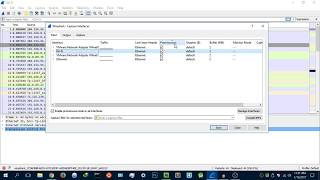
Hey guys, Hackloit here back again with another video and welcome to your fourth Wireshark tutorial for beginners. Now, in this tutorial, I'm going to be showing you uh the two different types of filters. So, basically, a filter is uh a tool that will allow you to basically fine-tune your search for packets and data that you've scanned or are scanning. So, uh let me just use my Wi-Fi card here and let it scan for some data and I'll explain as we go. So I'm just going to stop it there. Now basically a filter will allow me to fine-tune to pick specifically what I want from these packets. So for example um we have as I mentioned earlier we have two types of filters. We have a display filter which is right here and we have a capture filter. Now a capture filter lies here. This is the capture filter that is specific to the network interface card that you are using. But let's start first with the display filter. So, I've stopped scanning and let's say we want to find a specific packet out of all that we've just scanned. A display feature uh filter is basically a filter that uh it will give you the packets that you want to see or you're looking for, not the packets that you want to scan for. So, uh let's try uh HTTP and it's going to give us all the HTTP packets. So, as you can see, we really don't have any HTTP packets. Let's try something else. So, I'm going to use DNS. And as you can see here, we have some DNS uh servers that want connecting to Facebook. And yeah, that's pretty much uh how to use the display filter to your advantage. Now, as I mentioned, uh there are a lot of filters that you can use and some of them are here. As you can see, these are the most uh popular filters. We have Ethernet address, uh IPv4, IPv6, uh you have TCP, UDP, uh nonDNS. So, it'll scan for nonDNS um uh uh packets of data. And here they are. And you can just apply it. And if you're once you're done looking for uh once you're done uh basically using your display filter, you can just hit uh the X button there or the stop button and you'll be good right here. Uh now, the next thing I want to show you is expression. Now, expression gives you all the different types of filters that you can apply with um with basically with uh with capture more advanced capture options. Some that may not exist over here and the most commonly used. So, I'm going to give you an example. Uh let's say we're looking for HTTP packets, but only HTTP get packets, not not post. Uh so, let's try that. HTTP this is the uh basically the filter that I'm going to use and I already made some here. So we have htt http request do method get. So I'm going to type that in. And again we don't have any http get. So let's try post post. And let's close that. And still nothing. That's basically how you can fine-tune what packets you want to uh what you want to see from the packets you already scanned. Now when we go on to the capture filter, a capture filter is the packets that you want to scan. Like let's say you want to scan only for HTTP. Uh you'll only it'll only scan for HTTP. So as you can see here if I go into the most common ones. So let's see HTTP TCP port HTTP and it'll start capturing from there and then we can stop it and uh so on and so forth. So that's basically the the types of uh filters that you can use in Wireshark and how you can use them to fine-tune uh your results on packets or what you want to see from the packets you've just captured. So yeah guys, that's pretty much it. Pretty much it. Thanks for watching this video. If you enjoyed it, leave a like and yeah, peace.
Original Description
Wireshark Tutorial for Beginners, become an advanced Wireshark user today!
How to use filters in Wireshark.
How to sniff passwords in Wireshark
***********************************************************
Wireshark: https://www.wireshark.org
***********************************************************
I Hope you enjoy/enjoyed the video.
If you have any questions or suggestions feel free to ask them in the comments section or on my social networks as well as mu blog.
SOCIAL NETWORKS
-------------------------------
Facebook: https://www.facebook.com/HackerSploit/
Twitter: https://twitter.com/HackerSploit
Instagram: https://www.instagram.com/alexisayub/
--------------------------------
Visit My website/Blog for all documentation and downloads, as well as forums for communication with me and other members.
Playlist
Uploads from HackerSploit · HackerSploit · 8 of 60
1
 2
2
 3
3
 4
4
 5
5
 6
6
 7
7
 ▶
▶
 9
9
 10
10
 11
11
 12
12
 13
13
 14
14
 15
15
 16
16
 17
17
 18
18
 19
19
 20
20
 21
21
 22
22
 23
23
 24
24
 25
25
 26
26
 27
27
 28
28
 29
29
 30
30
 31
31
 32
32
 33
33
 34
34
 35
35
 36
36
 37
37
 38
38
 39
39
 40
40
 41
41
 42
42
 43
43
 44
44
 45
45
 46
46
 47
47
 48
48
 49
49
 50
50
 51
51
 52
52
 53
53
 54
54
 55
55
 56
56
 57
57
 58
58
 59
59
 60
60

How To Install Kali Linux 2.0 On Virtual Box
HackerSploit
100 Subscriber Q&A! - How I Learned Ethical Hacking
HackerSploit
BlackArch Linux Review - Better Than Kali Linux?
HackerSploit
How to Access the Deep Web Safely | Deep Web Starter Guide 1.0
HackerSploit
Wireshark Tutorial for Beginners - Installation
HackerSploit
Wireshark Tutorial for Beginners - Overview of the environment
HackerSploit
Wireshark Tutorial for Beginners - Capture options
HackerSploit
Wireshark Tutorial for Beginners - Filters
HackerSploit
Complete Ethical Hacking Course - Become a Hacker Today - #1 Hacking Terminology
HackerSploit
Complete Ethical Hacking Course #2 - Installing Kali Linux
HackerSploit
Parrot OS 3.5 Review | The Best Kali Linux Alternative
HackerSploit
Nmap Tutorial For Beginners - 1 - What is Nmap?
HackerSploit
Katoolin | How To Install Pentesting Tools On Any Linux Distro
HackerSploit
Nmap Tutorial For Beginners - 2 - Advanced Scanning
HackerSploit
Nmap Tutorial For Beginners - 3 - Aggressive Scanning
HackerSploit
Zenmap Tutorial For Beginners
HackerSploit
How To Setup Proxychains In Kali Linux - #1 - Stay Anonymous
HackerSploit
How To Setup Proxychains In Kali Linux - #2 - Change Your IP
HackerSploit
How To Change Mac Address In Kali Linux | Macchanger
HackerSploit
How To Setup And Use anonsurf On Kali Linux | Stay Anonymous
HackerSploit
Ubuntu 17.04 "Zesty Zapus" Review - Bye Unity
HackerSploit
VPN And DNS For Beginners | Kali Linux
HackerSploit
Tails OS Installation And Review - Access The Deep Web/Dark Net
HackerSploit
Steganography Tutorial - Hide Messages In Images
HackerSploit
The Lazy Script - Kali Linux 2017.1 - Automate Penetration Testing!
HackerSploit
Best Linux Distributions For Penetration Testing
HackerSploit
Netcat Tutorial - The Swiss Army Knife Of Networking - Reverse Shell
HackerSploit
Gaining Access - Web Server Hacking - Metasploitable - #1
HackerSploit
Web Server Hacking - FTP Backdoor Command Execution With Metasploit - #2
HackerSploit
How To Install Kali Linux On VMware - Complete Guide 2018
HackerSploit
Q&A #1 - Best Cyber-security Certifications?
HackerSploit
Terminator - Kali Linux - Multiple Terminals
HackerSploit
Shodan Search Engine Tutorial - Access Routers,Servers,Webcams + Install CLI
HackerSploit
Q&A #2 - Mr Robot?
HackerSploit
Metasploit Community Web GUI - Installation And Overview
HackerSploit
Linux Expl0rer - Forensics Toolbox - Installation & Configuration
HackerSploit
QuasarRAT - The Best Windows RAT? - Remote Administration Tool for Windows
HackerSploit
Metasploit For Beginners - #1 - The Basics - Modules, Exploits & Payloads
HackerSploit
Metasploit For Beginners - #2 - Understanding Metasploit Modules
HackerSploit
Kali Linux Quick Tips - #1 - Adding a non-root user
HackerSploit
Metasploit For Beginners - #3 - Information Gathering - Auxiliary Scanners
HackerSploit
Spectre Meltdown Vulnerability - How To Check Your System
HackerSploit
Metasploit For Beginners - #4 - Basic Exploitation
HackerSploit
ARP Spoofing With arpspoof - MITM
HackerSploit
WordPress Vulnerability Scanning With WPScan
HackerSploit
Generating A PHP Backdoor with weevely
HackerSploit
Nikto Web Vulnerability Scanner - Web Penetration Testing - #1
HackerSploit
How To Install Kali Linux On Windows 10 - Windows Subsystem For Linux
HackerSploit
Stacer - System Optimizer And Monitoring Tool For Linux
HackerSploit
Kali Linux 2018.1 - Kernel Updates & Patches
HackerSploit
MITM With Ettercap - ARP Poisoning
HackerSploit
Password Cracking With John The Ripper - RAR/ZIP & Linux Passwords
HackerSploit
How To Detect Rootkits On Kali Linux - chkrootkit & rkhunter
HackerSploit
Channel Updates - How To Post Questions & Video Suggestions
HackerSploit
Web App Penetration Testing - #1 - Setting Up Burp Suite
HackerSploit
Web App Penetration Testing - #2 - Spidering & DVWA
HackerSploit
Cl0neMast3r - GitHub Repository Cloning Tool
HackerSploit
Kali Linux On Windows 10 Official - WSL - Installation & Configuration
HackerSploit
DoS/DDoS Protection - How To Enable ICMP, UDP & TCP Flood Filtering
HackerSploit
Web App Penetration Testing - #3 - Brute Force With Burp Suite
HackerSploit
More on: Security Basics
View skill →![How to Reset Your Fidelity Password [2026 Full Guide]](https://img.youtube.com/vi/VwyXAX9_HVU/mqdefault.jpg)



![How to Set Up 2FA on E*TRADE [2026 Full Guide]](https://img.youtube.com/vi/MLXTCvytpkY/mqdefault.jpg)


Related Reads
📰
📰
📰
📰
I Built 3 Free AI Tools That Help You Find the Right AI Stack
Dev.to AI
Free Online AI Analysis Tools for Music Track Tagging
Medium · AI
Top Free AI Tools to Boost Your Daily Productivity in 2026
Medium · AI
Per-Tenant Content Moderation Text Labeling Without an Endpoint Using Chat Completions
Dev.to · CorneliusHayes8579
🎓
Tutor Explanation

 DeepCamp AI