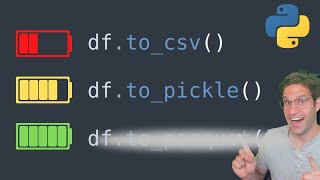
This INCREDIBLE trick will speed up your data processes.
Key Takeaways
The video discusses using Python and Pandas for efficient data storage, comparing CSV, Feather, and Parquet file formats for speed and size optimization. It provides practical steps for saving and reading data using these formats, highlighting the benefits of Feather and Parquet over CSV for large datasets.
Full Transcript
if you're working with data in Python eventually you'll get to a point where you want to save off that data somewhere as a file so my question to you is what file type do you use if you were to ask me about 5 years ago I would have definitely said CSV while csvs may be the most common way to save data there are a lot more efficient and smart ways to save off your data my name is Rob I make videos about coding in Python data science and machine learning in today's video we're going to talk about some of the different file formats you can save off data some of the benefits of each and do some Benchmark testing of speed and file storage size if you like this video please consider subscribing giving the video a like and following me on Twitch where I stream live coding all right let's jump into it okay so here we are in a Jupiter notebook we're going to just write some code to get our data together so we're going to start by importing pandas importing numpy and then we're going to create our our data set I'm going to paste in here two functions that I wrote in a previous video that if you haven't watched I encourage you also to watch on efficient Panda data frames and this will just create some fake data for us when we call get data of a certain size and we'll have a data frame that we can then test saving and reading from disk I also have this set D types function that we created in that video and and this helps make our data frame memory efficient by setting and casting the different columns to specific D types so if I run git data set here with a size of 10,000 and then run a DF info on this we can see that we have a data frame that's half a megabyte in size if I do a head on it we see that has different columns with uh various different random variables that we just set up as an example Le we're going to run this on a slightly larger file size that's 1 million rows to really test out the different file types that we're going to save so I mentioned this at the beginning but probably the most common way to save data is a CSV or comma separated values file if you have a panis data frame like this you can write it to csb by just using 2 CSV and then writing it out now this data frame is fairly large so it does take some time to write this to disk and then if I do an LS on this file we can see that on in disk it's about 53 megabytes similarly if we want to read in this data frame we can do a PD read CSV and read in the test CSV one thing to know here is when we read back in the file we see that the data frame now has this unnamed column that's because when we save the CSV we need to make sure that we write index equals false if we don't want to save the index out now if we run the git data set on it and save it off with index equals fals we can see the file size is slightly F smaller and if we read it back in it doesn't have the index similarly if we had this index as true we could read in the file with an index column of zero and this would give us pretty much the same result but when we're fa saving files to disk we have a few things we are concerned with number one who's going to be reading this file if it's going to be shared to someone who needs to open it in a program like Excel maybe CSV is the best way to go but if we're trying to save for efficiency and for reduced disc space especially when our data sets get very very big csvs are not going to be the most ideal and I'm going to show you why to test this we're going to run the time it function on this save CSV and we can see that on seven runs on average it's taking 8.8 seconds to save the this data off and that's pretty slow we can do the same time it on the read CSV and it's faster but still not very fast almost half a second to read this file in on average so just to write in our notes 46 megabytes 8.8 seconds to save5 seconds to read and actually with the index saved it's about 53 megabytes now another thing to keep in mind if you save your file as a CSV you can open up the file and look at the raw data which is a benefit but when the data is read back into pandas it's going to infer and guess what D types that you have for each column so to demonstrate it I'm going to run this set D types function on this same data frame so we're going to get a data frame with 1 million rows and then we're going to run the set D Types on this data frame and run a DF info now we could see that we set the D types to be a category for the size an in 16 for the age and all of this helps save the information in a more efficient way but when we save this and read it back in as a CSV all of these types are going to be eliminated so let's read in this CSV and do a DF info on it we could see that our category types are now objects and by default the integers are read in as a int64 floats are read in as a float 64 this is not ideal now one way to get around this is just to set the D types as you read in the file so we would do that like this we would when we read in we would set the D type for for instance for a size to be category let's split this out and this is kind of annoying because we actually have to rewrite this metadata of the way we want each column to be stored when we save it and read it so what's an alternative to this now the first and easiest is just to pickle the file if you used pickle in Python before it's just a way to take an object sterilize it and put it as a file on disk and essentially that's all Panda's two pickle function does so let's see how long it takes to run this using pickle so it's a lot faster to read and write you could see it's about 8 seconds to write. 3 seconds to read and how big is it this actual file is 43 megabytes so not necessarily that much smaller but it is a lot faster to read and write we can also test to see if our D types when we set them get saved when we write them as pickles by running our set D Types on this we can see that when running DF info that we do in fact keep all the different data types that we've set our columns to by writing as a pickle file so that's definitely an advantage but there are a lot of even better alternatives to pickle files and the main one that I love is called parquet format so paret F format in order to use you'll have to pip install something first either pip install P Arrow or pip install fast fast parket and I already have these installed on my computer but this is just a reminder if you don't have these installed you'll need to pip install these one of these two before you can use it with pandas but once you do you can save the file to disk in a much smaller and more efficient way by using the two parquet method let's go ahead and test that by running the same time code on it just with our read and write as parquet files and let's also call these paret so much faster already it's. 3 milliseconds to write 08 milliseconds to read and let's see how big the file is on disk only 11 11 megabytes so much smaller it's maintaining the D types of the file and it's uh a much better way to read and write it I'm not going to go into the details of how paret formats work but they're really efficient and you can actually do nice things like when you read in your da data frame now we could set up just specific columns that we want to pull in the data frame so if we only wanted the date and the win we could do that and we would save memory and Time by only pulling in those columns and believe it or not this can be be really helpful when you have very large data sets so I'll call that leave reading in specific columns now there are some other alternatives to paret feather is also another popular way to store the data in a faster more efficient way that also stores the metadata about the columns so let's go ahead and run this to feather and read feather we'll change the file types to feather and we'll call this DF feather now I have read that feather is supposed to be better for short-term storage while paret is better for long-term storage I tend to prefer parket files but feather is also a great alternative we can see here that Fe this feather file wrote in. 22 seconds wrote in 0. 22 seconds and read in 075 seconds so even F faster I should have wrote These in milliseconds so feather is even faster than parquet file in this situation now if we look at this test that feather file on disk you can see it's 29 megabytes so while it was faster to read and write it's a little bit larger when we save it to dis forgot to write up here but this is 11 megabytes for the parket file so for a little bit of extra time paret file will save you a lot of space on disk with the file format which can be really important if you have a very large data set now there are many other ways you can save the data frame to disk if we just look at some of the two methods on a panda data frame there are a few other ones that we could use a lot of these would work well if you have a small data frame that you want to display copy to your clipboard um don't use Excel files unless you have to or save it as atml HTML or Json but for major storage of large data set that's the ones that we covered today are mainly it okay so now what I've done just so we can compare everything with a even larger data set we're going to compare csvs to pickle to parquet to feather and we're going to do it back to back using the exact same setup where we get our data set and we set the D types we're going to write and read just using the time function so it doesn't have to Loop over seven times and we'll get an idea for the difference in speed and size now CSV does take a long time so I'm probably going to cut this out writing for the CSV file is done it took 39 seconds which is a long time and reading it took 2.2 seconds let's try with the pickle 181 monds to save and 23 milliseconds to read paret file is about 512 milliseconds to write and 129 to read and feather file is 307 milliseconds 102 milliseconds to read and let's just LS all of these files so we can see their file sizes and you can see that the parket file is the most compressed pickle file is the largest of the compressed file types and csvs are just massive compared to everything else so the big takeaway is you have a lot of different options of how you want to save your data to disk and csvs are not necessarily the best especially when your data set gets very large consider using parket files if you're saving for long St storage and you want to optimize for space feather files if you want to optimize for Speed and pickle files work just fine as well I hope you enjoyed this video and you learned something new please let me know in the comments if you want to see a video about something specific in the future and I'll try my best to do that until next time
Original Description
In this video we discuss the best way to save off data as files using python and pandas. When you are working with large datasets there comes a time when you need to store your data. Most people turn to CSV files because they are easy to share and universally used. But there are much better options out there! Watch as Rob Mulla, Kaggle grandmaster, discusses some alternative ways of saving data files: pickle, parquet and feather files. I run some benchmarks to show that you can save time, space and keep the important metadata about your files in the process!
Timeline
00:00 Intro
00:49 Creating our Data
02:08 CSVs
04:39 Setting dtypes for CSVs
06:15 Pickle Files
07:16 Parquet ❤️
09:07 Feather
10:31 Other Options
11:02 Benchmarking
12:19 Takeaways
12:43 Outro
Code Gist: https://gist.github.com/RobMulla/738491f7bf7cfe79168c7e55c622efa5
Follow me on twitch for live coding streams: https://www.twitch.tv/medallionstallion_
Other Videos:
Speed up Pandas: https://www.youtube.com/watch?v=SAFmrTnEHLg
Efficient Pandas Dataframes: https://www.youtube.com/watch?v=u4_c2LDi4b8
Inroduction to Pandas: https://www.youtube.com/watch?v=_Eb0utIRdkw
Exploritory Data Analysis Video: https://www.youtube.com/watch?v=xi0vhXFPegw
Audio Data in Python: https://www.youtube.com/watch?v=ZqpSb5p1xQo
Image Data in Python: https://www.youtube.com/watch?v=kSqxn6zGE0c
* Youtube: https://youtube.com/@robmulla?sub_confirmation=1
* Discord: https://discord.gg/HZszek7DQc
* Twitch: https://www.twitch.tv/medallionstallion_
* Twitter: https://twitter.com/Rob_Mulla
* Kaggle: https://www.kaggle.com/robikscube
#python #code #datascience #pandas
Playlist
Uploads from Rob Mulla · Rob Mulla · 12 of 60
1
 2
2
 3
3
 4
4
 5
5
 6
6
 7
7
 8
8
 9
9
 10
10
 11
11
 ▶
▶
 13
13
 14
14
 15
15
 16
16
 17
17
 18
18
 19
19
 20
20
 21
21
 22
22
 23
23
 24
24
 25
25
 26
26
 27
27
 28
28
 29
29
 30
30
 31
31
 32
32
 33
33
 34
34
 35
35
 36
36
 37
37
 38
38
 39
39
 40
40
 41
41
 42
42
 43
43
 44
44
 45
45
 46
46
 47
47
 48
48
 49
49
 50
50
 51
51
 52
52
 53
53
 54
54
 55
55
 56
56
 57
57
 58
58
 59
59
 60
60

A Gentle Introduction to Pandas Data Analysis (on Kaggle)
Rob Mulla
Exploratory Data Analysis with Pandas Python
Rob Mulla
7 Python Data Visualization Libraries in 15 minutes
Rob Mulla
Kaggle competition starter notebook walkthrough
Rob Mulla
Kaggle Competitions: A Beginner's Guide to Winning
Rob Mulla
Jupyter Notebook Complete Beginner Guide - From Jupyter to Jupyterlab, Google Colab and Kaggle!
Rob Mulla
Audio Data Processing in Python
Rob Mulla
Complete Data Science Project!
Rob Mulla
Make Your Pandas Code Lightning Fast
Rob Mulla
Image Processing with OpenCV and Python
Rob Mulla
Speed Up Your Pandas Dataframes
Rob Mulla
This INCREDIBLE trick will speed up your data processes.
Rob Mulla
Complete Guide to Cross Validation
Rob Mulla
Easy Python Progress Bars with tqdm
Rob Mulla
Economic Data Analysis Project with Python Pandas - Data scraping, cleaning and exploration!
Rob Mulla
Python Sentiment Analysis Project with NLTK and 🤗 Transformers. Classify Amazon Reviews!!
Rob Mulla
Get Started with Machine Learning and AI in 2023
Rob Mulla
The Trick to Get Unlimited Datasets
Rob Mulla
Video Data Processing with Python and OpenCV
Rob Mulla
Object Detection in 10 minutes with YOLOv5 & Python!
Rob Mulla
Pandas for Data Science #shorts
Rob Mulla
Object Detection in 60 Seconds using Python and YOLOv5 #shorts
Rob Mulla
Machine Learning for Facial Recognition in Python in 60 Seconds #shorts
Rob Mulla
Time Series Forecasting with XGBoost - Use python and machine learning to predict energy consumption
Rob Mulla
Detect Text in Images with Python - pytesseract vs. easyocr vs keras_ocr
Rob Mulla
Solving an Impossible Riddle with Code
Rob Mulla
Do these Pandas Alternatives actually work?
Rob Mulla
Time Series Forecasting with XGBoost - Advanced Methods
Rob Mulla
Data Science Uncut - Data Shootout Kaggle Competition (Aug 1 2022 Stream)
Rob Mulla
Kaggle Dataset Creation from Scratch- Data Science Uncut (Aug 10 2022)
Rob Mulla
Chess Board Computer Vision AI - Data Science Uncut (Sep 7, 2022)
Rob Mulla
25 Nooby Pandas Coding Mistakes You Should NEVER make.
Rob Mulla
DEFCON Hacking AI CTF Solution on Kaggle - Data Science Uncut Sep 11, 2022
Rob Mulla
More Chessboard Computer Vision AI - Data Science Uncut - Sep 13
Rob Mulla
Medallion Data Science Live Stream
Rob Mulla
Community Kaggle Competition Overview - Corn Classification (
Rob Mulla
Deep Learning Image Classification - Corn Kernels - Data Science Uncut
Rob Mulla
OpenAI Whisper Demo: Convert Speech to Text in Python
Rob Mulla
Yolov7 Custom Object Detection in Python Tutorial - Chess Piece Detection
Rob Mulla
Live Kaggle Coding - Enzyme Stability Prediction - Data Science Uncut Sep, 27 2022
Rob Mulla
Finding Chess Cheaters with Python! - Data Science Uncut Livestream
Rob Mulla
Data Science Uncut - Kaggle Community Competition & Chess Data Analysis - Oct 4, 2022
Rob Mulla
Flight Delay Dataset Creation (Data Science Uncut)
Rob Mulla
5 Reasons to Kaggle #shorts
Rob Mulla
♟️ Data Science - Chess Data Analysis
Rob Mulla
EXTREME PYTHON & DATA SCIENCE LIVE STREAM
Rob Mulla
What is Clustering in ML?
Rob Mulla
What is K-Nearest Neighbors?
Rob Mulla
LIVE CODING: Flight Data Exploration with Pandas & Python
Rob Mulla
Kaggle Survey vs. Twitter Sentiment
Rob Mulla
If Top Chess.com Players were STOCKS - Live Coding Data Anaylsis Stream
Rob Mulla
Data Visualization BATTLE!
Rob Mulla
LIVE CODING: Stocks & Sentiment Analysis
Rob Mulla
Progress Bar in Python with TQDM
Rob Mulla
Flight Cancellation Data Analysis
Rob Mulla
Synthetic Dataset Creation for Machine Learning - Blender and Python
Rob Mulla
The Ultimate Coding Setup for Data Science
Rob Mulla
Dataset Creation SPEED RUN - Live Coding With Python & Pandas
Rob Mulla
Data Wrangling with Python and Pandas LIVE
Rob Mulla
Forecasting with the FB Prophet Model
Rob Mulla
More on: Python for Data
View skill →







Related Reads
📰
📰
📰
📰
Stop Watching Python Tutorials. Automate These 7 Boring Analytics Chores Instead.
Medium · Data Science
A Fairer Champions League Draw — Without Losing the Magic
Medium · Data Science
Data Science Didn't Make Us Smarter—It Made Us Stop Trusting Our Intuition
Medium · Data Science
German-Japanese researchers invent electricity-free tech that could cool datacenters
The Register
Chapters (11)
Intro
0:49
Creating our Data
2:08
CSVs
4:39
Setting dtypes for CSVs
6:15
Pickle Files
7:16
Parquet ❤️
9:07
Feather
10:31
Other Options
11:02
Benchmarking
12:19
Takeaways
12:43
Outro
🎓
Tutor Explanation

 DeepCamp AI