CREATE Anime Art With Special Ai For Free! Stable Diffusion For Otaku!
Key Takeaways
The video demonstrates the use of Waifu Diffusion, a specialized Stable Diffusion model for anime and manga image generation, to create high-quality anime art for free. It compares the results of Waifu Diffusion with Stable Diffusion 1.4 and provides tips on how to use Waifu Diffusion effectively.
Full Transcript
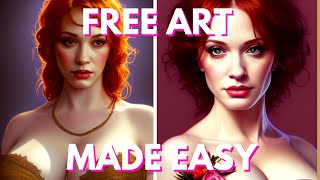
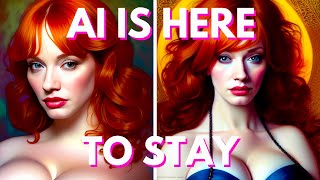
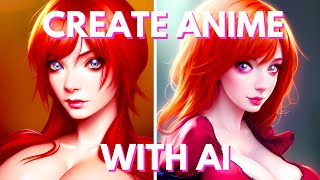
hello humans my name is Kay your AI Overlord and today is a very soon coming from oh no oh no no no no no well as I said today is a special day because today we're gonna be trying out the new stable diffusion model trained on 56 000 random images using the danboro website if that new stable diffusion model is famously called waifu diffusion now why is it called that hmm I wonder if this will have any relevance to the rest of the video now now I said that today's video is for anime lovers but in reality this is a video for everyone that uses stable diffusion on a daily basis because what you're going to see today is that while food diffusion is really interesting now you see a few days ago or a week ago I don't really remember I made a video comparing the 1.4 version of stable diffusion with the newly released 1.5 version and if you remember correctly I will was it exactly pleased with the final result but what you're going to see today is that waifu diffusion boy that's different yes no not you so for this video I will compare the two models exactly like the video I did comparing the 1.4 and the 1.5 I will tell you what observation I saw during my testing and of course provide you proof of my observations so that you know that I'm not making this up and at the end of the video I will show you how you can install it on your own computer if you already have a working stable diffusion installed on your machine but don't worry it's going to be very easy now that being said let's get on with the video and I'm gonna be honest with you at first um everything weren't going very well I started testing it out and the result that I got were not that different it was basically the exact same image but just a little bit different and even worse even portraits of famous anime characters that I created previously were not even that much better with the way through the fusion one which is kinda ironic considering that it's supposed to be better at generating anime images and to be honest really at this point I was ready to call it a day and just quit it and not make the video but then a miracle just happened and who else but McQueen Christina Hendricks here to save the day you see here my prompt was portrait of anime Christina Hendricks this is the result that I got on the 1.4 version and this with the wifey diffusion one and oh my God that was absolutely wonderful that was shocking I mean I did not expect that kind of results this is the exact same image by the way this was a pleasant surprise and then I kind of started going down a rabbit hole of just trying out plenty of other characters like Emma Watson more Christina Hendricks and even more Christina Hendricks plenty of more Christina Hendricks okay maybe that wasn't that much more characters but foreign again the result that I got were absolutely fantastic you can clearly see an anime style here compared to the 1.4 version but then again something weird happened when shining out on male characters it did not give me very good results as you can see here I tried it out with a portrait of Tomo Cruz and well although you can see that there is a little bit of anime inspiration it's a little bit more anime ER it's still not on the same quality scale as the result that I would get by using female models but then I was like well maybe it's just Tom Cruise who cares about Tom Cruise right so then I tried it out with Captain America but then again I got the same exact issue yes it was more anime ER compared to the 1.4 but still something was missing something was lacking compared to using a female model once again why was there such such a difference between using a male model and a female model and I was like well maybe since this was trained on 56 000 images on a website called damburu maybe if I go on the website W kinda look it up and see what kind of images it got so I can understand exactly how it oh my god oh oh no oh no oh I was not expecting this okay now I understand a little bit I think I got a simple explanation for this issue you see I didn't really know what dambaru was but apparently although it is a message board this website is mostly made up of 99 of not safe for work images and most images depict female anime characters and not male and although you might say the 56 000 images is a lot on a website like damaru who has millions of images this is just a drop in the ocean so it is highly probable that waifu diffusion was only trained on female model images now I'm not saying that this is the explanation I'm just saying that this is my explanation on why there is a such a difference between the female portrait versions and the male Portugal versions now also keep in mind that this model is improving all the time so this is only like the 1.2 version of WiFi diffusion and in the future we might get more and more models that are even more precise and are then trained on more male model pictures because of course there are not safe for work images of male models don't worry about this I've seen them I've seen them all okay that being said let's start now comparing a little bit the different images that I got you cannot see the differences but between the images between the 1.4 and the y50 fusion one and let's start with the realistic Landscapes as you can as you can hear this is a generated picture of an old Arbor it's supposed to be painted in a realistic style so you can see a little bit of you know a lot of details on the buildings on the water Etc and this is the 1.4 version and this is the wife of the fusion one and in my opinion it looks actually better I mean and you can see here in the 1.4 version there is nothing here and there is almost like a little bit of a glitch almost like something is missing here the in the Wi-Fi diffusion one you can see another different building this time a kind of tower an illuminated tower that looks absolutely gorgeous by the way and this is only in the background this is not even the foreground and when you compare it to the 1.4 version it almost gives a different style to the picture than if I'm kind of like it it's almost like a different city although again it is the same exact image the same exact prompt the same exact seed the two images are actually pretty different and I actually really enjoy the result that I get using Wi-Fi diffusion over the 1.4 version one so you can see that even if you're not interested in creating anime portraits you can actually install Wi-Fi diffusion one to get different and maybe even better results on your images it's really just another brand new model of stable diffusion not better but different I mean in this case yes it is better but you will see later that is just a little bit different now here's another image this time maybe a little bit less realistic it's more a Lo-Fi image it's a Japanese City near the sea and this is the image that was done in stable diffusion 1.4 as you can see here we can clearly see that this is a street and some type of city in Japan pretty modern more or less you can see here the cables and stuff like that and in the Wi-Fi the fusion one the same exact image gives a very different feel a little bit more ancient Japan so completely different feeling it's almost like completely different parts of a different town or maybe even different era so that's pretty interesting I mean this is this is a huge contrast difference between the two images just between models there are certainly more differences here than the older 1.5 version now here's another realistic landscape this is supposed to be a green plane with perfume clouds a flowing river and a house on the left now as you can see here the 1.4 version did not exactly respect the prompt perfectly you don't really see any River you don't really see the houses on the left I mean you can see some here and some here on the right not necessarily puffy clouds but you know still a pretty good looking generation overall and the Wi-Fi diffusion line actually respects the prompt a little bit better than the previous one because at least here you can see a little beginning of a flowing river and a house on the left a big house almost like a barn so yes I'm actually pretty impressed that you know there is a lot of differences between these two images although this same exact houses are still here the same exact tree here but the feel of the image is still different because instead of having this big tree here you actually get the big house that you ask for in the prompt so you know that's pretty interesting and here's another unrealistic landscape this is a sacred tree during the secret season with the Mount Fuji you can see here we got pretty much when we asked for in the 1.4 sakura tree Sakura season we see a little bit of Monk Fuji here not much but we still gonna see it you know we see that we are in the woods so you know pretty good generation overall and in the wifu diffusion one we really have the focus on both the sakura trees and the Mount Fuji that is actually now bigger still in the background but now way bigger more visible than the one we have here in the 1.4 version so again technically this one the Wi-Fi diffusion one follows the prompt way better than the 1.4 for some reason because I asked for Sakura trees and Mount Fuji and this one although we have secretary is here we don't really exactly see as much of the among Fuji here here we have the two main subject in Focus both on the same time which is actually again a pretty interesting generation now here's a funny one if anyone knows what kind of landscape this is supposed to be let me know in the comments down below uh but well I'm gonna tell you don't really need to tell me in the comments because well I'm gonna have to tell you eventually so this was supposed to be a one-piece landscape so for those of you who might know the anime um this is supposed to be a one piece landscape in the 1.4 version it gave me this atrocity which I don't really know what it's supposed to be and this is what I got in the wifey diffusion one which still doesn't look like a one-piece landscape but technically way closer to the prompt and way closer to reality since one piece is supposed to be a pirate anime when a lot of the action takes place on the sea so actually having a c on landscape is way closer to the prompt that I asked for so again we have somehow WiFi diffusion that comes in and generates pictures that are closer to the prompts for some reason compared to the 1.4 so here's another interesting generation this is a 3D render of a girl with pink hair this is the 1.4 version and this is why food diffusion I mean you can clearly see the big difference here here you can clearly see a simple you know 3D rendering exactly what I asked for but here you can clearly tell the anime influence here with the hair the eyes just the overall cuteness compared to the previous one I'm not saying it is better because this can be used in a different situation but this is definitely more anime style than the previous one and here's the last comparison for the portraits here's Christina Hendricks again 1.4 version and that same image in waifu diffusion wow that looks pretty good again 1.4 Wi-Fi diffusion so what is my advice for you if you want to use Wi-Fi diffusion and you want to get good anime portraits first of all you have to understand that although this was was used to further train the 1.4 version of stable diffusion with more anime images it still acts like stable diffusion 1.4 meaning that if you want something precise you need to be able to give it enough Precision your prompt cannot be simply give me a portrait of insert famous anime character here and expect to have a good anime portrait you need to be able to give a lot of details so if you want to be able to use wafer diffusion at the best capabilities here's a few words that you might want to include in your prompts for example the world illustration anime of course pixie concept art key visual Makoto shinkai and Studio Ghibli you can of course add more and more words to the prompts so that your image is more precise to what you actually want but you should get actually pretty good results just by using a few of these words so here's for example a Porsche threat of a cute cat girl using a few of these words here's one here's another one and another one and they look really good and this is the kind of images that you will probably not be able to have just by using the normal 1.4 version of stable diffusion so if you want to be able to create this kind of portraits and maybe generate different types of images you should definitely try it out because well after all it's free real estate now how can you install Wi-Fi diffusion on your own computer now this will not be an installation guide to install stable diffusion this is only for the people who already have stable diffusion installed properly so if you haven't installed it already I suggest you check out my video my latest video about how to install the super stable diffusion one which is the most complete version of stable diffusion follow the guide and then you can install Wi-Fi diffusion so for this all you have to do is just click on the link in the description down below this will download a 7 gigabyte file and then what you want to do is Ctrl X to cut the file go into your stable diffusion with UI folder go into models ldm stable diffusion V1 and here Ctrl V you're gonna paste that file right here and then what you want to do is rename the current model.c kptpt which is your 1.4 version of stable diffusion just call it 1-4 so that you don't lose it and then rename your or Wi-Fi diffusion model into simply model Dot ckpt and well that's it that's all you have to do just replace the current 1.4 model with the Wi-Fi diffusion one simple as that and then if you want to reuse the 1.4 model again you can rename that into anime model and rename the 1.4 into model.c kptpt simple as that so in conclusion I think that wifu diffusion is a very interesting stable diffusion model certainly a way more interesting than the official 1.5 version that we got a few days back because at least you know why a few diffusion one can create extremely different images from the 1.4 especially if you want to create cute anime girl portraits but not only that it also looks like I get more interesting images generation using WiFi diffusion and I really think that I'm actually gonna keep using the Wi-Fi diffusion one as my main model instead of the 1.4 and there you have it folks thank you for watching my review of the live view diffusion model don't forget to subscribe subscribe if you like this video don't forget to smash the like button for the YouTube algorithm because I'm really my algorithms and I'll see you soon bye [Music]
Original Description
Recently a new version of the 1.4 Stable Diffusion ai model specialized in anime and manga image generation called Waifu Diffusion came out and I wanted to try it out and see what kind of anime art I could create, but I was certainly not expecting this kind of results... I think you will like this, especially if you are an Otaku!
What do you think of Waifu Diffusion? Do you like? Will you try it out? Let me know in the comments!
Download the ai model: https://thisanimedoesnotexist.ai/downloads/wd-v1-2-full-ema.ckpt
▬▬▬▬▬▬▬▬▬▬▬▬▬▬▬▬▬▬▬▬▬
SOCIAL MEDIA LINKS!
✨ Support my work on Patreon: https://www.patreon.com/aitrepreneur
⚔️ Join the Discord server: https://bit.ly/aitdiscord
▬▬▬▬▬▬▬▬▬▬▬▬▬▬▬▬▬▬▬▬▬
Links for the text2img Ai:
Dall-E 2: https://beta.openai.com/
Midjourney: https://www.midjourney.com/
Stable Diffusion: https://beta.dreamstudio.ai/
#stablediffusion #stablediffusionweights #waifudiffusion
▬▬▬▬▬▬▬▬▬▬▬▬▬▬▬▬▬▬▬▬▬
► VidiQ SEO YOUTUBE TOOL: https://www.ventrepreneurship.com/VIDIQ
► Topic RESEARCH TOOL: https://www.ventrepreneurship.com/Tubebuddy
► Free Youtube SEO Ebook: https://bit.ly/SEOGUIDEYT
▬▬▬▬▬▬▬▬▬▬▬▬▬▬▬▬▬▬▬▬▬
USEFUL LINKS
►► GET THE BEST ONLINE VIDEO EDITOR:
https://www.ventrepreneurship.com/InVideo
►► GET THE BEST SEO YOUTUBE TOOL:
https://www.ventrepreneurship.com/VIDIQ
►► GET THE BEST YOUTUBE TOPIC RESEARCH TOOL:
https://www.ventrepreneurship.com/Tubebuddy
►► GET MY MUST-HAVE FAVOURITE DESIGN APP CANVA:
https://www.ventrepreneurship.com/Canva
►► GET THE BEST BANG FOR THE BUCK AI WRITING TOOL:
https://www.ventrepreneurship.com/rytr
▬▬▬▬▬▬▬▬▬▬▬▬▬▬▬▬▬▬▬▬▬
WATCH MY MOST POPULAR VIDEOS:
RECOMMENDED WATCHING - My "Youtube" Playlist:
►► https://bit.ly/YTTPlaylist
RECOMMENDED WATCHING - My "Tutorial" Playlist:
►► https://bit.ly/TuTPlaylist
▬▬▬▬▬▬▬▬▬▬▬▬▬▬▬▬▬▬▬▬▬
Disclosure: Bear in mind that some of the links in this post are affiliate links and if you go through them to make a purchase I will earn a commission. Keep in mind that I link these
Watch on YouTube ↗
(saves to browser)
Sign in to unlock AI tutor explanation · ⚡30
Playlist
Uploads from Aitrepreneur · Aitrepreneur · 19 of 60
1
 2
2
 3
3
 4
4
 5
5
 6
6
 7
7
 8
8
 9
9
 10
10
 11
11
 12
12
 13
13
 14
14
 15
15
 16
16
 17
17
 18
18
 ▶
▶
 20
20
 21
21
 22
22
 23
23
 24
24
 25
25
 26
26
 27
27
 28
28
 29
29
 30
30
 31
31
 32
32
 33
33
 34
34
 35
35
 36
36
 37
37
 38
38
 39
39
 40
40
 41
41
 42
42
 43
43
 44
44
 45
45
 46
46
 47
47
 48
48
 49
49
 50
50
 51
51
 52
52
 53
53
 54
54
 55
55
 56
56
 57
57
 58
58
 59
59
 60
60

How To Find Neverending EVERGREEN Youtube Topics And TRENDING Video Ideas
Aitrepreneur
How To Write The PERFECT Youtube Title That GETS CLICKS & VIEWS !!!
Aitrepreneur
How To Make A THUMBNAIL For Youtube Videos For FREE! - Easy Tutorial For Beginners
Aitrepreneur
How To Convert Your Handwritten Notes To Text For Free Using Google LENS OCR App
Aitrepreneur
How To Make A MODERN LOGO For Your Business For FREE - Tutorial For Beginners
Aitrepreneur
Remove The BACKGROUND Of Your Picture FAST By Using THESE TOOLS! - Under 30s
Aitrepreneur
How To Add SUBTITLES To Your Video For FREE Using YOUTUBE'S SECRET TOOL!
Aitrepreneur
Dall-E 2 VS Midjourney VS Stable Diffusion - Which Text-To-Image Ai Is The Best For You?
Aitrepreneur
Midjourney Beta Is Finally Back! Only For 2 Days! So Hurry Up And Have fun!
Aitrepreneur
How To Install Stable Diffusion Web UI On Your Computer For Free - Create Insane Art In Seconds!
Aitrepreneur
Midjourney New Remaster Feature Makes Your Old Art Beautiful Again!
Aitrepreneur
Free Stable Diffusion In Your Browser! - No Installation! - Make Art Instantly!
Aitrepreneur
EASY Install Stable Diffusion On Your Computer In Seconds For Free! Make Quick Ai Art!
Aitrepreneur
NEW 1.5 Stable Diffusion Available To Try Now! Is This New Ai Model Better Than 1.4?
Aitrepreneur
TRAIN Stable Diffusion With Your Own Art! Textual Inversion Made Simple!
Aitrepreneur
SUPER Stable Diffusion Installation On Your Computer For Free! Make Ai Art In Seconds!
Aitrepreneur
Stable Diffusion Changed The Ai Game Forever! What The Future Holds!
Aitrepreneur
CAN'T Install Stable Diffusion? Try THIS!
Aitrepreneur
CREATE Anime Art With Special Ai For Free! Stable Diffusion For Otaku!
Aitrepreneur
CREATE Animation With Stable Diffusion For Free! Easy PC Installation Guide!
Aitrepreneur
NEW Dreamstudio's Outpainting! Is Stable Diffusion Better Than DALL-E?
Aitrepreneur
SUPER Stable diffusion 2.0 Installation On Your Computer For Free! Ai art With Outpainting!
Aitrepreneur
SUPER Stable diffusion 2.0 Settings Explained! Free Ai Art On Your Computer Made Easy!
Aitrepreneur
DREAMBOOTH: Train Stable Diffusion With Your Images Using Google's AI!
Aitrepreneur
DREAMBOOTH Free For Everyone! No Installation & Troubleshooting Guide!
Aitrepreneur
DREAMBOOTH Free CKPT File With Google Colab BUT Is it Worth it? Comparison Notebook Vs Colab!
Aitrepreneur
DREAMBOOTH: Train Your Own Style Like Midjourney On Stable Diffusion
Aitrepreneur
STABLE DIFFUSION Ai Art Weekly Challenge! Winner Gets Paid! #FNAAC
Aitrepreneur
ULTIMATE Stable Diffusion Anime Comparison: NovelAi Vs Dreambooth Vs Waifu Diffusion!
Aitrepreneur
HYPERNETWORK: Train Stable Diffusion With Your Own Images For FREE!
Aitrepreneur
I TURNED My Youtube Comments Into Ai Art Using Stable Diffusion | #FNAAC 1
Aitrepreneur
DREAMBOOTH: Train Stable Diffusion With Your Own Face And Style Together!
Aitrepreneur
NEW Stable Diffusion Robots Model! Create Cool Cyborgs For Free!
Aitrepreneur
FREE 1.5 Stable Diffusion is Here! AMAZING Inpainting RunwayML Model Comparison!
Aitrepreneur
AESTHETIC GRADIENTS: Free Dreambooth Training In Stable Diffusion? Is It Good?
Aitrepreneur
FREE DALL-E 2 Outpainting In Stable Diffusion! Easy Windows Install!
Aitrepreneur
DREAMBOOTH: Train MULTIPLE Subjects In Stable Diffusion At The Same Time For FREE!
Aitrepreneur
AMAZING NEW Image 2 Image Option In Stable Diffusion! Apply Styles In Seconds!
Aitrepreneur
DISNEY-FY Yourself For Free In Stable Diffusion! Amazing New Disney Model!
Aitrepreneur
AMAZING FREE Outpainting In Browser With Stable Diffusion! No Install!
Aitrepreneur
DREAMBOOTH LOCAL Training Inside Stable Diffusion! CPU OPTION For FREE!
Aitrepreneur
NEW MIDJOURNEY V4 Outpainting With Stable Diffusion For FREE! Make INSANE ART!
Aitrepreneur
DON'T GET HACKED Using Stable Diffusion Models! DO This NOW!
Aitrepreneur
THIS FREE CHINESE ANIME Stable Diffusion Model Just BEAT NovelAI!
Aitrepreneur
FREE 2.0 Stable Diffusion Is Here! And You’re NOT GONNA LIKE IT!
Aitrepreneur
REVOLUTIONARY FREE Img2Img Extension In Stable Diffusion! 3D Depth Map Mask!
Aitrepreneur
DREAMBOOTH EASY Training For Stable Diffusion Beginners! OpenArt Photo Booth!
Aitrepreneur
INSANE FREE Outpainting Tool For Stable Diffusion! BEST ONE YET!
Aitrepreneur
USE FREE ChatGPT For Stable Diffusion! This Will Change Your Life!
Aitrepreneur
FREE Stable Diffusion 2.1 Is The Biggest Disappointment Yet?
Aitrepreneur
SUPER FREE Inpainting Tool With Stable Diffusion! PHOTOSHOP IS SCARED!
Aitrepreneur
SECRET FREE Stable Diffusion 2.1 TRICK! As Good As MIDJOURNEY!
Aitrepreneur
Is This The End For AI Art? Is Stable Diffusion In Danger?
Aitrepreneur
Sam Does Arts Missed the Mark! The TRUTH About Stable Diffusion & AI Art!
Aitrepreneur
SOMETHING BIG Is Coming! What Does The Future Hold?!
Aitrepreneur
AUTOMATIC1111 BANNED From Github! DO THIS NOW!
Aitrepreneur
ULTIMATE FREE Stable Diffusion Model! GODLY Results!
Aitrepreneur
FREE 2023 Stable Diffusion PC INSTALLATION! AI Art For BEGINNERS!
Aitrepreneur
ULTIMATE FREE TEXTUAL INVERSION In Stable Diffusion! Your FACE INSIDE ALL MODELS!
Aitrepreneur
AMAZING FREE Midjourney COMPETITOR With Stable Diffusion! BlueWillow Is HERE!
Aitrepreneur
More on: Image Generation Basics
View skill →


![Qwen 2.5 AI: Complete Beginner Tutorial [100% Free and OpenSource]](https://i.ytimg.com/vi/kdSSgMDk_QE/mqdefault.jpg)



Related Reads
📰
📰
📰
📰
I Built an Image Steganography Tool — Hide Any File Inside a PNG with AES-256 Encryption
Dev.to · Rishu
FREE AI Sin City Photo Generator — Turn Any Photo Into High-Contrast Noir Art (2026)
Dev.to AI
Google makes Gemini’s personalized image generation free for all US users
The Next Web AI
Gemini’s personalized AI image generation is now free for U.S. users
TechCrunch AI
🎓
Tutor Explanation

 DeepCamp AI