DISNEY-FY Yourself For Free In Stable Diffusion! Amazing New Disney Model!
Skills:
Multimodal LLMs90%Prompt Craft80%Prompt Systems Engineering70%CV Basics60%Modern CV Models50%
Key Takeaways
The video demonstrates the use of a Stable Diffusion model fine-tuned with Disney movie images, allowing users to generate Disney-style characters, animals, and landscapes for free. The model, called mo-di-diffusion, can be used with Stable Diffusion 2.0 and requires specific prompts and settings to produce high-quality images.
Full Transcript
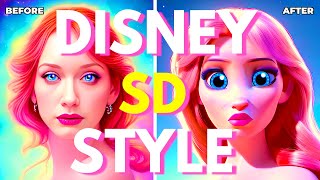
hello humans when we scare your AI overload and let me ask you a little question do you like Disney movies have you ever dreamed to be inside one of those movies all those frozen and toy stories and stuff well guess what today is finally the day your dreams come true all of that thanks to a brand new stable diffusion model now I suppose you cannot really be inside one of those movies yet but now at least you can finally look like one of those characters now what am I talking about well a few days ago a user by the name of nitrosock uploaded a brand new stable diffusion model trained on dreambooth using images from these new movies and by using that model in the stable diffusion you too can now create your own characters with the Disney style so how about I show you a little example here is my prompt portrait of Christina Hendricks more than Disney style and if I click on generate and this is the final result oh my oh my looks like my dream dream of having Christina Hendricks in the Disney movie has finally come true and yes I know she played in a few Disney movies but I can tell you she never looked that good and all of that thanks to that special Disney stable diffusion model now what's even more incredible is that this is not exclusive to people you can actually even generate animals using that stable diffusion model so for example if I simply put portrait of a dog modern Disney style and I click on generate this is the kind of result that I get absolutely beautiful this really looks like this was done by Disney Studios themselves but no this was just generated in a few seconds and again this is not even exclusive to people or animals you can also use this for a landscape if I simply put beautiful city landscape modern Disney style and I click on generate this is the kind of results that you get which is again very similar to those DCA type movies like Frozen that take place in in a medieval type City and this is exactly the type of cities that you see right here and you can really generate anything you want using the Disney style not to be able to use this bow is actually very easy all you have to do is just click the link in the description down below you can now arrive on this page then you're gonna click on files and versions click on Modi V1 pruned and then click on download then once you've downloaded the model you're gonna select it Ctrl X to cut it go to your super stable diffusion 2.0 folder stable diffusion web UI models stable diffusion and then you can paste your model right here and then all you need to do is just launch stable diffusion then make sure to select the model right here in the stable diffusion checkpoint then you're gonna input your prompt and do not forget to put these three words right here modern Disney style these are the three words that you need to put in order to use the model and that's it all you have to do is just click on generate to get your beautiful image there you go simple as that now the question is can you actually take one of your image edges and transform it into a Disney style character and the answer is yes but I'm gonna tell you right now this is really not simple there is definitely a little bit of experimentation that you need to do in order to get the result that you want but no worries because I spend a lot of times kind of playing around with it and trying to find the best solution so that you in the end can have the best results so the way to do this is of course you're gonna start by uploading your image so this is for example a random image that I found online of a woman in here in my prompt I'm simply gonna put modern Disney style woman so first you need to use these three words right here modern Disney style for the model to work and here you can put the words that are supposed to represent your image in my case it's simply a woman then you're gonna scroll down you're gonna choose at least 30 steps and you're gonna take the Euler ancestral sampler for the batch count you're gonna have to make as much images as possible because you're gonna have to choose the best one so I'm gonna choose 10 images for the CFG scale I highly suggest a high number above 12 so I'm just going to choose 14. so for the Deep noisy strength you're gonna play around a little bit between 0.3 and maybe 0.4 so in my case I will simply use 0.35 and then I'm gonna click generate to generate at least 10 images and what you will see is that you will have a bunch of derpy looking images you're gonna see a lot of images that are just just not good but sometimes you might find an image that actually looks pretty decent now one thing that you need to be aware of is that usually the eyebrows are a little well they're a little crooked all right they're not supposed to look like that but don't worry the eyebrows we're gonna fix it later using the in painting method right now all you have to do is just basically select the best images of all the images that you just created just make sure that it looks close to the base image so look at the clothes look at the hair look at the eyes and the mouth just basically take the overall best image that you see but again do not look at the eyebrows look at everything except the eyebrows and if you don't like any of these images it's better to generate a new batch and this is what I'm gonna do now one thing that you will notice in a lot of these images is that they all have something in common and that is the fact that every single female models have their mouth open which is not great which is probably a problem during training because maybe that a lot of the images that were used during training had their mouth open and that unfortunately translate into the funnel model now I think I'm gonna choose this one which I find is probably one of the best ones because the result is actually pretty good and what we want to do now is that we want to send it to to in painting and what we want is basically erase this part and replace it with actually good eyebrows so I'm just gonna start erasing part of those eyebrows and here I'm simply gonna put thin light eyebrows because when you look at the original image this is exactly the kind of eyebrows that she has and then I'm gonna generate a new batch and there you go now we have a new batch of images and I see that some of them are actually really good very close to the original and if I'm not mistaken I think this one is actually pretty good very close to the original one I'm just gonna copy the image and compare it next to the original one and indeed we see that well actually the final result is actually not that bad and again if you're not happy with the final result you can simply go back again send it to in paint in paint part of the image that you don't like for example let's say that I don't like the mouth and I want like a bigger mouth for example and I can simply go back and type modern Disney style woman mouth because this time and we want our mouth to be in the modern Disney style also don't forget to increase the denoising strength and then you can generate a new patch and there you go here is our brand new mouth so again it's kind of up to you to play around with the settings a little bit use the impacting options kind of play around with the settings a little bit and you can actually get pretty decent results fairly quickly it's really just a question of selecting the best starting image and then improving upon that image and then if you want you can even out paint part of the image and then put it into a completely different settings and all of that again in the Disney style so for example here I erased part of the image and just keep the face in the hair and for my prompt I input modern Disney style medieval warrior and these are the kind of images that I got which are absolutely fantastic I mean look at this one we have the armor we have the castle just everything look at these beautiful styles just absolutely fantastic and all of that with a simple prompt and for this I simply use the loading noisy strength of 0.58 and 14 CFG scale so yeah you can actually get very very cool images this model is really super powerful but again it's kind of up to you to kind of choose the best starting image otherwise everything else will be bad now if you do decide to use this model there is a few things that you need to know one the choice of sampler is very important because some sampler does not work very well or at least they do not work as well as others for example the LMS sampler does not work very well at higher CFG scales as you can see right here was the Cog scale is higher than 10 you can start seeing a bunch of artifacts on the image and same with the DPM fast as you can see right here it starts becoming really really strange the LMS Keras again the same problem with a higher sug scale and just becomes pure noise in the end and finally the plms sampler also same problem but this time at a way higher CFG scale now also some Samplers definitely work way better than others for example the Euler ancestral sampler basically Works in every single situation it works on pretty much every CFG scale you also get pretty good results using the DPM adaptive and the DPM ancestral Keras so in my opinion if you want to use this model the Samplers that you want to use is Euler ancestral tpm2 ancestral DPM adaptive dpm2 ancestral Keras and maybe also ddim since they all produce really really good results now also what you need to know is that a higher CVG scale you actually get very different Disney Styles almost as if these are from completely different movies for example if you think right here the DPM adaptive this is with the Cog scale of 7 and this image is done with CFG scale 15 which create a completely different Disney style now in my case I do prefer the higher CG scale one it looks way higher quality now I suppose the lower CFG scale produces more realistic results but in my opinion I do prefer the higher CG scale one and the area where folks now you should be able to transform you and your friends into beautiful Disney characters and all of that for absolutely free thank you so much to my future supporters you guys are absolutely awesome thank you so much for watching don't forget to subscribe and smash the like button for the YouTube algorithm and I'll see you guys next time bye bye
Original Description
A brand new Stable Diffusion Model based on 3D Disney Movies just came out thanks to the user Nitrosocke who used Dreambooth to fine-tune his own model of Stable Diffusion using screenshots of popular Disney movies. This free amazing model is called "mo-di-diffusion" and it allows you to generate images in the modern 3d Disney Style for absolutely Free! Not only that you can also turn yourself into a Disney Character for free too! So in this video, I will show you how to use this model and what are my tips and tricks that you can use right now to get the best results possible!
Did you manage to turn yourself into a Disney character? Let me know in the comments!
▬▬▬▬▬▬▬▬▬▬▬▬▬▬▬▬▬▬▬▬▬
SOCIAL MEDIA LINKS!
✨ Support my work on Patreon: https://www.patreon.com/aitrepreneur
⚔️ Join the Discord server: https://bit.ly/aitdiscord
▬▬▬▬▬▬▬▬▬▬▬▬▬▬▬▬▬▬▬▬▬
Runpod: https://bit.ly/runpodAi
Mo-di-diffusion: https://huggingface.co/nitrosocke/mo-di-diffusion
Miro board: https://miro.com/app/board/uXjVPHyEZqM=/?share_link_id=270359746115
Special thanks to Royal Emperor:
- DanO..
Thank you so much for your support on Patreon! You are truly a glory to behold! Your generosity is immense, and it means the world to me. Thank you for helping me keep the lights on and the content flowing. Thank you very much!
#stablediffusion #dreambooth #stablediffusiontutorial
▬▬▬▬▬▬▬▬▬▬▬▬▬▬▬▬▬▬▬▬▬
WATCH MY MOST POPULAR VIDEOS:
RECOMMENDED WATCHING - My "Stable Diffusion" Playlist:
►► https://bit.ly/stablediffusion
RECOMMENDED WATCHING - My "Tutorial" Playlist:
►► https://bit.ly/TuTPlaylist
Disclosure: Bear in mind that some of the links in this post are affiliate links and if you go through them to make a purchase I will earn a commission. Keep in mind that I link these companies and their products because of their quality and not because of the commission I receive from your purchases. The decision is yours, and whether or not you decide to buy something is completely up to you.
Watch on YouTube ↗
(saves to browser)
Sign in to unlock AI tutor explanation · ⚡30
Playlist
Uploads from Aitrepreneur · Aitrepreneur · 39 of 60
1
 2
2
 3
3
 4
4
 5
5
 6
6
 7
7
 8
8
 9
9
 10
10
 11
11
 12
12
 13
13
 14
14
 15
15
 16
16
 17
17
 18
18
 19
19
 20
20
 21
21
 22
22
 23
23
 24
24
 25
25
 26
26
 27
27
 28
28
 29
29
 30
30
 31
31
 32
32
 33
33
 34
34
 35
35
 36
36
 37
37
 38
38
 ▶
▶
 40
40
 41
41
 42
42
 43
43
 44
44
 45
45
 46
46
 47
47
 48
48
 49
49
 50
50
 51
51
 52
52
 53
53
 54
54
 55
55
 56
56
 57
57
 58
58
 59
59
 60
60

How To Find Neverending EVERGREEN Youtube Topics And TRENDING Video Ideas
Aitrepreneur
How To Write The PERFECT Youtube Title That GETS CLICKS & VIEWS !!!
Aitrepreneur
How To Make A THUMBNAIL For Youtube Videos For FREE! - Easy Tutorial For Beginners
Aitrepreneur
How To Convert Your Handwritten Notes To Text For Free Using Google LENS OCR App
Aitrepreneur
How To Make A MODERN LOGO For Your Business For FREE - Tutorial For Beginners
Aitrepreneur
Remove The BACKGROUND Of Your Picture FAST By Using THESE TOOLS! - Under 30s
Aitrepreneur
How To Add SUBTITLES To Your Video For FREE Using YOUTUBE'S SECRET TOOL!
Aitrepreneur
Dall-E 2 VS Midjourney VS Stable Diffusion - Which Text-To-Image Ai Is The Best For You?
Aitrepreneur
Midjourney Beta Is Finally Back! Only For 2 Days! So Hurry Up And Have fun!
Aitrepreneur
How To Install Stable Diffusion Web UI On Your Computer For Free - Create Insane Art In Seconds!
Aitrepreneur
Midjourney New Remaster Feature Makes Your Old Art Beautiful Again!
Aitrepreneur
Free Stable Diffusion In Your Browser! - No Installation! - Make Art Instantly!
Aitrepreneur
EASY Install Stable Diffusion On Your Computer In Seconds For Free! Make Quick Ai Art!
Aitrepreneur
NEW 1.5 Stable Diffusion Available To Try Now! Is This New Ai Model Better Than 1.4?
Aitrepreneur
TRAIN Stable Diffusion With Your Own Art! Textual Inversion Made Simple!
Aitrepreneur
SUPER Stable Diffusion Installation On Your Computer For Free! Make Ai Art In Seconds!
Aitrepreneur
Stable Diffusion Changed The Ai Game Forever! What The Future Holds!
Aitrepreneur
CAN'T Install Stable Diffusion? Try THIS!
Aitrepreneur
CREATE Anime Art With Special Ai For Free! Stable Diffusion For Otaku!
Aitrepreneur
CREATE Animation With Stable Diffusion For Free! Easy PC Installation Guide!
Aitrepreneur
NEW Dreamstudio's Outpainting! Is Stable Diffusion Better Than DALL-E?
Aitrepreneur
SUPER Stable diffusion 2.0 Installation On Your Computer For Free! Ai art With Outpainting!
Aitrepreneur
SUPER Stable diffusion 2.0 Settings Explained! Free Ai Art On Your Computer Made Easy!
Aitrepreneur
DREAMBOOTH: Train Stable Diffusion With Your Images Using Google's AI!
Aitrepreneur
DREAMBOOTH Free For Everyone! No Installation & Troubleshooting Guide!
Aitrepreneur
DREAMBOOTH Free CKPT File With Google Colab BUT Is it Worth it? Comparison Notebook Vs Colab!
Aitrepreneur
DREAMBOOTH: Train Your Own Style Like Midjourney On Stable Diffusion
Aitrepreneur
STABLE DIFFUSION Ai Art Weekly Challenge! Winner Gets Paid! #FNAAC
Aitrepreneur
ULTIMATE Stable Diffusion Anime Comparison: NovelAi Vs Dreambooth Vs Waifu Diffusion!
Aitrepreneur
HYPERNETWORK: Train Stable Diffusion With Your Own Images For FREE!
Aitrepreneur
I TURNED My Youtube Comments Into Ai Art Using Stable Diffusion | #FNAAC 1
Aitrepreneur
DREAMBOOTH: Train Stable Diffusion With Your Own Face And Style Together!
Aitrepreneur
NEW Stable Diffusion Robots Model! Create Cool Cyborgs For Free!
Aitrepreneur
FREE 1.5 Stable Diffusion is Here! AMAZING Inpainting RunwayML Model Comparison!
Aitrepreneur
AESTHETIC GRADIENTS: Free Dreambooth Training In Stable Diffusion? Is It Good?
Aitrepreneur
FREE DALL-E 2 Outpainting In Stable Diffusion! Easy Windows Install!
Aitrepreneur
DREAMBOOTH: Train MULTIPLE Subjects In Stable Diffusion At The Same Time For FREE!
Aitrepreneur
AMAZING NEW Image 2 Image Option In Stable Diffusion! Apply Styles In Seconds!
Aitrepreneur
DISNEY-FY Yourself For Free In Stable Diffusion! Amazing New Disney Model!
Aitrepreneur
AMAZING FREE Outpainting In Browser With Stable Diffusion! No Install!
Aitrepreneur
DREAMBOOTH LOCAL Training Inside Stable Diffusion! CPU OPTION For FREE!
Aitrepreneur
NEW MIDJOURNEY V4 Outpainting With Stable Diffusion For FREE! Make INSANE ART!
Aitrepreneur
DON'T GET HACKED Using Stable Diffusion Models! DO This NOW!
Aitrepreneur
THIS FREE CHINESE ANIME Stable Diffusion Model Just BEAT NovelAI!
Aitrepreneur
FREE 2.0 Stable Diffusion Is Here! And You’re NOT GONNA LIKE IT!
Aitrepreneur
REVOLUTIONARY FREE Img2Img Extension In Stable Diffusion! 3D Depth Map Mask!
Aitrepreneur
DREAMBOOTH EASY Training For Stable Diffusion Beginners! OpenArt Photo Booth!
Aitrepreneur
INSANE FREE Outpainting Tool For Stable Diffusion! BEST ONE YET!
Aitrepreneur
USE FREE ChatGPT For Stable Diffusion! This Will Change Your Life!
Aitrepreneur
FREE Stable Diffusion 2.1 Is The Biggest Disappointment Yet?
Aitrepreneur
SUPER FREE Inpainting Tool With Stable Diffusion! PHOTOSHOP IS SCARED!
Aitrepreneur
SECRET FREE Stable Diffusion 2.1 TRICK! As Good As MIDJOURNEY!
Aitrepreneur
Is This The End For AI Art? Is Stable Diffusion In Danger?
Aitrepreneur
Sam Does Arts Missed the Mark! The TRUTH About Stable Diffusion & AI Art!
Aitrepreneur
SOMETHING BIG Is Coming! What Does The Future Hold?!
Aitrepreneur
AUTOMATIC1111 BANNED From Github! DO THIS NOW!
Aitrepreneur
ULTIMATE FREE Stable Diffusion Model! GODLY Results!
Aitrepreneur
FREE 2023 Stable Diffusion PC INSTALLATION! AI Art For BEGINNERS!
Aitrepreneur
ULTIMATE FREE TEXTUAL INVERSION In Stable Diffusion! Your FACE INSIDE ALL MODELS!
Aitrepreneur
AMAZING FREE Midjourney COMPETITOR With Stable Diffusion! BlueWillow Is HERE!
Aitrepreneur
More on: Multimodal LLMs
View skill →







Related Reads
📰
📰
📰
📰
Comment créer des images professionnelles sans Photoshop avec l'IA
Dev.to · Mohamed Amine Ben Mallessa
Single-image diffusion models now train-free and neural network-free
Dev.to AI
Topaz Gigapixel Review 2026: The Upscaler Is Good, But Not Magic
Medium · AI
Building a color replacer: why RGB matching fails on photos and how HSV fixes it
Dev.to · Irrational Apps
🎓
Tutor Explanation

 DeepCamp AI