Dress up tera game in scratch || Scratch Tutorial for beginner || Scratch Project
Key Takeaways
Creates a Dress up tera game in Scratch for beginners
Full Transcript
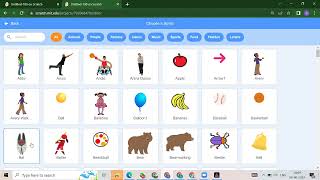
hello everyone welcome back to my channel code for kids how are you all how was City I hope you are enjoying your day so today we are going to create one project which is Trace of theta game okay so first I will show you this when we will run this project like when I click on the flag so first it will ask you what should I wear after that suppose if we want sunglass so you need to just click here okay see you will get that suppose I want this wings so you need to click on the wings suppose I want this t-shirt so you need to click on the T-shirt suppose I want this sunglass see suppose if you want to wear this one you need to click on that suppose this one okay so in this way we will create our dress up Tera game this is the pant this is the shorts okay so now we will see how you will create this game okay so first we want some background and then we want Sprites so for that we need to just click on file we need to select a new project after that so now what we will do we will delete this cat first after that how you will add your backdrop so we need to just click on this choose a backdrop then whatever backdrop we want we need to just click on that okay suppose I want to add this blue sky so you need to just click on the blue sky after that how we will add all the Sprites so we need to just click on choose so spray then suppose first we want one girl or boy okay so we need to just click on the people section and suppose I want to add according to your choice you can add your Sprites okay I will add this sound so you need to just click on the Sam so you will get Sam here after that how we will add the dress we need to again choose us try it then you we need to just search for Sunglass you will get the sun class see after that suppose if we want wings so we don't have a Wings here okay suppose we want clothes so we have panned so we need to just select a pant then after that we want this shows so whatever Sprite we want we need to just click on that okay so we have a pant we have our shoes again search for clothes you will get winter hat also see again choose a Sprite suppose if we want this hat so you need to just click on that okay so now as you can see we have all these spreads like we have Sam we have sunglass we have pant we have shoes we have Vinted hat and then we have cap okay now how we will start our project so first thing we need to suppose we want this sunglass so what we will do like when I click on the sun class so we want a particular position right so what will happen first we will start from this sum when flag is clicked then what will happen we won't go to one particular position suppose if we want this position so you need to just select this code to X and Y so we have two axis right we have x axis we have the y axis so this is your X this one is your Y and you will get that value from here okay after that we want to show our sum so where you will get your show block inside the looks what we have here if you have a little bit scroll down you will get the show like this and then what we will do we want to say something okay so even we can remove this so we can take this say hello instead of hello we can ask what should I v i okay now see if I will run what should I fear after that what we want suppose we want this sun class so we need to click on the sun plus tan what will happen here when flag is clicked we want this position for the sunglass so we need to just go to the motion go to X and Y and then we want to show our blog so once you will scroll down we will get your show here now when this Sprite is clicked so this we will get inside the event so we need to click on the even when this Sprite is clicked we want the front layer here okay so where we will get that inside the look we have go to front layer this one and after that we want to apply it flight means from one position to another position if you want to move for that you are taking the Glide but we want this position even uh we can just decrease the size suppose I want 50 so this is perfect now okay so we want this position minus 80 and 41 so apply it minus CT and 41 see now what should I wear suppose I want the sun plus you need to click on that automatically you will get here same we will do for pant okay so what we can do now you need to just copy this and drag it here so now if you will see your band we have this now same we will do this for this one also so now we have two Sprite here okay okay after that what we want here we want this position for Pat even we can decrease the size also like this so what is the position here minus 81 minus 67 so we need to write minus 81 minus 67 okay minus 67. now if we will click on the flag what should I fear then suppose we want this and the sun class same we can do for the shoes also okay so what we will do we need to just copy this and this one also or else we have one more method how you will copy your code so as you can see we have this backpack here you need to click on the backpack and you need to just copy this code here and your second code now so first we will click on the shoes just drag and drop like this so now we have two things when flag is clicked we want this position for the shoes and now see that Glide position what we want here this right so what is this position minus 81 minus 110 so here we need to write minus 81 minus 1 1 0. now see what will happen if I will click on the flower we want shoes we want packed we want Sun plus so in this way we can do for winter hat and this apples okay so please complete this project and share your project Link in the comment section okay so thank you so much for watching this video please like share and subscribe our Channel and press the Bell icon if you want more latest updates so thank you so much
Original Description
hello everyone , today we are going to learn about Dress up tera game in scratch || Scratch Tutorial for beginner || Scratch Project
Project link :https://scratch.mit.edu/projects/745424028/editor
Scratch :https://scratch.mit.edu/
#scratch #scratchprogramming #scratchfree
Watch on YouTube ↗
(saves to browser)
Sign in to unlock AI tutor explanation · ⚡30
Playlist
Uploads from Code For Kids · Code For Kids · 0 of 60
← Previous
Next →
1
 2
2
 3
3
 4
4
 5
5
 6
6
 7
7
 8
8
 9
9
 10
10
 11
11
 12
12
 13
13
 14
14
 15
15
 16
16
 17
17
 18
18
 19
19
 20
20
 21
21
 22
22
 23
23
 24
24
 25
25
 26
26
 27
27
 28
28
 29
29
 30
30
 31
31
 32
32
 33
33
 34
34
 35
35
 36
36
 37
37
 38
38
 39
39
 40
40
 41
41
 42
42
 43
43
 44
44
 45
45
 46
46
 47
47
 48
48
 49
49
 50
50
 51
51
 52
52
 53
53
 54
54
 55
55
 56
56
 57
57
 58
58
 59
59
 60
60

#Scratch Tutorial 1 | How to create your own Scratch account #codeforkids #scratch #Game Development
Code For Kids
#Scratch Tutorial 2 ||How to enable Share Button option in Scratch #codeforkids #scratch #game
Code For Kids
Fish Moving inside an Ocean 🌊🌊 #codeforkids #scratch 🥰
Code For Kids
Scratch Programming | Fish Aquarium game | #codeforkids #scratch #game
Code For Kids
Draw the circle in scratch#codeforkids #scratch #game
Code For Kids
Draw Circles in Scratch || How do you draw shapes on Scratch? #codeforkids #scratch #game #coding
Code For Kids
How to Make a Dino Jump Game in Scratch | Tutorial #codeforkids #scratch #game
Code For Kids
Scratch Tutorial || How to Make a Catch Game in Scratch.|| Scratch Tutorial for absolute beginer
Code For Kids
Scratch Tutorial || Day 1
Code For Kids
Scratch Tutorial || Day 2 (DJ System , Dance and Story writing)
Code For Kids
How to Make A Maze Game in Scratch 3.0 | Scratch 3.0 Tutorial |Scratch Tutorial for begineer
Code For Kids
Scratch Tutorial || Day 3
Code For Kids
Scratch Tutorial || Day 4
Code For Kids
Scratch Tutorial | Cat And Mouse Game | Scratch Tutorial for Beginner
Code For Kids
Scratch Tutorial || Day 5
Code For Kids
how to make dress up game on scratch || Scratch Tutorial for Beginner
Code For Kids
How to Make a Pong Game in Scratch || Scratch Tutorial for Beginner
Code For Kids
Scratch Tutorial || Day 6(part 1)
Code For Kids
Scratch Tutorial || Day 6( Part 2)
Code For Kids
Scratch Tutorial || Day 7
Code For Kids
Scratch Tutorial || Day 8
Code For Kids
How to Make Piano Game || Learn to Use Music Extension || Scratch Tutorial || Day 8
Code For Kids
How to Make Piano Game || Learn to Use Music Extension ||Scratch Tutorial for beginner
Code For Kids
Scratch Tutorial || Day 9
Code For Kids
Scratch Tutorial || Draw Shapes #shorts #codeforkids #youtubeshorts
Code For Kids
Scratch Tutorial |How to Draw Shapes in Scratch #scratch #scratchtutorials #codeforkids
Code For Kids
Day 10|| Scratch Tutorial
Code For Kids
Scratch Tutorial || Archery Tutorial
Code For Kids
#1 || Thunkable Beginner Tutorial Platform Overview
Code For Kids
App Development ||Tutorial 2 || how to add button in Thunkable || Thunkable for beginner #codeforkid
Code For Kids
App Development || Tutorial 3|| Beginner Tip "Change screens with a button click" in Thunkable
Code For Kids
Scratch Tutorial ||
Code For Kids
Thunkable Tutorial || Using Camera and Image Recognition components with Thunkable
Code For Kids
Build a Translator App with Thunkable ||Thunkable App Development || Tutorial 5||
Code For Kids
Thunkable Beginner Tutorial #6 || Web Viewer|| Redirecting App
Code For Kids
#1 World in Python || Python Tutorial || Python Programming || Google Colab
Code For Kids
#2 Python Tutorial for Beginners | User input in Python | Command Line Input | Python Variable
Code For Kids
#3 Python Comments | How To Write Comments In Python | Python Tutorial For Beginners |
Code For Kids
#4 Python Tutorial for Beginners | Data Types in Python
Code For Kids
#5 Numbers & Typecasting in python | Python Tutorial
Code For Kids
#6 Strings Tutorial | How To Use Strings In Python | Python Tutorial | Python Training |
Code For Kids
#7 Slicing And Other Functions In Python | Python Tutorials For Absolute Beginners.
Code For Kids
#8 Boolean in Python | Python Tutorial for Begniner
Code For Kids
#9 Python Tutorial for Beginners | Operators in Python
Code For Kids
#10 Lists And List Functions | Python Tutorials For Absolute Beginners
Code For Kids
#11 Tuple in Python | Python Tutorial
Code For Kids
#12 In Python | Python Sets Tutorial | Python Tutorial for Beginners | #python #pythonprogramming
Code For Kids
#13 If Elif Else Statement in Python || Python Tutorial for Beginners |
Code For Kids
#14 While Loop in Python ||Python Tutorial for Beginners
Code For Kids
Python Tutorial for addition of 2 numbers #shorts #youtubeshorts #codeforkids #pythonprogramming
Code For Kids
Python Tutorial for absolute Beginner|| While loop #pythonprogramming #shorts #youtubeshorts
Code For Kids
Machine learning for the kids with Scratch || Machine Learning for kids ||Day 1
Code For Kids
# Tutorial 1 || Machine Learning for kids | Image Classification example | Girl and boy
Code For Kids
#15 For loop in Python || Python Tutorial for Beginner
Code For Kids
# Tutorial 2 || Machine Learning for kids | Smart Home Automation | Turn On the Fan
Code For Kids
#Tutorial 3 || Snapchat Filter in Machine Learning|| Machine Learning for the kids ||
Code For Kids
#Tutorial 4 || Image Identification || Machine Learning for the kids|| Tiger , Elephant, boy
Code For Kids
Scratch Tutorial || Apple Catcher Game || Fruit Catcher|| catch game in Scratch
Code For Kids
Scratch Tutorial || How to record audio in Scratch || Scratch Tutorial for beginner ||
Code For Kids
Scratch Tutorial || how to translate language in scratch || Scratch tutorial for beginner
Code For Kids
More on: Visual / Block Coding
View skill →




Related Reads
📰
📰
📰
📰
The new ChatGPT macOS app redesign has made basic navigation so much worse
Reddit r/artificial
Three Token-2022 Mints in One Week: Fees, Yield, and Soulbound
Dev.to · atharv shukla
Maximize Google Workspace AI Power: Safeguard Data and Boost Performance in 2026
Dev.to AI
What is Gemini Spark, and what can it actually do for you?
TechCabal
🎓
Tutor Explanation

 DeepCamp AI