Scratch Tutorial || Day 1
Key Takeaways
Introduction to Scratch programming language and creating a project on the Scratch platform, including setting up an account, selecting a backdrop, and adding sprites and code blocks.
Full Transcript
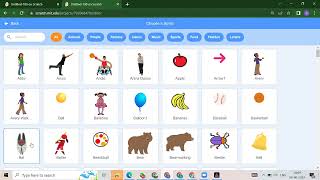
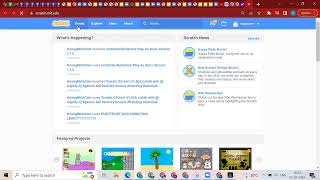
hello everybody hello can you help me hello hey so we will wait for one or two more minutes yes so let's start our business so now we will start off today's class so first i will explain you what is coding and why the coding is so important for us so for say coding is like your language okay so for the human er we have a lot of language suppose for example we have english we have the hindi we have the marathi we have a spanish so we have lots of languages for the women so unlike that for computer also we have a lot of programming language but because computer is just a machine any other devices so computer only understand the coding format okay so that's why today we will start our programming language so today we will start out the scratch okay so firstly i will show you how you will search your slash okay so you need to just go to any web browser you have to just search for the splash just press your enter button okay so what will happen you will get your first link which is scratch.mit.edu this one just click on this thing scratch.mit.edu so what will happen you will get a scratch website okay so here of course we have to login because you have to create our workout so how to create our account so this will log in here google join scratch and sending button so if you are a first user you need to click on this joining snatch okay if you already have your account so you need to just click on the sign in button so now i will click on the scratch so you have to have to put all the information so first thing you have to create one user name suppose i'm taking a username as such so this username you have to select domain username so already now we have this yourself so i will write scratch address so already we have scratch even okay so this is my username scratch okay after that you have to create one password okay so you can create any password but suppose uh according to low choice you need to just create one password just retype that password again after that i need to just click on this next okay so here we have to select our pattern so once you click on this arrow button you will get all the completion so suppose we are from india so we will select india over here just you need to prepare the next button after that you have to select what is your data suppose in the month you need to select appear click on the next button then this is the main part here you have to just put your email id okay so first you will put your email id and just click on this create okay so in this screen we will start our project okay so now i will post the entire scratch screen okay so here we have the three parts so this is your first part okay after that we have this is the second area we have the third area you will see one card so firstly this first part is called as palette window okay what is this first part it's your palette window then we have our second part so the second part is then we have our third part so this is for the stage area okay after that we have our second window which is whatever suppose i don't want this cat so what will happen suppose if you don't want this cat so just click on this delete button okay after that how you will add the backgrounds so this is the main part so as you can see in the right side bottom part you will get my circle what will happen you will get green color so that you should choose a backdrop that means whatever background you want so just click on that so here you will get lots of backgrounds you will get fantasy you will get music you will get spores you will get outdoors indoors if you want any backdrop which is related to your space you will get that one or so we have some other bottles which looks like your ocean after that we have the patterns so whatever backdrop you want for the project you can just click on that okay so uh suppose i thought this backdrop which is the forest okay so what you will do just click on that background click on that everyone back problem suppose i want to add some characters here okay so what we have to do so suppose if you want to add in character so it's very simple i mean you have to just see see your right side button particular mickey mouse structure so if you need to click on that single hit or subscribe let you believe some animals right people's right then you will get in fantasy dance music sports good fashion letters so whatever sprite you want so again just click on that suppose i got this butterfly okay so what you will do just click on the butterfly okay so what will happen will get your butter fire so even you can adjust the area where you want to butterfly i didn't need to okay so i can click on that and select other sprites okay like animals in the animal keep on okay so what will happen once you click on that you will get inside of straight okay so we have now one backdrop which is your background and we have two slides okay we have a background and two specs okay so this is our design part okay after that we have to add some step over here if you want to write your project on if you want to do anything okay so for that what we will do first let me refresh this refresh your project that's okay sometimes you have a some problem with the scratch so you need to just replace that okay i had to show you on whatever sprite you want here suppose i want two sides which is butterfly and the second one is butterfly okay now we have to spray it and one backdrop so how you will add the instruction for this two butterflies okay so always uh we have to start from the e weight okay even means we have to apply some action here so obviously this one if that is it means when i run this project so what will happen suppose i want like this butterfly will say hello or good evening so where you will get your c block say block means your looks okay so you need to just click on this purple circle and take this say block so what will happen it will say hello if you will run this see you will get you
Original Description
scratch tutorial day 1
Playlist
Uploads from Code For Kids · Code For Kids · 9 of 60
1
 2
2
 3
3
 4
4
 5
5
 6
6
 7
7
 8
8
 ▶
▶
 10
10
 11
11
 12
12
 13
13
 14
14
 15
15
 16
16
 17
17
 18
18
 19
19
 20
20
 21
21
 22
22
 23
23
 24
24
 25
25
 26
26
 27
27
 28
28
 29
29
 30
30
 31
31
 32
32
 33
33
 34
34
 35
35
 36
36
 37
37
 38
38
 39
39
 40
40
 41
41
 42
42
 43
43
 44
44
 45
45
 46
46
 47
47
 48
48
 49
49
 50
50
 51
51
 52
52
 53
53
 54
54
 55
55
 56
56
 57
57
 58
58
 59
59
 60
60

#Scratch Tutorial 1 | How to create your own Scratch account #codeforkids #scratch #Game Development
Code For Kids
#Scratch Tutorial 2 ||How to enable Share Button option in Scratch #codeforkids #scratch #game
Code For Kids
Fish Moving inside an Ocean 🌊🌊 #codeforkids #scratch 🥰
Code For Kids
Scratch Programming | Fish Aquarium game | #codeforkids #scratch #game
Code For Kids
Draw the circle in scratch#codeforkids #scratch #game
Code For Kids
Draw Circles in Scratch || How do you draw shapes on Scratch? #codeforkids #scratch #game #coding
Code For Kids
How to Make a Dino Jump Game in Scratch | Tutorial #codeforkids #scratch #game
Code For Kids
Scratch Tutorial || How to Make a Catch Game in Scratch.|| Scratch Tutorial for absolute beginer
Code For Kids
Scratch Tutorial || Day 1
Code For Kids
Scratch Tutorial || Day 2 (DJ System , Dance and Story writing)
Code For Kids
How to Make A Maze Game in Scratch 3.0 | Scratch 3.0 Tutorial |Scratch Tutorial for begineer
Code For Kids
Scratch Tutorial || Day 3
Code For Kids
Scratch Tutorial || Day 4
Code For Kids
Scratch Tutorial | Cat And Mouse Game | Scratch Tutorial for Beginner
Code For Kids
Scratch Tutorial || Day 5
Code For Kids
how to make dress up game on scratch || Scratch Tutorial for Beginner
Code For Kids
How to Make a Pong Game in Scratch || Scratch Tutorial for Beginner
Code For Kids
Scratch Tutorial || Day 6(part 1)
Code For Kids
Scratch Tutorial || Day 6( Part 2)
Code For Kids
Scratch Tutorial || Day 7
Code For Kids
Scratch Tutorial || Day 8
Code For Kids
How to Make Piano Game || Learn to Use Music Extension || Scratch Tutorial || Day 8
Code For Kids
How to Make Piano Game || Learn to Use Music Extension ||Scratch Tutorial for beginner
Code For Kids
Scratch Tutorial || Day 9
Code For Kids
Scratch Tutorial || Draw Shapes #shorts #codeforkids #youtubeshorts
Code For Kids
Scratch Tutorial |How to Draw Shapes in Scratch #scratch #scratchtutorials #codeforkids
Code For Kids
Day 10|| Scratch Tutorial
Code For Kids
Scratch Tutorial || Archery Tutorial
Code For Kids
#1 || Thunkable Beginner Tutorial Platform Overview
Code For Kids
App Development ||Tutorial 2 || how to add button in Thunkable || Thunkable for beginner #codeforkid
Code For Kids
App Development || Tutorial 3|| Beginner Tip "Change screens with a button click" in Thunkable
Code For Kids
Scratch Tutorial ||
Code For Kids
Thunkable Tutorial || Using Camera and Image Recognition components with Thunkable
Code For Kids
Build a Translator App with Thunkable ||Thunkable App Development || Tutorial 5||
Code For Kids
Thunkable Beginner Tutorial #6 || Web Viewer|| Redirecting App
Code For Kids
#1 World in Python || Python Tutorial || Python Programming || Google Colab
Code For Kids
#2 Python Tutorial for Beginners | User input in Python | Command Line Input | Python Variable
Code For Kids
#3 Python Comments | How To Write Comments In Python | Python Tutorial For Beginners |
Code For Kids
#4 Python Tutorial for Beginners | Data Types in Python
Code For Kids
#5 Numbers & Typecasting in python | Python Tutorial
Code For Kids
#6 Strings Tutorial | How To Use Strings In Python | Python Tutorial | Python Training |
Code For Kids
#7 Slicing And Other Functions In Python | Python Tutorials For Absolute Beginners.
Code For Kids
#8 Boolean in Python | Python Tutorial for Begniner
Code For Kids
#9 Python Tutorial for Beginners | Operators in Python
Code For Kids
#10 Lists And List Functions | Python Tutorials For Absolute Beginners
Code For Kids
#11 Tuple in Python | Python Tutorial
Code For Kids
#12 In Python | Python Sets Tutorial | Python Tutorial for Beginners | #python #pythonprogramming
Code For Kids
#13 If Elif Else Statement in Python || Python Tutorial for Beginners |
Code For Kids
#14 While Loop in Python ||Python Tutorial for Beginners
Code For Kids
Python Tutorial for addition of 2 numbers #shorts #youtubeshorts #codeforkids #pythonprogramming
Code For Kids
Python Tutorial for absolute Beginner|| While loop #pythonprogramming #shorts #youtubeshorts
Code For Kids
Machine learning for the kids with Scratch || Machine Learning for kids ||Day 1
Code For Kids
# Tutorial 1 || Machine Learning for kids | Image Classification example | Girl and boy
Code For Kids
#15 For loop in Python || Python Tutorial for Beginner
Code For Kids
# Tutorial 2 || Machine Learning for kids | Smart Home Automation | Turn On the Fan
Code For Kids
#Tutorial 3 || Snapchat Filter in Machine Learning|| Machine Learning for the kids ||
Code For Kids
#Tutorial 4 || Image Identification || Machine Learning for the kids|| Tiger , Elephant, boy
Code For Kids
Scratch Tutorial || Apple Catcher Game || Fruit Catcher|| catch game in Scratch
Code For Kids
Scratch Tutorial || How to record audio in Scratch || Scratch Tutorial for beginner ||
Code For Kids
Scratch Tutorial || how to translate language in scratch || Scratch tutorial for beginner
Code For Kids
More on: Visual / Block Coding
View skill →




🎓
Tutor Explanation

 DeepCamp AI