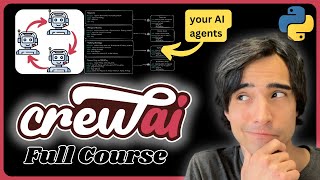
CrewAI Step-by-Step | Complete Course for Beginners
Skills:
Agent Foundations90%Tool Use & Function Calling80%Multi-Agent Systems70%Autonomous Workflows60%
Key Takeaways
This video provides a step-by-step guide to CrewAI, a platform for creating autonomous agents and AI crews, covering topics such as agent foundations, tool use, and multi-agent systems, with hands-on coding examples using Python and the CrewAI library.
Full Transcript
good morning everyone how's it going today welcome back to the channel and welcome to this video tutorial today I'm going to be explaining you everything you need to know about crew Ai and how to start off with it how it works behind the scenes and yeah I mean we're going to be building our entire crew from scratch we're not going to be using their Builder so that you know exactly what is actually going on behind the scenes by the end of this video you will have this crew that is going to be able to think by itself you're going to be able to Def to design your own cruise and we're going to be looking at it with very nice diagrams that I have preferred prepared right here for you and to explain you the entire process behind all of crei so thank you very much for being here and let's start off with the [Music] video by the way uh there are a couple more things that I would like to tell you first of all that you will find the link to this article in the description which is the written version of this tutorial it contains not only the text but also the diagrams that I'm going to be using to explain all of this the code and the link to the GitHub repository and second thing is that I recently open a patron account so if you would consider becoming a patron and and supporting the channel you will get adree access and early access to my content whenever it's possible thank you very much if you're considering that you will allow me to continue doing this for free so thank you very much and without any further Ado let's get right on with the video okay so the first thing that I want to tell you is what actually is crei and why it is so revolutionary so crei is this new framework that allows you to build your own teams of autonomous agents all of these agents are going to be working for you to help you achieve your goal each agent is going to be an expert in a different task and they will all have this single goal in common to help you achieve it uh this goal can be either crafting an email based on some research creating a business plan writing a book creating a blog post or maybe even creating an entire application like you see right here the possibilities are basically infinite all we have to do is think of the process and the tasks that our agents have to complete and assign them to our crew of Agents they will do all of the work for us in this tutorial I am going to introduce you to the basics of the framework how it works behind the scenes and how to create your own crew using the sequential process I'm going to talk more about the process in a moment this is a completely Hands-On tutorial so by the end of the video you will have developed your own crew you will understand how it works and you will be capable of creating your own Crews from now on to create your own projects and be your own master of your own AI agent crew so let's start developing this so here's the diagram that we're going to be that represents the crew that we're going to be building today it is a crew that will take the participants the context and the goal of a meeting that you're going to have and it's going to return to you the brief for that meeting a brief that will include research about the participants the industry and the best talking points to cover during the meeting okay the idea is that you're going to have four autonomous agents A researcher which is going to be the one who's going to research the people and the companies an industry analyst which is going to be the one who's going to analyze the industry meeting strategist who's going to be the one who is going to plan the meeting itself and a brief or summary writer which is going to be the one who's going to write the clear and informative brief for the users okay these agents are going to perform this set of tasks the first one is going to be the research where they are going to research the participants and the context of the meeting then the analyze industry task which is going to be where they're going to analyze the industry trends the meeting strategy which is going to take whatever information was found during these previous two steps and it's going to develop the talking points about the about them involving the participants and the context of the meeting then lastly we're going to have a task which is summarizing and briefing which is going to involve all of the information that was returned from this three other tasks and will con constitute a brief for the meeting okay now our agents are going to have access to a set of tools as well so we have the EXA tool set I'm going to explain a little bit more about that in a moment but the idea is that they are going to be able to choose to search the web whenever they need to okay this is essential for two of our agents because they're going to have to find information about the people and the companies and the industries involved okay now I realized that this is probably not the most useful on a day-to-day basis example but the idea is that this example is complex enough that that it shows you how crei Works behind the scenes what are the components of of its process while at the same time being simple enough so that a beginner can understand it so that's why I chose this example from their documentation to build it and that is what we're going to be building today from scratch so that you see everything that is going on behind the scenes so let's talk a little bit about how to plan your crew before you actually start coding and at the same time I'm going to explain to you a little bit more about each of the main components of crew AI okay so there are four components in crew AI the first one is tasks which you see right here which can be considered the backbone of your crew the second one is the agents which are the ones who are going to be performing the tasks the tools is number three which are the ones who are going to be used by your agents in order to complete the tasks and four is the process okay in this case we're going to be covering the sequential process which is going to complete one task after another but know that there are other kinds of processes like hierarchical where you have a manager agent who is going to assign tasks to each one of its agents in its team uh depending on what it thinks that has to be done but we will cover that in another video I want to focus on the sequential one because it's a little bit easier to understand and to grasp the power of crew AI so when you're going to be planning your crew what you're going to want to have first is your input and your output the input is basically just the information that you want to give to your crew in order to achieve your output in this case our input is going to be the list of participants the context of the meeting and the goal of the meeting and we want our crew to be able to give us a brief of the meeting that will contain the industry analysis and the research of the participants in it by the end of the process okay so that is how you should plan your crew we're going to be covering it a little bit more in detail but just know that you should consider the tasks as the backbone of your crew you can consider this as once you have your input and your output the tasks are going to be the to-do list of things that you would have to complete in order to get to your task if you were to if you were the one who was performing this T this goal okay in our case if we had this information and we wanted to get a brief of the meeting we would probably need to research the participants analyze the industry create a meeting strategy and summarize everything so think about it as your to-do list all right then you can from your to-do list you can start creating and designing your agents and then your tools that your agents are going to need awesome so now that we have finished creating our plan we can effectively start coding now I'm going to tour you real quick around my setup right here I have my source file my source directory sorry where I have my main file which is going to be the place of my application I have my G ignore file and I have mymv file right here with a bunch of API keys that I'm going to explain to you in a moment okay but for now know that you're going to want to create a cond environment I I named myself crei tutor tutorial and you're going to want to use Python 3.10 upwards okay now once you have created your cond environment you're going to have to activate it going to activate mine right here and you're going to want to install crew AI now I already have it installed so for you it's probably going to take a little bit longer but once you have crew AI you're going to be able to follow through the rest of the tutorial now once you have this let's actually start building our tasks so now that we have our setup we can actually start creating our tasks because remember that our tasks are the backbone of our crew right so the first task that we're going to be creating is the research task and as you can see right here it comes with some properties it comes with a description which has to be very detailed because it is the description that is going to go to the language model in the prompt it has to have a very clear output so that the agent knows what to expect by the end of this task and it has to also Define an agent that is going to be the one who is going to be performing this task okay so let's do that first of all I am going to create a new file called tasks.py and in it I oops and in it I am going to initialize this new tasks class but first of all I'm going to just import from text trp I'm going to import detent just to make things look a little bit nicer I'm going to import from crew AI going to import task and let's just create our first class which is going to be called meeting prep tasks there you go and now this class is going to have several methods and each method is going to return an instance of a different task okay so the first method that I'm going to create is going to be called research task and this method is going to return a task okay now this method is going to take several several parameters the first one is going to be the agent that is going to be performing this task then it's going to take some context in this case it's going to be the meeting participants there might be a better way to organize the the context for a specific task in a dictionary or something like that but in this case we're just going to be sticking to how the how the tutorial is in the official documentation and the task that we're going to return is the this one right here that we're going to be initializing first of all with a description okay now remember that your description has to be very detailed because this is the one that is going to go into your into your language model as a prompt so here you have a very detailed description conduct comprehensive research on each of the individuals and companies involved in the upcoming meeting gather information of recent news achievements professional background and any relevant business activities and then we're passing as some variables this meeting context and the participants of the meeting okay then the second thing that we have to pass here is the expected output as we had right here okay I mean of course in the diagram I summarized everything in a few words but the idea is to have everything as as clear as possible when you're defining this so here let's also create this stent part right here and this one is going to return a detailed report summarizing the key findings about each participants and Company highlighting information that could be relevant for the meeting okay so that is the expected output and then we're going to assign an agent which is going to be the agent that we're going to pass into this method and another thing right here that we can set is async execution which means that this task is going to be run at the same time as this other task which is also a synchronous because they don't need the context of any other task before them they can be performed at the same time and this one on the other hand has to have async set to false because this one requires the two to have finished first because this one uses the results from research and analyze industry as context okay I'm going to show you how to set the context later but for now just consider that by setting the async setting to true we're going to allow these two tasks to perform simultaneously okay so there you go this is the first task and that's how you create a a method that is going to return your task now I'm going to copy the other tasks right here from the documentation and just explain them real quick there you go this is the industry analysis task which is another method that is going to return um another task and this one also very detailed description analyze the current industry Trends challenges Etc also passes in the participants I'm actually going to change the variable names right here because in the documentation they use context as um variable for the prompt and it is it can be confusing because it's not the same context as the context of the task I'm going to tell you a little bit more about that in a moment but just changing these names to make it a little bit easier to understand then we have the meeting strategy task which is this one right here here and this one just as the other ones is going to return just like the other one has a description and here we have the meeting objective as a variable for the prompt as well so develop strategic talking points Etc remember as detailed as possible and also a very detailed output and as you can see these two industry analysis and meeting strategy do not have async execution um sorry this one does because this is the the other async execution task but this one doesn't because async is set to false by default okay so you don't have to assign it there you go and then the last task that we're going to create is this last one right here which is the summarizing and briefing task and this one we have it right here it is going to to also take the meeting context the meeting objective and an agent that is going to perform the task so the description as well very detailed compile all the research findings industry analysis and strategic talking points into a concise comprehensive briefing document for the meeting okay so there you go these are the four tasks that we're going to be creating and they all have an agent that we're going to have to declare when we're calling these methods and these methods are going to return the task already um uh created so there you go that's how you organize and create your tasks once that we have our tasks finished we can actually start creating our agents okay and in order to do that I'm going to go back here and I'm going to create this new file called agents. py like that I'm going to put it right here inside the source file as well Source directory sorry and let's actually start coding our agents so first of all just like before we're going to uh import Dent from Textra to make this look a little bit nicer and then from crew AI we're going to be importing agent okay now now what we can do is we can create just as we did before a class for the agents we're going to call it meeting prep agents and this one just like task is going to contain several methods and each method is going to return a an agent in this case we have gith co-pilot giving us a recommendation although it is wrong so we're not going to take it the first thing that we're going to want here is the research agent method which is this one right here a researcher who is going to whose goal is going to be to research people and companies it's going to have a backstory and it's going to have a set of tools that it can use okay so let's actually create this like this we're going to be oh sorry this one is going to have self like that and right here this one is going to return an agent okay now this agent is going to have just like we said before a role and this one is going to be the research agent um we're going to call it research specialist actually then it's going to have a goal as well just like before remember that this has to be very detailed because all of this information is going to go into the prompt that we're going to send to the language model I'm going to show you how that prompt Works in a moment but just bear with me that you have to make this as clear as possible now in this case my goal is going to be conduct thorough research on people and companies involved in the meeting then we are going to have the tools that is going to have that it's going to have access to and this is going to be a list of all these tools right now in this case I'm going to leave the tools empty because we haven't created them yet but I'm going to show you how to do this in a moment and then something else that is pretty important is the back story okay now the backstory is a pretty interesting technique that you can use in prompt engineering and it comes built in with crei but the idea is that when you want your AI agent or your AI assistant to perform better you want to give it a backstory so for example if you want to give if you want it to perform good research you have to tell it that it that it is a research specialist and that it is very good at what it's doing and you have to create this sort of Personality for your agent for it to take that personality and give you the response that you expect so in this case we have I have this backstory written by the crew AI team as a research specialist your mission is to uncover detailed information about the individuals entities participating in the meeting your insights will lay the groundwork for strategic meeting preparation right now this is going to go into the prompt for the llm along with the description of the task so it has to to go well with the task that is going to perform right and then last but not least we're going to set this to verbos so that we can see in real time what the agent is thinking about okay and that is the first agent so we have effectively created the method that will return the researcher now I will copy from the documentation the industry analyst the meeting strategist and a brief summary writer to do this just going to copy this from here there you go as you can see it also has a very detailed backstory and it has some tools that we have not created yet so I'm going to delete them so we have the industry analyst whose goal is to analyze the current his industry Trends Etc and it also has a very detailed backstory same thing with the meeting strategist which is going to take which is going to perform the task the third task right here which is the meeting strategy task and this one is going to have also a backstory as a strategy advisor your expertise will guide development blah blah blah and then last but not least we're going to have this specialist in writing briefs for the meeting okay so here we have this specialist briefing coordinator his goal is to compile all gathered information into concise informative briefing document okay and I have deleted the tools from this to because I don't think they they actually need tools I'm going to give you more information about that in a moment but just know that we have effectively created our four agents right here we're going to create the tools that they're going to use to search the web in a moment but for now you know that we have this agents and we have the tasks awesome you have effectively created all of your tasks and all of your agents now what we're going to want to do is we're going to create the tools that our agents are going to use okay these agents are going to be able to decide whether or not to use a tool depending on their goal and they're going to be able to think about it using the language model I'm going to show you how that works behind the scenes in a little bit but for now just bear with me we're going to have to create the tools first okay now the tools that they're going to need are tools that are going to allow them to search the web in this case we have we're going to be using EXA which is a service that allows you that exposes an API that allows you to search the web using embeddings based search so basically you're going to create a few methods that are going to return results from the web and our agents are going to be able to use these functions on these methods and to get the results and to choose what to do depending on the results that they got okay in this case we're going to be creating a function or method called search which is going to search the websites based on a query find similar which is going to search for similar websites based on a URL and get contents which is going to get the contents from a websites giving the ID of that website because EXA works with IDs okay now know that these are very important properties of your tools they have to have a very clear description of what they do because your agent is going to read that description and it is based on that description that is going to decide whether or not it has to use that tool to perform its action or not okay so your description has to be very clear your input has to be very clear as well which means that you have to be very explicit into what kind of uh data your agent is supposed to to use when it's going to be using this tool and what it can expect from it so in the case of the search and Def find similar tools we're going to have that they return three results okay so let's build these tools right so as mentioned before we're going to be using EXA to create our tools and EXA actually gives you a thousand requests per month for free so it's pretty good for testing and now you can go right here in EXA documentation and we can see how we can use this so we are going to install EXA using pip install xpy so I'm going to come right here going to do not here I'm going to come where my environment is active and once that XI is installed I'm going to be able to come right here to create a tools. py file and I'm going to put this file into my source directory and inside of here I'm going to actually start coding my tools so the first thing that I'm going to do is I'm going to import OS because we're going to want to use the API key from EXA that we're going to get in a moment then we're going to import from EXA py we're going to import the EXA client just like they say right here and then we're going to initialize our client like this right here but before doing that we're going to create a class that is going to wrap it all and make it a little bit more organized we're going to call this XA Search tool set and here we're going to define a method we're going to define a method that is going to return the initialized instance of XA okay so this method is going to call be called like this and it's going to return an instance of X like this this and remember that in order to initialize it we have to pass in the API key so we're going to pass in the API key like this right here OS Environ we're going to get xipi key so there we go now we can actually start coding our tools and in order to code our tools we're going to use the decorator from Lang chain okay remember that crew AI is built using Lang chain so everything that you have in Lang chain is compatible with crei so from Lang chain. agents we're going to import the tool decorator and that's the one that we're going to be using right here to create our first method that is going to be this first tool search Okay so the method is going to be called search remember to name them with um with a name that that show shows what this method does because the agent is going to have access to the name of the function as well it's also going to have access to the name of the input variable and it's important to add the type right here so that the agent knows what kind of um input this method expects okay and here we're also going to need this documentation string that is also going to be available for the agent to know what this tool is for so here we have the tool is for searching for a web page based on the query okay and this one is going to return the results from EXA and in order to call the results remember that here in the exit documentation we have to do excess search our query and then use Auto prompt true so let's return first of all we we're going to have to call this function to get our client so we're going to call it from the current class we're going to call EXA we're going to call search and here we're going to pass in the query now for some reason in the documentation they use an F string to wrap the query like this so I'm going to do it like they do but know that uh I mean apparently you can just pass in the query like that but let's just follow what the guys from cow I did then we're going to set the use Auto prompt to true and last but not least let's set the number of results to three right there you go so that is the first tool that we have and the second tool remember it is find similar which is going to be uh I mean the description of which is going to be search for similar websites based on a URL so I have it right here let me copy it for you there we go like that so again a very clear description of what this function does which is the tool that our agent is going to be able to use search for web pages similar to a given URL the URL is the input parameter right here the URL p in should be a URL returned from search and here we're going to just correct the name of the class there you go and the method is fine similar of course you can find the methods in the exit documentation but I'm just going over like this to make it a little bit clearer and faster and then last but not least we have the get contents tool which is going to explore the contents of a given website web page I mean so get contents it gets the IDS of your of your retrieved web pages and here's the description get the contents of the web page the IDS must be passed in as a list and the list should have been the one returned from search and here we're going to I was just making some tests here we're going to copy the EV I we're going to first convert the this string into an actual object right here then we're going to call EXA to get the contents and then you go this is going to return the contents in a string so there you go and now last but not least actually what we can do is we're going to create a function called tools that is actually all it's going to do is going to return a list of all of these tools right because this is the function that we're going to want to use to assign these tools to our agents right here okay so in order to do that remember that all right so for now just know that our tools are completely coded they're finished and these are the tools that our agents are going to be able to use now that the tools are finished we're going to have to assign the tools to the agents because remember that we have these two agents that are going to have access to these other tools right so in order to do that what we're going to do is we're going to come back to our agents and here in tools what we're going to do is first of all we're going to import from tools import EXA Search tool set and remember that we defined this method called tools that effectively returns a list of our Tools in this class so there we go we're going to do the same thing with our industry analyst because it will also have access to these tools and there you go so now we have effectively created our tools and we have effectively assign them to the agents that are going to be using them now let's talk a little bit about how agents use these tools and how agents think and then we're going to see how they interact with each other okay so let's talk a little bit about how agents work and how they think by themselves in order to choose tools that will help them to complete their tasks okay in order to do this we have to understand a couple of Concepts um which is that crew AI actually implements Lang chain agents and they Implement a type of agent called react agent this is knocked to JavaScript framework these are agents that actually work in a loop of chain of thoughts in which they enter this Loop until and they think about the task and execute actions about it until they find that they have found the actual answer to the question okay so let me show you real quick how this looks like so what is actually happening is that we're passing in some context to the agent the agent is sending that context to the language model and it is using the language model to think okay so the agent is going to be saying something like given the following context what action would you take and then it's going to think about it it's going to present present a thought so for example for our first task which is research the participants the thought is going to be something like now I have to use a tool to search about the participants and the companies involved in the meeting now it's going after that it is going to choose a tool and out of a set of defin defined actions that it's going to have inside the prompt it is going to choose one action okay and each action is going to have specified with with input it can it can accept in our case each action is going to be using each one of our tools that why it was that's why it was so important to give a description to our tools because that way the agent is going to know what each tool does and decide what action to take with these tools and it is going to also return to us the the input that is going to input to this tool then once you get that tool it is going to execute the tool and whatever the tool or the function returned it is going to be called the observation and this observation is going to be appended into the context so now the context is the task the description of the task the thought the action and the observation of the first action and then it can enter the thought again and think okay so now I have information about this now maybe I have to research information about this other thing and it is going to use the search tool again and it is going to have another observation that is going to be appended and notice that we're making several language model calls here so we're making a language model every time the agent thinks and maybe also every time the agent h executes a tool depending on our tool and we're appending that into the observation let me show you how that looks like in in your actual prompt so this is how the prompt looks like in O in crew AI so the prompt that you're actually going to be sending to the language model looks something like this youur are a then the role of the agent that is assigned to the task in our case we're going to be dealing with the first task which is research the participants and so here it would be something like you are a research specialist and then you have here the backstory that's why the backstory was so important because it's going to allow you to give this backstory to your agent that will give you more probabilities of getting a good answer from your language model so you're a research specialist and then the backstory of this one as a research research specialist your mission is to uncover detailed information blah blah blah and then your goal is and then the task agent goal I mean the goal of your agent assigned to this Tas task because remember that when defining our agent we also set the goal right here conduct th of research on people companies involved in the meeting and that is what we have right here your goal is to conduct tho research and people and companies involved in the meeting right after that you have the following tools at your disposal and here you have the following tools at your disposal and as you can see we're also taking the tools from the that is assigned to the task so we're going to be listing these tools right here and as you can see in our prompt we have them right here we have the Search tool the find similar tool and the get contents tool and here you have how you call the function which input it takes and also the description that we gave to it in the documentation comment right now something interesting to note right here is that we have a couple other tools that we didn't add ourselves these tools come by default in all of the crei agents and if you want to to disable them you would have to disable them manually but for now know that by default all of the agents can actually delegate work to a coworker which means that they are going to call this function called um delegate work to cooworker and it is going to take the coworker the task and the contexts and it is going to send the task to them and it is going to also um give them all the context necessary to perform that task okay and they also have the possibility of asking a question to a coworker and by asking a question to a coworker also I mean it's pretty much the same thing but they actually expect a result um in return and the task to conduct comprehensive research da da and then you have the description of the task okay and consider that they do this using this other method right here that we have which is how agents think which is what I was talking to you about so we have the thought which is that given some context they use the llm to think what they're going to be doing afterwards so after they get the results from that prompt that I showed you they're going to append the results to the end of that prompt then the action which is the one that they're going to choose from the list that you just saw the action input and the observation which is the one that is going to be appended so that they can think again until they think that I now have all the information required to complete this task and they are going to just return the information required okay this is a very high level overview of how this works but it's just to show you how this is actually going on behind the scenes okay so there you go that is how agents work and also as you may have noticed now they can ask questions to each other so that's why the diagram I showed you at the beginning was kind of an oversimplification so here's another diagram that exemplifies in a little bit more realistic way how these Crews work at least in a sequential process okay so here we have the two tasks that were defined using async set to True which means that they are being executed at the same time and then the context from these tasks is going to be passed into the meeting strategy it's going to be appended into the prompt and then once the meeting strategy is done we're going to pass all of the context from these three into the summarizing and briefing task which is going to give us our result and the part of the agents also looks a little bit more different because now we don't have just one agent doing one thing we actually have the agents asking questions to each other to find the right answer to your tasks okay that is the reason why I decided that the brief and summary writer and the meeting strategist did not necessarily have to have access to the tools um of EXA to search the web because they are only supposed to be working on the information that the specialized researcher and Industry analyst got for them okay so that is why we did this and that is why we're using that's why I took the tools from them because in the documentation they actually have the tools I figured that if they want to find more information they can use the delegate tool or the ask question tool to actually get information what the information that they need from the researcher or the industry analyst okay so that is how agents work and that is that is a more reliable a more realistic overview of what is going on behind the scenes in cre AI so I hope this makes it a little bit clearer awesome so first of all congratulations because I mean by getting all the way to here you have successfully completed all of the small components that are going to be used to create our crew so you have made the already the most difficult part now from now on it is only just putting everything together and seeing the magic develop in front of our eyes so congratulations for that now what we're going to be doing actually is to put everything together I'm going to go to main.py and in here well first of all I am actually just going to create my main function just to make this a little bit more organized and first of all let's import from tnv we're going to import load. tnv and we're going to call it right here there you go and this is just to make this more organized and to be sure that this is only executed if the file is executed directly right now right here we're going to import from crew AI we're going to import crew which is the class that we're going to use to create our crew now from tasks we're going to import meting prep tasks and from Agents we're going to import meting prep agents now to be clear what we're importing from tasks and agents is actually from these two files the the tasks and the Agents that we previously uh defined okay so that's what we're importing right here now the first thing that I'm going to do is I am going to set up my input right because remember that right here we had the user inputs so we have to ask the user for these inputs first of all I'm going to I mean this is not going to have a graphical user interface it's going to be in the terminal so we're going to print welcome to meeting prep crew some dashes and let's just refact to these meeting participants is going to be input by the user what are the emails of the participants in the meeting then we're going to have meeting context which is going to be the context of the meeting and the meeting objective which is the meeting goal that we have right here okay now once that we have that now we're going to start initializing our agents and our tasks okay so first of all I'm going to initialize the tasks object and the Agents object with the classes that I imported from Agents and from tasks and this two I am going to use them to create my agents first of all okay so the agents are going to be my research agent first of all and then we're going to add my then the second one which one was it the industry analyst industry analysis agent agents industry analysis and what we're doing here is actually calling the method from the agents from the meeting prep agents class right so here I'm calling the research agent method which if you remember correctly when we go to agents research agent it actually Returns the agent from crew AI with all the roles goals and backstory that we defined before so that's what we're doing right here now we're doing the same thing with the other agents right here which are the meeting strategy agent and the summary and briefing agent then after that we're going to create our tasks the tasks are going to be just like we defined before right here first of all research and analyze industry we're going to do the research task which just like we saw before remember we're calling the method from the tasks meeting prep tasks class okay and this method if you remember correctly it takes an agent the meeting participants and the meeting context so we're going to pass in the research agent which is the one in charge of the research task the meeting participants and the meeting context we're going to do the same thing with all of the other tasks which are going to be the industry analysis task the meeting strategy the meeting strategy task so let's call let's create this one called industry industry analysis task I was hoping GitHub would give me an autocomplete there you go and a summary and briefing task okay so we are creating our three our four tasks each one with its own agent research agent industry analysis agent meeting strategy agent and summary and briefing agent and each of them with the context required in which case for the first two it is the meeting participants and context and for the um third and fourth it is the meeting context and the meeting objective okay now something to consider right here is that these tasks require context okay as you can see right here the research and the analyze industry tasks they don't have a context property right here but the meeting strategy and the summarizing and briefing uh tasks they do have a context property and their context is supposed to be for as I mean for the meeting strategy it is supposed to be the results from the research um from the research task and for the analyze industry task and for the summarizing and briefing task the context is supposed to be the results from the research task the analyze industry task and the meeting strategy so this one takes the context from this two and this one from this three so let's actually set that right now in order to do that all you have to do is to call your call your task and add the context like this we're going to say that the context is going to be equal to and we're going to pass in just a list and each one of these objects actually conect contains the results from that task so here we have the results from the research task the resch from the industry analysis task and these results are going to be appended to the end of The Prompt when we send the prompt for the meeting strategy task and this last one is going to be the summary and briefing task and this one also takes some context and this one takes the context from the other three so there you go now we have successfully created all of our agents and our task it's time to actually create the crew using all of this so to create the crew this is very simple we're going to be using this class that we imported from crew Ai and what we're going to do is just going to say crew equals we're going to initialize our crew and this one takes several parameters the first one is the agents and this is basically just a list of all of our agents that we have defined up here so there go and then it is going to take the tasks and these ones are just going to be a list of all the tasks that we defined up here and there you go now by default your process is going to be sequential okay so here you see process sequential but I mean that's that's the default so we're not going to touch it we're just going to leave it at sequential but know that if you wanted a hierarchical uh hierarchical process this is where you would have to add it in process hierarchical okay so now that we have created our crew we can effectively execute it and in order to run it what we're going to do is we're going to say result crew. kickoff and this is going to this is going to execute your crew and return the final result from the final task which is going to be your final goal of your entire crew okay now I wanted to mention something a little bit important about the costs of this so let's talk about that now so let's talk a little bit about the costs of all of this okay you have to consider that of course we are making calls to our language models and that is expensive and you also have to consider the API calls to your tools that might be expensive as well I mean in our case EXA is free for the first thousand uh request so you don't have to worry about that but you have to remember that agents are using the reactive model which is this one right here remember that this means that they can perform a Chain of Thought prompt in a loop until they find until they think that they have completed the task so every time they think about anything right here they are making an API call to your language model model and this can become quite expensive especially because crew AI works with gp4 by default you can change that uh but by default it works with gp4 and actually gp4 is the one that works the best with what I have tested so when you are designing your crew I would recommend that you make sure that you have a clear monitoring setup in place and that you know how much this is costing you so for example to give you just a quick example about this these tasks in what I have tested each one of these um each one of these tasks uh turned out to be about five five to nine iterations of this cycle until they each I mean for each task until each agent decided that it has the answer to the task so in the end all of this ended up costing me something like $7 to $9 for just a single execution of the crew okay so bear that in mind um so what I'm going to do now is I'm going to show you how to monitor this using Lang chain just I mean this is kind of a bonus so that you know how much you're you're spending and you can visualize how this works okay so let's actually do that so let's start by setting up some of our API Keys as you can see you can come to platform open.com to create your API ke keys and you're going to want to add a building method in act in order to actually use these language models okay then you're going to go to EXA dashboard. xa. and you're also going to generate your API key right here remember that EXA is free for the first thousand requests and I don't remember actually adding my credit card account so that one's for free then what I'm going to do is I'm going to be using Langs Smith which is a monitoring method meod a monitoring platform that allows you to check exactly which requests are being sent to your language model what the responses are for each one of the requests and how much this is costing you and in order to do that you just have to set this two this two environment variables Lang chain tracing and Lang chain API key which you will get I mean the API key you get it in lsmith and the tracing you just set it to true and that is what I have done right here I mean of course I will delete all of these API Keys before publishing this video but this is how this should work now what we're going to do right here is we're actually just going to execute this and see how this works and just by adding these API Keys Langs Smith is going to be able to log everything that happens just by adding this okay so let's do that right now and actually another thing that I wanted to show you is how to test this with gpt3 instead of GPT 4 because remember that crew AI works by default with gp4 so here they tell you which environment variable you have to update if what you want to use is another language from open AI so I'm going to come right here and instead of GPT 4 we're going to be using the latest GPT 3.5 turbo which has a context window of 16 000 tokens which should be enough for our Chain of Thought hopefully so oops this one is supposed to be GPT 3.5 turbo like this now if I save this I should be able to run this there we go so we can actually start executing this in order to do that what I'm going to have to do is just go python and then execute the main file which is going to create my crew and then execute the crew kof actually I forgot to print the results so let's print the results here like that there you go so now I save it and I'm going to execute it right here as we have defined it is going to ask me for the participants of our meeting who are the what are the emails of the participants and my meeting is going to have Sam Alman from open aai Tim Cook from Apple and S Pai from Google these are of course not the actual emails because I don't have them and if I had them I would not share them like this what is the context of the meeting the participants of the meeting have decided that they want to find a new industry to invest in they have lost faith in artificial intelligence so they want to start investing in cat coffee shops cat coffee shops are cafes where people come to drink soft drinks with cats walking around the clients are allowed to pet the cats so let's see and the goal of the meeting is to find a way to enter this new market and make it profitable ideally the participants should be able to find a location to open their first cat coffee shop so let's see what gpt3 is able to get for us so I'm going to hit enter here and we have entering new crew agent executor all right so the first action was search and it's starting to search it's also loging some errors well the crew seems to be working correctly this is going to take a few minutes so I'm going to pause this and show you how this looks once this is finished so the execution is finished and as you can see here is what the agents were thinking thinking all the time I mean it took a few minutes um it always thinks I mean as I told you before it starts all with a thought I need to further analyze the content of the Articles to extract insights then the action it shows defin similar action in this case action input sent in a URL Etc okay and sometimes it would encounter some errors and here is the end result now we are talking with GPT 3.5 and and it did make some mistakes apparently we didn't even get the bias from the participants this doesn't happen with gp4 I'm going to run this with gp4 in a moment just to show you how this works but you can see here we have the industry overview the talking points and the Strategic recommendations looks pretty good now how about we take a look at how this works in Lang in Langs Smith and what was actually going on behind the scenes so what I'm going to do going to go to my projects and here is my default project where every everything was logged in and here is my recent my recent execution so here we have the first one for example here we have that this is the crew agent executor and here we see all the prompts that were sent to open Ai and you can see you're an industry analyst and Industry analyst your analysis will identify key TRS blah blah blah which is what we wrote then the list of the tools that we selected here search find similar ge
Original Description
This is a full step-by-step introductory tutorial to CrewAI. In it, you will learn how to create teams of autonomous agents and AI crews to make your work for you. In this clear explanation, in the form of a crash course, we'll unveil the secrets behind Crew AI and how it works, showing you how to start from scratch without using their CLI builder tools. By the end of this tutorial, you'll have crafted your own intelligent crew of AI agents, capable of independent thought and designed to perform complex tasks. You will be able to create your own crews of AI agents who may do your work for you.
----
### Links
☎️ Get something like this for your company: https://link.alejandro-ao.com/consulting-call
### Tutorial Resources
🔗 Blog post: https://alejandro-ao.com/crew-ai-crash-course-step-by-step/
## Community
💬 Join the Discord Help Server: https://link.alejandro-ao.com/HrFKZn
❤️ Become a Patreon (thanks): https://link.alejandro-ao.com/patreon
🍺 Buy me a coffee... or a beer (thanks): https://link.alejandro-ao.com/YR8Fkw
✉️ Get the Newsletter: https://link.alejandro-ao.com/AIIguB
Timestamps
===
0:00 Introduction
1:49 What is CrewAI
3:16 What we will build
6:04 CrewAI Components
8:51 Project Setup
10:01 Create Tasks
17:48 Create Agents
23:53 Create Tools
34:37 How Agents Work
44:12 Create Your Crew
53:07 Note on Costs
55:17 Setup API Keys & LangSmith
56:55 Test with GPT-3
1:03:00 Test with GPT-4
1:06:31 Conclusion
What You Will Learn
===
- Fundamentals of Crew AI: Get a solid understanding of how Crew AI operates behind the scenes.
- Building Your Crew: Follow our detailed instructions to create your crew from the ground up, ensuring you grasp the mechanics involved.
- Design and Diagrams: Utilize our expertly prepared diagrams to visualize the process, making complex concepts easy to understand.
- Hands-On Experience: We'll guide you through designing your own autonomous agents, using real-world examples and practical coding sessions.
- Additional Resources: Acces
Watch on YouTube ↗
(saves to browser)
Sign in to unlock AI tutor explanation · ⚡30
Playlist
Uploads from Alejandro AO · Alejandro AO · 31 of 60
1
 2
2
 3
3
 4
4
 5
5
 6
6
 7
7
 8
8
 9
9
 10
10
 11
11
 12
12
 13
13
 14
14
 15
15
 16
16
 17
17
 18
18
 19
19
 20
20
 21
21
 22
22
 23
23
 24
24
 25
25
 26
26
 27
27
 28
28
 29
29
 30
30
 ▶
▶
 32
32
 33
33
 34
34
 35
35
 36
36
 37
37
 38
38
 39
39
 40
40
 41
41
 42
42
 43
43
 44
44
![Multimodal RAG: Chat with PDFs (Images & Tables) [2025]](https://i.ytimg.com/vi/uLrReyH5cu0/mqdefault.jpg) 45
45
![Advanced RAG with LlamaIndex - Metadata Extraction [2025]](https://i.ytimg.com/vi/yzPQaNhuVGU/mqdefault.jpg) 46
46
 47
47
 48
48
 49
49
 50
50
 51
51
 52
52
 53
53
 54
54
 55
55
 56
56
 57
57
 58
58
 59
59
 60
60

Linear Regression in R - Full Project for Beginners
Alejandro AO
Configure Webpack 5 in Wordpress (2025) with Typescript and SASS
Alejandro AO
R Programming 101 - Crash Course for beginners
Alejandro AO
Convert HTML template to WordPress Theme (2025) - Full Course
Alejandro AO
Javascript Interactive Map with Leaflet EASY (with Marker Clusters & Popups)
Alejandro AO
Vanilla JS Project: Multi Step form in HTML, CSS & OOP Javascript
Alejandro AO
How to do AJAX in WordPress correctly (2025)
Alejandro AO
React Leaflet Tutorial for Beginners (2025)
Alejandro AO
Linear Regression in Python - Full Project for Beginners
Alejandro AO
Logistic Regression Project: Cancer Prediction with Python
Alejandro AO
Display Equations in ChatGPT
Alejandro AO
Create a Chrome Extension (Manifest V3) for ChatGPT
Alejandro AO
Full-Stack Project | ChatGPT API, React, Node.js, Express
Alejandro AO
Streamlit Python Course: Build a Machine Learning App to Predict Cancer
Alejandro AO
Langchain PDF App (GUI) | Create a ChatGPT For Your PDF in Python
Alejandro AO
LangChain Memory Tutorial | Building a ChatGPT Clone in Python
Alejandro AO
Chat with a CSV | LangChain Agents Tutorial (Beginners)
Alejandro AO
Create a ChatGPT clone using Streamlit and LangChain
Alejandro AO
Chat with Multiple PDFs | LangChain App Tutorial in Python (Free LLMs and Embeddings)
Alejandro AO
Full Python Environment Setup for AI (or other) Apps + Virtual Environments
Alejandro AO
Langchain + Qdrant Cloud | Pinecone FREE Alternative (20GB) | Tutorial
Alejandro AO
LangChain Version 0.1 Explained | New Features & Changes
Alejandro AO
Create a RAG Chain using LangChain 0.1 (New version)
Alejandro AO
Tutorial | Chat with any Website using Python and Langchain (LATEST VERSION)
Alejandro AO
Deploy Your AI Streamlit App for FREE | Step-by-Step (Heroku Alternative)
Alejandro AO
What is Google's Gemini 1.5 Pro | 10 Million Token Window
Alejandro AO
Chat with MySQL Database with Python | LangChain Tutorial
Alejandro AO
Stream LLMs with LangChain + Streamlit | Tutorial
Alejandro AO
Chat with MySQL Database using GPT-4 and Mistral AI | Python GUI App
Alejandro AO
#1 Harrison Chase: LangChain and The Future of LLM Applications | Alejandro AO
Alejandro AO
CrewAI Step-by-Step | Complete Course for Beginners
Alejandro AO
Python: Automating a Marketing Team with AI Agents | Planning and Implementing CrewAI
Alejandro AO
Build a Web App (GUI) for your CrewAI Automation (Easy with Python)
Alejandro AO
Early days of RAG and LlamaIndex - Jerry Liu
Alejandro AO
LlamaParse: Convert PDF (with tables) to Markdown
Alejandro AO
#2 Jerry Liu - What is LlamaIndex, Agents & Advice for AI Engineers
Alejandro AO
CrewAI + Exa: Generate a Newsletter with Research Agents (Part 1)
Alejandro AO
#3 Joe Moura | Multi Agent Systems and CrewAI
Alejandro AO
Python: Create a ReAct Agent from Scratch
Alejandro AO
New Groq Models: Best for Function-Calling Agents
Alejandro AO
Introduction to LlamaIndex with Python (2025)
Alejandro AO
LlamaIndex: How to use LLMs
Alejandro AO
LlamaIndex: How to Get Structured Data from LLMs
Alejandro AO
Multimodal RAG: Chat with PDFs (Images & Tables) [2025]
Alejandro AO
Advanced RAG with LlamaIndex - Metadata Extraction [2025]
Alejandro AO
Learn MCP Servers with Python (EASY)
Alejandro AO
Create MCP Clients in JavaScript - Tutorial
Alejandro AO
Create an MCP Client in Python - FastAPI Tutorial
Alejandro AO
How to Build an MCP Client GUI with Streamlit and FastAPI
Alejandro AO
Vibe Coding For Engineers (make it ACTUALLY work)
Alejandro AO
LlamaExtract Tutorial: Convert PDF & Images into JSON
Alejandro AO
Local MCP Servers for Cursor (Step by step)
Alejandro AO
Anthropic: How to Build Multi Agent Systems
Alejandro AO
Deploy Remote MCP Servers in Python (Step by Step)
Alejandro AO
GPT-5 for Developers: API Changes, Pricing, Model Router & Security
Alejandro AO
Tutorial: Auth for Remote MCP Servers (Step by Step) | OAuth 2.1 with ScaleKit
Alejandro AO
Generate UI Tests with TestSprite MCP Server + TRAE
Alejandro AO
#4 Allan Guo | 19-yo YC Founder - Willow Voice
Alejandro AO
RAG Project: Build an AI Onboarding Chatbot with Streamlit, LangChain, and ChromaDB
Alejandro AO
MCP Security | Malicious MCP Servers (Protect Yourself)
Alejandro AO
More on: Agent Foundations
View skill →








Related AI Lessons
Chapters (15)
Introduction
1:49
What is CrewAI
3:16
What we will build
6:04
CrewAI Components
8:51
Project Setup
10:01
Create Tasks
17:48
Create Agents
23:53
Create Tools
34:37
How Agents Work
44:12
Create Your Crew
53:07
Note on Costs
55:17
Setup API Keys & LangSmith
56:55
Test with GPT-3
1:03:00
Test with GPT-4
1:06:31
Conclusion
🎓
Tutor Explanation

 DeepCamp AI