This AI-Video Tool Will Change Video Production Forever
Key Takeaways
Runway ML's Gen 1 platform and Mid Journey are used for merging videos with cool image styles or text prompts, allowing for the creation of unique video effects through image generation and video editing.
Full Transcript
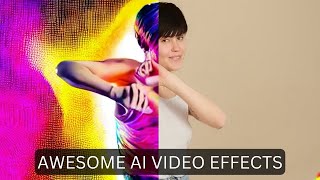
today I'm looking at Runway ml's New Gen 1 platform this is a platform that lets you take a video file and an image file and sort of mash them together to get like a cool effect like you're seeing on the screen right now now this is the demo reel that they put out but in this video I'm gonna play with it myself and see what I can make out of it so let's get into it so as of right now gen 1 is only available inside of Discord and if we look over here there's only a little over 200 people that have access to it right now and I luckily was able to get Early Access but if you're interested in getting to experiment with Gen 1 there's two things you've got to do number one you gotta head over to runwayml.com come up here and click request access click on this request access button and get on the waiting list and the second thing you've got to do is join their Discord and the reason you've got to join the Discord is similar to Mid Journey this whole thing runs inside of Discord so all of the generations that you create you do it inside of Discord and also similar to Mid Journey you can look back and see some of the other Generations that people have made and get ideas of what they're doing so this one right here for example you can see they have this image of a car that looks like it's out of Grand Theft Auto or something and they've got this video here and if we look over here on the right you can see in this thread here this is the video that it generated so pretty cool stuff now one thing to keep in mind with Gen 1 and I didn't really realize this until I actually got into the platform is right now it really only creates about three second videos and if you watch a lot of their teaser reels and all the videos that have been circulating so far all of the videos are real short in length they've just strung a lot of them together so you'll see these videos which looks like these really cool long animations but if you notice they're all just sort of three second Clips strung together so all of the videos You'll see as you're scrolling through here are all three second Generations now I've downloaded a few videos here from a stock video site and these are some of the videos I'm going to play around with so we've got this video of a woman dancing I've got this video of a man canoeing down a river this one of a woman running through a tulip field and this one of somebody snowboarding through the mountains I want to use these for Quick videos and see what kind of generations I can get now in order to get some real stylistic stuff I want to blend it with mid Journey because I just love the way that any images come out so as you can see in a lot of these you take an image and you take a video and you mash them together so let's go create an image in mid-journey real quick so first I'm going to create an image a man made out of volcanic lava let's just see what that gives us all right so we have some pretty cool Generations here I wonder what would happen if I blended one of these with like my snowboarder and let's see what happens so let's go ahead and upscale I think this number four looks pretty cool so let's upscale number four here all right so here's our upscaled version I'm gonna go ahead and open it in the browser I'll download this real quick and now let me jump back into Discord here and let's do our first generation here in runway in order to do this we type at gen 1 and then we attach our video and our image so let me pull open my folder here let's bring in our snowboarding man and let's bring in our volcano man here and submit it let's see what happens it's gonna take a second to upload the video file and you can see it created this little thread over here with details about what's going on and there's a little timer here to show that it's working it looks like when I look at some of these past videos up here it takes roughly four or five minutes to finish the generation so we'll go ahead and wait and see what happens all right and it looks like our video is ready so let's go ahead and take a peek here's what we got with our snowboarding Man on Fire look at that and again they're only about three seconds long let's go ahead and take another quick look at that it's so cool it's like a dude made out of lava and his snowboards on fire all right so let's go generate another image in mid-journey real quick for the girl dancing Let's do let's make it like a real colorful sort of like Rave environment so let's go imagine a colorful neon rave party and let's go ahead and add neon core and let's go ahead and make it an aspect ratio of 16 9 just because the video itself is also 16.9 so let's just see if that has any effect on things okay so these are some awesome colors I'm really really digging this a lot uh this one down here is just creepy I'm not sure how that's a neon rave party let's go ahead and grab this top right one this one will probably blend really well with the girl dancing so let's go ahead and upscale number two here and we'll play with that one and while we're waiting for this might as well make a few more images so for the one with the girl running through the flowers I was thinking about blending it with some sort of like rainbow Candy Land kind of thing so let's just go imagine a rainbow Candy Land filled with unicorns and glitter yeah that and then I'm gonna go ahead and add RGB because I want to be real colorful and I'm gonna add the rainbow Emoji to it and then I'm going to add the aspect ratio 16 9 on this one as well and then for the guy that's canoeing down the river I wanted something a little bit darker so let's do imagine an ancient Aztec rainforest and then let's just do aspect ratio 16 9 and let's go ahead and see what that generates and that way I'll have all of my images ready so we can have kind of all of our generations going at the same time all right so I got my neon core image here let's go ahead and open this in the browser I'll go ahead and download this one we got some images for our rainbow unicorn Candyland here so let's go ahead and take this one in the bottom right here I'm gonna upscale number four and now we've got some options for our Aztec rainforest first these all look really really cool let's go ahead and upscale number three here all right so we got our rainbow Candyland image here save it and we got our ancient Aztec Village here so I'll go ahead and open this in the browser and save that I'm gonna jump back over here to Runway so the next video I want to play around with is this one of the woman dancing in a studio here so I'm gonna go ahead and pull this one in over here and then I want to combine it with this neon rave party image that I generated so let's pull this one in here as well and then we'll just tag at gen one and let that one run alright so this one is now ready this one took quite a bit longer I think the amount of time it takes for it to generate might be based on how many people are also generating at the same time you can see I started this generation here at 507 and it completed at 518 so it took about 11 minutes to generate this one but uh let's go ahead and check it out here all right so that's pretty cool looking all right so I'm just going to go ahead and get the next two going so they're both kind of going at the same time and then after that we're going to mess with some of the settings and see what some of the settings do because you can see that there's all sorts of things down here that we can play with so for my next one I'm going to use this clip of this woman running through the tulips here and I'm going to combine it with that Candyland image and see what it comes up with so I'll go ahead and pull this one in down here pull in this rainbow Candyland image here and let's go ahead and tag at gen one and this time I'm going to also add a text prompt to it because you can also give it a little bit extra of what you're looking for using text prompts so I'm going to say woman running through colorful Candyland and we'll go ahead and let it generate that so now you can see that it's got a text prompt and this video and this colorful image and we'll see what the text prompt actually contributes to it while we're waiting for that I'm gonna go ahead and upload my final one here which is going to be this man canoeing right here combined with this ancient as Tech Village here all right so I pulled both those in and this one I'm also going to do a text prompt again with it a man canoeing through an ancient Aztec River let's go ahead and let that generate and it actually looks like our Candyland one is ready here so let's go ahead and take a peek at this one and see what we get and this is what this one generated foreign cool colors they're just so short all right so now let me go ahead and close out of that one we've got our Aztec one running here all right and our canoe video is ready so let's take a peek at this one and here's what we get okay so this one is really cool it's interesting because it kind of made it look like his face is sort of made out of the same stuff the statue is made out of but it still came out pretty dang cool like I just love the color palette of it now what I want to do here is I've got these four threads you can see I've got my thread here with our snowboarder that we created I've got my thread with our dancer here we've got our thread with the girl running through a colorful Candy Land and then our thread with our Aztec canoeer now when you first log into gen 1 they do have a little welcome area here and this video from Ian from when Ray here explains what all of the various things do so the first time you get into gen one you're going to want to watch that video and learn about what they all do but one piece of advice he gives right here is if your generation is ending too soon try increasing the sub sampling value to three or four to get more dramatic results try increasing the depth blur level value and the CFG scale value while generating so I want to try to get more dramatic results and I also want to try to get longer results so let's play around with some of those numbers so in order to do that we're going to come into this thread so I'll start with this one with the girl dancing here and we're going to go at gen one put a space and then we're gonna go dash dash we're going to grab this sub sampling word here and we'll paste it in there's not supposed to be any spaces after the dashes such as dash dash sub sampling and then no colon here and then let's go ahead and turn this to a four now let's go ahead and mess with the depth blur level here so I'll copy this depth blur level we'll put a dash dash add the depth blur level put a space it's currently set at two so let's go ahead and put it at a one and see what happens and then let's mess with our CFG scale a little bit let's go ahead and copy this put our dash dash paste that in here it's at 8.5 now let's go ahead and set it at 10. so the sub sampling I'm hoping it'll make it a little bit longer and then it said for more dramatic results mess with the depth blur level and the CFG scale so let's just change those and see what the results are all right so it looks like we do need to upload the video and image again so we'll go ahead and put our at gen 1 and I'm going to paste this same thing back in here and then I need to pull in our woman dancing into the same thread here along with our colorful neon rave party image I'll go ahead and add a text prompt this time colorful neon rave party alright so I'm using the same video the same original image but I'm adding a text prompt this time colorful neon rave party changing the sub sampling to four the depth blur to 1 and the CFG scale to 10 and let's go ahead and let it regenerate alright so let's take a peek at what these changes did so here's our woman dancing with our Rave colors it looks like it got a little bit longer not a whole lot longer still about three seconds ish but it changed the color completely because I believe it used a different seed and then we also used a different CFG scale and a different depth blur level so all of those had a big impact on it now I also tweaked some things on our guy canoeing here this time I set the depth blur level to three and the temporal scale to 10 because I wanted to see how that would change things and you can also see that it automatically changed the seed as well I could have had it used the same seed but I went ahead and let it make a new seed so let's go ahead and take a peek at this one this just looks so cool to me I just love the color scheme of it still doesn't seem like it got a whole heck of a lot longer but it looks pretty dang cool now another thing that we can try is you can upload a video without an image and then give it a text prompt for what you wanted to change that image to so let's go ahead and upload our woman dancing again here and let's tag at gen one but this time I'm not even going to upload an image let's just go ahead and say an anime girl dancing and let's just leave it at that and let's see if it can figure out how to turn this video into an anime girl dancing all right so here's what it generated with that let's take a peek I mean the face is a little bit creepy but it's pretty cool that it generated an anime girl dancing from what I started with there now one last thing that's really cool that you can do is I also set this compare to true I did this on my snowboarder video and check out what this does when you turn on the compare it gives it this little animation where it switches between it and that to me it looks really cool I just love that effect of here's the original here's the new one that swipe effect is really really cool so you can do that with any video that you make you just do it in the same way where you tag at gen 1 and then you would just set the compare to true so I would do it like this I would go at gen one dash dash compare space true and then obviously I would upload my original video and prompts and whatever else I was doing I absolutely love playing with stuff like this like I'm probably not gonna sleep tonight I'm probably just gonna keep on generating more videos inside of gen 1. now again it is closed off they've let roughly 230 ish people into this already but they are opening up spots when I was in here yesterday there was only 200 people in here today there's 230 so they are rolling it out to people on the wait list I am seeing more and more people join this if you want to get in on this the direct link here is research.runway.ml Gen one and then you can click on request access and fill out the waitlist form and then again because it is in Discord you're going to want to join their Discord and again stuff like this is just going to keep on improving and improving it's only a matter of time before we can generate longer videos I can't wait till I can upload like a minute long video and have it generate just this awesome animation and as computational power gets cheaper and cheaper and cheaper we're going to be able to do stuff like that as gpus get better and better we're going to have the ability to just generate amazing animations in videos today it's three seconds but give it a couple months and our minds are going to be blown by the type of stuff we're going to be able to generate with tools like gen 1 and what companies like Runway are coming out with right now so I just can't get enough of this stuff I love nerding out about it I think I say the words nerding out a little too much but it's true I'm just a huge nerd I love shiny objects I love all these digital toys that are coming out nowadays and I love showing them off to you so get on the wait list go play with Gen 1 Runway is an awesome company in fact one of the creators behind this was one of the creators behind stable diffusion so these are ogs in the space that have been developing this kind of stuff for a while now and I'm excited to see where this goes and if you like nerding out about this stuff with me head on over to futuretools.io this is where I share all of the coolest tools that I'm coming across I add a ton every single day as of right now there's over a thousand of them and if a thousand's a little too overwhelming for you well the search functionality and the little toggles up here make it really easy to find exactly what you're looking for but still if you're too lazy for that click on join the newsletter every Friday I send you just the five coolest tools that I came across over the week from probably a hundred that I looked at I also sent you a handful of cool news or Vehicles a handful of cool YouTube videos and one cool way to make money with AI and I said it every Friday it's basically the tldr of the week in Ai and I really think you're gonna dig it it's all available overnight Future tools Dot I oh so head on over there and thank you so much for tuning in to this Channel and this video I really really appreciate you this channel has grown faster than I ever imagined and it's because people like you keep watching my videos so thank you so much I really really do appreciate you I appreciate all the comments I appreciate all the likes I appreciate all the subscribes you guys are amazing and I love that there's people out there that are enjoying this cool nerdy AI Tech as much as I am so love you guys thanks so much see you guys the next one bye [Music] thank you
Original Description
Today I'm taking a peek at early access to Gen-1 from RunWayML. This is a tool that allows you to merge videos with cool image styles or text prompts. It's in waitlist right now but they're slowly letting new people into play with it everyday. Here's a sneak peek along with details on how to use it.
Resources Mentioned:
Runway Gen-1: https://research.runwayml.com/gen1
Runway: https://www.futuretools.io/tools/runway
MidJourney: https://www.futuretools.io/tools/midjourney
🛠️ Explore hundreds of AI Tools: https://futuretools.io/
📰 Weekly Newsletter: https://www.futuretools.io/newsletter
😊 Discord Community: https://futuretools.io/discord
🐤 Follow me on Twitter: https://twitter.com/mreflow
🐺 My personal blog: https://mattwolfe.com/
🌯 Buy me a burrito: https://ko-fi.com/mattwolfe
🍭 My Backgrounds: https://www.futuretools.io/desktop-backgrounds
Outro music generated by Mubert https://mubert.com/render
#AIVideo #gen-1 #generativeart
Watch on YouTube ↗
(saves to browser)
Sign in to unlock AI tutor explanation · ⚡30
Playlist
Uploads from Matt Wolfe · Matt Wolfe · 54 of 60
1
 2
2
 3
3
 4
4
 5
5
 6
6
 7
7
 8
8
 9
9
 10
10
 11
11
 12
12
 13
13
 14
14
 15
15
 16
16
 17
17
 18
18
 19
19
 20
20
 21
21
 22
22
 23
23
 24
24
 25
25
 26
26
 27
27
 28
28
 29
29
 30
30
 31
31
 32
32
 33
33
 34
34
 35
35
 36
36
 37
37
 38
38
 39
39
 40
40
 41
41
 42
42
 43
43
 44
44
 45
45
 46
46
 47
47
 48
48
 49
49
 50
50
 51
51
 52
52
 53
53
 ▶
▶
 55
55
 56
56
 57
57
 58
58
 59
59
 60
60

Turn GMail In To An Autoresponder
Matt Wolfe
Side Hustle Ideas With Nick Loper
Matt Wolfe
How To Show Hidden Elements On Sales Pages
Matt Wolfe
Speed Up Online Video Playback
Matt Wolfe
How To Download Online Videos
Matt Wolfe
Turn GMail In To An Autoresponder
Matt Wolfe
These Crazy FREE AI Tools Let You Generate Completely Unique Images
Matt Wolfe
Inject Yourself into the AI and Make Any Image With Your Face! (100% FREE Method)
Matt Wolfe
Use This AI Tool To Make An Entire Slide Presentation
Matt Wolfe
Let AI do your Christmas shopping for you! (2 new tools)
Matt Wolfe
What happens when I let AI write my tweets?
Matt Wolfe
How I Automated My Website With These AI Tools
Matt Wolfe
The Ultimate MidJourney Prompting Guide
Matt Wolfe
Make Money Selling AI Images From MidJourney
Matt Wolfe
Do ChatGPT Detectors Work? Let's Find Out!
Matt Wolfe
Make A Royalty-Free Copy of ANY Image You Find Online
Matt Wolfe
Sound Like Any Celebrity - Free AI-Powered Voice Changer
Matt Wolfe
MidJourney Cheat Codes - Advanced Prompting Guide
Matt Wolfe
Free Tool Generates WILD MidJourney Prompts For You
Matt Wolfe
Like MidJourney But Unlimited Free Image Generations!
Matt Wolfe
How To Animate A MidJourney Image (For Free)
Matt Wolfe
This Is Better Than ChatGPT (With Prompting Guide)
Matt Wolfe
Can A.I. Make Good Music? And Can We Use It In Our Videos?
Matt Wolfe
Try This Simple Trick Next Time You're In MidJourney
Matt Wolfe
Using AI To Generate Text-To-VIDEO! Things Are Moving Fast.
Matt Wolfe
Find The Next Insane AI Tools BEFORE Everyone Else
Matt Wolfe
3 MidJourney-Like Tools That You Can Use For Free
Matt Wolfe
ChatGPT did this whole thing for me!
Matt Wolfe
Creating AI Generated Logos Using MidJourney
Matt Wolfe
Text-To-Speech Generators Are Getting So Good!
Matt Wolfe
A Single AI Prompt Built This Entire Website!
Matt Wolfe
This Voice-Cloning Tool Could Get Banned (So Let's Play With It!)
Matt Wolfe
This AI Tool Could Replace Photoshop (No Skill Required)
Matt Wolfe
MidJourney Got An Upgrade - Version 4 Is Much Better Now
Matt Wolfe
This Is How You Fool The ChatGPT Detectors
Matt Wolfe
This is Google's Answer To ChatGPT!
Matt Wolfe
GPT-4 is Now in Bing (The Next ChatGPT)
Matt Wolfe
Google Is Losing The War On AI (A Breakdown of The Event)
Matt Wolfe
This Will Make You Want To Switch To Bing!
Matt Wolfe
Forget Text-To-Image, Check Out Text-To-3D-World!
Matt Wolfe
Why Buy ChatGPT Plus If Bing Does It For Free?
Matt Wolfe
New Tool Makes AI VECTOR Logos (You're Seeing This First!)
Matt Wolfe
AI-Generated Music Vocals Are Crazy (New Tech)
Matt Wolfe
Simple Scribble Drawings Into Works of Art! (Anyone can be an artist!)
Matt Wolfe
Install Stable Diffusion Locally (Quick Setup Guide)
Matt Wolfe
How To Make Cool AI Videos (Step-By-Step)
Matt Wolfe
This AI Chrome Extension Is Amazing!
Matt Wolfe
"Borrow" Any Pose For Your AI Art! (Easy Tutorial)
Matt Wolfe
Bing Chat Refuses To Talk To Me (Use This Instead)
Matt Wolfe
Revealed: This Is Exactly How I Make My Thumbnails
Matt Wolfe
MidJourney Prompts For Ultra-Realistic Images
Matt Wolfe
Turn ChatGPT into a Powerful Midjourney Prompt Machine
Matt Wolfe
Find The Next Insane AI Tools BEFORE Everyone Else (Pt. 2)
Matt Wolfe
This AI-Video Tool Will Change Video Production Forever
Matt Wolfe
Create Amazing Videos With AI (Deforum Deep-Dive)
Matt Wolfe
Crazy AI-Powered Webcam Technology!
Matt Wolfe
AI Technology That Will Change The World (Again)
Matt Wolfe
Easily Turn Your Videos into Cool Animations with AI
Matt Wolfe
MidJourney V5 Looks Insane!
Matt Wolfe
GPT-4 is Coming Next Week? Plus More Insane AI Tools!
Matt Wolfe
More on: Image Generation Basics
View skill →


![Qwen 2.5 AI: Complete Beginner Tutorial [100% Free and OpenSource]](https://i.ytimg.com/vi/kdSSgMDk_QE/mqdefault.jpg)



Related Reads
📰
📰
📰
📰
Topaz Gigapixel Review 2026: The Upscaler Is Good, But Not Magic
Medium · AI
Building a color replacer: why RGB matching fails on photos and how HSV fixes it
Dev.to · Irrational Apps
I Built an Image Steganography Tool — Hide Any File Inside a PNG with AES-256 Encryption
Dev.to · Rishu
Histogram-constrained Image Generation
ArXiv cs.AI
🎓
Tutor Explanation

 DeepCamp AI