Windows 11 beta deep dive: new design, dark mode, and Start menu
Skills:
Staying Current in AI80%
Key Takeaways
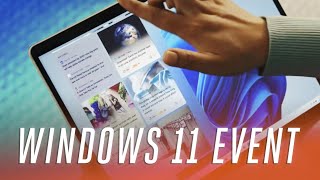
The video provides a deep dive into the Windows 11 beta, covering its new design, dark mode, and Start menu, as well as other features such as the Microsoft Store and overall user experience.
Full Transcript
[Music] all right it is windows 11 time microsoft announced this new operating system just last week and now they've released a preview build that anyone can go and grab and download and install onto their machines now whether or not you should do that that's entirely up to you but it's kind of my job so i've gone insta head and installed it on my desktop pc and i'm going to take you through a bunch of the new changes in windows 11 so there's a new start menu there's a new interface with all sorts of design changes there's a new store there's a bunch of new new new and there's some familiar stuff as well so this is windows 11. so the first thing you'll notice when you first play around with windows 11 is it centered the taskbar centered the start menu centered yes it's centered it looks a lot like mac os chrome os that sort of thing like it really feels like you're using an android phone like it's a launcher basically i can see all of my apps i can go back and pin apps and i kind of don't mind that like i feel like it's a lot more simplified and i feel like that is the big thing about windows 11. i'll go into all the design changes but simplification and just the design tweaks that's the big thing you're really going to notice the first time you use windows 11. now talking about design tweaks let's take a look at the system tray now before you'd have had a volume sort of fly out that would be up the top here but now microsoft's kind of simplified it you can control the volume from down here there's airplane modes or quick settings you can get to or you can jump into the full settings interface here now look at settings it looks completely different to windows 10 settings there's a navigation bar down the side i no longer have to sort of dig in like say you go into windows update i can check my update history and i'm like okay let me just go check my bluetooth devices like i can really quickly get between sections now this will take if you're used to using windows it will take a couple of hours to get used to it really kind of threw me off trying to work out where all the settings were but as i've gotten used to it i really like this like i just really like where microsoft's heading with this simplification and i feel like you'll find this obviously elsewhere in windows 11 as well now let's look at file explorer now file explorer used to have this sort of ribbon interface that used to be very much like this now they've actually removed that for in favor of a command bar and i think we're going to see this sort of interface show up a lot more in windows 11. it's not quite there everywhere just yet if i look at notepad this uses like an old menu in system but i think we're going to see this show up a bunch and i kind of like it it just feels again a lot more simplified i don't want to say the word simplified 100 times in this video but really that's kind of what it's all about now another area that's changed obviously the notification center as well or action centers microsoft calls it so you get your notifications you can obviously swipe those away easily you've got the calendar that pops out here you can obviously shrink that so it's a little bit more customizable there but it just looks it just looks a lot better and if i dig back into the settings i can actually show you some of the ui changes here in the dark mode so we're obviously in light mode now if i go into like start and run that will be all light mode if i flick over to dark mode it takes a few seconds for it to sort of like change you'll notice that the settings panel will also change as well now i prefer the dark mode personally so here we go we're in dartmouth now so this just looks a lot better i just prefer the start menu here um file explorer obviously be dark as well um they haven't quite put dark mode everywhere i'd really like to see this in the run i'd like to see this in task manager and stuff like that but hopefully that will come before this actually ships and there's also a bunch of different themes that microsoft's added in here so i can put this theme on which is a default one or maybe this one and this this kind of shows off some of the subtleties to microsoft's design here so let me just show you if i hover over like this orb here you'll see the color sort of shining through on the window here then immediately if i switch away so say i bring up like settings you'll see that color is no longer there but as soon as it's in view the color is there so it gives it that sort of like depth in the design i kind of like that real subtlety of windows 11. it's those real subtle changes that just makes it look and feel like new [Music] so not everything is perfect in settings so i was really hoping if i dug into stuff like the mouse settings and i wanted some additional mouse settings it wouldn't do this and throw me into this sort of like old interface of windows and you know the control panel is still there like obviously i feel like that's there because microsoft wants people to be able to get to that stuff that they rely on but i don't like the way that it kind of shows you into this old interface all these settings really should be in the settings by now and i'm not quite sure why they're not now one of the other real big ui changes to windows 11 is widgets now instead of being buried in a task bar here they've actually got their own button now and it slides out from the left so you'll see there's a bunch of different widgets there's weather widget there's you know i'm getting updates on the euro soccer games there's news all that sort of stuff i feel like we're eventually gonna get third party ones from developers but they're not quite there just yet so you can choose from a bunch of microsoft ones now these windows widgets may remind you of windows vista but you can't actually grab these widgets and sort of drag and drop them on the desktop just yet i don't know if that will come to windows 11 or not but they're kind of contained within their own system here and one of the things i really don't like about this though is if i click on the new section here and i want to see one of these articles it will throw me into microsoft edge which isn't my default browser and it seems like microsoft is not adhering to the default browser stuff here i really hate that and it's actually a big part of the search as well so say i search for the verge like once again i have chrome set as my default browser it's going to throw me into edge now i kind of get why microsoft's doing this because they want to force people into edge but i feel like it's really icky and i really wish they wouldn't do that and they would respect my browser defaults now beyond some of the surface level ui work there's actually some really interesting multitasking changes here so obviously in windows you've been able to sort of snap windows side by side in windows 10 and a bunch of different windows operating systems over the years but microsoft's gone a little bit of a step further here so if i hover over the maximize button you'll see a bunch of different snap layouts that's basically what microsoft's calling these and it's really an easy and quick way of surfacing all the different sort of snap modes that windows has had for years and just making them really easy for people to discover them and use them so look there's this free by free um snap mode here i'm gonna launch that up i'm gonna put paint here and i'm gonna put xbox here and there you go immediately i've got free apps side by side and i can obviously snap these back into place where they were minimize them all that sort of stuff it just makes things a lot more accessible there's also a bunch of gaming improvements in windows 11. i'll talk you through some of those now this is the new xbox app i say new but it's actually been around for sort of six months you might recognize it if you've been using it on windows 10 either way you get access to game pass all your social stuff and obviously the store as well and it's basically the sort of like hub for the xbox stuff so eventually it will have xcloud integration so you'll be able to stream xbox games to your pc that's not there quite yet but this is what's there right now another feature they bring from the export side is direct storage which will speed up all of your game load times on compatible games now you'll need an nvme pcie three or four ssds just really take advantage of this and i don't believe it's quite there in the preview build yet so we'll have to see how that works out dynamic refresh rate is a new windows 11 feature and it basically lets your device refresh at dynamic rates so what that means is can be really important on laptop so imagine you've got 120 hertz display microsoft will actually dynamically alter that so you might be running at 60 hertz the majority of the time but it will shoot up to 120 hertz when you're doing stuff like inking or you're scrolling and stuff like that what that does is it saves battery [Music] okay so up next is the microsoft store ah yes the microsoft store the windows store windows app store whatever you want to call it it's getting massively overhauled in windows 11. so as you can see this is the brand new store here and it looks a lot different to the windows 10 one there's a obviously an app section there's a gaming section an entertainment section but really it's been sped up it looks a lot better and the big key thing is that you might actually get some apps in here that you care about so microsoft is allowing developers to add in win32 apps so i think we're going to see a bunch of like desktop apps appear in this store in the coming months winzip's there today there's a bunch of pwas as well microsoft is allowing those in the store so i think we're going to see some pretty interesting apps appear here and obviously adobe's on board as well one of the other key changes to the store is that microsoft is allowing developers to bring their own commerce agents to the store now what this means is they can keep 100 of their revenue if they do this so they use their own payment platform system or a third party one and they don't have to pay microsoft a penny i think that's huge and it could mean we see a bunch of new apps that we haven't seen but here before microsoft has been a lot more open with this store and i think that's great for developers and end consumers at the end of the day hopefully we'll see a bunch of new apps and maybe some familiar storefronts like i really hope that we see steam games and apps appear in here maybe if it just links out to steam i don't care i just want this to be a central location where i can just get all the apps i actually care about and speaking of the store there's a big missing part of this that we can't test just yet and it's android apps on windows that was a huge announcement when microsoft made that last week they're going to be running alongside windows apps so you'll be able to side by side these applications just as if they were windows apps so what you'll be able to do is you'll be able to go into the store and search for something like tiktok and you might find like the android version of it it'll say go out to the amazon app store like i think this is a big deal beyond just the android apps as well because i feel like it's going to mean that microsoft's going to open their store up to rival app stores now i know a bunch of you are probably watching this thinking why do i need android apps on my windows pc and i think that's a fair point but there are some apps like home automation apps like ring and stuff that just aren't available on the web and i feel like just getting those android apps on my pc there's probably only one or two that i really care about but it'd be really nice to have them on a pc speaking of other things that are missing from this preview build the microsoft teams integration so that was also another big deal that microsoft announced last week and we can't quite test it just yet but basically what it's going to mean is microsoft teams is going to be integrated into the taskbar so you can like right click send someone a message or start a video call them all that sort of stuff now this is only integrated for consumers at first and not commercial customers so i'm not sure exactly when that's gonna arrive for commercial customers in windows 11. and i think one thing that microsoft teams getting integrated into windows 11 says about microsoft is i don't know what's going to happen with skype like that used to be bundled with windows 10 and now it's not so bye by skype [Music] there are some questions that remain around windows 11 though can microsoft create a consistent ui across the os how will android apps run and most importantly will your pc even get windows 11 microsoft doesn't seem to be able to answer exactly what the minimum requirements will be for windows 11 pcs just yet now we've obviously got months of testing to go so some things will change but it really feels like microsoft's trying to strike a tricky balance between security and the traditional openness of windows i think between now and october which is when we're expecting microsoft to launch windows 11 we're going to hear a bunch more about this new operating system and i'm hoping we're going to see some surprises along the way and just some general improvements to what's already looking like a pretty solid foundation [Music] okay thanks for watching our first look at windows 11 we've also been covering a bunch more of this at theverge.com so check that out and don't forget to subscribe to our youtube channel
Original Description
You can now test a preview version of Windows 11 before its launch later this year. Here's our first look at Microsoft's new OS, including the new Start menu, design, store, and much more.
Read more: https://bit.ly/2UIfrTt
Watch the Windows 11 event in 7 minutes: https://bit.ly/3h5QetG
Subscribe: http://goo.gl/G5RXGs
Like The Verge on Facebook: https://goo.gl/2P1aGc
Follow on Twitter: https://goo.gl/XTWX61
Follow on Instagram: https://goo.gl/7ZeLvX
The Vergecast Podcast: https://pod.link/430333725
Decoder with Nilay Patel: http://apple.co/3v29nDc
More about our podcasts: https://www.theverge.com/podcasts
Read More: http://www.theverge.com
Community guidelines: http://bit.ly/2D0hlAv
Wallpapers from The Verge: https://bit.ly/2xQXYJr
Subscribe to Verge Science on YouTube, a new home base for our explorations into the future of science: http://bit.ly/2FqJZMl
Playlist
Uploads from The Verge · The Verge · 21 of 60
1
 2
2
 3
3
 4
4
 5
5
 6
6
 7
7
 8
8
 9
9
 10
10
 11
11
 12
12
 13
13
 14
14
 15
15
 16
16
 17
17
 18
18
 19
19
 20
20
 ▶
▶
 22
22
 23
23
 24
24
 25
25
 26
26
 27
27
 28
28
 29
29
 30
30
 31
31
 32
32
 33
33
 34
34
 35
35
 36
36
 37
37
 38
38
 39
39
 40
40
 41
41
 42
42
 43
43
 44
44
 45
45
 46
46
 47
47
 48
48
 49
49
 50
50
 51
51
 52
52
 53
53
 54
54
 55
55
 56
56
 57
57
 58
58
 59
59
 60
60

2022 Mercedes-Benz EQS: an electric S-Class with over 400 miles of range
The Verge
OnePlus Watch review: boring looks, basic features
The Verge
DJI Mavic Air 2S review: new sensor makes all the difference
The Verge
Apple Spring 2021 event in 11 minutes
The Verge
How glass fiber is shaping the internet
The Verge
Apple AirTags: the most Apple
The Verge
Samsung Galaxy Book Pro and Pro 360 first look: OLED for $999
The Verge
New M1 iMac review: slim and stylish
The Verge
Android 12 preview: here's Google's radical new design
The Verge
Google I/O 2021 keynote in 16 minutes
The Verge
M1 iPad Pro (2021) review: dream screen
The Verge
Ford reveals the new electric F-150 Lightning truck
The Verge
Epic v. Apple trial is over. Here’s everything we learned.
The Verge
Apple WWDC 2021 keynote in 23 minutes
The Verge
The best demo at WWDC 2021
The Verge
Sony WF-1000XM4 review: silence to my ears
The Verge
Watch Elon Musk deliver the Tesla Model S Plaid
The Verge
Racing two of the most powerful e-bikes
The Verge
Sony A1 review: A fast camera in a fast city
The Verge
Microsoft Windows 11 event in 7 minutes: Android Apps, New Start Menu, Free Upgrade
The Verge
Windows 11 beta deep dive: new design, dark mode, and Start menu
The Verge
iOS 15 and iPadOS 15 preview: the good, the bad, and the weird
The Verge
Watch Jeff Bezos launch into space on Blue Origin's New Shepard rocket
The Verge
Apple’s MagSafe Battery Pack doesn’t provide a lot of juice, but it sure is nice to use #shorts
The Verge
Google Pixel 6 and 6 Pro: I held both. Here's what you need to know.
The Verge
Nothing Ear 1 review: nothing special
The Verge
Valve Steam Deck hands-on: $400 Switch-like portable gaming PC
The Verge
Galaxy Z Fold 3 and Z Flip 3 hands-on
The Verge
Galaxy Watch 4 and Galaxy Watch 4 Classic hands-on
The Verge
Samsung’s August 2021 Galaxy Unpacked in 10 minutes
The Verge
Google Pixel 5A review: bigger battery, lower price
The Verge
Samsung Galaxy Watch 4 review: gone Google
The Verge
Samsung Galaxy Buds 2 review: more buds, less problems
The Verge
The REFINED foldable: Galaxy Z Fold 3 review
The Verge
Snapchat's new AR camera can identify the world around you
The Verge
Z Flip 3: actually it's fashion
The Verge
Hands-on with Facebook and Ray-Ban’s $299 camera glasses #Shorts
The Verge
How to customize your iPhone - iOS 15, App Icons, and More!
The Verge
iPhone 13 event in 15 minutes
The Verge
GoPro Hero10 Review: It's fast.
The Verge
iPhone 13 review: worth the upgrade?
The Verge
iPhone 13 Pro review: attention to detail
The Verge
Microsoft Surface Laptop Studio: what the what?
The Verge
Microsoft Surface Duo 2 hands-on #Shorts
The Verge
Microsoft Surface Pro 8 first impressions: worth the wait?
The Verge
Microsoft Surface 2021 event: Pro 8, Duo 2, Laptop Studio, and more
The Verge
New iPad Mini review: middle child
The Verge
Windows 11 review: an overhaul in progress
The Verge
Surface Pro 8 review: the best of both worlds
The Verge
Facebook and Instagram 'stoke division and weaken our democracy,' whistleblower testifies
The Verge
Springboard: The Secret History of the First Real Smartphone | Official trailer
The Verge
Apple Watch Series 7 review: watch before you upgrade
The Verge
MacBook Pro event in 13 minutes
The Verge
Google Pixel 6 and 6 Pro hands-on: big screens, big ambitions, small price
The Verge
Google Pixel 6 event in 12 minutes
The Verge
Android apps running on Windows 11
The Verge
MacBook Pro with M1 Pro and M1 Max impressions
The Verge
The DJI Action 2 is like a modern GoPro Session with magnets #Shorts
The Verge
AirPods 3 review: new shape, new fit
The Verge
Google Pixel 6 and 6 Pro review: flagships found
The Verge
More on: Staying Current in AI
View skill →







Related Reads
📰
📰
📰
📰
AI Expansion, Robot Factories, and Escalating Security Threats Define This Week in Tech
TechRepublic
Compound Is Control
Medium · AI
The Perils of Going Too Deep | The Hidden Dangers of Long‑Term Immersion Research
Medium · Programming
If I Had to Increase My Income With AI From Zero, This Is What I’d Do
Medium · AI
🎓
Tutor Explanation

 DeepCamp AI