M1 iPad Pro (2021) review: dream screen
Key Takeaways
Reviews the M1 iPad Pro, including its Mini LED screen and performance
Full Transcript
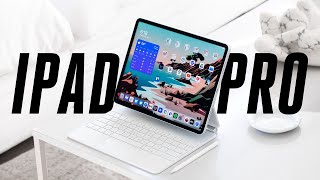
[Music] this is the new ipad pro 12.9 and here is the 11 inch model plus we've got the new white magic keyboard accessories now despite the fact that both of these ipads have m1 processors that were originally put inside mac computers i'm here to tell you that this thing right here it's an ipad and so is this one so let's review them the 12.9 inch ipad pro starts at 10.99 which is a hundred dollars more than last year's version but there's a good reason for that but that only gets you 120 gigs of storage and i think if you're already spending that much money you should probably spring for a little bit more the 11 inch version starts at 7.99 and same deal it's 128 gigs of storage and i think that you're spending that much money you might as well get more and of course if you're gonna get all those you might want to get the keyboard too the magic keyboard here with the trackpad is 300 or 350 depending on which size you get you can also spend more for 5g or get an apple pencil they're expensive even compared to some powerful laptops and there's no getting around that there are really only two things that you need to know about these new ipad pros the first is that they have that m1 processor and that is important because it's supposed to enable a bunch of new features and functionality inside these ipads but before we go any further no the m1 chip does not mean that you can run mac apps on these ipads even though it is the exact same processor as in the new imac the new macbook pro the new macbook air and the new mac mini and i have some thoughts on all of that but actually mostly they're really emotions but i'm a good minnesotan so i'm going to bury those emotions deep down i'm not going to talk about them until they explode out in a bit of rage which is probably going to happen a little bit later in this video m1 we're going to talk about in a minute the second thing that you need to know is that the big ipad with its 12.9 inch screen has an all-new kind of screen apple calls it the liquid retina xdr display but what that actually means is that they're using a new kind of screen technology here mini led let's talk screens display pixels show colors by combining red green and blue but they need to be lit up so that you can see them different screen technologies use different ways to light up all of those pixels lcd panels have a big backlight behind all of them to evenly light everything although some of the more advanced ones do have a few different panels to enable a little bit of local dimming now oled screens they have pixels that are self-lit so there's no need for a separate backlight which is very cool because you get perfect blacks but it's also very expensive and it comes with other limitations like the longevity of the screen you know for years and years mini led puts lights behind the screen like lcd but it has way way more of them the new ipad pro 12.9 has 10 000 tiny leds back there yeah they're split up into 2500 local dimming zones which is about 30 zones per square inch it's enough all of this tech is in service of just one thing not lighting up pixels that are supposed to be black that means it has a very high contrast ratio and blacks look well truly black on regular lcds including on this 11 inch ipad pro the blacks are just kind of a dark gray so with the 12.9 inch ipad pro part of what that extra 100 that you're paying for for this year's version is an amazing screen but at first when i was just using this ipad as an ipad i didn't really know if i thought apple delivered here when you're just using the ipad to do ipad stuff you know edit documents browse the web or whatever it looks pretty normal it maxes out at 600 nits of brightness which ain't all that special colors are accurate and all but yeah it just seemed like an ipad but then when you open up something with proper hdr it's pow like original batman show bat bam pow it is legit you don't see it until you see it and then you see it when the ipad pro jumps into hdr for videos and photos the max brightness for the whole screen jumps up to a thousand and individual points of light can hit up to 1600 nits that is very bright and since the blacks are truly black well it basically looks like an oled screen to me but look maybe you don't get into the whole picture quality thing and tv nerds that talk about contrast ratio and calibrating their oleds just make you i get it there are other benefits to this screen they're just harder to explain and i definitely can't really show them to you here on video colors look better to me on this screen because of that contrast ratio especially when there's like yellows with a lot of texture the fact that the darker parts are actually darker makes the whole thing just look more accurate and sharper richer and better i love this screen but it's not perfect any time you're trying to light up individual pixels or in this case have 2500 local dimming zones some of the light is going to bleed out a little around the pixel it's going to bloom so if you run a test that bounces a white square dot or on the screen you can see the blooming but to me this is no big deal i mean i don't know how often you'll be playing pong on your ipad pro i did run into one weird issue though reading ebooks in kindle or the apple books app in dark mode there's just this wild like gray pillow underneath the text it's much more than blooming it's more like the software algorithm for the dimming zone somehow went haywire i really hope this gets fixed i don't know if apple needs to do it or kindle or the books app or what because having true deep blacks means that if you're using this to read in bed in dark mode there are just fewer pixels lit up shining in your eyes but look movies are so good on this screen that tenet actually made perfect sense to me when i watched it on this ipad it is that good nothing's that good this is a very good screen though i promise [Music] okay let's finally talk about that m1 processor which again is on this big one here but it's also on the smaller 11 inch ipad pro what does it really mean that a processor from a mac is inside an ipad well i mean i guess it means that apple's going to tell us how much ram is inside these ipads now so that's neat but otherwise the question is does it really change the ipad experience in any significant way so here's an example the m1 means that these things can now support thunderbolt accessories but that experience is still pretty ipaddy i plugged it into my thunderbolt dock and that worked but it didn't seem to want to pick up the microphone that i had plugged into the dock for reasons and since the ipad doesn't give you any real system level control over things like audio i couldn't get any sound out of it because i don't have speakers plugged into my dock and it wouldn't let me switch the audio back to the ipad speakers i couldn't just change it to do what i wanted it to do it did light up my monitor which is very cool but when you plug an ipad into a monitor it just mirrors the ipad i also had a hard time getting it to recognize this admittedly pretty old lacy thunderbolt drive so your mileage may vary with compatibility okay the m1 is much faster but whether or not you're actually going to experience any of that quickness totally depends on what apps you use so for example apple says that lumafusion can run six streams of 4k hdr that's cool but for me doing an adobe premiere rush export on this 2021 m1 ipad i got the exact same speed as what i got on my 2018 11 inch ipad pro apple is doing one nice thing with the increased power here the front-facing cameras automatically follow and zoom in on faces and it works really well and it also works in any video conferencing app including zoom so that's very cool but of course the cameras are still in the wrong place over here on the side so you look like you're staring off to the right most of the time and that juxtaposition it is still the story of the ipad pro it does amazing stuff but you still hit that weird wall of ipad limitations when you start really trying to push it okay emotions i get and i think i agree with apple's reasoning for not wanting to put mac apps on the ipad that is fine let the mac be the place that does everything and lets you fiddle with anything and let the ipad be simpler but what that means is that apple is kind of recreating every single trope in computer land in the ipad way from files to external monitor support to multi window apple has basically committed itself to reinventing computer wheels for the ipad and that is kind of cool sometimes they make some pretty neat wheels but it's all moving way way too slowly and again you should never buy a thing today based on the promise of a software update tomorrow or at the next wwdc the files app can't do basic things like tell you how big a folder is and with the epic versus apple trial going on right now i just have to say it you can install pretty much any software you want on a mac but on the ipad you gotta use the app store and don't get me started on the fact that apple refuses to offer multi-user support on the ipad so sharing this with somebody else in your family is a huge hassle now look i love this computer but i have to be realistic here a 256 gig 12.9 inch ipad pro with a magic keyboard costs 1548. a macbook air with the same storage and the exact same processor is 999 dollars and it weighs less and battery life on the macbook air is maybe slightly better if you're using these things all day for work on this machine if i'm in a ton of zoom calls and i have the screen brightness set relatively high if i use it all out for slack and web browsing and everything else it'll conk out after eight hours or so of use of course if you use it less rigorously it can last much longer but yeah battery life is about the same as an air so what that 550 bucks gets you is this touch screen and nicer hardware all around really great cameras much better speakers and so on plus you get this incredible screen it is the best thing for watching movies that isn't attached to a wall those are all perfectly good reasons to spend more money to get the ipad pro and it can do some amazing feats of computing but as i use this thing this very beautiful object every day and as i run into its limitations i can't help but think about the m1 processor that's inside it and what i know the m1 processor can do on a mac i've been saying the same things about the ipad and the ipad pros for years now and they're still true if you need a new ipad and you're willing to spend the money on getting the very best ipad this is the very best ipad just remember that it's an ipad alright thanks for watching is this screen enough to get some all right thanks for watching is this great enough to convince you get an ipad pro discuss also there's a lot going on this week google i o is happening monica chin just reviewed the new imac you should definitely go watch that video and you should click subscribe on her video or on this video either one both
Original Description
The all-new 2021 iPad Pro has Apple's latest M1 processor, originally designed for the MacBook Air. The 12.9-inch version also has an incredible Mini LED screen, making it the best thing for watching movies that isn't a TV. But for all that, is it still an iPad? Dieter Bohn reviews.
If you buy something from a Verge link, Vox Media may earn a commission. See our ethics policy: http://bit.ly/2TQsqjB
You can get the 2021 iPad Pro here:
Best Buy: https://bit.ly/3uYyWEA
Amazon: https://amzn.to/3yjW2aX
Read more: https://bit.ly/3otEIeV
Watch our review on the new iMac: https://bit.ly/33Zr8Xa
Subscribe: http://goo.gl/G5RXGs
Like The Verge on Facebook: https://goo.gl/2P1aGc
Follow on Twitter: https://goo.gl/XTWX61
Follow on Instagram: https://goo.gl/7ZeLvX
The Vergecast Podcast: https://pod.link/430333725
Decoder with Nilay Patel: http://apple.co/3v29nDc
More about our podcasts: https://www.theverge.com/podcasts
Read More: http://www.theverge.com
Community guidelines: http://bit.ly/2D0hlAv
Wallpapers from The Verge: https://bit.ly/2xQXYJr
Subscribe to Verge Science on YouTube, a new home base for our explorations into the future of science: http://bit.ly/2FqJZMl
Watch on YouTube ↗
(saves to browser)
Sign in to unlock AI tutor explanation · ⚡30
Playlist
Uploads from The Verge · The Verge · 11 of 60
1
 2
2
 3
3
 4
4
 5
5
 6
6
 7
7
 8
8
 9
9
 10
10
 ▶
▶
 12
12
 13
13
 14
14
 15
15
 16
16
 17
17
 18
18
 19
19
 20
20
 21
21
 22
22
 23
23
 24
24
 25
25
 26
26
 27
27
 28
28
 29
29
 30
30
 31
31
 32
32
 33
33
 34
34
 35
35
 36
36
 37
37
 38
38
 39
39
 40
40
 41
41
 42
42
 43
43
 44
44
 45
45
 46
46
 47
47
 48
48
 49
49
 50
50
 51
51
 52
52
 53
53
 54
54
 55
55
 56
56
 57
57
 58
58
 59
59
 60
60

2022 Mercedes-Benz EQS: an electric S-Class with over 400 miles of range
The Verge
OnePlus Watch review: boring looks, basic features
The Verge
DJI Mavic Air 2S review: new sensor makes all the difference
The Verge
Apple Spring 2021 event in 11 minutes
The Verge
How glass fiber is shaping the internet
The Verge
Apple AirTags: the most Apple
The Verge
Samsung Galaxy Book Pro and Pro 360 first look: OLED for $999
The Verge
New M1 iMac review: slim and stylish
The Verge
Android 12 preview: here's Google's radical new design
The Verge
Google I/O 2021 keynote in 16 minutes
The Verge
M1 iPad Pro (2021) review: dream screen
The Verge
Ford reveals the new electric F-150 Lightning truck
The Verge
Epic v. Apple trial is over. Here’s everything we learned.
The Verge
Apple WWDC 2021 keynote in 23 minutes
The Verge
The best demo at WWDC 2021
The Verge
Sony WF-1000XM4 review: silence to my ears
The Verge
Watch Elon Musk deliver the Tesla Model S Plaid
The Verge
Racing two of the most powerful e-bikes
The Verge
Sony A1 review: A fast camera in a fast city
The Verge
Microsoft Windows 11 event in 7 minutes: Android Apps, New Start Menu, Free Upgrade
The Verge
Windows 11 beta deep dive: new design, dark mode, and Start menu
The Verge
iOS 15 and iPadOS 15 preview: the good, the bad, and the weird
The Verge
Watch Jeff Bezos launch into space on Blue Origin's New Shepard rocket
The Verge
Apple’s MagSafe Battery Pack doesn’t provide a lot of juice, but it sure is nice to use #shorts
The Verge
Google Pixel 6 and 6 Pro: I held both. Here's what you need to know.
The Verge
Nothing Ear 1 review: nothing special
The Verge
Valve Steam Deck hands-on: $400 Switch-like portable gaming PC
The Verge
Galaxy Z Fold 3 and Z Flip 3 hands-on
The Verge
Galaxy Watch 4 and Galaxy Watch 4 Classic hands-on
The Verge
Samsung’s August 2021 Galaxy Unpacked in 10 minutes
The Verge
Google Pixel 5A review: bigger battery, lower price
The Verge
Samsung Galaxy Watch 4 review: gone Google
The Verge
Samsung Galaxy Buds 2 review: more buds, less problems
The Verge
The REFINED foldable: Galaxy Z Fold 3 review
The Verge
Snapchat's new AR camera can identify the world around you
The Verge
Z Flip 3: actually it's fashion
The Verge
Hands-on with Facebook and Ray-Ban’s $299 camera glasses #Shorts
The Verge
How to customize your iPhone - iOS 15, App Icons, and More!
The Verge
iPhone 13 event in 15 minutes
The Verge
GoPro Hero10 Review: It's fast.
The Verge
iPhone 13 review: worth the upgrade?
The Verge
iPhone 13 Pro review: attention to detail
The Verge
Microsoft Surface Laptop Studio: what the what?
The Verge
Microsoft Surface Duo 2 hands-on #Shorts
The Verge
Microsoft Surface Pro 8 first impressions: worth the wait?
The Verge
Microsoft Surface 2021 event: Pro 8, Duo 2, Laptop Studio, and more
The Verge
New iPad Mini review: middle child
The Verge
Windows 11 review: an overhaul in progress
The Verge
Surface Pro 8 review: the best of both worlds
The Verge
Facebook and Instagram 'stoke division and weaken our democracy,' whistleblower testifies
The Verge
Springboard: The Secret History of the First Real Smartphone | Official trailer
The Verge
Apple Watch Series 7 review: watch before you upgrade
The Verge
MacBook Pro event in 13 minutes
The Verge
Google Pixel 6 and 6 Pro hands-on: big screens, big ambitions, small price
The Verge
Google Pixel 6 event in 12 minutes
The Verge
Android apps running on Windows 11
The Verge
MacBook Pro with M1 Pro and M1 Max impressions
The Verge
The DJI Action 2 is like a modern GoPro Session with magnets #Shorts
The Verge
AirPods 3 review: new shape, new fit
The Verge
Google Pixel 6 and 6 Pro review: flagships found
The Verge
Related AI Lessons
⚡
⚡
⚡
⚡
I Spent Weeks Looking for a Research Gap Before I Realized I Was Searching the Wrong Way
Medium · AI
ICMI 2026 Reviews [D]
Reddit r/MachineLearning
Workshop submission for main conference paper under review [D]
Reddit r/MachineLearning
Kept context-switching between arxiv, OpenReview, GitHub, and HuggingFace for every paper, so I built this. Chrome extension + website with everything inline, plus citation graph + SPECTER2 neighbors. 3M papers, free, feedback welcome [P]
Reddit r/MachineLearning
🎓
Tutor Explanation

 DeepCamp AI