An Underrated Feature: Chaos / Variety
Skills:
Image Generation Basics90%
Key Takeaways
Midjourney's Chaos feature, also known as Variety, allows users to add more variety to their image results by adjusting a parameter between 0 and 100, affecting the similarity of generated images to the prompt.
Original Description
Add more variety to your image results with the chaos parameter.
What is Chaos?
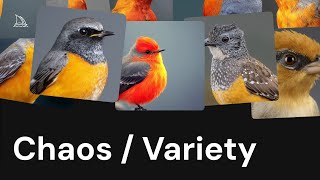
Chaos (also called Variety on midjourney.com) lets you add more variety to the image results you get from each prompt.
By default chaos is set to 0, and Midjourney creates four images based on your prompt. If you want each image to look more different, increase the chaos value.
You can set the chaos value anywhere between 0 and 100, but keep in mind that higher values mean the images can be quite different and may not stick as closely to your prompt, giving you unpredictable results.
Learn more at https://docs.midjourney.com
Watch on YouTube ↗
(saves to browser)
Sign in to unlock AI tutor explanation · ⚡30
Playlist
Uploads from Midjourney · Midjourney · 8 of 14
1
 2
2
 3
3
 4
4
 5
5
 6
6
 7
7
 ▶
▶
 9
9
 10
10
 11
11
 12
12
 13
13
 14
14
Midjourney Web is Live
Midjourney
Introducing Draft Mode for Midjourney V7
Midjourney
Introducing Midjourney V1 Video
Midjourney
Beginner's Guide to Style References (sref)
Midjourney
How to Use Stylize Parameters
Midjourney
Create and Use Moodboards to Make Images
Midjourney
Get Better Images with Personalization
Midjourney
An Underrated Feature: Chaos / Variety
Midjourney
Create Your First Video
Midjourney
How to Organize Your Creations
Midjourney
Start Here: Making your First Image
Midjourney
Discover Different Creation Modes
Midjourney
5 Ways to Use Images in Midjourney
Midjourney
Midjourney TV 24/7
Midjourney
More on: Image Generation Basics
View skill →


![Qwen 2.5 AI: Complete Beginner Tutorial [100% Free and OpenSource]](https://i.ytimg.com/vi/kdSSgMDk_QE/mqdefault.jpg)



Related AI Lessons
⚡
⚡
⚡
⚡
FREE AI Sin City Photo Generator — Turn Any Photo Into High-Contrast Noir Art (2026)
Dev.to AI
Google makes Gemini’s personalized image generation free for all US users
The Next Web AI
Gemini’s personalized AI image generation is now free for U.S. users
TechCrunch AI
WebP's Compression Secret: How a 1MB PNG Becomes a 200KB WebP
Dev.to · swift king
🎓
Tutor Explanation

 DeepCamp AI