Get Better Images with Personalization
Skills:
Image Generation Basics90%
Key Takeaways
Midjourney's personalization feature allows users to create custom image styles with personalized profiles, which can be used to generate images tailored to their preferred aesthetics.
Full Transcript
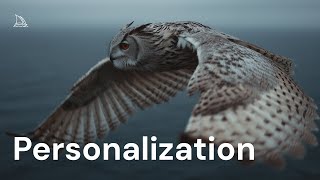
The best way to start teaching MidJourney what you find beautiful is through personalization profiles. Profiles help MidJourney learn your style and guide images toward your preferred aesthetics. You can think of personalization as your style assistant in image creation. We're going to take a look at the main aspects of personalization, the different types of profiles, how you can start to use them in your prompts, and how you can balance them with other parameters. Midini gives you two ways to personalize ranked profiles and mood boards. Ranked profiles are created by rating through random image pairs. To unlock your personalization, go to the personalize tab and click the global V7 profile card. Here you'll be presented with two images. All you need to do is select the one that you find more beautiful. Use the shortcuts to move faster. One for the left image, two for the right, or three to skip if you're unsure. You can view your progress at the top of the page. Rate at least 200 images in order to unlock your profile. Rating more images will get you even better results. Each selection that you make helps Midjourney understand your unique tastes. Your profile will continue to evolve and each version will get its own unique code. You can use these codes in your prompts. You can create multiple ranked profiles that focus on different types of styles or unique aesthetic preferences. Mood boards are another type of profile which you can create by curating your own selection of images. Head over to the mood board page and click my first mood board. Upload the images that you'd like, add them from a link or select them directly from your midjourney gallery. Just like ranked profiles, every mood board you create has a unique code that you can use in your prompts. Mood boards are one of the best ways that you can create consistent aesthetics and styles for any project. You can manage all of your profiles from the personalization menu located on the right side of the Imagine bar. With personalization turned on, you can select your favorite profiles and apply them automatically to all of your generations. You can even blend profiles and mood boards together to create new unique looks. Keep the personalization toggle off if you'd like full manual control. And to quickly apply your global personalization, add d-p to the end of your prompt. You can also reuse any code by clicking on a tag in any of your previous prompts. Let's test out the same prompt with two different personalization profiles. We'll start with personalization turned off. An owl flying above the ocean. The result is an image without any personalization influence. Next, we'll run the same prompt, this time with our global profile turned on. Now, our owl is influenced by our unique style. Finally, let's combine our global profile with a mood board to get even more control. Let's take a closer look and see how our personalization profiles influenced our generations. Personalization pairs nicely with other parameters. The stylized parameter will help adjust how much influence your personalization has over your generations. A low stylized value will keep its influence subtle, while the high stylized value will make it much more apparent. The chaos parameter is another great way that you can keep your aesthetic while getting a few more distinct options to select from. You can use personalization profiles with your image prompts or with style references and even combine it with the raw parameter when you're looking for something more photorealistic or cinematic. We hope you enjoy personalizing MidJourney to your own unique tastes. As always, visit our help center to discover even more ways to imagine in MidJourney.
Original Description
Create custom image styles with personalized profiles.
What is Personalization?
Personalization acts like a style assistant for your image creations. By liking or ranking images, Midjourney gets to know what kind of images you love and uses that information to generate images tailored to your personal tastes and unique style.
Your personalization profiles can grow and change as you keep liking and ranking more images. As your profile updates, it will generate new codes that act like labels for the different versions of your profile.
Note: Rating image pairs has been replaced with selecting images from a grid. An updated video will be available soon.
Learn more at https://docs.midjourney.com/hc/en-us/articles/32433330574221-Personalization
Watch on YouTube ↗
(saves to browser)
Sign in to unlock AI tutor explanation · ⚡30
Playlist
Uploads from Midjourney · Midjourney · 7 of 14
1
 2
2
 3
3
 4
4
 5
5
 6
6
 ▶
▶
 8
8
 9
9
 10
10
 11
11
 12
12
 13
13
 14
14
Midjourney Web is Live
Midjourney
Introducing Draft Mode for Midjourney V7
Midjourney
Introducing Midjourney V1 Video
Midjourney
Beginner's Guide to Style References (sref)
Midjourney
How to Use Stylize Parameters
Midjourney
Create and Use Moodboards to Make Images
Midjourney
Get Better Images with Personalization
Midjourney
An Underrated Feature: Chaos / Variety
Midjourney
Create Your First Video
Midjourney
How to Organize Your Creations
Midjourney
Start Here: Making your First Image
Midjourney
Discover Different Creation Modes
Midjourney
5 Ways to Use Images in Midjourney
Midjourney
Midjourney TV 24/7
Midjourney
More on: Image Generation Basics
View skill →


![Qwen 2.5 AI: Complete Beginner Tutorial [100% Free and OpenSource]](https://i.ytimg.com/vi/kdSSgMDk_QE/mqdefault.jpg)



Related Reads
📰
📰
📰
📰
Building a color replacer: why RGB matching fails on photos and how HSV fixes it
Dev.to · Irrational Apps
I Built an Image Steganography Tool — Hide Any File Inside a PNG with AES-256 Encryption
Dev.to · Rishu
Histogram-constrained Image Generation
ArXiv cs.AI
FREE AI Sin City Photo Generator — Turn Any Photo Into High-Contrast Noir Art (2026)
Dev.to AI
🎓
Tutor Explanation

 DeepCamp AI