DESIGN SPRINT 2.0 MAP - MONDAY - AJ&Smart
Key Takeaways
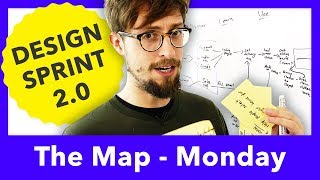
The video demonstrates how to create a Design Sprint 2.0 map, focusing on the customer journey and end point, using a simple framework with top-level categories and actor, and keeping the map simple and easy to create within a 45-minute exercise. The design sprint map is used to identify how to improve the user's experience, specifically in the website's design, by targeting the user's physical actions and touchpoints with the company.
Full Transcript
hey Jonathan here from AJ and smart and today I'm going to show you the best and easiest way to draw the map from the design sprint okay let's draw a map very quickly just to show you the absolute baseline of how the map works in the design sprint and I'm even going to use an example from the book from Blue Bottle coffee to just show you the most simple form of the map and the most simple way to draw one so we've got Blue Bottle so generally you're drawing the map after you've created a long term goal in the sprint question so you have an idea of where the ending is going to be but I'm just gonna show you now set step by step how this works so the first thing that I do to make it as simple as possible is I create some top-level categories so that I'm not starting with a blank page and what's important here for the moderator is not to immediately ask the group okay hey guys what should we do it's more about getting started and having something moving on the screen on the whiteboard from the very start so that the audience or so that your participants don't feel like they have to put all the effort in so usually I start like this discovery learning you could also write learn or discover and then using and then goal so I have these as some top-level just placeholders this is not in the book but we found it's a much easier way to get started the next step the next step is to add your actor to the left hand side in this case we're just going to keep it super simple customer and we want to figure out what the end point is as well so you start with the start amazing and now we're going to create the endpoint immediately and the endpoint in this case for Blue Bottle coffee was pretty simple it was just that the customer buys beans in the online store because in the earlier part of the Sprint and the long-term Golden's and the questions we figured out that what blue Paulo wanted to do was have people buy beans in the online store right so now we just need to fill in everything in between this is where people start getting a little bit worried because they're thinking about customer journey maps that about all of these things which have the word map in their name which are usually very complicated but the map and the designs for it is supposed to be as simple as possible it's not a tricky exercise and you shouldn't go into it with the feeling that you need to spend at 2 hours at 3 hours like it is in the book the exercise itself should take no longer than 45 minutes because really you're only using this you're only creating this map so that you can create the target so you have an idea of where your focus for the rest of the sprit needs to be it does not matter if you get this right or wrong it doesn't have to be perfect and you shouldn't waste time trying to make it perfect let me show you in a real example from the book and how basic it can be let's start with discovery so how does the customer discover the thing that we're going to show them so Blue Bottle coffee let's actually think about how they make their way to the website there's a couple of ways that might work right okay done it doesn't need to be much more complicated than that we don't need to maybe you're gonna be having a few discussions you're gonna be asking people in your in your group like just to shout these things out and you're not trying to have people discuss and argue you just say like Facebook ad okay I'm writing it down and maybe someone's like yeah we don't do that many Facebook Ads what I say is a moderator it doesn't matter we just let's just put it down for now right we can change this at any point okay so let's say this is how people discover blue bottled coffees website in the first place is that they've heard about it in the store maybe they've the barista told them or maybe they saw like a poster they've done web search or they have a Facebook ad okay let's how do they learn about how they learn more about the web store how do they get a bit deeper into it right so let's say they go to the store maybe they learn about it from barista and by the way I'm asking the participants okay to help me fill this down how do they learn about the site they're probably okay probably the first thing they would do is talk to a barista then they'd have a coffee and they're like mmm that's good coffee and in this web search part probably they're gonna be looking at other competitors so they're gonna be comparing competitors maybe then they find blue bottle end up on the Blue Bottle website the Facebook ad might go directly to the Blue Bottle website right it's really just about being as basic as possible in the sprints one of the problems I see in the map is that people they do want to get into way more detail and I could have gotten into way more detail here but really the point isn't to have a detailed map the point comes later when you target it I'm gonna show you that in a minute let's finish out this map we can probably speed this a bit of like movie done that's actually what a real map looks like this is a real example from the real design sprint book from a real company and it's as basic as that now this is a nice example to start with because we just have one actor because we're just focusing on one person who needs to be taken care of here and we're looking at just the touch points from their perspective right and the easiest thing to think about that the easiest way to think about this is just what are the touch points that these people have potentially with our company so you can think about it like that you're saying okay customer goes to the store talks of the barista has it coffee goes to the Blue Bottle website chooses beans buys beans and another thing that's kind of important here you don't have to worry about the users emotions and deep internal needs so some people they like to change something like buys beans into is now happy and has a better life because a lot of people are used to design thinking this is too emotional this is too deep this is not what we're looking for we're looking for the cold sad like hard core just what they do right what did they physically do we don't give a how they feel right now let's not put this in there because the YouTube doesn't like that anymore so perfect example of a super basic map now let me show you how to make the target okay we have these voted up how might we x' from the previous exercise the expert interviews or if you're doing it in the next at the next exercise as it is in the book you'll also have these so we're coming back to the map at some point anyway with these how might we just a quick aside at age eight smart we now do the expert interviews at the very start of the sprint instead of after the math because we find that it makes making the app the map a little bit easier because you already have a bit more context so here's how you actually target the map okay let's have a look these are the top you folded how might we how might we give people an understanding of where the beans are from okay and remember the focus here is on the website so it's not about in the real shop so probably it's a it's around here it's somewhere on the website but actually even more specifically probably where you're choosing the beans themselves okay let's have a look at another one how might we help people select the right beans for them again that's in the choose bean section okay this one might even be a little bit in between them so how might we encourage people to buy more than one type of beam that could be either in the choose beans section or it could be in the buys beans section now how do you target your map how do you choose the point on the map that you're gonna be focusing and using as an anchor point for the rest of the sprint that doesn't mean you're gonna be ignoring everything it just means that this will be a focal point when you're coming up with the concepts later you look at where the hell my tweeze are clustered maybe there's like one here but maybe there's two here but you can see usually a bit of a pattern for where you want to mark your map and approximately here would be the target then maybe even here these two steps the choosing the beans and the buying the beans in the prototype you still might prototype the start you still might prototype some of these things but here's where you're going to be focusing solving these problems in more detail so this is the design sprint map in its most basic form now let's get a little bit more complicated and let's think about what happens when things get a bit more tricky or start to go wrong like they do in the real design sprint so we're gonna start in the same way just go discover I know I put discovery last time but doesn't actually matter that's how little this mattered okay let's do one of these laundry services that you have an app for like zip cart and basically what you say is I want my clothes to be picked up my shirts and whatever I want them to be picked up at this time and then dropped off at this time so there's these there are these laundry services which come to your house pick up wash them and bring them back I said again in this case because the delivery itself or at least what we've decided here is that the the moment of delivery is also quite important and the moment of pickup is an important part of the experience we're gonna include the person who's delivering as well in this story so when we're creating the actors this time so we're going to call this magic laundry service so the actors in this case customer oh let's get a bit more complicated b2c customer so this is like your standard customer your consumer b2c right what about b2b customer so this is when we're working with other businesses often they have a different story and delivery person okay because we've already written our discover because we've already written our discover or learned using goal we know where to go next we're gonna go straight to the goal now what could the goal be here there could be multiple goals but we just want to focus on one usually for the Sprint let me just check some so in this case Jake are the magic laundry service one of their long-term or the the focus of their long-term goal people use it more than once per month so actually what we're looking at is that people reuse the product and so the goal here would be that these customer use again that's our goal we can get them to use it the first time pretty easily but most people don't use it again so the goal of this print and what we're trying to do here is to map it out until the customer uses it again okay let's start with the b2c customer Oh can someone get me a different one of these instead oh that's a smooth one whoa okay let's do let's just do b2c first okay Facebook ad let's do landing page whatever they're learning about it on the landing page okay now they are using it so they're gonna set delivery time hand over their clothes then they're going to get their clothes back hopefully clean and hopefully somehow they're gonna use it again okay perfect that's the b2c customer journey what about the b2b customer journey probably they discovered this a little bit differently sales call let's just focus on one right sales call the b2b customer got a call from magic laundry service and said hey we can wash all of your towels and all of your carpets and all that kind of stuff okay sales call happens to the HR person maybe so maybe we can even be more specific and say who that is based on the sales call they also learned so that kind of can be skipped right maybe it's a follow-up email and then they're going to do pretty much the same as the b2c customer so let's just say they do the same as the b2c customer what about the delivery person what about the company what about us when these things happen when they set the delivery time receive pickup order so they receive a pickup order so they basically are just sitting around until then then they pick up the clothes so I pick up the clothes here and then they bring clothes to Deepak Depot where they wash them I don't know how it works and then they give the clothes back okay so this is a messy map is this too messy no this is fine right now as the moderator I wouldn't have written this all myself I would have been asking people in the group to help me fill this out but I probably would have started writing things as soon as possible and just started to rub things out and change them okay let me quickly summarize how you can make the perfect map even though it doesn't need to be perfect and how you can make your life as a moderator moderating a sprint just much much easier so you start with having some sort of frame what we do is discover learn use and goal it doesn't really matter if nothing fits into these things it's just a loose frame to start with so you're not starting with a blank screen next if you want to put your actors on the left hand side so customer b2b customer delivery person whatever if possible because you want to keep this mapping exercise to a minimum amount of time maybe 45 minutes if possible just focus on the main persona that they want to talk about very often that's the b2c customer or just what you call the customer the next step is to go right to the goal go to the very end of the map fill that in what is it that we're aiming at is it that the customer uses it again is it that the customer understands the product is it that the customer gives us a million dollars who knows right write that down it can be changed while you're filling in the rest of the map now all you've got to do is you need to fill the map in always start with discover because discover is easy right that's the easiest part to fill out how do they find out about this product even if that's not what you want to talk about in this sprint just do it it's a great way to get the momentum started so everybody I hope you enjoyed that video I hope it helped you what I'm actually doing at the moment is I'm doing a little series on YouTube called design sprint 101 where it's basically just me with a camera this is one of the high quality videos but there are some lower quality videos on our channel too and what I do is I take your questions from our comments here in YouTube and I answer them as quickly as possible so if you have any questions about the map if you have any questions about other things about the design sprint if you have questions about running a design agency if you have questions about product design anything in the design world you can ask them here in the comments and I'm going to try to answer as many as possible in design sprint 101 a new series which you can probably see somewhere here there's probably just one or two videos so far but yeah ask you questions I'll answer them we love your comments we love your likes and thanks so much for watching [Music]
Original Description
If you've ever done a 5 day Design Sprint, you might have noticed that the mapping exercise can be the most complicated spot and often the exercise that causes the most friction in the entire process.
We're here to help!
In this video Jonathan from AJ&Smart breaks down the mapping exercise into very simple steps and gives concrete advice that should help you out. Whether you're doing a design sprint with your team, or you're facilitating one for a client or group. HAVE NO FEAR! JON IS HERE!
This is the Map from the AJ&Smart Design Sprint 2.0 which happens on the Monday.
🔔✅Subscribe to our channel to get started in UX Design / Product Design / Design Sprints / Workshops and much, much more: https://www.youtube.com/AJ&Smart?sub_confirmation=1
Design Sprint 2.0 Monday
The map is one of the exercises in the sprint that allows for SOME discussion. Which is a big reason that it can cause trouble... In this video Jon does an excellent job of showing you how we run the mapping exercise during our design sprints, and he even includes a couple of things that you won't find in the book ;) And remember, this isn't Design Thinking, the mapping process is a bit different here!
Happy Sprinting!!
We are AJ&Smart, a design agency based in Berlin. We are crazy about Design Sprints and innovation and we teach everything we know right here on Youtube. If you want to learn more about how to run the best Design Sprint EVER, subscribe and we'll help you every step of the way.
Follow us on our other channels for more great design tips!
Facebook: https://www.facebook.com/ajandsmart/
Twitter: https://twitter.com/ajsmartdesign
LinkedIn: https://www.linkedin.com/company/aj&smart/
Instagram: https://www.instagram.com/ajsmartdesign/
Medium blog: https://blog.ajsmart.com/
Subscribe to our Newsletter to get our exclusive "Intro to Design Sprints" PDF: http://eepurl.com/cNmSOD
FREE DESIGN SPRINT TRAINING + Q&A: watch it now here: https://ajsmart.com/webclass
DESIGN SPRINT 2.0 MAP
Watch on YouTube ↗
(saves to browser)
Sign in to unlock AI tutor explanation · ⚡30
Playlist
Uploads from AJ&Smart · AJ&Smart · 60 of 60
← Previous
Next →
1
 2
2
 3
3
 4
4
 5
5
 6
6
 7
7
 8
8
 9
9
 10
10
 11
11
 12
12
 13
13
 14
14
 15
15
 16
16
 17
17
 18
18
 19
19
 20
20
 21
21
 22
22
 23
23
 24
24
 25
25
 26
26
 27
27
 28
28
 29
29
 30
30
 31
31
 32
32
 33
33
 34
34
 35
35
 36
36
 37
37
 38
38
 39
39
 40
40
 41
41
 42
42
 43
43
 44
44
 45
45
 46
46
 47
47
 48
48
 49
49
 50
50
 51
51
 52
52
 53
53
 54
54
 55
55
 56
56
 57
57
 58
58
 59
59
 ▶
▶
Design Sprint Workshop Amsterdam
AJ&Smart
Design Sprint Workshop Berlin
AJ&Smart
Product Design Process: SOLVE PROBLEMS AND MAKE DECISIONS FAST (Lightning Decision Jam) | AJ&Smart
AJ&Smart
3 Best Product Design Books
AJ&Smart
Design Thinking vs. Design Sprint - What's the difference?
AJ&Smart
Interview with Jake Knapp, inventor of the DESIGN SPRINT (Lot's of Design Sprint Hacks)
AJ&Smart
How to Get a Job in Product Design | Product Design Advice | AJ&Smart
AJ&Smart
WHAT HAPPENS AFTER A DESIGN SPRINT?
AJ&Smart
The Prototyping Tools We Use in our Design Sprint
AJ&Smart
How to Prepare for a Design Sprint - Aj&Smart
AJ&Smart
Product Design Retrospective - A Management Tool to Improve any Product Team or Startup
AJ&Smart
ALL THE SUPPLIES YOU NEED TO RUN A DESIGN SPRINT
AJ&Smart
AJ&Smart Event Series: How We Design at _________
AJ&Smart
AJ&SMART DESIGN SPRINT TRAINING: LEARN THE DESIGN SPRINT
AJ&Smart
How to find User Testers for a product Design Sprint: The method we use in our process
AJ&Smart
STAYING AHEAD OF THE GAME AS A UX DESIGNER | Aj&Smart
AJ&Smart
What is a Design Sprint? A simple SUMMARY for beginners
AJ&Smart
Amazon's Building a Warehouse in the SKY?! Product Powwow 01 | Aj&Smart
AJ&Smart
Design Sprint Crazy 8s - Generate design ideas FAST
AJ&Smart
NEW Apple Pencil & AR Kit helps you sculpt evil GOONS
AJ&Smart
Apple AirPods - Product Design review
AJ&Smart
Space X’s Secret Spy Craft ALIEN Mission? | Aj&Smart
AJ&Smart
Welcome to AJ&Smart's Youtube Channel
AJ&Smart
iPad Pro & the Apple Pencil - Product Design Review
AJ&Smart
Apple iPhoneX, Lilium get's 90M., Self-driving Cars
AJ&Smart
Product Design Review | Nintendo Switch (6 months later) | Aj&smart
AJ&Smart
What Books to Read if You're New to Product/UX Design
AJ&Smart
UI Design & UX Design: What's the difference?
AJ&Smart
3 Tips for Freelance Designers | Aj&Smart
AJ&Smart
Design Sprint Principles: What to tell your team
AJ&Smart
How to Convince Your Boss to Run a Design Sprint | Aj&Smart
AJ&Smart
DESIGN SPRINT FACILITATION | Aj&Smart
AJ&Smart
Google Pixel 2 Phone & NEW Top Secret Product Launch!
AJ&Smart
WHEN SHOULD YOU RUN A DESIGN SPRINT? | Aj&Smart
AJ&Smart
How to Set up a Killer Design Sprint Space Room | Aj&Smart
AJ&Smart
DESIGN SPRINT 2.0 | STORYBOARDING HACK | Aj&Smart
AJ&Smart
TOP VOTED UX DESIGNER QUESTIONS FROM QUORA ANSWERED | Aj&Smart
AJ&Smart
The Google Pixel 2 | What it means for the tech industry | Aj&Smart
AJ&Smart
WHY INNOVATION LABS DON'T WORK | Aj&Smart
AJ&Smart
THIS POST-IT HACK WILL CHANGE YOUR LIFE - Design Sprint Workshop Tips | Aj&Smart
AJ&Smart
IS FACEBOOK LISTENING TO US? + COOL NEW PRODUCTS! Normals Talk Tech E1 | Aj&Smart
AJ&Smart
DESIGN SPRINT - HOW MIGHT WE | Aj&Smart
AJ&Smart
WHAT'S THE DIFFERENCE BETWEEN AGILE SPRINTS & DESIGN SPRINTS? - Aj&Smart
AJ&Smart
BEST BOOKS TO BOOST CREATIVITY | Aj&Smart
AJ&Smart
PRODUCT BREAKFAST CLUB PODCAST #1 | THE INNOVATION FETISH | Aj&Smart
AJ&Smart
THE WAY WE DEFINE INNOVATION NEEDS TO CHANGE - Aj&Smart
AJ&Smart
PRODUCT BREAKFAST CLUB PODCAST #2: WHAT MAKES A GOOD DESIGN LEADER? - Aj&smart
AJ&Smart
INNOVATION IS OVERRATED | The perfect explanation of Innovation | AJ&Smart
AJ&Smart
WHAT MAKES A GOOD DESIGN TEAM? (PBC Podcast Clip) | Aj&Smart
AJ&Smart
PRODUCT BREAKFAST CLUB PODCAST #3: USER RESEARCH & THE DESIGN SPRINT - Aj&Smart
AJ&Smart
PRODUCT BREAKFAST CLUB PODCAST #4: HOW TO STRUCTURE YOUR CREATIVE PROCESS TO MAXIMISE OUTPUT
AJ&Smart
PRODUCT BREAKFAST CLUB PODCAST #5: WHEN IS A PRODUCT REALLY "READY"? JASON FRIED TWEET STORM SPECIAL
AJ&Smart
PRODUCT BREAKFAST CLUB PODCAST #6: Best of Everything 2017 - 2018 Edition - Aj&Smart
AJ&Smart
HAPPY HOLIDAYS FROM AJ&SMART
AJ&Smart
LAUNCHING MY DIGITAL PRODUCT: WHAT NOT TO DO - Aj&smart
AJ&Smart
UDACITY DESIGN SPRINT NANODEGREE BLOOPER REEL - Aj&smart
AJ&Smart
PERFECT DESIGN SPRINT TEAM | WHO should join a Design Sprint and HOW MANY? | Aj&Smart
AJ&Smart
PRODUCT BREAKFAST CLUB PODCAST #8: MAKE BETTER BUSINESS DECISIONS & GROW YOUR BUSINESS - Aj&Smart
AJ&Smart
HOW PRODUCT DESIGN CHANGED IN 2017 - 2018 | Aj&Smart
AJ&Smart
DESIGN SPRINT 2.0 MAP - MONDAY - AJ&Smart
AJ&Smart
More on: Prompt Craft
View skill →









Related Reads
📰
📰
📰
📰
What Is Generative UI? A Practical Mental Model for Developers
Dev.to AI
How Our AI Agents Built the Universal CSS Utility Class Generator and Why You'll Love It
Dev.to AI
Why Great Creative Designers in Calicut Matter More Than Ever
Dev.to AI
AI Web Design Automation Tools Evaluated: From PRD To Interactive Prototype
Dev.to AI
🎓
Tutor Explanation

 DeepCamp AI