This prompting technique is so fun! #aiairt #ai
Key Takeaways
The video demonstrates the use of the 'and' technique in Stable Diffusion to combine two prompts and create unique mixes, allowing for control over the weight of each prompt.
Full Transcript
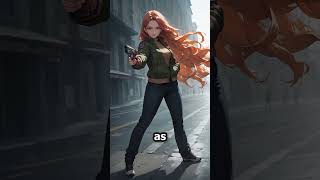
did you know that using and in stable diffusion lets you create two problems at the same time and mix them together type prompt one the word end in capital letters and then the second prompt and boom there's the mix you can even choose a weight for each prompt so one is stronger than the other by just adding a double knot and a weight it's not limited to two prompts but it is really hard to predict for specific results this helps with background as well as making weird designs
Original Description
Really hard to control how it will combine stuff, but it is great to have some fun and create mixes. Also good to add weird backgrounds or hard to get combos that usually take a lot of tokens.
Watch on YouTube ↗
(saves to browser)
Sign in to unlock AI tutor explanation · ⚡30
Playlist
Playlist UU81KZMuh7RWo21Kk0CaS7eA · Not4Talent · 17 of 33
1
 2
2
 3
3
 4
4
 5
5
 6
6
 7
7
 8
8
 9
9
 10
10
 11
11
 12
12
 13
13
 14
14
 15
15
 16
16
 ▶
▶
 18
18
 19
19
 20
20
 21
21
 22
22
 23
23
 24
24
 25
25
 26
26
 27
27
 28
28
 29
29
 30
30
 31
31
 32
32
 33
33

Why your AI art prompts are FAILING and how to FIX them #shorts #part1 #ai #stablediffusion
Not4Talent
The ONE WAY to beat Concept Bleeding #shorts #part2 #aiairt #ai
Not4Talent
The better AI art generator? #shorts #ai #aiairt #stablediffusion #midjourney
Not4Talent
This are some must have models for stable diffusion 1.5! #shorts #ai
Not4Talent
STOP making BORING AI art
Not4Talent
Get FULL creative control over Stable Diffusion | Install + all models
Not4Talent
Easiest sketch to AI concept 🤯 #shorts #ai #aiarchitecture #controlnet #aiairt
Not4Talent
Prompting HACKS no-one talks about
Not4Talent
Next level AI art Control | My workflow
Not4Talent
Best Tools and extensions for STABLE DIFFUSION AI art
Not4Talent
sketch to final "time-lapse" #ai #aiairt #stablediffusion
Not4Talent
This ControlNet model is INSANELY useful!
Not4Talent
fix bad faces, super easy #stablediffusion #face #aiairt
Not4Talent
Create consistent characters with Stable diffusion!!
Not4Talent
LORA training EXPLAINED for beginners
Not4Talent
MONEY with AI art | ft. DupDub
Not4Talent
This prompting technique is so fun! #aiairt #ai
Not4Talent
Ultimate Guide to HANDS with Stable Diffusion! (Any pose you imagine)
Not4Talent
Complex INTERACTIONS with MULTIPLE characters | Stable Diffusion
Not4Talent
No one uses this CN model and they should! #controlnet #stablediffusion #aiairt
Not4Talent
I spent 3800$ on a new PC to use AI... Do I regret it?
Not4Talent
Full FACIAL EXPRESSION control for Stable Diffusion (+Lora Pack)
Not4Talent
Unlimited CONTROL with SLIDERS! (SPECIAL loras changed the game)
Not4Talent
Create CONSISTENT ENVIRONMENTS with AI (from multiple angles)
Not4Talent
Add characters to ANY environment with Stable Diffusion
Not4Talent
PIXEL ART with StableDiffusion + Tileset workflows??
Not4Talent
BREAK Posing Limitations with Stable Diffusion!
Not4Talent
Extreme perspectives with Stable Diffusion and Photoshop / Full workflow
Not4Talent
Why I am learning to DRAW as an "AI BRO"...
Not4Talent
Get instant-feedback on your art! (and learn faster) #digitalart #art #learningtodraw #ai
Not4Talent
Practice composition and storytelling, the fun way #art #ai #aiairt
Not4Talent
Can AI be a TOOL for ARTISTS? My workflow + Pros & Cons
Not4Talent
UPSCALE any image for FREE with AI | Stable Diffusion
Not4Talent
More on: Prompt Craft
View skill →








Related Reads
📰
📰
📰
📰
5 prompt engineering techniques to get the best out of a legacy project
Dev.to · Marco Coelho
The Real Reason Prompt Engineering Isn't Going Away
Dev.to AI
Common Prompt Engineering Mistakes and How to Avoid Them
Medium · ChatGPT
Day 5: Prompt Engineering Basics (For DevOps & Cloud Engineers)
Medium · AI
🎓
Tutor Explanation
 DeepCamp AI