Neomutt with Protonmail on Arch Linux - LARBS - Thinkpad x220
Skills:
Tool Use & Function Calling80%
Key Takeaways
The video demonstrates how to set up and use NeoMutt with ProtonMail on Arch Linux, including installing NeoMutt using Luke's repo, configuring the ProtonMail bridge, and utilizing Vim keybindings.
Full Transcript
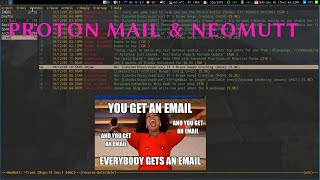
what's up everyone this is my second time trying to shoot this video because I totally screwed up my audio the first time so it took me a week to get Neo mutt working it's just a royal pain even though I used Luke's repo for this a lot of it was simple the install was simple everything about it was simple except I chose to do the hard thing which is use protonmail I do use protonmail I had to pay for it end-to-end encrypted email with other people who use protonmail it's it's really cool I moved all my accounts over to parts on mail but with that comes the fact that because it's encrypted you have to use the protonmail bridge something that allows you to bridge that encryption or some crap like that so this requires passwords keys and I have to launch an actual program to basically access my email so instead of having to go into the terminal and type you know proton and have to you know tap complete through that every time I want to do that to open up the program and then access my email I wrote a simple shell script which just opens a disowns protonmail bridge so that way it's not bound to the terminal and it doesn't die as soon as I close the terminal but once it opens sister it runs in the background and I can close it and it'll stay which is what I want it will timeout which means I need to constantly put in my password I'm sure there's a way around that but I don't live at my computer and I just come on answer my emails then I go away so it doesn't it doesn't matter too much and then after it disowns proton bridge I it opens up neo mat so it opens up both I close the bridge once it's finished loading and i refresh my email and I work on my email that's it that's all it does so I really like neo much because you know again terminal applications simple a couple keys vim key bindings and I can write respond and open my email and do all my stuff that way and it's easy I like it there's also another program that works with neela for an address book so that way if you're writing emails and you don't wanna have to type out and remember everyone's email they work seamlessly it like you there's no additional install besides just install the other program which is a book just one word a book I believe it's in the aur so you can just do pac-man a book and it should install just fine type a book into the terminal it opens there you go you start adding your contacts and I've been using it and I love it it's so simple it's so easy intuitive there's not a lot to really get lost in it's just great so then I want to open up an email which just close myself do I want to open an email so I'm gonna do super e which opens up my email so I'm gonna go to my drafts so I got some draft emails in here and I sent these to myself so I have I'm not gonna send and do my my key and open up any windows or stuff because of like you know security reasons and stuff but if you're gonna have an email and a brand new email you just hit the M key it's gonna ask me for doing that because I'm in the drafts folder but here's a brain an email this is what you'll see hit em you're ready to type an email now in the bottom left you can see who is this email going to welcome I'm just gonna send it to myself another type out more than I would because I don't want my work email to pop up because I frequently emailed myself reminders back and forth but tab to complete and boom there's my email you can email me these you can email me at this email if you want to but all right so what's the subject you know this is a test great enter ah then we get vim vim opens up and this is when you're typing out the email body it's not going to be saved as an attachment to the email this is going to be the email body which is useful for me to know anyways but this is a test exit insert mode : WQ save and close you're ready to send your email you hit Y just letter Y boom your email goes out and it sends love this I do vim keybindings safe close Y enter it's done I get it just boom so this way I can easily just respond to email write email send myself work reminders whatever instead of using post-it notes I just email myself stuff endlessly or use Kanban boards or whatever which is gonna be a later video on Trello not Trello task warrior and Haskell which is like task for your Haskell anyways different task management systems I'm geeky for task management systems so I will cover those in another video it took me a lot of figure out tasks warrior and it's kind of just like a bazooka for a fly situation it's kind of a little much I did this get it cool but I mean I would use it for like a work project project management maybe if I had if I wanted to live in the terminal for project management but task though is more of like jay-z's cats is more Tesco's more of like a Kanban board but still console our terminal and text based which I really love so I will cover that because I love that program now but anyways so this email is ready to send I'm not going to send it because I don't have the bridge open because I have to tie out I have to open up my key and I don't want too much of my email showing out there but I'm gonna bort this right now and I'm gonna save it as a draft EA so now we have drafts I can open up these things and you can see like in the body that the ders text like this one is this is text from to the day subject and if you wanted to while typing an email you could easily edit this again because it's a draft and it's hjkl you know going up left right in L goes progressively inwards H goes progressively outwards to go into these things and you can edit parts of the email such as sending cc's BCC's there's a lot of keys in this that I haven't even like messed around with just because like for what I'm using it for my use case is really simple so what I also really like about it is when you open up different types of files it intuitively handles these things so if I send myself an HTML file like I frequently write our markdown documents and compile them to HTML especially at work so if I send myself one a review at home or something what for whatever reason and I go into the email and then it has an attachment if I go L again go deeper into the email it'll show me a list of attachments you know the email body which it will open up the my browser and if it's an HTML document that will also up open up in the browser if it's a audio file then that will open up with MPD and if it's a picture it'll try and load it in the terminal and fail I'm sure I'm just behind in patches from some of the repos that Luke has available for this whole larb system but you know I'm I don't I'm not doing too much with images and in the system so I don't really care too much I just save attachments or whatever but I love the simplicity of this my email management is just just skyrockets because I can just go through my inbox and just shift D and just delete emails and then archive what I actually want to want to care about like receipts from purchases or whatever and I don't get any spam maybe I should because I'm on a new email account with protonmail if you ever want to see a cool website go - have I been poned comm it'll tell you if your emails been involved in any leaks one of my hit my original email I've had for like a decade these cats are pissing me off original email I had for a decade was involved in I think like 13 or 17 different data leaks so I mean my spam folder is insane on that account so hopefully pro my protonmail stays a little bit cleaner but I don't really get any spam usually it's just weird stuff caught in my spam filter nowadays but I love neoman it is great it works very well with a book vim keybindings very simple to just get done what you need to get done with your email and not be too distracted by it the protonmail bridge stuff is a pain and I mean it took me a week of hacking on it I'd go work my 9 hour job and then I come home and I'd spend arrest the time trying to figure out why the hell this stuff was broken eventually figured it out got the stuff working had to review a lot of the issues and commits on the repo but oh my god I figured it out but once I did love this system I have everything premature everything I do now is in terminals with the system as it should be there is some gooey stuff vs code arse to do some other stuff I'm going to cover like Teleco and good new cash I tried using SC I am for my spreadsheet Financial Management hmm didn't really like the system too much just didn't work very well too much too much could go wrong and I didn't like how much work it was it took too much work good new cash kind of like the system I've been playing with it I've been doing this months finance isn't it I like it see how how far I get with that but I do still use some GUI applications but for the most part I try to keep it simple and keep it in the terminal and I really like neo mutt so for email email accounts multiple accounts in here neo mutts great use Luke's repo use neo mutt mutt wizard is his repo use this use a book with it so you have your address book and if you're using protonmail my sympathies it was it was a royal pain hopefully it's better now I think they made some critical changes to the repo that deals with the sha Keys I'm not sure what was going on but they finally I think they got something working with that I mean I just manually hacked on it until it freaking worked but I think they figured it out all that stuff out now but yeah using the imma use a book life is good I think it's all I got for now yeah peace out
Original Description
▬▬▬▬▬▬▬▬▬▬ ► CHECK THESE OUT ◀︎▬▬▬▬▬▬▬▬▬▬
📧️ NEWSLETTER: https://bryanjenkstech.ck.page/d4ec0713d5
💬 DISCORD: https://discord.gg/MxCVshN
🗣️ SOCIALS: https://streamerlinks.com/tallguyjenks
▬▬▬▬▬▬▬▬▬▬ ► SUPPORT THE CHANNEL ◀︎▬▬▬▬▬▬▬▬▬▬
👨🏻💻️ GITHUB SPONSOR: https://github.com/sponsors/tallguyjenks
🙏🏻️ AMAZON WISHLIST: https://www.amazon.com/hz/wishlist/ls/17FRLE35NC7G8?ref_=wl_share
😇 PATREON: https://www.patreon.com/bryanjenks?fan_landing=true
🙌🏻️ YOUTUBE MEMBERSHIP: https://www.youtube.com/c/BryanJenksTech/join
☕ BUY ME A COFFEE: https://www.buymeacoffee.com/tallguyjenks
💵 PAYPAL: https://www.paypal.me/tallguyjenks
📊️ FREE STOCKS: http://join.robinhood.com/bryanj67
▬▬▬▬▬▬▬▬▬▬ ► My Newsletter ◀︎▬▬▬▬▬▬▬▬▬▬
📧️ NEWSLETTER: https://bryanjenkstech.ck.page/d4ec0713d5
▬▬▬▬▬▬▬▬▬▬ ► My Gear ◀︎▬▬▬▬▬▬▬▬▬▬
⚙️GEAR: https://kit.co/tallguyjenks/my-gear
▬▬▬▬▬▬▬▬▬▬ ► Questions? ◀︎▬▬▬▬▬▬▬▬▬▬
❓️FAQ: https://github.com/BryanJenksCommunity/FAQ/discussions
▬▬▬▬▬▬▬▬▬▬ ► Social ◀︎▬▬▬▬▬▬▬▬▬▬
💬 DISCORD: https://discord.gg/MxCVshN
🐦 TWITTER: https://twitter.com/tallguyjenks
📺 TWITCH: https://www.twitch.tv/tallguyjenks
📜️ MEDIUM: https://medium.com/@tallguyjenks
💼️ LINKEDIN: https://www.linkedin.com/in/bryanjenks/
🖥️ GITHUB: https://github.com/tallguyjenks
🌎 WEBSITE: https://www.bryanjenks.dev/
▬▬▬▬▬▬▬▬▬▬ ► The Rest ◀︎▬▬▬▬▬▬▬▬▬▬
Thanks for watching and if you liked this video please leave a 👍🏻
Subscribe to my channel and click the 🔔 icon for notifications when I post a new video
If you read this far put a 🐄 in the comments!
▬▬▬▬▬▬▬▬▬▬ ► TAGS ◀︎▬▬▬▬▬▬▬▬▬▬
#obsidian #zettelkasten #bryanjenks
Watch on YouTube ↗
(saves to browser)
Sign in to unlock AI tutor explanation · ⚡30
Playlist
Uploads from Bryan Jenks · Bryan Jenks · 10 of 60
1
 2
2
 3
3
 4
4
 5
5
 6
6
 7
7
 8
8
 9
9
 ▶
▶
 11
11
 12
12
 13
13
 14
14
 15
15
 16
16
 17
17
 18
18
 19
19
 20
20
 21
21
 22
22
 23
23
 24
24
 25
25
 26
26
 27
27
 28
28
 29
29
 30
30
 31
31
 32
32
 33
33
 34
34
 35
35
 36
36
 37
37
 38
38
 39
39
 40
40
 41
41
 42
42
 43
43
 44
44
 45
45
 46
46
 47
47
 48
48
 49
49
 50
50
![How I Live With Adult ADHD (Attention Deficit Hyperactivity Disorder) [Time Stamped]](https://i.ytimg.com/vi/5uI3xymx4do/mqdefault.jpg) 51
51
 52
52
 53
53
 54
54
 55
55
 56
56
 57
57
 58
58
 59
59
 60
60

rsync for Linux Backups - The Final Barrier to Migration
Bryan Jenks
(un)Installing Packages From The (AUR) Arch Linux User Repository
Bryan Jenks
Full RStudio Set Up On Arch Linux
Bryan Jenks
Fix RMarkdown Compilation Outside Of RStudio on Arch Linux
Bryan Jenks
Markdown Document Autocompilation on Arch Linux
Bryan Jenks
Cronjobs, Cronie, & Crontab on Arch Linux
Bryan Jenks
Setting Up Slack With i3 on Arch Linux
Bryan Jenks
VS Codium (VS Code) on Arch Linux With A Shell Script
Bryan Jenks
Vimwiki Plugin For Vim Research Management on Arch Linux
Bryan Jenks
Neomutt with Protonmail on Arch Linux - LARBS - Thinkpad x220
Bryan Jenks
Command Line Task Management With Taskwarrior and Taskell On Arch Linux / Thinkpad x220
Bryan Jenks
Exploring My Fitbit Data With R in RStudio on Arch Linux
Bryan Jenks
Tellico Collections On Arch Linux
Bryan Jenks
LaTeX, Biber, and Live Compilation on Arch Linux
Bryan Jenks
R Markdown Programming Language Support
Bryan Jenks
R Markdown to make HTML Wiki's with Tabbed pages
Bryan Jenks
Announcement: New Video Series on R - "Comprehensive R Package Reviews"
Bryan Jenks
R Package Review Episode 1: Magrittr
Bryan Jenks
R Package Review Episode 2: Vitae
Bryan Jenks
My R Workflow for Reproduce-able & Portable Analysis
Bryan Jenks
R Package Review Episode 2: Here
Bryan Jenks
Introduction to Regular Expressions
Bryan Jenks
My Workflow for Reading, Organizing, and Maintaining Articles, Papers, & Books
Bryan Jenks
My First Python Project Dealing With Finance Data
Bryan Jenks
R Package Review Episode 4: Beepr
Bryan Jenks
RMarkdown Customized Styles with CSS and HTML Output
Bryan Jenks
RMarkdown Custom ID Selectors for Dynamic Headers and CSS
Bryan Jenks
HTML Headers in RMarkdown Documents For Personal/Corporate Branding
Bryan Jenks
My Semi-Complete VimWiki Workflow
Bryan Jenks
How To Make An Automated Resume With Github
Bryan Jenks
How I Use Fuzzy Finding In the Terminal with fzf (workflow++)
Bryan Jenks
How I Organize and Create My Research Notes (Research Workflow++)
Bryan Jenks
How I Use fzf.vim To Improve My Programming Workflow
Bryan Jenks
Website Updates, JavaScript, R, Shiny, Vue.js And More
Bryan Jenks
How To Use AWK (Tutorial)
Bryan Jenks
Bash Script Review: My Battery Power i3Blocks Module
Bryan Jenks
Channel Updates, Where I've Been, And Where I Want To Go With YouTube
Bryan Jenks
How To Use Neomutt 📨 From MuttWizard (Basics Tutorial)
Bryan Jenks
How To Use Jupyter Notebooks 📔 (Basics Tutorial)
Bryan Jenks
How To Use Trello In 2020 (The Definitive Guide)
Bryan Jenks
Macbook Pro 16 Inch 2020: Unboxing and Review
Bryan Jenks
How To Use Github's New Personal README and Wakatime
Bryan Jenks
How I Set Up My 2020 Macbook Pro 16
Bryan Jenks
My First Week At WGU (Western Governors University), Coffee, And Channel Updates
Bryan Jenks
The Best Academic Resources & Citation Managers: OrcID, Zotero, Mendeley & More!
Bryan Jenks
R Package Review Episode 5: TodoR
Bryan Jenks
R Package Review Episode 6: Patchwork
Bryan Jenks
Interview With Bryan of Norseman Leather Works
Bryan Jenks
Zettelkasten Work in Obsidian for Research | VOD
Bryan Jenks
How I Live With Adult ADHD (Attention Deficit Hyperactivity Disorder) [Time Stamped]
Bryan Jenks
Zettelkasten Research Work in Obsidian | VOD
Bryan Jenks
Obsidian VS Roam Research: Why I Chose Obsidian
Bryan Jenks
My 2020 Comprehensive Obsidian Workflow For Zettelkasten and Evergreen Notes
Bryan Jenks
How I Use Raindrop.io As The Entry Point of My Zettelkasten Workflow In Obsidian
Bryan Jenks
Comprehensive Overview | Obsidian Block References & Transclusion | Sorry Roam!
Bryan Jenks
Easy YouTube Timestamps From Final Cut Pro X With Python!
Bryan Jenks
NEW | Obsidian Insiders Release 0.9.10 | Plugins & Official API
Bryan Jenks
TOP 5️⃣️ | FAVORITE THINGS IN OBSIDIAN
Bryan Jenks
Comprehensive Obsidian & Git Sync Workflow 🔄️ | Your Mind Under Version Control
Bryan Jenks
Obsidian Mermaid Livestream Highlights | Zettelkasten Resources, YouTube Advice, Data Science
Bryan Jenks
More on: Tool Use & Function Calling
View skill →









Related AI Lessons
⚡
⚡
⚡
⚡
Docker Explained: From “What Even Is This” to Deploying a Full-Stack App
Medium · DevOps
I Used to Pay for Cloud Servers. Then I Found a Way to Run One Free, 24/7
Medium · AI
KEDA 2026: Event-Driven Autoscaling Patterns That Shrank Our AWS Bill by 40%
Medium · DevOps
AWS CloudFormation and CDK Explained: Infrastructure as Code on AWS
Medium · DevOps
🎓
Tutor Explanation

 DeepCamp AI