Change exactly what you wanted with precision editing in Brand Studio
Skills:
Image Generation Basics70%
Ever asked an AI tool to change just one thing in an image… and watched it change everything else instead? This tutorial shows you how to fix that.
Brand Studio's precision editing tools are built specifically for teams who need targeted, pixel-perfect control, so the edit you make is exactly what you wanted.
What you'll learn:
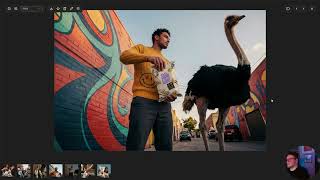
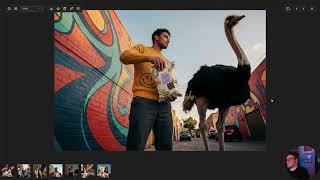
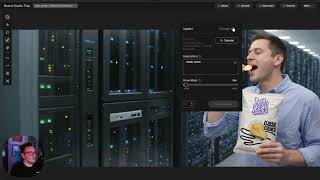
🎯 Precision Inpaint: Go beyond standard inpainting with three parameters working together: a mask layer to define exactly what the tool can touch, a sketch to guide the shape and placement of your edit, and a prompt to control the content and style.
⚡ Rapid asset insertion: Drag an existing image into the prompt bar and describe what you want added or changed. The AI reads the image as context so you can prompt conversationally and keep iterating fast. Supports up to 3 reference images at once.
Plus:
-When to use descriptive vs. conversational prompting
-Why setting a thoughtful mask lets the AI handle shadows, lighting, and texture naturally
-What to expect on render time with Precision Inpaint (and why the tradeoff is worth it)
If you're doing detailed product work, campaign visuals, or any edit where accuracy matters, these are the tools to know.
🔗 Follow along in Brand Studio → https://bit.ly/4vg00yP
Watch on YouTube ↗
(saves to browser)
Sign in to unlock AI tutor explanation · ⚡30
Playlist
Uploads from Stability AI · Stability AI · 6 of 8
1
 2
2
 3
3
 4
4
 5
5
 ▶
▶
 7
7
 8
8
Stability Seconds: Using Stable Diffusion 3.5 and Stable Image Ultra in ComfyUI
Stability AI
Stability Seconds: How to Improve Your Prompts
Stability AI
What To Expect When You're Expected to Adopt AI
Stability AI
Introducing Brand Studio | The creative platform powered by your brand
Stability AI
Quick Guide to Getting Started with Brand Studio
Stability AI
Change exactly what you wanted with precision editing in Brand Studio
Stability AI
How to put together your first workflow in Brand Studio
Stability AI
Tips for creating smarter, not harder in Brand Studio
Stability AI
More on: Image Generation Basics
View skill →

![Qwen 2.5 AI: Complete Beginner Tutorial [100% Free and OpenSource]](https://i.ytimg.com/vi/kdSSgMDk_QE/mqdefault.jpg)




Related AI Lessons
⚡
⚡
⚡
⚡
How to Write Better AI Image Prompts for Midjourney (With Examples That Actually Work)
Medium · ChatGPT
Image to Video AI: The Complete Workflow Playbook That Actually Produces Results
Medium · AI
Image Harvest v1.0.2: Internationalization, Free Pro Trial & Quality-of-Life Improvements
Dev.to · kyriewen
Pix2Pix: Image-to-Image Translation using Conditional GANs
Medium · Deep Learning
🎓
Tutor Explanation

 DeepCamp AI