Tips for creating smarter, not harder in Brand Studio
This tutorial covers intelligent features in Brand Studio that help you move faster, spend fewer credits, and get better results as you start scaling your creative production.
What you'll learn:
✨ Prompt Enhancer: Let the platform fill in lighting, composition, and technical details automatically. Everything it adds is editable before you generate, so you stay in control.
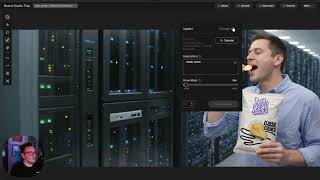
🧭 Curated Model Routing: Brand Studio automatically selects the best model for your use case based on brand consistency, product accuracy, text rendering, and more. Or turn it off and pick your own.
🔄 Variations Before You Regenerate: If an image is 60% there, don't start over. Use the Variation tool to create alternatives.
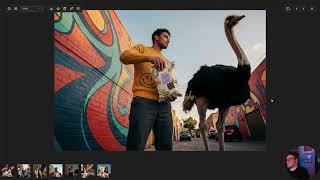
💬 Add Text and Finishing Touches: Drag your polished image into the prompt bar and describe what you want added. The platform reads it as context and applies your instructions in one step.
⚡ Ideate with Efficient Models First: Use Stable Diffusion 3.5 to explore directions fast: four images at a time, under ten seconds, lowest credit cost.
🔗 Follow along in Brand Studio → https://bit.ly/4vg00yP
Watch on YouTube ↗
(saves to browser)
Sign in to unlock AI tutor explanation · ⚡30
Playlist
Uploads from Stability AI · Stability AI · 8 of 8
← Previous
Next →
1
 2
2
 3
3
 4
4
 5
5
 6
6
 7
7
 ▶
▶
Stability Seconds: Using Stable Diffusion 3.5 and Stable Image Ultra in ComfyUI
Stability AI
Stability Seconds: How to Improve Your Prompts
Stability AI
What To Expect When You're Expected to Adopt AI
Stability AI
Introducing Brand Studio | The creative platform powered by your brand
Stability AI
Quick Guide to Getting Started with Brand Studio
Stability AI
Change exactly what you wanted with precision editing in Brand Studio
Stability AI
How to put together your first workflow in Brand Studio
Stability AI
Tips for creating smarter, not harder in Brand Studio
Stability AI
🎓
Tutor Explanation

 DeepCamp AI