Animating the prototype | Medical Students Making an App - Episode 5
Skills:
UI Design80%
Key Takeaways
This video demonstrates how to animate a prototype using Envision, a free app design tool, and covers the basics of creating links and animations between pages in a mobile app prototype.
Full Transcript
hello everyone and welcome back to making an app um this is episode 5 in the last episode Ali talked a little bit about how we start to make the Prototype um so the Prototype allows us to quickly design our app and when it's done we'll be able to get quick feedback from people just to give us an idea of uh whether it's been good what works well whether the flow seems to transition well so the next step and the final step of our prototype is to bring it to Life by creating animations so when you click on a button it goes to a page that you expected to go to so from our you can see that there are five main tabs at the bottom so the next step is to add these animations that we've been talking about and so we're going to use a program called Envision which is a free to use app as you can see I've created an account and I've uploaded our sketch onto this program so that we can link the various pages together through things called hotspots what I will try and do today is just show you how we link the basic pages together so just to create a few animations and a few links between what we've created so far from the homepage we want to make several links so the links to the various sheets at the bottom as well as to add an operation so let's just go through the ADD and operation flow which is the main part of our app so firstly I'll click and drag one of these hotpots this immediately asks me where I want it to link to so from here I'll click to add an operation page one once this link through will ask me what animation I want so for this one we want to slide up from the bottom so we simply pick slide up that's done so the next step is to let's follow this through so if I click shift and click this hot spot that I've now created you can see that it takes me through to the first page of the operations list now on here the next step would be to go to the next page for example so we're just going to run through the series of screens uh we have four screens in total uh which go between each stage of adding an operation so each time I'm clicking and dragging across the next button um and once I've done that I'll click through and it will run through to the next page and at the very end once we've completed all the details for this operation we have this save and exit function and the idea is once we click this it will bring us a report card this is the first time I've used this Envision software and it's taken me about 15 minutes just to make a basic run through using the designs that we've made this has been surprisingly easy to use and in terms of making a prototype then it seems like there's two major steps one is just to design what you think it will look like you can even use something like PowerPoint or Microsoft Paint if you need to just something to get your design on paper next we have all these different slides that we can use and we just want to create these links between them so using this Envision software has been really really easy to use it's literally a click and drag to create a button and once you click on that button you can link two p together and the beauty of Envision is we can download it through to our iPhones so you can actually test it using the device that you want to ultimately have it on so hopefully you've seen how easy it is to actually make a prototype so the designing stage takes a bit more time but the actual linking it up and making an animation out of it and really bringing the whole thing to life it's very easy to do uh you can do it in an afternoon once you've downloaded made an account and learned just basic functions of the software that you're using so thank you very much for watching I hope you've enjoyed watching me fiddle around with vision for the first time that leaves the next step which is just to code the thing so this we assume will take a lot longer and will involve a level of coding that I'm going to be learning for the first time as well so stay tuned for the next video where hopefully we'll go through some of the starting blocks for coding the app thank you very much for watching I hope you enjoyed it and we'll see you in the next episode [Music] bye
Original Description
📚 Pre-order my book to get an exclusive ticket to The Feel-Good Productivity Annual Planning Workshop!
Website: https://www.feelgoodproductivity.com/?utm_campaign=bonus&utm_source=youtube_long&utm_medium=video_description&utm_content=bulkvidsbefore2021
Amazon: https://go.feelgoodproductivity.com/bulkvidsbefore2021
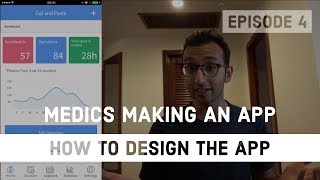
Welcome back to another episode of the 'Making an App' series. In this video, we talk about how we animated our design using Invision. Ben hopefully shows that it's reasonably straightforward.
Check out the app website at www.cutandpaste.ac
PS: I donate 10% of my income to charity every year. Would you like to join me? Learn more about the 10% Pledge: https://aliabdaal.com/giving-what-we-can/
Playlist
Uploads from Ali Abdaal · Ali Abdaal · 15 of 60
1
 2
2
 3
3
 4
4
 5
5
 6
6
 7
7
 8
8
 9
9
 10
10
 11
11
 12
12
 13
13
 14
14
 ▶
▶
 16
16
 17
17
 18
18
 19
19
 20
20
 21
21
 22
22
 23
23
 24
24
 25
25
 26
26
 27
27
 28
28
 29
29
 30
30
 31
31
 32
32
 33
33
 34
34
 35
35
 36
36
 37
37
 38
38
 39
39
 40
40
 41
41
 42
42
 43
43
 44
44
 45
45
 46
46
 47
47
 48
48
 49
49
 50
50
 51
51
 52
52
 53
53
 54
54
 55
55
 56
56
 57
57
 58
58
 59
59
 60
60

BMAT Section 1 - Everything you need to know | BMAT Tips series
Ali Abdaal
BMAT Section 2 - Everything you need to know | BMAT Tips series
Ali Abdaal
How to prepare for BMAT Section 2 Physics, even if you're not doing it at A-Level | BMAT Tips series
Ali Abdaal
How to prepare for BMAT Section 2 Biology | BMAT Tips series
Ali Abdaal
How to prepare for BMAT Section 2 Chemistry | BMAT Tips series
Ali Abdaal
Why I'm starting a Vlog - Cambridge Medical Elective #01
Ali Abdaal
BMAT Section 2 Chemistry - How to speed up your calculations | BMAT Tips series
Ali Abdaal
5 Star Hotel Poolside (Cambodia) - Cambridge Medical Elective #03
Ali Abdaal
We're trying something new... | Medical Students Making an App - Episode 1
Ali Abdaal
WE HAVE A COOL NAME | Medical Students Making an App - Episode 2
Ali Abdaal
How to make a website in 5 minutes | Medical Students Making an App - Episode 3
Ali Abdaal
The Temple in the Sky (Cambodia) - Cambridge Medical Elective #04
Ali Abdaal
How to design an app | Medical Students Making an App - Episode 4
Ali Abdaal
Coffee & Sushi (Cambodia) - Cambridge Medical Elective #05
Ali Abdaal
Animating the prototype | Medical Students Making an App - Episode 5
Ali Abdaal
Sunset over Phnom Penh (Cambodia) - Cambridge Medical Elective #06
Ali Abdaal
BMAT Section 2 Maths - 3 tips to boost your score | BMAT Tips Series
Ali Abdaal
The Bat Caves of Battambang (Cambodia) - Cambridge Medical Elective #08
Ali Abdaal
Temples of Siem Reap (Cambodia) - Cambridge Medical Elective #09
Ali Abdaal
Ho Chi Minh City (Vietnam) - Cambridge Medical Elective #10
Ali Abdaal
Tailored suits in Hoi An (Vietnam) - Cambridge Medical Elective #11
Ali Abdaal
The best day! Motorbiking up the coast of Vietnam - Cambridge Medical Elective #12
Ali Abdaal
BMAT Section 3 Essay - Everything you need to know | BMAT Tips series
Ali Abdaal
Final year begins - Cambridge University medical student VLOG #01
Ali Abdaal
Journey to placement - Cambridge University medical student VLOG #02
Ali Abdaal
Wilderness Medicine Expedition - Cambridge University medical student VLOG #03
Ali Abdaal
Midnight Medical Emergency - Cambridge University medical student VLOG #04
Ali Abdaal
A day on Senior Medicine placement - Cambridge University medical student VLOG #05
Ali Abdaal
Obstetrics, Gynaecology and Baking - Cambridge University medical student VLOG #06
Ali Abdaal
How to write a Medicine Personal Statement - 13 tips
Ali Abdaal
Apple picking in the Queen's orchards - Cambridge University medical student VLOG #07
Ali Abdaal
Cambridge International Mental Health Conference - Cambridge University medical student VLOG #08
Ali Abdaal
Applying to Medicine at Oxford or Cambridge - Questions to ask yourself, open days, stereotypes
Ali Abdaal
How to prepare for Medicine Interviews
Ali Abdaal
My first lecture for medical students - Cambridge University medical student VLOG #09
Ali Abdaal
Interview Tips - How to answer "Why Medicine?"
Ali Abdaal
Cambridge Medicine Interview - Experiences of 8 students
Ali Abdaal
Speaking on Live TV - Cambridge University medical student VLOG #10
Ali Abdaal
6 tips for Medicine MMIs - Multiple Mini Interviews
Ali Abdaal
Oxbridge Medicine Interview - 15 Tips (Oxford / Cambridge)
Ali Abdaal
Clinical School Pantomime audition - Cambridge University medical student VLOG #11
Ali Abdaal
Medicine Interview Tips - Talking about Work Experience
Ali Abdaal
Malignant haematology supervision - Cambridge University medical student VLOG #12
Ali Abdaal
Medicine Interview Tips - Dealing with Nerves
Ali Abdaal
Speaking at a Medical Tech Conference - Cambridge University medical student VLOG #13
Ali Abdaal
Oxbridge Medicine Interview - Q&A
Ali Abdaal
Students' Wilderness Medicine UK Conference - Cambridge University medical student VLOG #14
Ali Abdaal
Medicine Interview Questions - How to answer "Why should we choose you?"
Ali Abdaal
Ambulance Day - Cambridge University medical student VLOG #15
Ali Abdaal
Medicine Interview Questions - How to answer "What's your biggest weakness?"
Ali Abdaal
A&E Night Shift - Cambridge University medical student VLOG #16
Ali Abdaal
How to answer Medical Ethics interview questions
Ali Abdaal
Finals study sesh - Cambridge University medical student VLOG #17
Ali Abdaal
Consent, Capacity and Jehovah's Witnesses - Medical Ethics & Law for interviews
Ali Abdaal
Singing carols in the hospital - Cambridge University medical student VLOG #18
Ali Abdaal
Procrastinating before finals - Cambridge University medical student VLOG #19
Ali Abdaal
Finishing finals - Cambridge University medical student VLOG #20
Ali Abdaal
Preparing for the SJT - Ali's Vlog #21
Ali Abdaal
Magic, pizza and SJT - Ali's Vlog #22
Ali Abdaal
Euthanasia - Medical Ethics and Law at the end of life
Ali Abdaal
More on: UI Design
View skill →







Related Reads
📰
📰
📰
📰
Five Ignorant Things AI Graphic Designers Should Stop Doing Right Now
Medium · AI
Dile adiós al “AI Slop”: Cómo Impeccable está revolucionando el diseño de interfaces con…
Medium · UX Design
Composition vs Inheritance in Flutter: A Practical Guide
Medium · Programming
Why Users Leave Your App
Medium · UX Design
🎓
Tutor Explanation

 DeepCamp AI