Tutorial 3-MYSQL NULL Values, UPDATE,DELETE,ALTER Query-Complete MySQL Tutorial
Skills:
Backend Performance70%
Key Takeaways
Discusses MySQL NULL values, UPDATE, DELETE, and ALTER queries
Full Transcript
hello all my name is krishnak and welcome to my youtube channel so guys we are into the tutorial three of my sequel and in this video we are going to discuss about many things i have noted down all the points over here we're going to see uh about sql null values we're going to see how we can update a record with the help of mysql then we are going to see that how we can delete a record using sql and similarly we will also try to see how we can alter the table by adding columns by altering columns by dropping the columns and many more things please make sure that you watch this video till the end because my aim is to basically create all the videos from scratch as we go ahead the complexity will definitely be increasing now before i go ahead and start explaining you this particular topic i neuron has come up with its one neuron platform where you will probably be getting more than 100 plus courses at just the price of 6000 rupees plus gst and this course will be accessible throughout lifetime and the last date is just 15th of jan do not miss this opportunity guys because my plan my target you know as a co-founder is that i will probably try to will try to upload more than 500 plus videos what is the demand that i'm looking at blockchain many many many many courses are coming up guys and that is our plan to upload it in just this feasible price okay so please make sure that you take that particular platform and start learning from it now let's go ahead and let's try to discuss about sql now let's first of all the first step that we are going to do is that i'm going to create a database right now from scratch we'll do it so here in order to create the database in the last class we have seen we have to use the command which is called as create database customer so once i execute this you will be able to see that whether uh let's go ahead and see whether i have our database or not show database customer or show databases if i try to execute and probably see it you'll be able to see that i will be having a something a database name customer okay so that database is basically created now i want to create tables inside that particular database that is customer so i'm going to use this database and you can basically write a command called use customer this is just like a query um then finally i will create a customer info table and this we have learnt in the last session uh in the second tutorial if you did not go through that my position would be that try to follow this particular playlist in an order okay so in order to create a table i'm just going to say create table customer underscore info here i'm going to use id as integer and remember i'm going to use a constraint this is called an sql constraint which is called as auto increment right auto increment basically as soon as i keep on inserting the statements or inserting the records the id will get automatically incremented okay so so that i don't have to write the id number again and again based on the records that is present over there we are going to just add it okay then the first feature the column name that we are going to use this first name i'm using the data type as varcat and the maximum number of characters that i can have is 25. similarly with respect to last name salary will be integer since in order to support this auto increment i want to also make this column as a primary key primary key basically means that this will be definitely unique in this particular table it will uniquely identify the records okay so that is the reason i have actually used primary key understand in the next session will be detailedly discussing about various sql constraints like primary key foreign key and many more things here i just use two one is auto increment and one is primary key so let's go ahead and execute this and here it is executed now let's go and see whether i'm just going to write show tables probably show tables insert into this is not there okay fine so let me see whether any the values are there inside this customer table i'm just going to use so let's start from customer info okay so press ctrl enter and now right now you can see that all the values are null so guys now let's go back to all the topics so first of all we are going to discuss about sql null values i'll try to show you that how does the null value look like uh and remember that after creating this particular customer info table okay so here you can see when i executed select star from customer info i had null values before that i will just insert some records inside this particular table and show you an example of customer underscore info uh table like whether if it is having a null value how it look likes okay so in order to insert i hope i have taught you in this the previous class insert into customer info with respect to first name last name and salary remember i did not use id because id is an integer which will be auto increment okay so the values that i'm going to use the first record will have the name as john daniel and the salary is fifty thousand dollars then i have krishna sixty thousand dollars darius bengali seventy thousand dollars chandan kumar forty thousand dollars and final record is ankit sharma and here i have specifically used null okay understand this null does not mean that it is zero okay it is basically meaning that it is missing over there so no values are actually present over here now what i'm going to do i'm going to just execute this here you can see that it has got successfully executed now let me just go ahead and execute star select start from customer info once i execute it you can see all the values are there and there will be one value that is null okay so this is one example of null now the first thing as a data analyst you will be thinking how can i retrieve this null value because when you are learning data science also when you are doing exploratory data analysis you usually use pandas library right and with the help of that you try to get the null value so here how you will be able to get the null value so i'm going to use the same thing that is select start from customer info and i'll say where my future salary i need to check where is the null value in salary right so in order to check there will be a property where there you check the null values which is is null okay so here i'm actually cell is just writing a query which which is written like select star from customer info where salary is null so once i execute this you will be able to see that i am getting the entire record where the salary is basically none okay so very very simple very very easy to understand okay suppose i want to get all the records probably the non-null value suppose if i write where the salary is not null then i will probably get all the records which does not have salary which basically has all the salary values present over there okay that is what i'm trying to execute so here you can see that i'm getting all the values only the last record that is ankit sharma null is not present because in the salary null value is actually present so guys i hope you have understood about is null and is not null so that you will be able to check whether there is null values inside the records or not the next thing that we are probably going to discuss about is and squal update statement and why we are specifically going to use this probably i want to replace the null values okay i want to replace the null values okay so this is why i am specifically using sql update statement now in order to use the sql update statement all you have to do is that probably write an update query suppose i will write update my table name customer underscore info so this is the query syntax that we specifically use and now i want to set salary is equal to 50 000 where probably id is equal to since id is the unique key so let's see what all data i have inside this and what is the id of ankit so unkit id is 5 so i'm going to basically write it as 5 over here okay so i'm going to execute this and now let me quickly execute select star from customer info right so i'm going to execute this now here you can see ankit sharma before the salary was null now it is 50 000. amazing so we have done this let's discuss about one more thing like you can again update any other values that you specifically want just use this kind of query to do it okay so uh the next statement that i am probably going to delete uh i mean discuss is sql delete statement okay so this is what i am actually going to do now why do we do delete we probably can delete any records that we specifically want delete syntax looks something like this i will write delete prompt my table name that is customer info suppose i want to delete and get record but i may basically write where my id is equal to 5 because unkept id is 5 right so let's see whether we are getting any error delete is not ok so here i will just close this now probably it will work okay so once i am executing this you can see delete from customer info has been successful now if i go and execute this slash select start from customer info you'll be able to see that unkits id is not that and gets entire record is basically deleted so this was an example with respect to delete statement you can definitely use delete to delete the entire row you can use uh update statement to probably update a specific record of a specific field okay so here you can see that what all things we discussed we discussed about null update delete now this is the main thing that we are going to discuss is sql alter table so here what i am going to do i'm just going to make a comment again sql ultra table don't worry about this uh queries files i will also be giving you this so that you can practice it okay now let's go back to the editor table the first thing that we are going to learn in the sql editor table is that i am going to alter i am going to add columns column in existing table this is first thing that i am going to do okay in order to do this and understand guys initially you really need to understand the queries and see how things are executed what are the capabilities of this kind of queries so in order to alter the call alter the table now in this case i i'm going to add columns over here i can basically use alter uh the table alter table table name so this is how my query looks like i'm just going to say add sorry it is not a asses it is a added because s and d are very near to each other okay so i'm going to just say that add my probably a column name i want to use a column name as dob okay or probably i want to go with email okay anything that i i will try to show you because there are other data types also which is like date of birth like year um you know dob something like that so i'll show you that specific thing dob can be in the form of date right so here i'm going to just use varcap so this will basically be my email id and let's see whether this gets executed or not okay so once i execute this you can see that it has got successfully executed okay then again i'm going to check my table and you will be able to see that a new column is added now okay but it will have this email as null okay so because i have not updated the email then again what you can do okay this will be a task given to you try to use the uh update statement and try to update the email id of each and everything okay each and every uh rows over here so i hope uh you have got this apart from this probably i also want to add one more one more field so i am going to enter a table customer underscore info add add a dob and this will be probably in a date format okay so i am going to basically use this okay and let's execute this now if i go and execute this one you will be able to see dob is also there and now you can actually use you can add date format data over here also okay if you don't want date format probably you want to alter this column uh alter this column name or modify or enter this column name now let's go to the second point i showed you how to alter the table and add a column now i'll say alter table modify column okay modify column basically i want to modify i want to specifically modify the column type okay that also i will be able to do it so i'll say enter table customer underscore info modify there is a keyword called as modify dob from date to year okay here is also one of the important data type okay so here they will focus on writing the year like 1980 1990 like that okay so once i execute this now one thing that i did not show you is that how you will be able to see the schema right so if i write describe dse of customer underscore info you will be able to see it okay so this will basically give you the schema so this is how schema is you can see dob is here email is where care salary is this so you can one more task given to you is that now try to update all the records with respect to the dob okay and finally i can also use alter table alter table to drop column okay so i can also do this so for this again it is very simple i can write a query alter table customer underscore info and then i will just say drop my column name drop column email so email was one column that i had i'm just trying to drop it so i'm just going to use this and try to execute it that's it now perfect it has got dropped let me just see describe customer you can see that email field is not there okay if you don't believe me okay again right select star from customer info you'll be able to see that email column is content okay so i hope you have understood this okay and we have discussed so many topics eight different topics of writing different different queries now it is up to you practice it and more one very important thing many people are saying chris upload two to three videos daily guys trust me i know you are not going to study more than one hour one hour of practice of daily sequel is required and my plan is to daily upload one video on sql okay so be patient and we will learn in a better way we'll learn different different things and also you try to do this thing which will be very much important for you all and guys if you have not subscribed please make sure that you subscribe the channel trust me i will be uploading amazing videos for you all so that you will be able to create any kind of jobs that you want to get it okay that's your request i'm serving you whatever i am it is because of you so uh definitely trust me i will try to upload more and more videos so i hope you like this particular video share with all your friends and yes i'll see you all in the next video have a great day thank you and all bye
Original Description
Mysql playlist: https://youtube.com/playlist?list=PLZoTAELRMXVNMRWlVf0bDDSxNEn38u9Cl
In this session we will discuss
SQL Null Values
SQL update Statement
SQL Delete Statement
SQL Alter Table
--Add column in existing Column
--Modify/alter Column
--Alter Table-Drop column
#mysqltutorial
Timestamps
---------------------------------------------------------------
00:00 Agenda
04:08 Null And Is Null
06:54 SQL update query
08:30 SQL Delete Query
09:42 Alter Table Query
------------------------------------------------------------------
Subscribe @Krish Naik Vlogs channel for more educational videos on finance and investment
Please donate if you want to support the channel through GPay UPID,
Gpay: krishnaik06@okicici
Telegram link: https://t.me/joinchat/N77M7xRvYUd403DgfE4TWw
#datanalyst #roadmaptobecomedatanalyst
Please join as a member in my channel to get additional benefits like materials in Data Science, live streaming for Members and many more
https://www.youtube.com/channel/UCNU_lfiiWBdtULKOw6X0Dig/join
-----------------------------------------------------------------------------------------------------------------------
Connect with me here:
Twitter: https://twitter.com/Krishnaik06
Facebook: https://www.facebook.com/krishnaik06
instagram: https://www.instagram.com/krishnaik06
-----------------------------------------------------------------------------------------------------------------------
Watch on YouTube ↗
(saves to browser)
Sign in to unlock AI tutor explanation · ⚡30
Playlist
Uploads from Krish Naik · Krish Naik · 0 of 60
← Previous
Next →
1
 2
2
 3
3
 4
4
 5
5
 6
6
 7
7
 8
8
 9
9
 10
10
 11
11
 12
12
 13
13
 14
14
 15
15
 16
16
 17
17
 18
18
 19
19
 20
20
 21
21
 22
22
 23
23
 24
24
 25
25
 26
26
 27
27
 28
28
 29
29
 30
30
 31
31
 32
32
 33
33
 34
34
 35
35
 36
36
 37
37
 38
38
 39
39
 40
40
 41
41
 42
42
 43
43
 44
44
 45
45
 46
46
 47
47
 48
48
 49
49
 50
50
 51
51
 52
52
 53
53
 54
54
 55
55
 56
56
 57
57
 58
58
 59
59
 60
60

Natural Language Processing|Stemming
Krish Naik
Natural Language Processing|BagofWords
Krish Naik
Gaussian distribution or Normal Distribution in statisctics
Krish Naik
Natural Language Processing|TF-IDF for Machine Learning| Text Prerocessing
Krish Naik
Log Normal Distribution in Statistics
Krish Naik
Covariance in Statistics
Krish Naik
Confusion matrix, Precision, Recall| Data Science Interview questions
Krish Naik
Tutorial 44-Balanced vs Imbalanced Dataset and how to handle Imbalanced Dataset
Krish Naik
Implementing a Spam classifier in python| Natural Language Processing
Krish Naik
Tutorial 11-Exploratory Data Analysis(EDA) of Titanic dataset
Krish Naik
Face Recognition using open CV and VGG 16 Transfer Learning
Krish Naik
Pedestrian Detection using OpenCV from Videos
Krish Naik
Face and Eye Detection from Videos using HAAR Cascade Classifier
Krish Naik
Reading, Writing and Displaying images with Opencv| OpenCV Tutorial
Krish Naik
OpenCV Installation | OpenCV tutorial
Krish Naik
Face and Eye Detection from Images using HAAR Cascade Classifier
Krish Naik
Car Detection using HAAR Cascade and Opencv from Videos.
Krish Naik
Using OpenFace for Face recognition in Keras
Krish Naik
OpenPose Tutorial with Tensorflow
Krish Naik
Multiple Linear Regression using python and sklearn
Krish Naik
Dimensional Reduction| Principal Component Analysis
Krish Naik
Movie Recommender System using Python
Krish Naik
TPR,FPR,FNR,TNR, Confusion Matrix
Krish Naik
Precision, Recall and F1-Score
Krish Naik
Artificial Neural Network for Customer's Exit Prediction from Bank
Krish Naik
GridSearchCV- Select the best hyperparameter for any Classification Model
Krish Naik
RandomizedSearchCV- Select the best hyperparameter for any Classification Model
Krish Naik
K Nearest Neighbor classification with Intuition and practical solution
Krish Naik
K Means Clustering Intuition
Krish Naik
Create custom Alexa Skill- Lambda function- Part2
Krish Naik
Hierarchical Clustering intuition
Krish Naik
Implement Transfer Learning with a generic Code Template
Krish Naik
Gender Classifier and Age Estimator using Resnet Convolution Neural Network
Krish Naik
Unlock Your Application With Your Face using OpenCV
Krish Naik
Draw rectangle from webcam and sketch process it on a live feed
Krish Naik
Complete Life Cycle of a Data Science Project
Krish Naik
How we can apply Machine Learning in Finance
Krish Naik
Deep Learning in Medical Science
Krish Naik
How to switch your career to Data Science.
Krish Naik
Linear Regression Mathematical Intuition
Krish Naik
Handle Categorical features using Python
Krish Naik
Machine Learning Algorithm- Which one to choose for your Problem?
Krish Naik
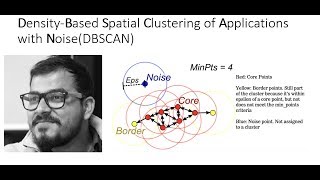
DBSCAN Clustering Easily Explained with Implementation
Krish Naik
Curse of Dimensionality Easily explained| Machine Learning
Krish Naik
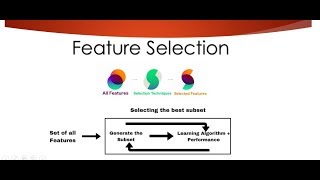
Feature Selection Techniques Easily Explained | Machine Learning
Krish Naik
Tutorial 29-R square and Adjusted R square Clearly Explained| Machine Learning
Krish Naik
Cross Validation using sklearn and python | Machine Learning
Krish Naik
Handling Missing Data Easily Explained| Machine Learning
Krish Naik
Deploy Machine Learning Model using Flask
Krish Naik
Deployment of Deep Learning Model using Flask
Krish Naik
How to Visualize Multiple Linear Regression in python
Krish Naik
K Nearest Neighbour Easily Explained with Implementation
Krish Naik
Predicting Heart Disease using Machine Learning
Krish Naik
Predicting Lungs Disease using Deep Learning
Krish Naik
Stock Sentiment Analysis using News Headlines
Krish Naik
Random Forest(Bootstrap Aggregation) Easily Explained
Krish Naik
Voting Classifier(Hard Voting and Soft Voting Classifier)
Krish Naik
Credit Card Fraud Detection using Machine Learning from Kaggle
Krish Naik
Hyperparameter Optimization for Xgboost
Krish Naik
Tutorial 45-Handling imbalanced Dataset using python- Part 1
Krish Naik
More on: Backend Performance
View skill →









Related Reads
📰
📰
📰
📰
npm Is Finally Going to Stop Running Strangers’ Code on Your Laptop
Medium · JavaScript
Webhook idempotency: how to handle duplicate deliveries safely
Dev.to · Yuriy
[Rust Guide] 13.7. Using Closures to Capture the Environment With Iterators
Dev.to · SomeB1oody
Behind a Single "Paste" Button: The Tale of Two Completely Different APIs
Dev.to · Image2
Chapters (5)
Agenda
4:08
Null And Is Null
6:54
SQL update query
8:30
SQL Delete Query
9:42
Alter Table Query
🎓
Tutor Explanation

 DeepCamp AI