NVAITC Webinar: Efficient Data Loading using DALI
Key Takeaways
The video discusses using the NVIDIA Data Loading Library (DALI) to accelerate deep learning applications by implementing efficient data loading pipelines, and demonstrates how to use DALI with various deep learning frameworks such as PyTorch, MXNet, and TensorFlow.
Full Transcript
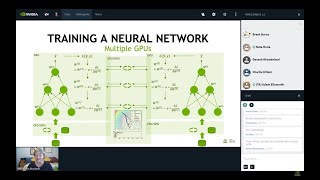
hi good morning and welcome to this session i'm joseph yamini and i will present you the nvidia data loading library i'm the lead the engineer of the mbi technology center in italy and we'll introduce you how to improve the data loading pipeline of your deep learning workflows and why this topic has become so important over the years deep learning owes success only partially to the architecture of the networks the other reason for this is the availability of high quality data to achieve higher accuracy networks ably rely on large data sets also to avoid overfitting which is the characteristic of a network to model the training datasets too well and lack in generalization furthermore application domains which do not have access to much data such as medical images need to compass data augmentation techniques to enhance the size of the quality of their data sets however working with very large data set is not that simple as different challenges may exist if you take this typical deep learning workflow it starts from the data stored on the hard drive continues with the pre-processing phase and eventually conclude with the training in this case the goal of the preprocessing is to constantly batch the model with data but this workflow has changed a lot over the years initially before the advent of gpus most of the time was spent during the training phase the preprocessing part was not a problem as cpus were relatively slow while processing data the availability of accelerators and the capability to move data from the cpu to the gpu via cuda dramatically changed the scenario and provide a significant boost into the performance by then the main factor determining overall performance was the time spent in moving the batch to the model and under these new conditions the overall performance is linked with the time invested in moving the data from the r drive to the model fast enough to keep the gpus busy in this case you can see two gtx 580 exactly the cards that were used to train alexnet the situation became even more critical when networks could be trained across multiple gpus or multiple nodes with respect to the preprocessing phase the training of a large network became shorter and shorter to the point that the batch processing time became a big bottleneck of the entire workflow and if you also consider that normal pipelines includes different steps for instance i'm here representing two very common networks alexnet and resnet50 you see that there are a lot of tasks in to your feeding pipeline your data loading pipeline to manipulate your data before the training in the network so you might go through a resizing of the image an augmentation of the colors cropping a mirroring so there are different steps that usually take place on the cpu so we do have complex i o pipeline in most of the cases and if you take those pipelines this networks and you start doing some performance tests although the model the model are capable to scale linearly across multiple gpus what you get in in practice it's less performance so you don't really manage to get the the the roof of your performance plane because what happens here is that you are really um behind the capability of the system because the systems are not efficient enough to fit the gpus with enough data and to patch the data towards the model the main the many issues connected to the this bottleneck is the ratio between the cpu and the gpu so you can see on the left a dj x1 with volta 100 on the right it dj x2 with the 16 volt and 100 and the ratio in this case just to give you an example between the cpu and the gpus is 5 in the case of dgx1 and 3 in the case of dgx2 so this means that you have less cpus to create and build and fill up the pipeline the data pipeline so this is something that you have to really take in consideration while training your networks especially if you have a large data set and you have a deep neural network in order to overcome the bottlenecks due to the data loading nvidia developed this open source library which is called dali it's a production ready software to the rescue to solve this kind of issues the nvidia dali library sits between the training data so your art storage and the model so the goal of the library is to make the data loading pipeline be efficient enough to keep the gpu busy and batch the data to the model the dali library can be used within different deep learning frameworks from mxnet to tensorflow seamlessly so before dali was introduced this was the pipeline so the data loading pipeline from the loading of the data the decoding the resizing documentation and then training okay the images go across the top path so you have the jpeg the new decode and then you have the raw data precise augmentation and this task were performed on the cpu while the labels could be directly go from the loader to the training to the model with dali with the introduction of dali some of these tasks can be also secured on the gpu and this has two main uh effects the first is that you keep the data on the gpu memory directly okay so to start the training on and some special activities such as the resizing automation can be executed on a gpu without moving back and forth between the cpu and gpu as i was saying before it's very easy to integrate dali into most common deep learning frameworks and i will show you some good snippets on how to do that will use pytorch as a reference framework that is the framework that we are using for the mvitc toolkit so this is a a common pipeline so this is a data pipeline that you have to create you should just tell the system where the data is what you want to do with the data which kind of augmentation you want to to apply and if you want to resize or crop or do any other manipulation okay and then at the end be able to define what the data pipeline is so there is an insulinization phase where you really define how the pipeline should be structured what are the steps that the pipeline should go across okay you feel uh you read that you have to fill the pipeline with a with a file reader then you have to tell if you want to do the padding on how to decode the data for instance with the image decoder if you want to resize it or crop or normalize or maybe if you want to really change the saturation of the channels or your images then you define the graph just to tell the pipeline in which sequence the step should come okay you first read of course then you do the decoding the resizing and then the cropping and while initializing the pipeline you can also tell dali please perform if possible this task on the gpu rather than under known cpu okay and you can also say it's a mixed execution so you start with the cpu and then you conclude with each gpu after defining the graph you can really build the pipeline at this step dali simply checks if what you told into the installation phase can be really implemented so if the data is in the in the right location if you can really prop if there are all the functionalities available that you are asking for okay you build the pipeline and basically you tell dali okay this the pipe is ready to be fed and then to provide data to batch data towards the model as i was saying at the beginning you can define different pipeline operators the input of course of your data and the cpus really play a very important role here because it's a task that is performed by the cpu reading the data from the r drive up to the main memory then you can decode the data from for instance jpeg format to a row and this is an operation that can be executed partially on the cpu and partially on the gpu while loading files from the hard drive and decode them you can tell dali to resize the shape of the data in this case we are using a cropping and in interpolation the triangular interpolation to resize the data sets and then do some manipulations and transformation in this case cropping mirroring and normalization of the colors for instance or a coin flip and then you finally you run the pipeline what you basically do you create a pipe then attach an iterator to that pipe and start iterating over the batch okay in your training loop and as soon as you iterate dali loads the data from the storage and unfit the model so but dali also works in a multi-gpu environment what does that mean when you read the data from the storage you have to tell that me where to place that specific patch and you can do that using the the chart a sharding technique you have to basically tell dali for instance if you're using uh orobot each uh task will take an id a device id okay to be identified within the the pool or the gpus that you are using you can tell dali please i am the device number one for instance give me sure number one or how many shards should i receive so you as you can see if you have a data set you might have four different charts because for instance you are using four gpus to run the training on and according to the colors that specific chart will be assigned to a specific gpu in this case shard zero green will be placed on gpu number zero and so on and so forth so one one two two three three okay this is a technique to tell dali or not to distribute the data across your resources and of course you can do you can you can manipulate or you can do more advanced you can implement more advanced techniques for data distribution okay this is the the the common one the basic one the sharding what is important with the with dali that you can also do prefetching so you can start prefetching data while the training of your network is going ahead and why this is possible because this is a common uh let's say step of sequence that you go across every um every epoch so you do uh batch pre-processing the forward pass the backward pass the gradient reduction and weights update for instance this is the step number zero for instance this is the first step that you go across but why you can while you are doing the the forward and the back word propagation for instance you can start prefetch data for the next step okay for the step x plus one so this is something that dali is capable to handle so it's capable to start fitting the data keeping the data from the storage to fit the the next step this is the reason why this is possible if it goes the backward pass is executed on the gpu while the the initial step the loading for instance of the data can be executed on the cpus that in this specific moment are idle what happened within dali is that dali is capable to create different buffers that you can tune how much big this should be to create the cues prefetching cues so training one training two and training t three these are the steps of your training loop you can start doing batching for instance you can create a sort of parallel pipeline for prefetching data but dali can not only read images from the disk and batch into the into the tensor into the model you can also perform various recommendations on data to improve the the results and i'm showing you a paper here that did the performance across three different uh networks inception version 4 rest net dense net as you can see in orange is the result is the accuracy that you get without augmenting the data so you have the orange and the gray area without augmenting the data but if you use the augmentation with the training and augmentation with the testing you see out the the accuracy uh increase so the blue line is the augmentation including training and test data the orange is the augmentation with the training and augmentation without using any augmentation um steps so the documentation is a technique that is very important especially in those domains where there are no show images or data available such as medical in the medical field for instance so dali supports different uh augmentation that you can build in in your pipeline in this case i'm presenting you the random shuffle or the padding for the last batch the random shelf will basically shuffle the data uh for the your the data with your batch size as soon as you read it from the storage okay and the shuffling is performed using a dedicated buffer while the pad last batch is a technique that is used when the the batch size or the the the wall training data set is larger of the number of shards so basically you cannot simply divide the data set by the number of charts by the number of iterations that you get so to avoid to avoid the dali to to create empty buffer if you do the padding you can it's capable to duplicate the data to fill up all the shards that you have okay this also improve it it's a technique a sort of data augmentation technique that can really uh improve the accuracy of your model you can see on this slide all the features that dali supports for the documentation it includes the list includes the sphering saturation the color the rotation the jittering filter the brightness the flipping the uh the contrast so these are all the the features that you can automatically enable while loading the data in terms of performance this is a training across different boxes of the rest net 15. of course the more data you have the better performance dali delivers in the sense that if you have a small model with the not so big data set dali will not provide any significant boost with respect to normal loader such as torch vision but the the more data you have especially more files you have to read from the system the more benefit you will get from dali so and in this case you can see how many images per second you can get uh from from the hard drive i mean using without a native pipeline between a native pipeline so without using dali and with dali so and if you see in the first two bars on the left this is the digix 2 where you have 16 gpus available with a lower ratio between cpu and gpu so this might be from the cpu point of view from the data loading point of view this is a very bad condition because you don't have so many cpus available to feed the pipeline but in reality what happens if you use the dali library you can really overcome this limitation and you can implement all the perfection technique all the mixed pipelines to run tasks across the cpu and on the gpus seamlessly so you can really get a factory to in performance as a as a speed up so uh just to give you um a recap of what dali does so you can it's a fast data processing library for accelerating deep learning so it's capable to create a pipeline to accelerate the way the data is moved from the storage to the to the model it's capable to combine different uh tasks including data orientation and supports of course the cpu and the gpus because you can run tasks we can decide which tasks should be executed on the cpu rather than other gpus but of course the more task you are capable to bring on gpus the faster you will go it's flexible in the sense that support different configuration different operators you can create also your own custom operators for instance if you have a dedicated data set with a specific binary format you can develop your own operator in c plus plus because dali provides a c plus plus api to get the data from the storage so this is a very important extension point we supports different natively different uh data formats the regular io or the tf records for tensorflow for instance uh coco hvac the jpeg of course and and an api in python c plus plus to to create and run your pipeline but also to create your own uh specific data loader yeah there is a lot of material available online with a lot of examples that you can get profit from and how to read the data in various framework autocreate customers operator and how to build the pipeline and more importantly how to combine the multi-gpu aspect with the with the data loading pre-processing phase so this is what we did in our media ai technology center toolkit uh that will be made available so we try to combine all these features uh together and ensure how they can really bring performance boost to your workloads and with this slide my presentation hands many thanks for listening and please reach out for any question thank you very much
Original Description
Learn how to accelerate DL applications by implementing efficient data loading pipelines through the DALI library. Learn more: https://developer.nvidia.com/DALI
Watch on YouTube ↗
(saves to browser)
Sign in to unlock AI tutor explanation · ⚡30
Playlist
Uploads from NVIDIA Developer · NVIDIA Developer · 0 of 60
← Previous
Next →
1
 2
2
 3
3
 4
4
 5
5
 6
6
 7
7
 8
8
 9
9
 10
10
 11
11
 12
12
 13
13
 14
14
 15
15
 16
16
 17
17
 18
18
 19
19
 20
20
 21
21
 22
22
 23
23
 24
24
 25
25
 26
26
 27
27
 28
28
 29
29
 30
30
 31
31
 32
32
 33
33
 34
34
 35
35
 36
36
 37
37
 38
38
 39
39
 40
40
 41
41
 42
42
 43
43
 44
44
 45
45
 46
46
 47
47
 48
48
 49
49
 50
50
 51
51
 52
52
 53
53
 54
54
 55
55
 56
56
 57
57
 58
58
 59
59
 60
60

Ray Tracing Essentials Part 2: Rasterization versus Ray Tracing
NVIDIA Developer
Ray Tracing Essentials Part 3: Ray Tracing Hardware
NVIDIA Developer
Ray Tracing Essentials Part 4: The Ray Tracing Pipeline
NVIDIA Developer
NsightGraphics 2020 2 Release Spotlight
NVIDIA Developer
Ray Tracing Essentials Part 5: Ray Tracing Effects
NVIDIA Developer
Ray Tracing Essentials Part 6: The Rendering Equation
NVIDIA Developer
Ray Tracing Essentials Part 7: Denoising for Ray Tracing
NVIDIA Developer
Spatiotemporal Importance Resampling for Many-Light Ray Tracing (ReSTIR)
NVIDIA Developer
Announcing Cloud-Native Support for Jetson Platform
NVIDIA Developer
JetsonTV: Build your next project with NVIDIA Jetson
NVIDIA Developer
Nsight Compute Feature Spotlight: Roofline Analysis, Asynchronous Copy, Sparse Data Compression
NVIDIA Developer
Nsight Systems Feature Spotlight: OpenMP
NVIDIA Developer
Isaac Sim 2020: Deep Dive
NVIDIA Developer
NVIDIA Jetson: Enabling AI-Powered Autonomous Machines at Scale
NVIDIA Developer
NVIDIA Tools to Train, Build, and Deploy Intelligent Vision Applications at the Edge
NVIDIA Developer
Jetson Xavier NX Developer Kit: The Next Leap in Edge Computing
NVIDIA Developer
Synthesizing High-Resolution Images with StyleGAN2
NVIDIA Developer
NVIDIA Robotics: Isaac SDK and Sim 2020.1
NVIDIA Developer
Accelerating COVID-19 Research with GPUs
NVIDIA Developer
Visualizing 150 Terabytes of Data
NVIDIA Developer
Boosting Performance and Utilization with Multi-Instance GPU
NVIDIA Developer
Running Multiple Workloads on a Single A100 GPU
NVIDIA Developer
NVIDIA Nsight Feature Spotlight: GPU Trace
NVIDIA Developer
Spark 3 Demo: Comparing Performance of GPUs vs. CPUs
NVIDIA Developer
NVIDIA Jetson Nano Wins Edge AI and Vision Alliance Award
NVIDIA Developer
NVIDIA IndeX on Google Cloud Platform Marketplace
NVIDIA Developer
DeepStream SDK: Best practices for performance optimization
NVIDIA Developer
Efficiently Deploying GPU Accelerated 5G CloudRAN for Edge AI Inferencing
NVIDIA Developer
NVIDIA PhysicsNeMo - Accelerating Scientific & Engineering Simulation Workflows with AI
NVIDIA Developer
NVIDIA Deep Learning Institute Instructor-Led Training Available Remotely
NVIDIA Developer
Advancing AR Glasses
NVIDIA Developer
Blender Cycles: RTX On
NVIDIA Developer
Real-Time GPU-Accelerated Data Analytics of 250 million Flight Data Records of 737 Max grounding
NVIDIA Developer
Assessing Property Damage with AI
NVIDIA Developer
RAPIDS: GPU-Accelerated Data Analytics & Machine Learning
NVIDIA Developer
DaVinci Resolve Turns RTX On
NVIDIA Developer
RAPIDS with Plotly Dash : GPU-Accelerated Census 2010 Visualization
NVIDIA Developer
NVIDIA IndeX for arivis5D Cloud Platform
NVIDIA Developer
NVIDIA Backchannel: Behind the Scenes of Marbles at Night RTX
NVIDIA Developer
NVIDIA Backchannel: Sneak Peek into Marbles RTX in Omniverse
NVIDIA Developer
How to Create "Paint" in Substance Painter
NVIDIA Developer
Accelerate AI development for Computer Vision on the NVIDIA Jetson with alwaysAI
NVIDIA Developer
Securing Next Generation Apps over VMware Cloud Foundation with Bluefield-2 DPU
NVIDIA Developer
Accelerated Data Centers with NVIDIA and VMware
NVIDIA Developer
GPU-Accelerated Motion Blur in Blender Cycles
NVIDIA Developer
NVIDIA Clara Guardian Virtual Patient Assistant
NVIDIA Developer
Revolutionizing Supercomputing with NVIDIA UFM Cyber-AI
NVIDIA Developer
Inventing Virtual Meetings of Tomorrow with NVIDIA AI Research
NVIDIA Developer
Learning a Contact-Adaptive Controller for Robust, Efficient Legged Locomotion
NVIDIA Developer
Getting started with Jetson Nano 2GB Developer Kit
NVIDIA Developer
NVIDIA Jetson Developer Community AI Projects
NVIDIA Developer
Open-source projects on NVIDIA Jetson Nano 2GB Developer Kit
NVIDIA Developer
Real-Time Ray Tracing with Project Lavina
NVIDIA Developer
Jetson AI Fundamentals - S1E2 - Hello Camera
NVIDIA Developer
Develop Optimized Conversational AI Models with NVIDIA NeMo on DGX A100
NVIDIA Developer
Jetson AI Fundamentals - S1E4 - Image Regression Project
NVIDIA Developer
Jetson AI Fundamentals - S2E1 - JetBot Intro and Hardware
NVIDIA Developer
Jetson AI Fundamentals - S2E2 - JetBot Software Setup
NVIDIA Developer
Jetson AI Fundamentals - S1E1 - First Time Setup with JetPack
NVIDIA Developer
Jetson AI Fundamentals - S1E3 - Image Classification Project
NVIDIA Developer
More on: ML Pipelines
View skill →








Related Reads
📰
📰
📰
📰
Hyundai and Kia built a UV system that kills bacteria inside a car while you are sitting in it
The Next Web AI
The latest AI news we announced in June 2026
Google AI Blog
AI-Powered Theodore Roosevelt Is Ready To Answer Your Questions
Forbes Innovation
Krafton agrees to pay Subnautica 2 bonuses after CEO who used ChatGPT to dodge them steps down
The Next Web AI
🎓
Tutor Explanation

 DeepCamp AI