Introducing the Null Annotation Tool
Key Takeaways
The Null Annotation Tool by Roboflow is a new feature that helps manage null annotations in computer vision, allowing users to distinguish between null and missing data, and annotate images accordingly.
Full Transcript
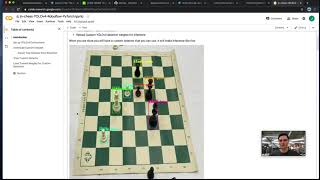
[Music] the distinction between null and missing data in computer vision is a very important distinction to make in the case of missing data it means that for a given image or a certain piece of data there is no data around it yet in the case of annotating maybe you haven't quite yet visited this image yet in the case of null data this means that it has been an active decision has been made that there is actually no data around this image and that means that is it is simply an active decision that there is no data to be had here in the case of object detection as you're drawing bounding boxes around things that you want to detect null data might mean that you've passed through an image and you've simply decided that there is nothing for your model to detect in this image and you actively want to show this example to the model because this is going to happen a lot in production where there are images where you actually don't want any detections to be made and so because of the importance between these two things null and missing we have made a tool at roboflow that makes it easy for you to keep track of your data which as you're annotating is null or maybe it you want to leave it simply as missing because you haven't had the opportunity to annotate it yet and then more importantly once you have these distinctions you can go through and use them in your modeling process to choose which data you want to be showing to the model and which data you want to have um marked as as missing you know that you have not annotated yet so now we're going to go ahead and dive in hands-on with this tool and i'll show you uh how you can use it to make your data sets even better okay so now we're in roboflow let's say you've uploaded a data set and you're ready to get started annotating and now you want to decide the difference between which of your images are unannotated and which ones are just simply null so in order to get started on annotation here you can see your images here and you can go to view unannotated images or view all images and then you'll be here on the tab where you're on unannotated images here and then you just jump in the labeling tool by simply clicking on an image so now we're in this image and let's say that we want to get started and we want to be detecting uh all the chess pieces that are white horses so we might draw a box around this and just call it a white horse and save and enter so now this image already has an annotation on it and you will see that this image will drop off from the unannotated uh group area because it has actively has an annotation on it but now what if we go to one of our images here where there actually are no white horses in this so we can see here that you know this image has absolutely no white horses so there's nothing for us to annotate here but we also want to communicate that this is the case that this image does not have the object that we want to detect so here you would go here and you would go to mark as unannotated this is a now a new little feature on our labeling toolbar here you go and click mark is unannotated it will pop up this uh popup for you just to make sure that you want to do that and you can go ahead and mark zone annotated and then i'll let you know that you know now you actually have a null image that has been has been created here and um now going forward let's say you've already started some annotations and you go ahead and start an annotation there but you've decided that actually you know this this isn't a white horse i want to move backwards you can do this and uh you can mark as null and it will actually wipe uh all of the annotations off of uh off of the the image that you're annotating so now jumping back after we've made these changes let's go ahead and see what our data set looks like now that we've made these changes so if you reload here you can see unannotated we have only uh six images here so now those unannotated images that we've either marked as null or we have labeled them have dropped off and you can see in the training set here we have all the images and they actually kind of dark out a little bit once you uh once you provide the fact that there are um annotations there so this is useful as you're going through your labeling flow you can kind of keep track of which things you visited which are missing which are unannotated and then as you're going through and you're getting ready to generate a version you can go here and one other useful thing here is you can actually filter null so you can choose to filter a portion of your data set out as you're going through and you can filter pieces of it so you can choose you know i only want so many of the null examples because i want my model to be able to see and detect things because sometimes if you have a very large training set of null images you'll see that the model actually doesn't take off at all because it just simply doesn't have enough information to to learn from so that was a quick uh introduction to the way that uh unannotated images and null images flow through your labeling flow here at rebelflow we hope you enjoyed and hope this helps you as you're working through your your labeling tasks and your dataset creation tasks and thanks so much for watching today and we'll we'll see you in the next video
Original Description
Roboflow's new tool to manage null annotations - check it out!
Watch on YouTube ↗
(saves to browser)
Sign in to unlock AI tutor explanation · ⚡30
Playlist
Uploads from Roboflow · Roboflow · 0 of 60
← Previous
Next →
1
 2
2
 3
3
 4
4
 5
5
 6
6
 7
7
 8
8
 9
9
 10
10
 11
11
 12
12
 13
13
 14
14
 15
15
 16
16
 17
17
 18
18
 19
19
 20
20
 21
21
 22
22
 23
23
 24
24
 25
25
 26
26
 27
27
 28
28
 29
29
 30
30
 31
31
 32
32
 33
33
 34
34
 35
35
 36
36
 37
37
 38
38
 39
39
 40
40
 41
41
 42
42
 43
43
 44
44
 45
45
 46
46
 47
47
 48
48
 49
49
 50
50
 51
51
 52
52
 53
53
 54
54
 55
55
 56
56
 57
57
 58
58
 59
59
 60
60

YOLOv3 PyTorch Notebook Tutorial
Roboflow
How to Train YOLOv4 on a Custom Dataset (PyTorch)
Roboflow
How to Train YOLOv5 on a Custom Dataset
Roboflow
How to Use the Roboflow Dataset Health Check
Roboflow
What is Mean Average Precision (mAP)?
Roboflow
How to Use the Roboflow Model Library
Roboflow
How to Train EfficientDet in TensorFlow 2 Object Detection
Roboflow
How to Train YOLO v4 Tiny (Darknet) on a Custom Dataset
Roboflow
Ask the Roboflow Team Anything - Episode 1
Roboflow
Exploring The COCO Dataset
Roboflow
Community Spotlight: Improving Uno with Computer Vision
Roboflow
Mosaic Data Augmentation - Deep Dive
Roboflow
Hands on with the OAK-1
Roboflow
Glenn Jocher: What is New in YOLO v5?
Roboflow
How to Use Amazon Rekognition Custom Labels and Roboflow to Build an Object Detection Model
Roboflow
An Interview with Brandon Gilles, Luxonis Founder and OAK Chief Architect
Roboflow
How to Train a Custom Mobile Object Detection Model (with YOLOv4 Tiny and TensorFlow Lite)
Roboflow
Tackling the Small Object Problem in Object Detection
Roboflow
Fast.ai v2 Released - What's New?
Roboflow
Teaser: Roboflow Train (1-Click Computer Vision AutoML)
Roboflow
How to Train a Custom Resnet34 Image Classification Model
Roboflow
How to Label Images for Object Detection with CVAT
Roboflow
Deploy YOLOv5 to Jetson Xavier NX at 30 FPS
Roboflow
Elisha Odemakinde Hosts Roboflow ML Engineer, Jacob Solawetz
Roboflow
Getting Started with VoTT - Computer Vision Annotation
Roboflow
How to Manage Classes in Object Detection (Rename, Combine, Balance)
Roboflow
How to Train YOLOv4 on a Custom Dataset in Darknet
Roboflow
Is Grayscale a Preprocessing or Augmentation Step in Computer Vision?
Roboflow
Getting Started with Image Data Augmentation
Roboflow
Glenn Jocher: Image Augmentation in YOLO v5 and Beyond
Roboflow
GA Hosts Roboflow - Healthcare and AI
Roboflow
How do self driving cars know when to stop?
Roboflow
What is PASCAL VOC XML?
Roboflow
AutoML Showdown: Google vs Amazon vs Microsoft
Roboflow
How is computer vision changing manufacturing?
Roboflow
The Alphabet in American Sign Language
Roboflow
Luxonis OAK-D: Computer Vision on Device
Roboflow
How to Train a Custom Faster R-CNN Model with Facebook AI's Detectron2 | Use Your Own Dataset
Roboflow
TensorFlow vs PyTorch: Fireside
Roboflow
Occlusion Techniques in Computer Vision
Roboflow
A Customizable Web Application for Your Computer Vision Model
Roboflow
Model Tradeoffs and the Future of Computer Vision
Roboflow
Designing an Augmented Reality Board Game App
Roboflow
YOLOv4 - Advanced Tactics
Roboflow
How to Use CreateML and Build a Computer Vision iPhone App | AR Object Detection
Roboflow
Fireside Chat: Computer Vision in Agriculture
Roboflow
Scaled-YOLOv4 Tops EfficientDet: Research Rundown
Roboflow
What is Image Preprocessing?
Roboflow
Building a Community of Creators with BlkArthouse and Von Deon
Roboflow
How to Train Scaled-YOLOv4 to Detect Custom Objects
Roboflow
Intro to Computer Vision: Fireside
Roboflow
The Best Way to Annotate Images for Object Detection
Roboflow
The Computer Vision Process: Fireside
Roboflow
How to Annotate Images with Your Team Using Roboflow
Roboflow
Introducing the Roboflow Object Count Histogram
Roboflow
How Fast is the M1 at Machine Learning? Benchmarking Apple's M1 and Intel's Chips
Roboflow
CLIP: OpenAI's amazing new zero-shot image classifier
Roboflow
How I hacked my Nest camera to run custom models
Roboflow
Getting Started with the Roboflow Inference API
Roboflow
Transfer Learning in Computer Vision | What, How, Why
Roboflow
More on: CV Basics
View skill →





Related Reads
📰
📰
📰
📰
Building Anime Lip Sync in ComfyUI: A Detection-Guided Diffusion Pipeline
Dev.to AI
Membangun MataBakti: Ketika Computer Vision Belajar Menemukan Cacat pada PCB
Medium · Deep Learning
The Role of 3D Cuboid Annotation in Autonomous Vehicle Perception
Dev.to AI
Vision AI: Transforming Business Operations with Computer Vision AI
Medium · AI
🎓
Tutor Explanation

 DeepCamp AI