Day 2-Live Session- Learning Python With Vibe Coding In 2026
Key Takeaways
Learns Python with Vibe Coding in 2026, covering basics and advanced topics
Full Transcript
[music] [music] [music] [music] Heat. Hey, heat. Hey, heat. >> [music] >> All right, good evening everyone. Good evening, good morning, good afternoon to everyone of you. Uh let me check if we are live. Just give me a second. Hi guys, good morning, good evening. Yes, I can see here that we are live. Just give me a second. We'll be starting this day too soon. All right. So, how is everyone doing? Good evening, guys. Good evening. How is everyone? How are you guys? Good. Good. All right. All right. That's great. So, uh whoever is going to join late, they can watch this recording later. And uh guys, welcome back to another session of the series that is Python in 2026. This is day two and I'm very excited for today's class because uh this is totally a very very different approach to learn Python because in the previous one I taught you uh the basics of it not the basics of Python but basics of what exactly is UV what we are going to do in this particular series and in today's video we'll be doing lot more we are not just going to talk about theory but we are going to see lot of new things right so let me get started and let me share my screen the bigger screen. All right. And uh let me know if I am clearly visible uh with my screen is sharing as well. Yes, I hope everyone is able to see day two agenda and everything. Guys, please confirm. Yes, if you're able to see that. Great. Great. Yes, thanks for confirming. Okay. So, uh this is day two and today we are going to cover lot of things. I know a lot of you are going to ask that sir how can you cover the if you see the last topic of today's agenda uh it is a huge one. Okay people usually get there after years of learning but the main agenda of this particular whole series is we are not here to learn Python from scratch. Okay. Uh Python is Python playlist is already present in Chris's YouTube channel. You guys can check it out. But we are here to learn Python in 2026. It means we have lot more things to cover in 2026. Uh rather than just learning uh Python right which might take 6 months to complete which might take two three months to complete and then another 3 four months to practice Python and understand everything. We don't have time other if you were going to do all of that it will be 2027 by then. We don't want that. All right. So what you want is a better way a better approach or you can say a parallel approach in order to learn Python and do more with Python than just learning Python. All right. So think of this as a alternate way. This series is going to be a alternate series where you can if you want to go in depth you guys can check out the Python series. You guys can check out the live courses that we if you want to learn in more depth. But uh if you guys want to kind of have a shortcut all right a shortcut of at least how the current project managers how leads are learning things this is this is the series for you all right so uh let me draw what are the things that we have done then I will talk about agenda all right I know I have already planned the agenda but uh it will be better if we can recap what we have done in the previous day so this is all the nodes of the previous one there was no nodes. We were just talking about uh how the flow is going to look like. So in the previous one we have seen that to go to all the technologies that we have today that is still agentic AI we have to learn all of those things that is more than thousand topic but if you don't want to focus on that what is the where we should focus as I mentioned we should focus mostly and a majority of part in business logic because right now AI AI is able to do coding AI is kind of a developer now but AI cannot define everything right? Uh it cannot think like human but you guys can define the business logic you guys can think about the problem statement and can use uh and can check the AI's help and then implement and solve that particular problem statement. So what we have done is uh in the Python 26 series day one there were multiple ways to install Python and we have installed UV and using UV we have installed Python. Right now we have not done anything with that installed Python but that Python is present in our system. So we are going to take it from there with and also I have told you that uh the environment setup right I have talked about if I have multiple projects just like a project just like a photos example right if we have multiple Python project we are going to use different different environment and to manage that those environment we don't have to do that in Python it is already available that is something called as venv so we are also going to use venv today And using UV we have installed Python and in UV we already have Venv available that is virtual environment available. So right now we already have two tools that is Python is installed as well as we have the ability to create virtual environment and till now we don't know how to do those and how to activate Python but I will be talking about those. So I hope everyone is clear. Yes guys, UV I as I talked about UV is a package manager. It is just like a pip. In Python, there is something called a pip. So UV is a software which has multiple functionalities. It's a software. It helps you install Python. It helps you create environment. It helps you install more things of Python. So think of it as like a software that we will use to solve dependencies of our Python and project. All right, is everyone clear? Guys, are we clear with what we have done before? And also we have talked about where we are going to write code, right? I told you text editor, Notepad, VS Code, PyCharm, there were others. Some of them are IDE, some of them are editors, right? And there are more advanced versions like the agentic ideides, right? uh one one of them is called as if I show you that anyone remembers what was that one? No. All right, I will show you. So one of them is called as Google anti-gravity and uh right now we don't have to focus it maybe after a few classes I will show you about anti-gravity agentic ID but first of all we will go with the vanilla and the standard that everyone follows now. All right. So what we have done let me write everything here. We have Python in our system. We already have Python in our system. We have UV in our system. Using UV we have access to Venv that is our virtual environment creation tool. So Python we have Venv we have we have UV as well. UV is kind of I'm taking it as a layer 1. In layer 2 from UV we get Venv. What we need is we also need a way where we can write our code. Right? Did we installed anything where we can write our code? No. Okay. So what we need is a place where we can write code. So what we are going to do in this particular class I will show you just simple steps to install and download VS code. In the meantime, you guys can download it. If not, I will show you where to search for VS Code. Once the VS code installation is done, then I will start with today's agenda. All right. Today the first agenda is we will be do working with VS code and as I me as you can see uh I have mentioned a small asterisk on left side of IDE because VS code is nothing but a editor. Okay, VS code is nothing but an editor and think of a editor which has lot of extensions. How many of you have used Google Chrome extensions in your phone also? If you don't want extensions, think of it as like a widget. In your phone, you have multiple widgets which extends the capability of your phone or make it simple. Just like that, VS code is kind of a very good editor and using those extensions, it kind of makes it a very robust IDE. So, VS Code is a IDE. All right. Hey, good uh good evening de good evening everyone. Yes. Yes. Uh all right so this is editor and extension. So that's why I'm calling it as a ID because it does the job. So first thing is we will install the US VS code. Then I will talk about terminal intro. Then I will talk about what are different what is notebook plus script uh notebook or script and script and then I will talking about Python in a very clever way. We are going to check what exactly Python is and what are the things which we need to remember and then we will be doing lm call. I know the class is going to be a little bit fast but as this class is going to be recorded you guys can watch it again and again and then cover everything. Don't worry uh I'm going to make everything as simple as possible. You guys are not going to get overwhelmed with code trust me. All right. So that is UV python VS code is something which we are going to install. So let me head over to Google and you can see uh just search uh VS code. Okay just search VS code and you will find Visual Studio Code. This is the first link which you have to click and once you click it there you need to click on download. All right. Once you download based on your operating system if you have Mac check your Mac operating system whether it is 11 plus or something whether it is a Intel chip dependencies are there. In terms of Windows check whether you want to download x64 version or ARM 64. In my system x64 is compatible or just click on this Windows 10 11. All right. Then the downloading will start. You can see the downloading. It is installing 110 MB and once it downloads, okay, I already have this in my folder. I will show you that as well. You can see I already have VS code in my system and uh uh this is how if you once you download this is how it will look like. Okay. Yeah, you can see my VS code is currently running. So, it will not let it is not going to let me install it. So, let me close my VS code for a second. Just give me a second. Do I have VS code here? No, I don't have VS code here. I have VS code here. Okay. So, this is what you guys are going to see. That is the first thing you have to do is yes, I accept the agreement and then click on next. This the same instruction is going to be followed in Mac, Linux and Windows. You're not going to see anything else. All right. You need to press next. Then you need to do all of these things that are present here. Okay. You guys additionally can select clear a desktop icon. Make sure that all the all the buttons all the things are checked. All right. Once it is done, you guys just need to click on next and then it will start installing. If I click on next, then what will happen? It will install the VS code again. My VS code might break. Let's see. I think there is one more step to it that is install this part. Okay. So once you click on install, VS code will be installed in your system and it will be done. Very simple as that. Once VS code is done, I'm I'm exiting this setup because I already have VS code in my system. All right. So once you do that, what you need to do is just search VS code in your system and click on this first one. All right. Then you will see a similar window like this. Okay. It will show you a welcome screen and this is all your files and uh yes uh VS Code will be successfully installed. What about anti-gravity guys? Anti-gravity we'll talk about in next class but not today not today we're going to we our focus is different okay what about Linux guys Linux also is same just install it is pretty straightforward if you guys are able to install app from app store or any application from your windows Linux uh app store uh VS code is the same okay you guys can check and download the VS code it does not require anything else it is very simple straightforward all right so this is our VS code and let's make up our VS code uh little bit uh more helpful. So what we will do on the left side of the screen uh we are we are able to see something called as extension that is you guys can see there is a square where we have multiple squares. This is the extension part. In this extension what you need to do uh you just need to look for Python. All right you just need to look for Python. This will help you make it make it more like a IDE. So click on the second Python the main simple Python will be written not the Python debugger not the pilance you guys don't require all of that just need to look for Python and once you have Python it will ask you to install Python right now it is already installed in my system so all you have to do is install once you install it close the VS code and restart the VS code again then everything should work all right everything should work I hope everyone is able to understand guys you don't have to Repeat with me. You don't have to do the same thing when I'm doing it. You guys can do it later once the class is ended. But is everyone able to understand the steps? Very very simple. Just like application we are doing there. Yes. Yes guys. Uh people are asking about the course. Yes. If I talk about the course everything is going to be in very depth. Uh VIP coding is something we are not going to skip any of the fundamentals. So this is a bigger part guys. it is going to be for one year. So we cannot we are not going to skip anything but because for the YouTube we I want all of you to at least have a shortcut because people do fear about coding and I want to remove that fear because uh if everyone can code uh and the tools exist like Alms and others it is very simple everyone will be able to achieve everyone will be able to complete their goals and that is what main agenda of this series it's not about uh the full depth it's about what we you can see this is already a series day two is going on right It's more about that. So once we are able to uh install the VS code and everything uh it's it's free or not gen guys guys geni boot camp is not free. It takes huge amount of work to complete all the live uh and it includes live session live doubt your community and there are a lot of things available there. All right so we'll talk about it. Don't worry I will talk about it once you are able to complete some part of today's class. I will talk about ultimate data science uh boot camp too as well. All right. So what you will do guys the best way all right the best way to uh learn anything and to maintain something is create a folder let's suppose we what you're doing in your system wherever you are currently I am present inside users download software just like that you can create a folder in your desktop or wherever you like Linux Mac and uh Windows wherever you are wherever you want to start learning create a folder what I'm going to I'm going to create a folder. All right, this is a folder and I'm going to name it as Python and for me I'm going to name it as Python YouTube live series 2026. I just name it something so that I can look it up later and it makes sense. The folder name makes sense. And here what I'm going to do, I am going to do all my work in this particular folder. All right, I will tell you why we are creating this folder and why I am emphasizing over it. Why why do we need a folder? So once I have this folder, I will open my VS code and it should look like this in your system. Right? This is the VS code and in the VS code what I'm going to do, I will go to the file that is on top uh left corner and I will click on open folder. All right. And I'm going to open the folder which we just now created. All right. Open folder. My folder was present inside uh download then software and you can see Python YouTube live series. So just click on the folder and click on select folder. All right. Good evening guys. Very very good evening. So now we can close this and you can see your folder name is present here. Yes. Just like any other application when you want to upload something from the phone, when you want to upload something on Google Drive, we also do the same kind of a steps. Yes, everyone. Guys, are you able to understand what I'm doing? Repeat all of the things later. We are going to have this video. Video is not going anywhere. All right, guys. Are you able to understand? Please say yes, no in the chat. Yes. Great. Thanks, Sayyad. And others? What about others? Guys, are you able to understand? Very simple step. Okay, I'm just telling you how to maintain uh whatever we are going to create in this series. Great. Great. Chandan, thanks. Thanks. Thank you guys. So, how I want to create is let's suppose we are in day two. We don't have to suppose we are actually in day two. So, whatever we are going to learn in day two, I'm going to uh create inside this folder. You can see I can create any file. If I want to create a txt, I can create it. Whatever I'm going to write, I can save it. A.txt is created. Let me zoom in. And this is I think it should look better now. All right. Yes. So this is a.txt. This is day two. We just like that we can create multiple folders. But you can see we are in day two. If you want to create it, we can create like day three also. So using this particular fold, if you select this folder, we can work with multiple days and maintain the nodes as well. So let me delete a.txt txt and we will work through here. All right. So, let me write some instructions. In day two, I'm going to create instructions.txt. You guys can write your own instructions later. But in this instruction, now we are going to start our class. VS code is done. That was the step number one. Very simple just like a software. Uh our VS code is done. So, let me mark it as green dot. Okay. That this particular part is done. All right. Now what I want I will show you whatever UV we have installed how to actually use it here. Now if you go this is file edit selection and uh if your screen is little bit larger you will be able to see more of it. All right. So in the view in the view tab on top you are able to see terminal. Vishal I told you what is the agenda of today's class. In today's class uh we are going to install VS code. It is done. We are going to see terminal intro. We are going to see notebook plus script difference. Then we are going to see python as well in uh like the way we should learn in 2026 parallelly. This is the alter alternate version. This is not going to be in depth but it is going to make non-coders also to start their coding journey. Then we are also going to see a small call as well. These are the agenda of today's class. All right. So guys uh we were at our VS code. This is our VS code. So in the instructions I will tell you just give me a second. Yeah. So I told you how to install uh UV right using uv uv uh python install. Let's suppose I want to install 3.12. This is the command which we have used to install uv. Install uv. Right? This is the command which we have used to install uv. Now uh I also told you one more command to pin uv. How many of you remember that to pin uv uv python pin the version which we want to work with. It's like pinning the message in your WhatsApp. If you pin a particular version of python that version of python will be active. Yes I told you before. So you should click on view. View should be present here either in this way you will be able to see or view. Okay, view is on top left. You will be able to see this bar, navigation bar. And you have to open terminal from here. Terminal. All right. And terminal will be open in the folder where you currently are. I'm currently inside Python YouTube. You are able to see the last folder location is Python YouTube live series 2026. It means we are in current directory. So, make sure that we are in the folder where we are working. And uh for Windows you guys need to just make sure that you are not inside PowerShell. For Linux and and Mac users don't worry about it. Either ZSH or bash anything is fine. You guys should see for Linux and Mac users you should see either ZSH or bash. All right. But for Windows don't be inside PowerShell. What we need to do is there is drop-down on this PowerShell. There is drop down. You guys just need to select command prompt. If you are in command prompt, you should not you will see something like this. So what I'm going to do, I'm going to delete the first one. And we have command prompt here. You can see now cmd. Yes. Is everyone able to see? We need to select cmd in windows zsh or bash. Anything is fine in Linux or Mac. All right. Okay. So there are some few basic commands. This is terminal. All right. We are currently in terminal. Now I will start talking about terminal. All right. So what exactly is terminal? There is another way to look for terminal as well. In Windows, in Linux, in Macs, whenever you go to the finder or the app drawer, if you search for terminal, yes, if you search for terminal, a application will come. It will come in all three operating system. Yes, it will come in all operating. Guys, is my voice fine? Are you able to see some double noise coming from my side? Guys, can you please confirm? Is my voice clear? Are you able to hear my voice correctly? I'm waiting for your comments. Let's see. Voice is perfect. Okay guys, uh my voice is perfect. All right. So all three operating system if you search for terminal in one of your application you will see this black screen all right and this is the kind of screen which we you see in lot of Hollywood movies lot of movies where someone is doing kind of a hacking right there's a screen where someone types code it gives you something yes or no yes or no yes this is the kind of screen which we see in lot of movies as well that black screen is Here sometimes developer uses this kind of a green screen where they write code right. So this is called as terminal. Okay. Now I will talk about terminal. There is nothing to talk about but I just wanted to give you an introduction of terminal. All right. So let me write terminal. Okay. So think of terminal as a control center. Okay, think of terminal as a control center and using this control center you can communicate with your operating system. Okay, you can communicate with your operating system via commands. commands. If you want to create a new folder, you can also do with terminal just like I have created, right? Just like I have created folder, files from here, right? This is my file explorer. This is the UI. This is an application which helps me create files, folders and whatever you want. Let's suppose I want to create a.txt, right? A.tx. This is the file I created. The same thing will now be reflected in VS Code. You can see a tx is also created. I I'm going to delete it. So using UI I am interacting with my operating system. You can see if I click here, if I minimize, I'm able to see all of these applications. So terminal is also a application which helps us uh send commands to our operating system. Okay, which helps us send commands to our operating system and we can control our operating system and we can send commands. Simple very very very simple okay so this is terminal the black window which you are able to see this black window which you are able to see in Linux it will be kind of a red or a grape color and uh in I think Mac it will be black itself okay uh this will look black but uh yes here you can write some code if I write something like pwd you can see it is saying that it is not working but here if I write uv you can see all of different codes are coming here. It means we can do little bit of coding from here as well. But it is majorly used to control or send commands to our operating system. Is this part clear? It is application where we can send commands to the operating system. Everyone are we clear? I'm just giving you a very brief intro about what is terminal. All right. So this is the black screen. I can close this application. But this application is also available in VS code. Whatever you were able to see that black one this is the same exact thing but now it is present inside the VS code there is no other difference here if I also write UV here you can see the same thing I have a theme that's why you can see a different color you might see a different color but because of the theme but all the output all the things that is uh seeing we are able to see here the same thing we able to see in terminal all right this is what a terminal is so our terminal Introduction is also done. We only need to know about this much. That's all. Okay. So, we are also able to complete terminal. A small things. Okay. Very very small thing. So, now what we will do? Uh I will also ask you to add few more extensions. The one extension which we added is called as Python. Right? See, I'm searching for Python. Python is already installed. Now what I will also search for? I will search for Jupiter notebook. Just search for Jupiter notebook in your VS code and you will see the first one which just says Jupy Ter Jupiter. All right. So this one if you install it it will be better but later it we will also install it later. All right. But you can also install this Jupyter. This is the second extension which I am recommending and you can see in VS code you have hand you have thousands of extension which makes this ID a very very powerful ID. All right. So what I'm going to do in terminal I am going to pin my Python which I want to work with. Okay. I want to pin Python which I want to work with. In the previous class we have installed Python 3.10 Python 3.12. But now I want to work with Python 3.12. Uh hurry it will be recognized. That is not a command of Windows. That is a command of uh uh Linux and Mac OS. Hurry. Are we clear? Okay. So now I want to work with Python 3.12. So I will copy this command and paste it here. You can see UV python pin 3.12. If I do this, you will see a output that pinned Python version to 3.12. And to validate that and to validate that and to see your Python, okay, start python in terminal, we can write a code like uv run python. All right, uv run python when you write in terminal, it will show it will open the terminal. It will open the Python and you can see what is the current version of Python. Python 3.12 and Python is active in terminal. All right, Python is active in terminal. See, I can write some code. Don't worry about the code. We are not here for the code. At least not today. Python print hello world. Print hello world. You can see hello world is printed. It's working. This is what our Python is. But don't worry, we are not going to use this slow method of coding. We have installed VS code and we are going to use that only. Okay. So if you have opened this Python, this is the command to exit from here. So press enter, exit and uh we will be exited from the Python. All right. So what I'm going to do, I'm going to clear the screen. In Windows, the command is cls. In Linux and Mac, it will be cl a r. So I'm I want to clear the screen because there are a lot of things printed here. All right. Done. So what we need to do next is now we want to create a project environment just like before I told you we use different different environments. Right? Now we have started learning. So for learning we will create a separate virtual environment. And to do that see this what I'm going to do. Okay. So what we are going to do using UV everyone focus on the screen using UV and using V env we are going to create a environment and in this environment we will work uh we will do all the things which we need for this particular live YouTube series. Okay, if you want to create some folder, uh we will do everything in this particular environment. Okay, we don't create folder environment but you will get clarity soon. Full form of UV guys, UV is just you you guys can check on internet there are a lot of things. Okay, uh UV is from Astro. So you can check that is a company which creates lot of these packages, awesome packages. So this is what we are going to do and the command for that is to create an environment. Now I will show you command to create environment. Command to create an environment. Okay. Make sure that you are present in Python YouTube live series 2026. You are not inside day2. You are inside the main folder which we have mentioned. All right. So once we are here what we will do I will show you. Yeah command is UV v NV. If you write this command UV we will create an environment. Okay money I have told this in the first series. I hope everyone knows why we are creating VNV others. Is everyone clear with why we are creating a virtual environment? I hope everyone is clear. We have learned that in the day one of our series. So I will write this command uv and press enter. And you can see a new folder is created veenv. You can see there are lot of files which got created and we don't need to worry about anything else. Okay, we don't need to worry about anything else. All right. So our virtual environment is created. All right, our virtual environment is created. So let me uh this is our day two and what I'm going to do we will start our Python. I will just show you that this is how Python works. In day two in day two create a folder called create a file called as day2 pyb. Guys see this in day two create a file called as day-2ppy nb that's all I'm just creating a new folder inside my day two because we are currently learning in day2 right I have created a file called asipy nb all right this is what we have done now what I will do you will check on on the very right side top right side corner you will see select kernel if you click on select kernel then click on Python environment. You will see the folder name which we have folder name called as Python YouTube live series. This is the Python version which is present inside this venv that is our environment. Is everyone clear? You can see the final line is saying that python.exe in your system in Linux or Mac it will be looking different but this is what we just created now using venv everyone. The Python whatever the folder name which you created it will look like that. Whatever the folder name that you created on very top the same name will be present. This we have created using virtual environment. This VNV is looking on this Python. So if you click on that you can see we have selected the Python which we have just created using UV and V. I hope everyone is clear guys. Is everyone clear? Everyone guys very very simple using V and V. Once we entered this command, it created this folder. Inside this folder, we have our Python also that is our virtual environment. Okay guys, why we should not use PowerShell? I'm talking about Windows. PowerShell sometimes have different restrictions and some code does not work in PowerShell. So I personally don't prefer PowerShell. All right. So what we did inside day2 we created a IP YB and we have selected a kernel that we just corrected. Kernel means our Python. The Python which we just created for this particular experiment. Done. Now there is multiple sections which you are able to see. Yes. Yes. Correct. So I will click on code and then I will do something. Print hello world. This is the first code which everyone writes in Python. Don't worry about all the coding. This is a very simple code. I'm telling Python to print something here to show me something here. All right. So, I'm just printing it and it is saying me to install certain things because we are running it for the very first time in our environment. Just click on install. It will take some time. Installation will be done. You can see it is connecting. We only need to do do it once. For other times we don't have to worry about it. Okay. You can see we are able to see hello world here. Make sure that Python is selected. You can click on here. There are a lot of things. Python should be present here automatically. All right. So our first line of code works and congratulations we are able to use the Python we have installed. We are able to work with uh this files as well. All right guys, please repeat all of those things later. You guys don't have to repeat with me. It will take unnecessary time. You guys can do and replicate the same thing which I'm doing. Not at all hard. All right. So we have successfully executed single line of code and forget about this. All right. I just wanted to check if Python is working or not. These are the instructions which we have done. Now we are jumping to the third part of today's class. Notebook plus script. What exactly is notebook? What is a script? Why we are even talking about? Now see everyone everyone in the in the chat please tell me what is the what is the file? If I talk about a m music file music file ends with what what is the extension of music file. If I talk about a PDF let's suppose you are creating réumé résumé dot PDF a PDF document or a document which we send to people which we send to recruiters have a extension of PDF. If I talk about music file, If I talk about music file, music file generally ends with Music file generally ends with, tell me everyone in the chat, music file generally ends with correct dotp. Yes guys, MP4 is for video. MP4 is for video. But music file has multiple extension also. If you check on internet, if I talk about video file, MP4 is a video file, but we also have other categories. Yes or no? For video, we don't just have MP4. If I talk about images, all right, I think this is pretty straightforward. If I talk about a image, what are the different extension of image? Some people might say JPG is the extension of a image. People who have iPhone will say no we have H EIC as our image. Some people who works with internet works with presentation they will say PNG is something which I have also seen. Some people will say JPEG. Yes or no? Yes or no? others. But all of these extensions at the end means the file is of image type. The file is of image type. Similarly, when we work with Python, when we work with Python, if we create any file with a extension of py that makes it as a Python file. All right? that makes is makes it as a python file. There is another kind of a python file that we just created that is I py nb. The full form of this is interactive interactive python notebook. So I'm going to divide this. This is called as interactive Python notebook. All right. So why do we have two different files? People who work with images, they know that PNG is generally higher quality and in PNG we can have uh background. Okay, we can we can remove the background as well. HIC is more for optimized for iPhone. So all of them serves a different purpose. Similarly for Python, we are able to see two different kind of a file. One we just created that is IPY NB and another one is py that is plain py. Whenever we create any code whenever we write any code in py see this whenever we write any code in py we call it as script. Okay we call it as python script. Whenever we write anything in ipy nb this is we call it as python notebook. Python notebook. Okay. This one is usually I will talk about first this one. Python notebook is used for experimentation. Okay. Experimentation. So guys before going to exam we create lot of our notes. Yes or no? Before going to exam we create lot of our notes. Sometimes we write something at this end of this page. Sometimes we write at this end this end. Everything looks very rough. Yes or no? It is meant for us to experiment to understand for the exams. So think of this as think of this as notebook. Python notebook. Python notebook. Here we do experimentation. All right. And think of the exam paper guys. Do we uh perform any experimentation or write rough notes in our examination? Do we write any rough notes or anything in the examination? Tell me. Tell me fast. Do we write rough notes and do things which we are not supposed to write in the exam? No. In during examination we write only the things which is being asked in the question paper. There is a problem statement. There is a question we want to write the answer. We don't write anything unnecessary. So it looks pretty clean and that is nothing but think of that as a Python script. All right. that is called as Python script. In a script we only write things which we are supposed to write or to solve a particular problem statement. In notebook we do lot of experimentation. It is not supposed to be the final thing. It is not supposed to be a final thing. All right. So throughout this class at least at uh at the start of it we will be working with Python notebook because we want to do different different experimentation. See this I will show you a small demo. Don't repeat this is just for demo purpose. This is notebook. Same thing I will create with py. See this day-2 py in py we cannot see anything else. If I just write print hello world this is a command of python which I will talk about later. I cannot see anything else. But in my notebook I can see lot of different things. Generate code markdown. What is this? What is this cells? What are these cells? There are a lot of things to interact with. So here I can see lot more functionalities. Here I cannot see anything. It is blank. But it is supposed to be like this. This is the final thing. We don't do experimentation here. So there is a major difference between a notebook and a script. Is this part clear? Is everyone able to see? Guys, I'm not uh here to tell you everything in depth. That is not the agenda. We are in Python 2026. This is the alternate way to learn Python. All right. So, is everyone able to understand Python notebook versus Python script? Yes. Yes. All right. Yes. There is one more thing which I want to uh show you which will help us do better things. And guys, don't worry. I am just preparing you for further classes. the at the beginning it will seem like we are not learning but uh it is otherwise we are doing lot of things I also want to show you Google collab as a extension people who don't have good resource good system they can use this option and even if you have good resource I will suggest you to better create that okay better use that so everyone see this there is something called as extension All right, click on this extension and here I will tell you this amazing tool from Google which everyone can use. In extension search for Google Collab then I will talk about the advantages of it. Are we able to see Google collab everyone? This is the first link which we have to first file collab. It will just say collab. See I have not installed in my system yet. But if you read the description of it, Jupiter or this collab is a Jupyter notebook guys. IP by MV file which we created is also called as Jupiter notebook. It is the same thing. Either call it as a Python notebook or Jupyter notebook both of them are same. All right. Service that requires no setup to use and provides free access to including GPU or TPU. So first of all I will tell you the problem statement. Okay. Why I am talking about another tool? All we are doing a lot of you might be thinking that all we are doing is just talking about different tools and installation that is very much required but again for people and anyone who wants to use very very good resources they can use Google GPU. Okay. So I will talk about our computer. Now we are talking about Google Collab. In our computer we have some amount of RAM. Some system might have 8 GB of RAM. Some system might have Nvidia GPU. Nvidia GPU which is uh present in little expensive tire of computers, right? And some system might have only 4 GB of RAM without any GPU. Whatever your configurations are, that is the system that we have. So but let's suppose for a particular problem statement for a particular problem statement we require 32 GB of RAM or let's say 20 GB of RAM and we also require a very high-end GPU a very high-end GPU so what we should do in this kind of a cases are we supposed to buy a expensive system no in 2026 we don't require it in 2025. Uh also we don't require it. What we will do? We will use this providers like Google and Kaggle which provide us resources. Okay. So which provide us resources. So what we will do? We are going to use Google Collab. Okay. Google Collab you can also search in Chrome. It was recently available in VS Code. But if you look for collab, okay everyone, if you if you search collab in Google and click on the first thing that is welcome to collab, it will ask you, it will show you all of this. It will ask you to sign up. I've already signed up, but you will see a screen like this. Okay, you will see a screen like this. But don't worry, uh here this is a welcome screen. What we can do is file I I just want to show you one awesome thing. All right, I just want to create new notebook. Okay, I'm creating a new file and I will show you the magic of this Google collab. See the magic and guys as I mentioned today class is going to be packed with lot of resources information that is why you guys need to rewatch it as well. So this is what we will see close this part if it comes release notes we don't want to worry about it and you can see right now I am not connected it is working in your Google Chrome if I click on connect. If I click on connect. Let's suppose I'm starting this connect. It is connecting. Okay. Let's wait and see this magic. It is connecting. It will take few seconds. Green connected. So now if I click on connected. Let's see what are the things that I have here. See I have 12.7 GB of RAM available. Very few people have 12.7 GB of RAM. And I also got 107.7 GB of storage. If I click on change runtime, I can select all these things. I can even select a GPU. You cannot play games. It is only for coding. If I select this T4 GPU, press okay. Press save. It will again load and give us a better resource. Let's see this better resource. Now I have 15 GB of GPU, 12.7 GB of RAM and this disk also. You don't have to install Python. You can just start writing code here. You don't have to do anything at all. Is everyone able to see whether we is everyone able to see the pros of this? Guys, can you please check in the comment? Write the write in the comments you are able to understand this. Morally it does not require us to activate UV directly looks in the current folder. If that VNV folder presents, it activates automatically. All right. So everyone see this our hello is working. So this is Google Collab. Here we are using in browser. If you don't want to use it in browser, I think in this month itself uh VS code extension is available for this collab. So we can install it. I have 32 GB RAM. Yes, that's great. So I am going to install this. Yes, I want to install I trust and publish. So I'm installing collab in my VS code via the extension and it is completed. All right. So you can see how to create it. It is saying demo.ipy. We just need to create the same file. See this I'm not changing anything. Let's close this extension tab. This is our notebook which we created D2.ipby. We will click again on this kernel. But now what we will do? Select another kernel. I will say Google Collab. See this everyone. Now it is giving us a collab option. Previously the collab was not here. If I click on collab, it will say autoconnect. I want to click on autoconnect. Yes, I have to sign in because this is the first time. Later you don't need require sign in. For sign in I have to open a Google accounts. Guys, login using those Google account and then signing will be done. See this I am allowing all of this sign in. Allow it will automatically prompt you open VS code. Done. This part is done. And what we will do? We will go back to our VS code. So yes, see this we are able to see this collab notebooks. What we need out of those these are three programming languages. Python, Julia and R. What? Which one do we need guys? Which one do we need? Tell me which one do we need? Python, Julia or R? Yes, for sure we need Python 3. If I collected Python 3 now you're able to see we are actually using Python which is not present in our system. It is present in Google resource. It is now connected to online. And if I run this file again you can see it is little waiting. It is connecting and it is working. So now even if my system is uh very low performance system I can use a high performance system also in my system. All right. Is everyone able to see collab? Yes, we are also able to do the setup of Google Collab. Lot of tools. Yes, I showed you lot of tools. Great. Great. Okay. Google Collab is done. So, uh I think today we have done almost all the installation. Now I will talk about the Python part. All right. Now I will talk about the Python part and give me a second. Yes. So guys uh okay now tell me I'm going to save it. Save this file. You can save it from here as well or just press control + s to save this file and we can forget about it. We have installed lot of files. You guys can revise it later. Installation is done. Now I'm going to jump into our notebook. All right. And uh now here I will talk about why exactly we are doing wipe coding. Can someone please write in the chat why exactly we are going with w coding or a new way to learn Python? Tell me. I told you before. Okay. Why we are doing it? The problem is in 2026 in 2026 LLM what are LLMs? LMS like Chad GPT, LLMs like Google, Gemini, LLMs like Claude. Okay, they all can write code. Okay, they all can write code. But if I talk about beginner, someone who is beginner or someone who is from non- tech, someone who is from non- tech, in order for them to write code, I'm talking about writing code, I'm not talking about the advanced use of this LLM, creating projects and other things. But even just to start writing code understand and to create a productive code okay a productive tool from the code beginner non- tech and anyone who is from this uh uh this umbrella okay they need to train themselves for 6 to 12 months in order to even start doing a intermediate level of coding. Okay, a intermediate level of coding. But when we have all of these tools available, should we go with the basic method of learning all of this? Short answer say short answer is no. We should not go with this approach. But a long-term answer is yes, we should go with this approach. So now if I talk about lot of managers, lot of people who work in the industry, people are not talking about what exactly is a developer. Now even people who have experience of 20 plus years now they're talking about uh they are concerned actually that uh if LLMs can write code what exactly is our role and the role is also shifting. So people who are starting their journey in the coding field in any coding field Java, C++, Python now they have an advantage. They don't need to invest all of this times in order to write code. They can use LLM and in parallel guys I'm not saying to go with this method alone. This is a series which will tell you how to think. That is a very very important part. But in the meantime, you should also learn Python in depth. Let's suppose in day two, I'm teaching you something and you feel like you are interested in this particular coding thing. In the meantime, check with checker's YouTube playlist channel. Uh there are a lot of things machine learning, deep learning, but don't go there. Start with Python also. So when once I teach you the day to in my way in 2026 way, you will uh be familiar with what exactly this code is. I'm not talking about Python but what exactly this code is then you guys can also check out all of this way to get more in-depth intuition more in-depth concept uh so that you can clear interviews as well that is the main thing which we will be doing but using this way which this series is going on you guys will feel confident of you guys will feel confident that how to use LLM and our logic mindset our ability to create code in order to create better solutions all Right? This is at least what I will be teaching you in this series. This series is not going to go for 3 months, 4 months. It is going to very short but in the short time you will gain a knowledge on how to actually approach this whole Python 2026. Is everyone clear? Is everyone clear what exactly is the main goal of this whole series? It's not to teach you in depth but to teach you the smarter way to approach Python or data science. Great. Great excited and guys trust me I said I said yes uh to learn this 6 to 12 months also no so answer is not that simple now you know why the answer is both both no and yes no for shortterm we should start with this approach for long-term yes all right and if I talk about the long-term if you guys are confused guys in YouTube there are a lot of amazing resource available but if you guys want to follow uh a live session a a way where you guys can connect with uh weekend to weekend basis want to communicate with others collaborate with others want to learn something in very very very depth then you guys can join again as I mentioned ultimate data science and genai boot camp version two version one is already complete version one is already ongoing I have already uh completed 12 modules of it and now uh our team is also uh connected uh for the other modules as well. So I will be one of those mentors which I will be teaching you this particular batch. If you guys want to connect you guys can check and uh if you want to see the whole syllabus just click on enroll now and you guys can click on the course syllabus which is mentioned here. Click on it and you will see this ultimate data science PDF. All right here you're not just learning Python but Python statistics machine learning deep learning generative AI rag and agentic AI. So this particular version of in the boot camp v 1.0 uh we don't we didn't have lot of these things of agentic AI but in this particular batch we have made it uh more future ready all right because we have learned from that the technology is changing and so does our syllabus and our curriculum. So in this particular thing you are able to see that uh it is going to be 10 to 12 months but within 6 months you guys will be able to tackle lot of problem statement lot of amazing problem statement in the industry machine learning deep learning as well and you can see no coding no prior experience is required in this particular YouTube series I'm teaching you how to approach coding but here we will learn how to code and become a developer the goal itself is developer all right and you can see this is our team Christian academic team. I'm one of those mentors and there are a lot of other mentors. Okay, these are all the team for now. And you can see Python foundations. All of those things we cannot cover in YouTube uh playlist but at least I can help you get started not just a beginner level but help you get started with how to actually use LM in coding which I will be teaching you in this uh live YouTube series. All right. But in terms of uh everything in very very very depth, this particular course is for you. All right. You can see there are a lot of things. Everything will look very advanced because it is advanced. If you're able to complete this particular course, it will be like you have completed your three four years of uh industry understanding of what exactly it is. Uh because if you see the last module, it also covers the latest in the industry, latest in the tech that is multi- aent system for research automation. We have MCP tool also. You guys have been hearing about this MCP tools agentic rack system. So this particular course has everything. All right. So this was just an introduction about this course. Again, whoever wants to get insight introduction, not just introduction, insight to the very advanced level, you guys can join this particular course. So if you want to check that krishna.in and also you can check the link in the description also in this particular YouTube u uh playlist. All right. also this video. So, and do follow Krishna's uh YouTube channel if you haven't and because all of this is possible because you guys are uh contributing and uh contributing uh and joining the sessions also. Okay. So, thank you very much for that and we are also again back to our agenda. All right. So guys, uh so far are you guys enjoying today's session? Now the main fun part will start a very different way. You guys have never heard about it. You guys have never seen this way of teaching Python which I'm going to do. Okay. So guys, uh so far are you guys enjoying my teaching? Are you guys enjoying this particular series? Yes. No. Tell me. I'm looking for your chats. Let's see. Say something. Okay. Uh there is some delay here. So maybe we might be able to see your comments after a few seconds. Yes. Enjoying. All right. Yes. Now I can see your comments. Okay. And these are coming. Okay. So tell me what is our next agenda everyone? What is our next agenda? Our next agenda is finally Python. All right. Finally Python. So this is going to change how we learn Python. So I'm going to draw a boundary and finally Python. Okay. So let's understand Python and we will see lot of things uh in a very uh sir how many days are taking are you taking class? Uh guys this particular uh session it's not going to be very long but we will cover as much as we can. Okay, see this just like we had terminal using terminal everyone using terminal we were communicating with operating system yes using terminal we were communicating with operating system and guys if you don't know operating system is another software that communicates with your hardware that communicates ates you with your hardware. In your system, what are hardware? Your hardware is nothing but your motherboard. Inside your motherboard you have inside your motherboard, you have RAM. Inside your motherboard, you have GPU. Inside your motherboard, you have CPU. So, using terminal, we were just sending commands to operating system. Python is a programming language. Okay, Python is a programming language which is used again to communicate with our operating system. Operating system then communicates with the hardware and once it communicates it communication happens in two ways. We we ask something and then we get a reply. Same thing operating system is going to ask something hardware using hardware we are going to get some kind of a reply. operating system is going to send some reply to our Python. Okay, just like a simple calculator in everyone's phone, we have application called as a calculator. We write something like 100 + 200. Calculator responds with 300. Similarly, what happens uh in the back end this instruction is sent to our mobile operating system. Mobile operating system sends this instruction to the CPU. Okay, CPU operating system ask CPU reply. Okay, operating system ask and CPU reply and this reply from OS again we back to our application of calculator and we see 300. So using Python we can create such program. Calculator is one of those programs. But if we know a programming language like Python, we can create a calculator, we can create a system X, we can create a system Y, we can create a website, we can create a application. So instead of just taking control of application and do our job, now we are the ones who create this application. That is what a programming language is. programming language gives us lot of different code, lot of different functionality in order to communicate with the OS effectively. So that in order to create applications and tools and solve a problem are we clear what is a pro what is a programming language? It's a language and using those programs using those code we communicate with our operating system in such a way that we can create applications and solve problem statement. Are we clear? Yes, everyone. Are we clear? I hope so. This is very very simple introduction about those what is a programming language? Not just Python. There are different kinds of programming language like Python. There is something called as Java, C++, C, PHP,NET. All of these are programming language and there are more Rust. Okay, UV specifically is created from Rust. UV is the application which is created from Rust. Okay, that is application. So there are lot of programming languages that we have. And guys uh if you learn with me you guys will know that uh it's not about Python when we are talking about Python.6 I also want to teach you that now that we have LLM once we know the logic and how to communicate with LLM even if we know just Python we will be able to write Java code as well if we know the fundamentals of coding. We don't specifically need to learn Python. All we need to learn is what actually is a logic and how to how to think in terms of a programming language. How to think in terms of a coding and one of those coding we are going to use is Python. So coding is what we are going to see. All right. So this is what Python is. Now let's start our Python journey. Very very very important and and I want everyone to focus here. And if for some reason you guys lose focus, please revise this class because it is very very very important. Very important. it is a totally different way to learn Python. Okay. So the in today uh I'm considering today's 2026. All right. The main issue our biggest problem as I mentioned is LLM can code. This is the biggest hurdle. Okay. This is the biggest hurdle that we have. And let me remove all of that. LLM can code but beginners can't understand LLM output. I will show you a demo. Okay, I will show you a demo. So, let me open this and uh just give me a second. Let me open Gemini. Okay, say this Gemini let's see how many of us are able to understand it. Okay, what I want to say I want to write here to LLM. I'm going to zoom in that create a streamllet. Right now we don't even know streamllet that's why we want to learn Python and all of those things. Create a streamllet application to send a message to a WhatsApp contact. Okay, to a WhatsApp contact. This is what you want to do. And I have sent I have sent this information to Google. Okay. to our Gemini LLM. Gemini is a LLM. We are able to see lot of code. But at this current stage, do we understand all of this code? Do we understand all of this code? Do we understand all of this code? Yes or no? There are lot of things which might be scary. Let's suppose I want to remove it. Let's remove streamlate and work with and work in terminal. Everyone know what is a terminal? So now even if you don't know streamlade, you can see all of this Python functions are present here. But we don't know any of it and that is the main problem here. Everyone wants to go uh where we are the get the skills where we can get the job but we don't really understand LLM output and that's where we require a different kind of a strategy all right so the main thing is instead of using okay what we need to learn in 2026 what we need to learn in 2026 and guys trust me if you are someone who can understand this particular statement you guys will go far. Okay, this is the world where we are in now. What we need to learn is use LLM as a developer. Use LLM as a developer instead of yourself. But you have to become you have to become the architect. You have to become the architect. It means given the problem statement, given the problem statement, you will you will decide how the output should look like. What exactly are going to be the blocks which will help me go to the final solution? Output means the final solution. And all of these blocks you can create using LLM as a developer. But what are those blocks? If LLM gives you some output which is wrong, a wrong output provided by LLM, what are you going to do in that way? So all of these questions that we have, what happens if LLM produces a wrong output? Whatever LLM is giving us, whatever LLM is giving us, even if we don't know Python, how to read it, how to interpret it and how to ask LLM to change all of this is what we need to do. I know lot of managers, lot of lead who does not know coding. Maybe they know coding uh uh five out of 10 but they know how to build application. They are not bound by coding. Okay, they are not bound by coding but they have a mindset of a architect. So if you're someone who can become this architect in order to think it then uh you can succeed in coming years this is what we need to do. So in today's class whatever time we have left we have around 45 minutes left I will be teaching you the blocks and how to use it as a problem solver okay as a problem solver how to think in terms of a coding at least in this class this is what we're going to do all right so let's focus there so what we are going to do I am going to uh uh we are going to see coding uh like a real world. Okay, we going to see coding like a real world. And think of this as like the problem statement is the problem statement is we are in a world where everything is surrounded and we are talking in terms of house building. We are building a house or we are building something. Uh in the real world we are doing construction. construction and we are going to use the real world analogy in order to understand what actually codings is. All right, what actually coding is. So let's get started. This is going to be pretty fun uh to understand the coding with the help of real world analogy. Okay. So everyone see now if I talk about building what is the basic thing which we require? Tell me what are the basic thing which we require to build something to do construction. What is the very very basic thing which we need? Write in the comments. This is the only time I will be waiting. Think about it. Just give whatever answers you want. Whatever answer that is coming in your mind and then write it in the comment. If I want to build a house, I'm doing a construction. What is the basic thing I will be requiring? Foundation. Yes, I think I think I need more. I'm talking about in terms of building foundation is something that should be present. You are true. Plan blueprint is also something guys. Blueprint also other part of a design. Yes, you are right. But uh if I talk about if I already have everything, if I want to start today, I need to have raw materials. I need to have raw. Correct. Correct. Someone said concrete, bricks. That's great, guys. I need to have raw materials. Okay. I need to have raw materials. Raw materials like brick, cement, steel rods, sand, wood. uh if you're building house from the wood and for paper. So these are the raw materials. But to store this raw materials, we need what? To store this raw materials. To store all of this, we require a container. The first thing, this is the first problem that we have in real world. When we build a house, we need to store all our raw materials. So I'm going to say a common terminology where everything can be stored. I want to say containers. Okay. I want to say containers. All right. I want to say containers. So let's suppose I want to store brick. I want to store cement. I want to store wood. I will buy a container. Okay. I will buy a container and I will say something called as this is container brick. This is a container because if I have tens of container and I want to tell my construction workers that the brick is present inside what container? What I will do? What I will do? I will say my bricks are present inside a container. Container named as container brick. Same thing I will do. I will store cement in container cement. And I will store all my wood in a container called as container wood. All right. Here I will store. So this storing concept is also present in programming because in programming we need to store something. I will talk about what those something is. But we also need to store in programming as well. In programming, this name which we are providing to the container is called as name or how we are naming it is called as naming convention. And this containers which we are talking about is nothing but we call those as variables. It means something that keeps on changing and this is where we store something. All right? Where we store something. So variables are a concept. Guys, remember this on a high level. We all need to remember variable is a concept where we store something. Are we clear? Variable is a concept. Variable is a place where we store something. And each variable each variable we need to provide a unique name. Each variable should have a unique name. Otherwise how we can say that brick is present in somewhere else. Cement is present in this container. So there are two things variable and their name. These two things are contain uh okay these two things are connected. So this is the first concept of uh programming any programming language that is to hold something to hold anything we need to have a variable and that variable needs to have a name okay that variable needs to have a name in Python if I want to store my name so I will create a variable let's suppose a variable is called as name and I will store my name is what my name is a text so I will store it like this done. So I am storing my name into a container. Okay. I am storing my name into a container called as name. Are we clear? I'm storing my name my name. This is my name. I'm storing my name into a container called as name. Now I want to store my let's suppose phone number. So what I will do this container I will call it as phone number. Okay there should be no space that is how I want to name this containers. This is a particular standard that you need to follow. Any name in programming language there should be no space in between. So if I want to store my phone number guys phone number is a text or a number. Phone number is a text or a number. Phone number is not a text. It is not a text. Phone number is a number. So anything that is a number in programming language, it should not have this double quotes. Okay? It should not have these double quotes. Number is let's suppose 99999 99999. This is my phone number. So I'm storing it. So in programming language this concept of container which we call it as a variable which we call it as a variable variable has majorly multiple types. One is later we will talk about in depth but we are not here to learn things in depth. Text and number. Text and number. Okay. Text in any programming language is called as string. Is called as string. String. Okay. Number have different values also. Some of them are called as integers. In mathematics we have learned about integers. Integers are nothing but number like 1 2 -1 -2. There is something called as float point number. These are numbers which has decimals. 0.2 2 or 1.2 minus 1.2 these are called as float. So if I talk about in programming we have three major categories. There are a lot more which I will talk about later. String, integer, float. Are we clear? These are all of the category of variable. Is everyone clear guys? Very very very simple. Just different different containers. Think of it as like to hold a water. Think of it as like to hold a water. I need a different kind of a container. To hold sand, I need a different kind of a container. To hold a brick, I need a different kind of a container. For cement, I can use either sand or brick container. It can work. Similarly, I'm just using container to store something. In programming, variables are those which store something. And this is how variable looks like. Name equals to phone numbers equal to. We will see that later. All right. This part is clear. Okay. So this is about raw materials. We have raw materials. We need to save something. Okay. Now that we have raw materials. Point number two. Let me uh mark this as one. This is one. Raw materials. That is nothing but variables. It will be fun guys. Don't worry. Okay. Now I will talk about action. Once we have the raw material, what we need to do? We need to perform some action. If my raw material, let's suppose if my raw material is cement. If my raw material is cement or if my raw material is wood, what is the next thing I will do? I have the raw material. I need to perform some kind of a action. Yes, I need to perform some kind of a action to change this raw material to whatever next thing we require to build the house. So for cement, I need to mix cement. Yes, I need to mix cement. For wood, let's suppose I want to cut wood. So on raw materials or variables, variables are nothing but the building block. Now we need to perform some kind of a action. So action here means function. Function is a concept of programming. So whatever is programming I am going to mark it as with this purple color function variable. This is a concept of programming. So action that we do with raw material in programming action that we do with variable action. It should be action. It should not be something dummy. We do something we call it as a function. Okay. In programming, if I want to cut wood, I will write it as if my action name is cut wood, I will create def. DF means definition or we call it as a function. So whenever a statement is starting with def, we call it as a function. Okay. But don't worry if I show you a code of Java also, Java also has function, but it starts with something else. It looks different. So if I want to do something cut wood as I mentioned we don't have space. This is underscore and then I will write something in between. This is how function looks like in Python. I'm just showing you later once you see the code you guys will know that okay this actually is function. All right. Is everyone able to understand? If I show you a code of function will you be able to understand that this is a function? I'm not saying whether you will be able to understand the code or not. Whether you will be able to differentiate the function and variable or not. Yes, I will show you. Let's see the Gemini. See this in this code. Are you able to see a function? See what happens in function. This is the main line. Everything is present inside this main line. Okay. Everything is present inside this main line. What is this? This is a function. Is everyone able to see a function? There is a function called as open WhatsApp chat. All right. Open WhatsApp chat. So I will show I will talk about some examples of function in real world. In your WhatsApp, in your WhatsApp you have a button of send. Okay, send is actually a function in the coding. When you press send with some of the text, that text goes to the other person. Yes or no? So what is the function of this send? What is the function of this send? to send message from one person to another person. Are we clear with the function guys? I'm talking about logical sense. We are not talking about coding here. Are we clear of what exactly is a function? Function is taking some action with something. Taking some action. Taking some action is nothing but function. Are we clear? Great. Okay. That's all we need to understand guys. We are not focusing on coding. we are focusing on something else. We'll talk about it. Okay. So that is nothing but function. Okay. So till now what we have covered we have seen what is a variable. We have seen the concept of what actually is a function. Now what we will do? Okay. Now what we will do the next part part number three repeating task. Okay. I have a construction worker. I have a construction worker who is laying brick. Who is laying brick? Brick. I'm saying brick. This is a wall. This is a wall. Okay. This is a wall. and construction worker is laying brick. Once the construction worker place the brick once the construction worker place the brick, someone needs to tell him again to lay another brick. Then again someone needs to tell him lay another brick. Lay another brick. Do you think that this task is getting repetitive? Why we need to tell this worker to lay brick again and again? We are wasting our energy. Action we have we are doing action. Construction worker laying a brick means raw material is brick. Raw material is brick. Construction worker is doing a action using this brick. It is doing a action. What is action? Action is laying brick. But construction worker is doing this action multiple times. It means multiple times we have to tell lay brick. lay break, lay break, lay break. Now this has become tedious. It's a lot of work. It's a lot of not work, it's a lot of uh you can say communication, right? We are doing something repetative multiple times. So what we will do instead of this doing this action 100 times, let's suppose our target is to lay 100 bricks. Instead of doing this action 100 times manually, what we will do next is what we will do see this very important. We will create a loop. Loop is a concept of programming. We will create a loop. Loop what it does in loop in Python we say do 100 times. Then we then we talk about what exactly we need to do 100 times lay brick. So this brick laying that is our action it will happen for 100 times because we told the loop to do it. I will talk about I will show you okay I will show you see this I am printing hello world multiple times. How many times it has printed? Four times. Don't see the code just see the output guys this is Python 26 which I'm teaching depth class will be different class how many times I have printed four if I have to print 100 times I have to write 100 times but I don't want to do that uh that uh whole task I don't want to do that so what I will do see this don't see the code don't see the This is I am saying do 100 times but do what I want to do. Print hello world 100 times. Just see how the programming behaves. Is everyone able to see these? I'm scrolling. See I'm scrolling. This is all 100 times. Hello world. This is a repetitive job which we are removing from a concept called as loop. Okay. In terms of real world analogy what we are doing previously we were doing a repetitive job of laying brick and again asking it to lay brick 100 times. But now we will just do with Python do it 100 times. The construction worker will now lay brick 100 times. So what is this concept? This concept is called as loop. So till now what we have covered? We have covered variables to store something. Function to do some action. Loop to do multi to do some action multiple times. That is nothing but loop. Are we clear guys? Are we able to understand whatever I'm teaching? Is it becoming hard? Are you guys enjoying or not? Tell me. This is guys I'm totally this is a new way of teaching at least I'm not even familiar with this teaching okay I am just I just made it all on the go okay you will never see this kind of a approach at least uh not in the YouTube okay this is a very different way enjoying create others are you guys enjoying are you guys enjoying I'm keeping it as non- tech as possible because we are going to do some fun things enjoy Okay, that's great. Concept is what we need to learn guys. Coding anyways we will learn it someday. Loving it. Great. Okay. So, we have covered three things. Construction worker laying brick. That was the action. We want to lay handed bricks. We will do that repeating task using the loop. All right. Next. Great. Great guys. Okay. Next. So, what are the other problem statement now? Now what I want I want some kind of a decision. Okay. Now what I want the problem statement is lay different colored bricks in alternative fashion. It means I have a wall. This is a problem statement guys. This is how we solve a problem. Just think just kind of visualize what I'm trying to say. Just think that how I'm actually solving a problem. Brick orange. Next time this is the condition I have given. Brick yellow then again brick orange then brick uh yellow then again brick orange. So tell me uh do we have any of these tools here which will help us do this job? Did we learned any of the concept which will help us do this job? In real world what we do in real world this is nothing but a condition. We have to take some decision. Do we have any tool in programming where we are where we have some kind of a decision? No. We have action. We have action. Action means rules are already set. We just need to perform it. It is not a decision. We have a variable to store something, action to do, repeating task. But we don't have decision making part yet. So if I talk about decision making, what we need here is decision making. And decision making we do with any programming language. In any programming language, the final concept name is if else. Okay, in real world, this is also what we do. If you're going for uh let's suppose to buy a apple, okay, you want to eat some fruit. Your task is eat some fruit and your favorite fruit is apple. What you will do? You will go to a shop and say uh do you have an apple? First is you are asking do you have an apple? If you have an apple, if you have an apple you will buy it. But if you don't have an apple that means else. If you don't have an apple then what you will do? Then you will decide in else part. If you don't have an apple I also like orange so I will buy orange. So did we did we concluded the orange in the first condition? No, we bought orange only when the apple is not present. It means either if either else we cannot do both. That is called as okay that is called as decision making. There we can do lot more guys. We are not going in depth. We can do lot more. But if and else means this is a kind of a coding block which helps us do decision making. So what we will do? If in this condition what we will do if orange brick was uh laid previously. If orange brick was laid previously then we will lay yellow brick. Then we will lay yellow brick. But if orange brick was not laid previously means the previous brick was yellow. So what we will do? Else we will lay orange brick. Yes. This is how we humans think also everyone. If the previous brick was orange it means now it's time to lay yellow. But if the previous one suppose now we are here. Now we want to lay this brick. So what we will do? If the previous is not orange means it is yellow. If it is yellow then we will do what? We will play the orange brick. Yes or no? This is how we humans do also in the real world. Yes. Yes or no everyone? Tell me in the comments. Very real worldy examples. Yes. So in this particular example of our construction I will say see this I will say if wall is weak if my wall is weak then let's do reinforce. So here what we are doing we are checking on some decision. What we need to decide if the wall is weak then we will reinforce. If the wall is not weak we will not reinforce. This is called as decision making. Decision making. And we do decision making with the help of if else statement. So guys this is how you should approach. If I'm telling you if else. If you guys want to learn in more depth, you guys can check Chris's YouTube playlist and then check what exactly are in more details of if and else. There are a lot of concept. But on an high level overview, I'm just telling you building blocks of coding and then I will show you with the help of AI if we build something whether we are able to interpret or not interpret or not without even looking at the code. Okay. Okay. So this part is done. We are able to now have a tool called as decision-m. So we have four tools now based on decision we can do some action we can do some action and if you want to do action multiple times we will lo we will use loop and if you want to uh and for any of the raw material because every action every decision requires something to stored right that is nothing but variable okay we'll show you don't worry we will do some kind of a uh fun uh what should Yeah, we will do some kind of a fun uh micro code snippets also which will help us understand uh this whole thing which I'm talking about. Okay. Okay. So now that we have the major fundamentals of the coding one is decision loop and others then what we need is what we need is let's combine them for a bigger task. So the next tool is combine blocks. whatever things which we have done. Think of it as like I want to build a wall. So guys, wall building is made up of multiple actions. Means I want to lay the brick plus all of the bricks should have cement in between. Plus I need to check the alignment. So here I have multiple actions. Yes or no? To build a wall I need multiple actions. Each of these actions are broken down. Let's suppose I want to build a room. I want to build a room. Okay. So I need a wall. To build a room I need wall. I need floor plus I need roof. Only when all of these are completed I have a room. So room is nothing but this is a action. Floor is also a action. Roof is also a action. In this action we will have multiple actions also. To build a wall we will again do what? See this action is build wall. Yes. Build wall is lay brick cement check alignment. So build wall we will do the action to create wall. For floor also we will again build we will create a different action called as build wall. Okay with the same kind of a method. For roof also we will use same kind of a method but the alignment where we are doing the amount of cement everything is different. So using multiple actions we can do we can do what large action or we will say bigger function. So this particular tool tells us we can use multiple actions within an action. Are we clear? We can use multiple action within an action. Yes. Is everyone able to see this guys? Tell me yes or no. Think of that application also. If I talk about calculator, calculator is made from one action or multiple action. Calculator has addition. Calculator has subtraction. Calculation has multiplication. Calculation has uh division. Okay. calculation has division also. Okay. So a single calculator is also a action. Action is to calculate. But what are we doing in the calculation is other types of actions also. So this is nothing but making more bigger actions from smaller actions. Combine blocks. Great. Yes. I hope everyone is able to understand and still not afraid of coding. We have not done coding. that if I show you the code even without looking at the code if you understand what those names are you will be able to understand okay I am not telling you any of the coding standard uh coding format okay you guys can learn it in a different way but this one you cannot learn in a different way this particular series does not exist okay next so guys now we are able to combine block we able to build wall build what is the last thing of house see what target we are doing First thing is we needed a storage for raw materials. Then we needed a function or action. Action to do something so we can tell our construction workers to do it. Then if they do multiple times uh that action will be more powerful. Build the uh lay lay bricks lay handed bricks the it might create something else. So if we lay handed bricks and the action is to build a wall, it means now we are now we are creating wall. If we create multiple walls, we create rooms. Once the room is also done, what is the last thing? What is the last thing? A house has one room or multiple room. A house has multiple room. Yes, a house has multiple room. So the last concept is called as I will say now we want to focus on entire building. Okay. Entire building. So entire building is nothing but it uses all the things which we have done 1 to five and they okay this I will say it as grouping components. So when we group multiple components we create entire building. Building has multiple functions. Let's talk about building. These are the windows of building. This is a door. This is okay. This is another window. Inside this house, we have multiple rooms. So whatever we have created from 1 to five now it's time to group components and create a final thing. Okay. So as you guys lot of you mentioned at the very start to create a house what is the first thing which we need to create a house we need blueprint. So blueprint is when we have when we have when we have all the detail of the house like what tiles we are going to use, what floors is going to be made up of, how many rooms, how many windows, how many doors, there are a lot of things. Once we have all the detail of the house that is called as a blueprint. But guys if I talk about a blueprint does blueprint exist as the actual house or it is just a piece of document. Tell me is blueprint is the actual house or a piece of document. If I say blueprint is piece of document which has all the detail of the house. From those blueprint we create from these blueprints we create what we create actual house. From this blueprint we create actual house. So in coding blueprint is called as class. Actual house is called as object of this class. So once the class exist only then we can create a object. Are you clear? This is a concept of Python again class and object. So class is a blueprint of the document and once we build the actual house from all those details it is the actual house that is the object. So entire building has two different parts blueprint and actual house. In Python also in any programming language which is object- oriented programming. We'll talk about it. Okay. This concept of class and object is again another topic inside a programming language which we call it as object. Just a topic. You don't you guys don't need to remember it. object oriented programming in short it is called as OO OP. So this is not a very difficult uh thing to learn. Object-oriented programming is nothing but grouping components in such a way that we can create a blueprint and from those blueprints we create a object. Are we clear? from those blueprint we create a object. So if I talk about blueprint, okay, if I talk about the blueprint of a house, actual house, we are doing a construction. Problem statement number one, build a house. So first what we will do? We will uh write multiple raw materials. Let's say row one I am saying it as I have sand. See I'm writing in kind of a Python. In raw two I will write brick. All of these are text yes or no. In row three, I will say that I need uh water. Just writing few things. I need water. Then what I will do? I will create multiple action. Action one. I am saying to my action one build wall. There is something called as action two. In action two, I will say build floor. Action three is build roof. Okay. Now in this action which is a bigger action, I will say lay I will say lay 400 bricks in each side of wall. This is another action. Okay, this is another action. Similarly, I will do here. I will do here. Then I will create a action four. I will create a action four. In action four, I will say do action 1 2 3. Now this action four that I have, I will do in loop of four. If I want four BSK house, I want to repeat this four times. So this action four which is nothing but action four is responsible for building room. If I build room in four times I will have four BHK. Yes or I will have four bedrooms. Yes or no? So running action four four times will give me four rooms. Four rooms. So this is where this is the way I will get four rooms. So action four is giving me four room. So this is nothing but currently all of them are blueprint. So blueprint is called as guys blueprint is called as this is just a blueprint. I have not executed this is all just my plan. This is all of my plan. If everything is a plan means If everything is a plan means I told you plan in any programming is called as blueprint is called as class. I just told you blueprint is called as class. Can I use this blueprint to create other houses? Can I use this blueprint to to make other houses? Can I use this blueprint to you to to make other houses? Yes. So, let's say I want I'm using the same blueprint to create a house one. I'm using a same blueprint to create a house two. I'm using a same blueprint to create a house three. So, see, I don't have to create multiple blueprints. I just created it once, but I'm creating multiple houses. This is nothing but a concept of grouping different components and reusing it. Okay. So classes using one class we can reuse this as much as we want to create multiple houses. And this completes a very very highle overview of what actually is programming. Okay, not actually programming the main building blocks of programming classes, objects, uh bigger function from a smaller function. We have something called as decision making, if else, we have loop, we have function. Function is nothing but action, a small action. And then we have variables. Guys, is everyone able to understand all of this? No one will be able to complete all of this in just one and a half hour. Trust me this is lot of information without giving lot of information. How many of you believe this lot of information without giving lot of information that's how we should learn otherwise this series will go on for six months and as I mentioned if you want to learn more depth is what we need to do later okay depth great great okay so uh this is a sample thing which we will do okay guys let's do just one exercise one then I to show you the next part. Exercise one. Okay. So, for a class that is a house, everyone uh just remember this because I'm going to use it a lot. Okay. I have a house one and in this house we have four person. Okay. We have four person A, B, C. Person name is A B C. We have a house to house. House is a very very big object guys. House is a object. House is not a function. Okay. House. Then this house also has same member names. This house also has ABC. This house also has ABC. But the main difference is house name. House one, house two. Okay. Now suppose both of this house one and house two are your neighbors. If you want to call, if you want to call this particular person, if you want to call this particular person, how you are going to call it? If you call just C, we have two people as C. So what you will do? Everyone, what you will do? What you will do? If you want to call C of this particular house, what you will do? You will attach their name because C exist in both the houses. So what you will do? You will say house. See this. This is how you will call them. You will call them as house one dot C. In programming this is how we write it. House one dot means we are connecting this C to the house one member. It means we are calling house one. C. Are we clear? Is everyone clear? So whenever you will see some dot kind of a thing, it means we are talking about someone who is a part of a object. Okay, an object is a part of class and class is a part of everything which we have done till now. So now let's talk about the exercise. Only one exercise we will do then I will start a very important part of today's part today's class exercise. Okay. So, problem statement to everyone. This is a problem statement number two. Your task is to fill five glasses of water. Again, real world because I want you guys to be more comfortable with problem statement rather than coding. Okay. Fill five glasses of water from a purifier. from a purifier and place them on a tray. This is your task. So if I talk about in terms of all of these things which we have built in terms of coding only coding blocks. So see how we are going to approach it whatever we have learned till now. Okay. So what are the first raw information that we have? Raw information is raw information is I have five glass first raw information. Okay, five glass of water we need to fill. So at the very start also to hold the glass we also require something. So we also require one more object to have all the five glasses. So see this what I'm going to do. Don't connect at all to the coding. I'm just going to write some kind of a code and it is not connected to the real world coding. Okay. So I am going to create a variable. Let me draw something with this. Okay. Okay. Now let's see here. Okay. So here what I'm going to do first of all we need to uh have this number the number we need to save. So I will write glass needed. How many glass needed at the at the end we need five glasses. This part is done. At the start we want tray to be empty or full. We need a object. At the start we want tray to be empty or full. We want tray to be empty or full. We want tray to be empty. So let's suppose we are creating a kind of a action which will make this tray as empty. So in programming let's suppose a function exist. So a function exist. So I want to make this tray as empty tray. This tray is empty. Now this is a function which does the empty of the tray and now the tray becomes empty. Okay, now the tray becomes empty. Don't think of this as a programming. We just solving it. So now we have five glasses. We have a empty tray. What is the next action we should do? What is the next action we should do? Fill water from a purifier. This is the last action. So for five glasses we need to do this for five times. Each glass one one time. So what I will do for loop for each glass and total glass needed and glass needed I will do what? I will take let's suppose purifier. Purifier is a object. Purifier has multiple functionalities. purifier dot fill glass and I will fill it in glass. So each glass I am filling with some kind of uh what I'm filling with purifier and I'm doing this for and I'm doing this for glass needed. Glass needed is nothing but five. So I'm doing this for five times. Once I have glass of water, what I will do next? Once I have glass of water, what is my next step guys? Once I have a single glass of a water, what is the next step? I need to place it on the tray. So let's suppose there is another function of the tray. As I mentioned, just like house has multiple functionalities. Door open, door closed. Each of these kind of functionalities just we are just doing anything out of blue. Okay, we don't are actually we don't actually do coding here. Tray dot place class. So in tray we will place the current glass which is filled. Then we will do for next class. Next class. Next class. This two action I will do it five times. Guys these two actions I will do it five times. Yes. These two actions is common common for all the glasses. Yes, these two actions is common for all the glasses. Once all my actions are done, once all glasses I placed on tray, what is the next thing I will do? I will serve the tray. So I saved how many of them are needed. I make the tray as empty just like we do in kitchen. I'm just writing it in terms of uh because we have not even seen Python coding. Then we are doing some action these two actions five times. Once this five times actions are done, we will save the tree. Guys, this is how we do in real world. Yes or no? Guys, this is how we should do in real world. Yes or no? Yes or no? Tell me. Yes. So are we even able to understand little bit of coding here without even looking at uh Python coding? Are we able to see that? Yes. Okay. Great. Now the final part before closing final part before closing the very fun part that is oh we have done lot of things we are done with our basic fundamentals of coding not just Python we are able to solve things and understand things in terms of loop function actions okay learning in depth the different thing before lln call I want to introduce you the last thing in python okay in today's class that is now we have all the tools. Now to build a house final thing. Okay. Seventh to build house we need workers. We need workers. So let's suppose this is worker number one, worker number two, worker number three. We need three workers to build our house. Do you think that worker one should be a uh let's say uh how should I say a vocal trainer someone who trains your voice do you think the worker one should be a vocal trainer because here I mentioned just workers so a vocal trainer is good for our task of building house yes or no swimming instru instructor, swimming instructor. Do you think these workers are good to build our house? Do you think these workers are good to build our house? No, these workers are not good to build our house. What we need is we need construction workers. What we need is we need construction workers. Construction workers and construction workers can I call it as these are actions are specialized actions. These are certain actions which are done by certain people. They are also do action but not the specialized according to our house. So what we need is we need certain kind of a action a specialized action to do our job. All right. To do our job in 2025 2026 if I told you if I if I tell you okay if I tell you to do some action let's suppose if I ask you to sort a number if I ask you to sort a number looks like this 100 90 1 2 3 If I ask you to do this via program then you need to write lot of code to sort this into a final answer of to sort this into a final answer of 1 2 3 90 and 100. But in Python to sort this particular number and give this answer, we already have inbuilt functions. We already have inbuilt functions in Python which are available. If I just write sort and pass all of this number, Python will give me the answer. I will show you that. See this? I will show you. Don't look at the code. We are not here to learn coding. Not today. Okay. I have 100 1 2 3 56. Okay. I have saved this into a there is some value which I saved to a variable. Now everyone knows what is a variable. If I do sort just wait or I have to do okay see this I did something okay I did something and when I'm printing it. Just wait. I need to get the values. Just give me a second. Okay. Because I have used a different sorted. It should be sorted. Okay. Yeah. See this? I have a list. I need to sort it and I don't need to save it. Something is wrong with my code. Just wait. Okay guys, [laughter] and see this. Is it working now? Are you able to see this number? Everyone, are we able to see this? Guys, are we able to see this? Is the number sorted? Is the number sorted? Did we wrote any code behind the sort? No, we just use it the pre the built-in method. If you want to see the actual code, see the actual code is present here. I will show you. See this. This is the actual code of the sort. There is lot of things behind it and we don't want to worry about all of these sort functions. It is already built in. So what we are doing we are just using this functions. So what I want to tell you that there are some inbuilt function and there are some functions which are not available in our system. So functions which are not available in s in system they are present in some libraries. They are present in some libraries. So what we need to do think of library as like a specialized worker. If we want some kind of a work. Okay. If you want some kind of a work first thing is we need to just give me a second. Yeah it is. Okay. So, libraries are nothing but think of those are like skilled labors. They are skilled labors. If you want to use skilled labors, then what we need to do? If you want to use skilled labors in our Python, we need to bring them. So, there are different different libraries which give you different different labor, skilled labors. And some of the examples are there is one library in Python called as pandas. There is some library in Python called as math. In pandas if you want to work with data data set this is specialized in data organiz organization. Math okay math is a skilled labor which is specialized in maths. Lot of maths thing. There is another library called as CV2 which is specialized in computer vision which is a kind of a AI which you guys are going to see once you are done with Python deep learning. Okay. So what I wanted to tell in Python if you want to have a specialized labor what we need to do we first need to bring that labor into our system and then use it like this. All right and then use it like this. These are called as libraries. So is everyone clear with the concept of library? Library is nothing but library is a place where we have lot of different functions. Each library is specialized in certain kind of a function. It is code already made by other developers. So you can use okay already available and it is made by other developers and the objective is so we don't have to write the same code again all we need to do is just use it all right very simple so now I will talk about today's final agenda of working with an LLM. Okay, very simple because it is the simplest thing which you can do here. Okay, simplest thing which you can do here. So what I will do, I will show you one thing here in our Google. So if you go to Google studio, AI studio.google.com guys, this is the link. If you go to aistudio.google.com, okay, and this is what you will see. See this aistudio.google.com you will see some kind of a agreement. Click on the first one. Second one just read it and continue. I I'm just clicking on the first one. All right. Then you will see some code present here. See this. Then you will see some kind of a code present here. All right. And I also want to show you this one. Where is that? Give me a second. Okay, here it is. Yeah. Okay, here you're able to see some code. Are you able to see from Google import jennai? Is everyone able to see from Google import jennai? So think of that as this is the skilled labor from Google which have capabilities of talking like a Gemini. Here we are able to communicate yes or no. Here we are able to write something in the chat in the Google Gemini. Hello, how are you? Yes, see this here it is working. So to if you don't want to use this way if you want to use a way where we can interact with the coding we can interact with our coding blocks then we need to use that skilled labor from Google and to use this skilled labor in our system these are the few things which we need to do. First thing see this first thing is we need to install that skilled labor. Okay to install the skilled labor this is the code which we need to write pip. Okay, first of all, let me remove it. And we want to use our system kernel, guys. We are I don't want to use collab. I want to use our system Python. Okay, so now I'm selected in our system Python. I will say pip install Google geni. So this brings us all the labels Google have all the labels not just not just geni but all the labels. So let's install it. It will take some time. Once it is done, then we will move forward to the next part. See this, this is already installed in my system. So let's bring one of those skill labors. The first skill labor name is as mentioned in the documentation. See this as mentioned in the documentation. We just need to copy this command, paste it here. It is saying there is no module name Google geni. Let's see what is going on. Give me a second. Okay. Cuz sometimes it creates uh these errors. Give me a second. Okay. Because I've installed lot of things in my system. So I think it might be creating some issue. And uh what is going on? Okay, see this if this particular system is not working then this is how we should code. Okay, because we are doing white coding. I can show you that. Where is that documentation? This is the documentation. Don't worry about it. I will show you. Let it load. This is the documentation. I just want to use where this library is because I think they changed the library or I think this is not really working. So let me load it again. Okay guys, wait a second. All right, I think I did install a correct version, but for some reason something is broken in my system. Okay, let's install again. Let's see. Sometimes these systems have issue. If not, I will show you some different method. Okay. And let's import it again. I'm having this error guys. Give me a second. Sometimes this happens in production. Okay. Okay, I found one other library and uh it means I need to test this as well. If this works, then we don't need to worry about the other part. Let's wait. See for some reason my system is okay guys collab one is working for now but I will check this issue because previously when I tried this was working but when you work with collab guys see this is one of those ways that when we work with collab it does not uh creates an issue okay but some people are saying that we should restart the VS code you guys and do the restart of VS code. But uh see this this also works when you connect with Google Collab notebook it works. Now see this very very very simple very simple what I'm going to do in this particular documentation that we have where is this documentation here. Next thing is jai.client equals to client we just need to paste it. Is everyone at least able to read it? This is some kind of a object and inside that object we have some function. Yes. inside that we have some kind of a function. So this I will copy and paste here and then write it here. jai.client here what it is doing we are missing some kind of a API key. So before that I will show you because documentation does not always provide you everything. What you need to do is using this geni you need to set up your client. Don't worry about all of this. We need to get this API key API key to access our Google account. So see this there is something called as view API key in AI studio. If you click here and copy this API key guys even if you use my API key nothing will happen. Okay. So in this API key I will paste my API key and then create it. Okay. See now it is working. I have created a client that is working in two lines. I have imported a skilled labor. Then using that skilled labor, now I'm preparing that skilled labor with the payment and other things. I told my skilled labor that this is your uh payment information. I will be using this for other purposes. Now my skilled labor is ready. See this, this is my skilled labor. Now my skilled labor is ready. All right. Next thing what I'm going to do I'm going to use if you check in this particular screen are you able to see what is the model which is selected you can see fast thinking with three pro there are different different kind of a models okay Gemini give you different different LLMs if you want to check how many LLMs how many models are there I will show you this particular code I am iterating over all the models available and I just want to print it see this I am using for loop and checking this client has different different intelligent model I want to see all of them so I'm just printing it don't look at the code are we able to see all the models these are all different kind of models that this particular skilled labor has access to okay this particular skilled labor has access to once we are done we will select what model we want to go. Let's suppose I like this model. I like this model. Okay, I like this model. What I will do? I will copy and paste this name. Is this the same exact name? Same name I will copy and I will store into a variable. Done. Everyone knows what is a variable? Everyone knows what is a variable? Yes, everyone know what is the variable. Now what I will use? I will now pick my labor, my skilled labor. Okay, I will tell my skilled labor that use models, use generate content and I will provide my skilled labor certain task. I will tell use this intelligence. Okay, I am telling my skilled labor to use this AI model and I will say hello how are you tell me uh tell me about Python. Okay, hello how are you? Tell me about Python. This is what we are asking just like we are doing here. See this just like we were writing things here now we are writing things here instead of selecting instead of selecting things from fast think pro and other things. Now we have already given it what model to use. So these are the two things which UI also uses model as well as the question to my skilled labor. Now my skilled labor will provide me a response. A response response is done. Let's say content something is wrong. Okay. I just want to check what are the different things available. Just give me a second guys. Okay. Okay. It is contents. Okay. This is skilled labor want things in contents. See this. You have exceeded your current kota. See, I'm getting a billing information that uh guys are you using my code or something because my rate limited exceeded. Okay, my rate limited exceeded. So, let me use something simple. Let's use uh do we have something simple because I'm not able to get that simple. So, let's see. Do we have more kota here? Or maybe you have utilized everything. Let's refresh guys. Okay. Sometime it happens or maybe I can use guys. Give me a second. Okay. You don't have to do all of that, but I'm just checking. Let me do it again. Maybe something is not working. Maybe because in I'm collab. Go to rate limit. Yes, rate limit was error, guys. So, let me do one thing. Okay, let me do one thing. Just give me a second. I'm closing it and restarting this part again because my VS code might be broken of that and it should work now because I have restarted it. Okay, give me a second. Yeah, guys, sometimes this API keys and others create this issue. Okay. And uh that's what we have to do. Maybe this API key is something which will not work or I need to create something else. Okay. Okay. Quickly let me create a new one. Okay. It will not take time. I already have these in my other system. If I show you with a different API key because currently mine is showing exhausted for some reason it is showing that and I don't want to use that one. Okay guys I have selected a different API key. Let's see this one is working or not. If you guys have multiple account you guys can set up different different API key. What is going on? My API key is not working. Is anyone able to access the API key? Because for some reason mine is little broken. Anyone here is able to access that guys? Give me a second. Okay, don't worry. This will not drag much. We have already completed this part. I just want to show you here. Okay. See this I have already a working uh code here. Okay. Wipe coding. And in this particular corner because just for the sake of showing is because I think I have utilized it. So I want to use this version. Give me a second. Little frustrating. All right. Okay. So, I'm going to use this. And uh where is our API key? This is our API key. Guys, maybe I'm in collab environment that's why it is it is not working. But uh this error we are getting but if you use something else it might not give you this error. Let me check this model. Okay, let me check another model. Okay, say this everyone. Now it is working. It is working because my other model is exhausted. But are we able to see the output now guys? Are we able to see the response now? Yes, this is the response that we are getting from model. But I don't have access to other model. The kota is already fulfilled that's why it was giving us error. So now that we have it, if you print this response, you can see there are a lot of unnecessary things. See this there are a lot of unnecessary things to filter all of this there are some code block just to filter it we'll talk about it later but now if I show you the final answer final answer from the AI see we require different different functions but I will take those questions later and uh Okay. Give me a second. Okay. So we are able to see this output and uh in this output everyone are you able to see some result of what is python guys are we able to see what is python here we are able to see a highle interpreted programming language that is a core function are we able to see some results here guys are we able to see this result we are able to see Python is a highle interpreted programming language language. This is a core definition. This is high level means it is designed to be relatively easy. We are able to see all of these answers. Previously it was not working because one of my model uh that full tire was completed. It was not free for me. But now when I used some other model now it is working. Now you are able to see the answers from it. What is the general purpose of Python? What are the key features and why it is popular? We are able to see all of these results. Okay. So if we have access to better model then the answers will be better. But in this class what we are able to see I will tell you everyone just recap it. Okay I know we saw some error but error is a part of programming. What we did is we don't have access to that skilled labor. So what we did we installed some skilled labor then we asked that library which has lot of labors and we brought one of those genai skilled labors from those geni skilled labors we provided them the information by which we can use skilled labor just like a passport or ID but it should be uh used for that. Okay, once it is there then we are checking that this skilled labors has what kind of different actions available in it. These are intelligent actions which this skilled labor has and once it is done then this particular skilled labors we are asking some questions based on that and then we are getting answer. So guys to use uh this particular AI do we need to know all the coding? Are we able to understand it? Guys Krishar is not available. Krishar will be coming in other classes not today. Shah Kusan are we clear? Others are we able to understand at least the flow of it? What actually we are doing? At least the flow of it what actually we are doing. See even if I ask Gemini now, if I ask Gemini now that create a calculator with Python and it should have add, subtract and divide. Let's see now are we able to understand the code? Now this is a function which does some action of addition. This is a function which does the action of subtraction. This is a function which does a function of divide. Now this is a calculator which uses this is a calculator which does you can see if and then it uses something called you can see here we are doing the addition here we are doing the subtraction. Here we are doing the division. Does it look very foreign to everyone guys? Does it look very foreign to us? No. So see what I'm doing. I will just copy the whole thing. Even if I don't understand it, I will just copy the whole thing. Paste into my notebook here. Okay, paste into my notebook and I will just use my calculator. See this? I'm just using my calculator, guys. Now it is asking us to enter choice between 1 2 3 4. I want to use one. Now it is asking us to uh provide the first number for addition because we have selected addition. I want to select 12. Second number for addition 23. Okay. Then two. Are we able to see 12 + 23= to 35. Did we wrote any piece of code here? Did we wrote any piece of code here? No, we didn't wrote any piece of code here. But still we are able to create a very very very simple calculator. In other classes we will try to understand more coding part of it. Okay. What exact things made up what how to create code like this. But at least if I talk about this is some kind of a action action action using those actions in multiple code we created a bigger function we created a bigger function and then we called that function to start our coding and that's how we are going to do coding okay obviously there are a lot more things which we can improve here but still we are at the day one of Python in the previous one we were just installing but in the day A1 at least we are able to understand how to get the answers. How easy how easy it it is to call a LLM. Yes. How many of you think that calling a LLM is very very very easy? How many of you think that calling a LLM is very very very easy? Within four five lines of code we are able to call the LLM here. Yes. Yes. And this completes our full day agenda at least on an introduction level that no one is now unfamiliar with coding and coding blocks also along with how to do a very very very simple LLM call everything is very fast track but a very compressed information which you guys can check it out and revise it later. All right. So uh let me close everything. Just give me a second. Yes. So yes guys, finally we are done with today's session. I know uh don't worry about errors and others and don't be afraid of errors. Sometimes error comes we can use LLMs try to solve it but right now we are not uh others are not in a part where we can solve errors because if I show you debug and errors everyone will get scared but there is always a workar around and try to understand from the concept point of view just like I told you if you want to have a problems if you have a problem statement of fill five glasses of water there are some things which we require then we do something with it with it to solve the problem. Similarly to to create a calculator we need a action of uh subtract, action of addition, action of subtraction. Then we will use all of those concepts in a bigger function which I will talk about in the next class how to create it in a very simple way because LLM sometimes gives you a hard hard way of coding but that is a direct answer but you can create a simple way as well. All right. So guys are have you enjoyed today's session as well? Yes, don't do any coding as I talk as I'm talking about uh don't even try to replicate the coding part because sometimes it creates an uh kind of a fear that coding is not for me but if you try to do all of this Google collab try to copy and paste see what it works what it doesn't work and how to debug those errors is what I'm going to talk about in the next class but not today okay if what exactly is a wipe coding is what I'm going to talk about in the next class are we clear Yes. So, how many of you like today's class, today's lecture? Guys, are you enjoying? Are you learning new things in the comment? Comment box is there. You guys can Yes, learned a lot. That's the main point. It's not about learning small thing. is about learning bigger things and to be confident uh within few days not taking months of time to answer all of this. All right. So revise those building building blocks and then take a note of it and uh try to find those answers in depth if you want to learn or at least try to join few more lectures of this live series just to make uh just to be more comfortable around coding. All right. Yes. Yes. Thank you very much guys. Thank you very much. And whoever wants to guys if you want to check uh the day one video is also attached in the description of day two. And also you can check live recording classes and for ultimate data science the batch one recording will also be available from the day one when you join this class. Okay. So uh there are a lot of perks around it. You can connect with our sales team. The number is also present in the uh description so you guys can check it. Very good explanation of the concept. Yes guys uh don't think of this class as a traditional class where I'm going to teach you things topic by topic. Topic by topic concept is a part of a bigger picture that we cannot cover here. It will take months. But my main part is what we can cover in a very very very short uh span of a time. So at least you all are familiar with okay if I talk about how to connect with LLM at least few of you will be able to answer it that I can I can I will be uh importing some library from Google then I will pass this API key then I will pass my answer and get the response done within three within three lines of code I was able to call the llm at least this is what we are able to do guys uh you cannot crack an interview with wipe coding but you can do your job better with wipe coding. Okay, for interview you require all in-depth concepts but wipe coding is something that will help you and uh uh once you are in the job it will make you 10 times faster and that's what everyone is doing. Okay. And if you like to discuss do leave a comment in the chat section, not the live chat but in the YouTube chat section and it will be good for full community as well. Okay. So next class we'll try to uh we will Chris will try to uh arrange and you will you guys will see the countdown also. All right. It is not planned yet but it will be planned in this week. So in this week we might have two more classes or one more class and in that uh you guys will get lot more information just like now you are comfortable with what is a programming language and the next one we will see more all right and that more that more tools more things we will learn next class yes thank you very much guys for joining today's session I'm ending the stream and document and other things I will also upload later but it will not be available at least this time because I'm going to save the PDF upload enough place where you guys can access it. Okay. So, thank you very much guys for joining today's session. I will see you next time. Bye-bye. See you. Thank you very much Sesh. Thank you very much guys. Please do leave a comment in the YouTube section. All right. Very much appreciated. Thank you guys. Thank you.
Original Description
Day 1- https://www.youtube.com/live/uk0MBzqHquU
Super excited to announce our new 2.0 Ultimate Data Science And Gen AI Bootcamp from Jan 11th 2026.
Anyone who wanted to get started in Data Science from basics to advanced, this iss the batch you should join.
In this batch you also get the previous batch recordings should that you can get started today.
Check out all the info including syllabus in the below link
https://www.krishnaik.in/liveclass2/datascience?id=8
With these you also get free Udemy courses based on coupons availability.
We are providing 20%off for all the students. Use coupon AI20.
Reach out to Krish Naik's counselling team on 📞 +919111533440 or +91 84848 37781 in case of any queries we are there to help you out.
Watch on YouTube ↗
(saves to browser)
Sign in to unlock AI tutor explanation · ⚡30
Playlist
Uploads from Krish Naik · Krish Naik · 0 of 60
← Previous
Next →
1
 2
2
 3
3
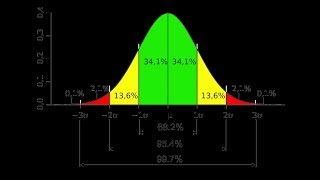 4
4
 5
5
 6
6
 7
7
 8
8
 9
9
 10
10
 11
11
 12
12
 13
13
 14
14
 15
15
 16
16
 17
17
 18
18
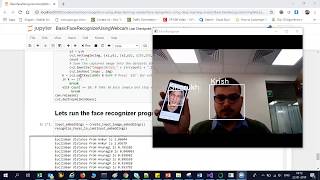 19
19
 20
20
 21
21
 22
22
 23
23
 24
24
 25
25
 26
26
 27
27
 28
28
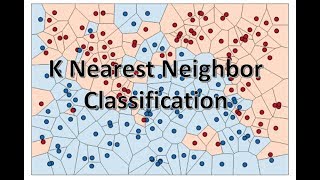 29
29
 30
30
 31
31
 32
32
 33
33
 34
34
 35
35
 36
36
 37
37
 38
38
 39
39
 40
40
 41
41
 42
42
 43
43
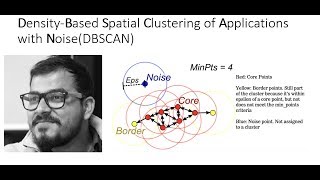 44
44
 45
45
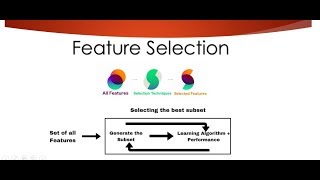 46
46
 47
47
 48
48
 49
49
 50
50
 51
51
 52
52
 53
53
 54
54
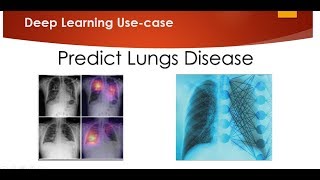 55
55
 56
56
 57
57
 58
58
 59
59
 60
60

Natural Language Processing|Stemming
Krish Naik
Natural Language Processing|BagofWords
Krish Naik
Gaussian distribution or Normal Distribution in statisctics
Krish Naik
Natural Language Processing|TF-IDF for Machine Learning| Text Prerocessing
Krish Naik
Log Normal Distribution in Statistics
Krish Naik
Covariance in Statistics
Krish Naik
Confusion matrix, Precision, Recall| Data Science Interview questions
Krish Naik
Tutorial 44-Balanced vs Imbalanced Dataset and how to handle Imbalanced Dataset
Krish Naik
Implementing a Spam classifier in python| Natural Language Processing
Krish Naik
Tutorial 11-Exploratory Data Analysis(EDA) of Titanic dataset
Krish Naik
Face Recognition using open CV and VGG 16 Transfer Learning
Krish Naik
Pedestrian Detection using OpenCV from Videos
Krish Naik
Face and Eye Detection from Videos using HAAR Cascade Classifier
Krish Naik
Reading, Writing and Displaying images with Opencv| OpenCV Tutorial
Krish Naik
OpenCV Installation | OpenCV tutorial
Krish Naik
Face and Eye Detection from Images using HAAR Cascade Classifier
Krish Naik
Car Detection using HAAR Cascade and Opencv from Videos.
Krish Naik
Using OpenFace for Face recognition in Keras
Krish Naik
OpenPose Tutorial with Tensorflow
Krish Naik
Multiple Linear Regression using python and sklearn
Krish Naik
Dimensional Reduction| Principal Component Analysis
Krish Naik
Movie Recommender System using Python
Krish Naik
TPR,FPR,FNR,TNR, Confusion Matrix
Krish Naik
Precision, Recall and F1-Score
Krish Naik
Artificial Neural Network for Customer's Exit Prediction from Bank
Krish Naik
GridSearchCV- Select the best hyperparameter for any Classification Model
Krish Naik
RandomizedSearchCV- Select the best hyperparameter for any Classification Model
Krish Naik
K Nearest Neighbor classification with Intuition and practical solution
Krish Naik
K Means Clustering Intuition
Krish Naik
Create custom Alexa Skill- Lambda function- Part2
Krish Naik
Hierarchical Clustering intuition
Krish Naik
Implement Transfer Learning with a generic Code Template
Krish Naik
Gender Classifier and Age Estimator using Resnet Convolution Neural Network
Krish Naik
Unlock Your Application With Your Face using OpenCV
Krish Naik
Draw rectangle from webcam and sketch process it on a live feed
Krish Naik
Complete Life Cycle of a Data Science Project
Krish Naik
How we can apply Machine Learning in Finance
Krish Naik
Deep Learning in Medical Science
Krish Naik
How to switch your career to Data Science.
Krish Naik
Linear Regression Mathematical Intuition
Krish Naik
Handle Categorical features using Python
Krish Naik
Machine Learning Algorithm- Which one to choose for your Problem?
Krish Naik
DBSCAN Clustering Easily Explained with Implementation
Krish Naik
Curse of Dimensionality Easily explained| Machine Learning
Krish Naik
Feature Selection Techniques Easily Explained | Machine Learning
Krish Naik
Tutorial 29-R square and Adjusted R square Clearly Explained| Machine Learning
Krish Naik
Cross Validation using sklearn and python | Machine Learning
Krish Naik
Handling Missing Data Easily Explained| Machine Learning
Krish Naik
Deploy Machine Learning Model using Flask
Krish Naik
Deployment of Deep Learning Model using Flask
Krish Naik
How to Visualize Multiple Linear Regression in python
Krish Naik
K Nearest Neighbour Easily Explained with Implementation
Krish Naik
Predicting Heart Disease using Machine Learning
Krish Naik
Predicting Lungs Disease using Deep Learning
Krish Naik
Stock Sentiment Analysis using News Headlines
Krish Naik
Random Forest(Bootstrap Aggregation) Easily Explained
Krish Naik
Voting Classifier(Hard Voting and Soft Voting Classifier)
Krish Naik
Credit Card Fraud Detection using Machine Learning from Kaggle
Krish Naik
Hyperparameter Optimization for Xgboost
Krish Naik
Tutorial 45-Handling imbalanced Dataset using python- Part 1
Krish Naik
Related Reads
📰
📰
📰
📰
Still Feels Like Edo: An Anime Artist, an AI, and the New Floating World — Episode 18: Kabuki…
Medium · AI
Top 5 AI Trends That Will Transform Development in 2026
Dev.to · Muhammad Zulqarnain
Telegram is becoming my control plane for vibe coding
Dev.to · shrey
AI For Test Generation: Where It Helps And Where It Lies
Dev.to · Nazar Boyko
🎓
Tutor Explanation

 DeepCamp AI