Multi-Lingual Toxic Comment Classification using BERT and TPUs with PyTorch
Key Takeaways
This video demonstrates the use of BERT with PyTorch and TPUs for multi-lingual toxic comment classification, covering topics such as fine-tuning, data parallelism, and distributed training. The video showcases two different models, one trained on a GPU and the other on a TPU, and discusses the use of pre-trained BERT models, mean and max pooling, and concatenation of outputs.
Full Transcript
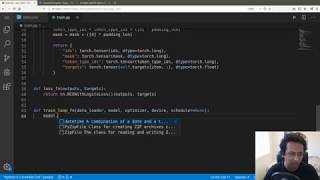
you okay so hello everyone and welcome yeah okay so in this video I'm going to talk about the new challenge that we have one kaggle multilingual toxic comment classification and there have been many challenges like this in the in the past called toxic comment classification but we never had multilingual and yeah thanks for the Hat I couldn't find mine so in this in this video we are going to see how we can use pert and apply it in this competition data and also how to do the same using TP use so if you have seen this competition if not it's okay because I'm going to go through the data a little bit so let's look at the data so here we do have a lot of files and we have toxic comment rain unintended biased rain so these are from first competition and the second competition of toxic classification and then we have a test dot CSV for test data and we also have a validation data validation dot CSV so these are the major files that you need and then you also have some processed sequences of sequence with length 128 but you probably don't need that you probably want to use larger sequences so what do we have here we have ID a common text language and whether it's toxic or not so let's let's look at the data a little bit first okay probably this one so we have the common text and we have the Toxic column whether it is toxic or not toxic and that's all we need and we also have this other data set probably this one okay so here we have the toxic column too but here you see the toxic column is real values floats they can be between 0 & 1 or 0 & 1 so and we have the test data set so test dataset is some content text and then the language so to start with this model if you have seen my previous video on Burt sentiment it's going to be quite useful and quite fast if not it's okay so when we made the Burt sentiment model using the IMDB data set we created a small kind of framework that we can train on any similar data set so what we are going to do is just we are going to use that that framework so in that we had data set dot pi so what I'm going to do is I'm just going to copy this thing from here and start building our model so let's say I create a new folder called source and inside that I have data set now it will be very useful if you code along rich then you learn more so what I'm going to do here is I'm just going to modify this data set class for our new data so in our new data we do have we do have a review column let's say it's called comment text so we have review so everywhere we have review I'm just going to replace it with common text and we do have a target column so that's fine now we don't need to change anything else in this bird data set class so here you have inputs so I'm using encode plus from hugging faced organizers and that encodes your first string and the second string but here in this case we don't have any second string so we're just going to use none and we specify a max length and the special tokens for bird and then using the max length we calculate the padding length which is max length minus length of ID's and then we pad on the right side so for Bert you pair on the right side and then we return IDs mask token type IDs and targets okay so so far so good now we will look at the model file so can either look at the engine or model let's look at the model first so here we have created a word based on case model so again just going to use that one because we have already done it and here I'm taking the birth model from Transformers the pre-trained model and specifying it in convict birth birth path and then I'm using a dropout and I have a linear layer so a lot of people in my previous video commented saying that why do we use this output what why don't we use the other one so we can also try using the other output but this is flat so for every sample you have a vector of size 768 so we can just use it directly or we can also change it so we can probably change it for this video so now we don't need the second output and I will say that we can we can use the first one so what we can do is we can right here we can do some kind of mean cooling on the first output so this will be torch dot means and output was Oh 1 + 1 and similarly we can also do max pooling so in max pooling here I used underscore because the second values indices we don't need the indices and everything else remains the same now we can concatenate it so both of these will be vectors of size 768 so my concatenation will be cat equal to torch dot cat and inside that we can have average pooling or mean pooling max pooling okay XS 1 so we got this one and now we change this to cat so we added the drop out we have a output layer which is linear and now one more thing that you want to change is multiply it by two because now you have mean pooling and max pooling okay so this will be our model that we can use now if we go back to our bird sentiment model we can go to engine dot pi which we had written before and it was written for binary classification problem so I'm just going to take everything from here and create engine dot PI so what do we have here so we have a training function that takes the data loader takes the model itself optimizer device CUDA GPU CUDA CPU and scheduler and then you put the model in train mode go through all the batches inside data loader and then you have IDs the token type ID is the masks and targets and then you put them to the device that you're using so everything looks fine here we have targets which is float even now it's float and then you zero grab the optimizer you pass everything through the model calculate the loss due back propagation and step the optimizer and scheduler if you have scheduler and similarly you have the eval function so this is important because if you if you don't have a lot of GPU memory so you want to use with torch dot no grad and then do the same thing without the lost stuff that you did in train so it a copy-paste okay um the bird sentiment is available here I posted a link in the chat so I guess that works so we are almost there so now we just need to write our training loop and that will be all so we go to how could we have data set we have engine we have model yeah one more important thing was the conflict so conflict specifies everything that you need in order to run and there we go here we'll do conflict at PI so we can here we here we can specify for our project so we are inputting transformers we have a max line of 512 we can specify some kind of bat size and validation bat size and then path to the bird model and where you want to save the model that's the model path and training file so in this case I'm just removing the training file from here okay and now we can start writing the training script itself so which is also quite simple and similar to what was already done so we have train dot pi and I'm just going to take everything from here okay so here we have all the imports and now you want to change the arguments and data set you want to change the data itself so let's try doing that so we have we have two different CSV files so I'll say DF 1 SPD dot read CSV and this file is called jigsaw tailing toxic toxic train looks comment train dot CSV and and the one that we have is I'd have to check toxic comment train on unintended bias train dot CSV and from both of these we just want to use only two two columns so I can just do use calls comment text and toxic and I can do the same for the other files okay and this will be your tf2 then you have the full DF train will be PD short con cats so I'm just joining these two data frames DF 1 DF 2 and I will also reset index and drop it so we got the DF train and now we want DF underscore valid DF underscore valid will be PD dot CSV just validation dot CSV okay okay so we have the training data frame we have the validation data frame so we don't need to split it anymore we don't need to reset the index and here instead of review we have common text in board data set so common text review common text and target instead of sentiment it's toxic dot values so instead of sentiment we have toxic okay so so what happened then what have we done till now so we have these two data frames we combine them create a big data frame we have the validation data frame so this validation set is provided from goggle and then we have then we create the call the data set object class and we create Train data set we create the Train data loader using a bad-size which is defined in config and then we have a valid data set and a valid data loader so everything here till now it's the same and even after that it's everything is same so the difference between DF 1 and DF 2 is there are two different CSVs which are provided in the competition so both have both have some both a bunch of sentences and both are different from each other so now we have we create the model the bird based on case model that we modified a little bit just now and then we do the same thing then then we don't change anything at all compared to [Music] compared to the sentiment model that we had created so we keep everything the same because it's a benchmark so it's now up to you so you need to change optimizer parameters a little bit and play around with it experiment a little bit to improve this cold further so now I have two GPUs so I put everything in so I change model to data parallel model and then I just called Engine dot train function with all the arguments and then I say if the outputs the outputs is NP dot array of outputs greater than 0.5 and now instead of accuracy we have to calculate AUC score which is also quite easy so far OC AUC score so now I will say okay roc AUC score I can just keep the same name accuracy but in this case its ROC AUC score instead if it's greater than best accuracy then we save the model and I think that's that's all then you are done with the building the first model so now we can try to run it but I don't have the data so I'll just quickly download the data so you create an input file no I don't have to delete the line yes I do have to delete the line so good point from fear us should be targets so a very interesting thing here is targets are values between 0 and 1 so for one of the data frames it's just binary zeros and ones but for the other one it's not so now it's up to you what you want to decide how do you want to train you can train on everything you can say like everything greater than equal to 0.5 is my is 1 or you can just train on all the float values and what I've seen till now is floating training on the float values is much better than mine arising them but yet it's something that you should try so my targets will be greater than equal to 0.5 which threshold okay so so I've been just copying the data so now I have created a input folder with all the CSV files in it and now we can start training the model but I don't have word based on case one more thing about this competition and it says in the name itself it's a multilingual bird multilingual so we need to use the multilingual model because you can use the you can use word based on case but it's trained on it's trained only on English data and then it's not going to perform very well so you will get some score but it's not going to be very good so it's always it's better if you use the multilingual model so what I can do here is I can just change the model to multilingual and this is also being shared in the competition forums now so you can use it from here from there and now we can we can try to start training the model so I'm just going to reduce the batch size to two max length two to 256 and then see if it works so yeah okay so it didn't find some file mm okay so let me see jigsaw multilingual okay the file name is incorrect so I'm just gonna fix that and let's try trying it again and if everything is fine it should work it's not much of change because you have already created the framework okay so yeah I should import torch so missing import let's drag in so the issue with line 71 was I was trash holding output instead of targets so we have to threshold the targets instead because targets are values between 0 and 1 okay so this seems to be training now you can see like this is going to take quite a long time it seems I'm using 220 a TTI's so yeah it's taking a lot of time even on those so always a better way would be to just cancel it and try to train it on GPUs instead and that's what this computation is meant for so now we can go to Kaggle back back to Kegel and create a new notebook so go to the new notebook and I will select one with GPU but I'm not going to select it right now I'm going to select it after we write the code or okay let's do that let's just select it right now so we create the notebook okay so now we need to wait so you can see now I have the TPU accelerator and using TPU it's going to be super fast and we will see now and we have already done all the work by creating a simple model first so we can just copy paste stuff from there we don't have to yeah we don't have to write a lot of code again so most important things that we need okay we need we probably need OS or maybe not I don't know but let's just keep it let's delete everything else and we need import torch dot and then let's see let's see what what else we need so for data set we need import torch okay so I get it from there and okay and from model we have torch we have toaster and then we have there is transformers now in Kaggle so we can use that for engine do we need anything new we don't know it just copy TQ DM probably need it and we also need something from conflict no but we do need the config so we'll come back to that later we need scikit-learn we need all these things here okay yeah I think we have everything that we need for now so let's start so what I'm going to do is I'm just going to copy paste everything from the model we just created and you see how simple it it's it becomes when when you have trick when you have created all this boilerplate for some problems you can just transfer it to another problem very quickly so it's going to probably take 20 minutes once you have word sentiment made 20 minutes to just copy everything from there and arrange it so we need the bird base on case model that we have created so I'm just going to put it here and we also need data set so I'm just gonna copy it from here and now we need everything from engine so this also comes here I would rather add it as a data set or a script and then import them but this is also fine so now we have that and now we can start writing the training for GPUs so to write training for TP use we can just copy paste everything from here and it's just small changes ok so we have this run function so we input the training files everything remains the same now when you use GPUs you have to use the distributed sampler which is going to distribute the data on different GPU cores so you can write trained sampler equals torch dot util dot theta dot strip uted distributed sampler and here you have train data set which is defined above and you you define how many replicas you have and now you need to import a little bit more so we go back up and we import some so far using TP use using PI torch if you if you want to use GPUs using pi totes you have to use torch excel a library so in Port George underscore excel a and we have to import import charge excel a dot Cortot xle underscore model as XM so now what you can do is you can say how many replicas you have let's go back there I okay and this will be X m dot Nome replicas sorry X m dot x RT underscore world size so if you have one tip you you have eight cores so your world size is eight and now you have your rank so rank is just the ordinal of the core so you can do x m dot or you know and you can do shuffle equal to true so let's look at this one distributed sampler this is from kite but I think it should be fine so the number of processors and then rank of current process within number of replicas so you see wrote between 0 to 8 and 0 to 7 and this is 8 so you got that and now we have the train data loader so we will change it a little bit no workers 4 is fine now my sampler here will be trained underscore sampler and there's a problem in when using GPUs if you don't have equal bad sizes it's going to crash for some reason using PI torchic silly so I'm just going to do drop last equal to true let's see we don't have config anymore so we just do bad strain bad size so we need to remove conflict from everywhere and we do the same thing like we did here for validation data set so I can just call it valid underscore sampler and validate as it and then you have the same things I don't need to do drop last equal to true for valid everything else remains the same added it wrong position so here so you got the valid sampler and valid data loader and now you have the device which remains the same model remains the same bird base encased and device should change obviously so you have XM dot X la underscore device that's your excel a device which is deep you in this case now you have the model and you have these parameters let's wait for this one and then we have the number of training steps so now number of training steps will change a little bit so we had length of DF trained / train back size that which is fine and now your / the world size xn dot XR t under school world size and this remains the same so that's your new number of training steps so in this case I'm doing learning rate 3.3 e minus 5 so I'll just say my learning rate is three minus five but that also needs to be multiplied now by the number of cores you have so xn dot XR t world sighs you don't need this data-parallel thingy anymore and you have train function outputs targets come from eval function and you have this array which is fine and instead of saving the model using torch dot save you will be saving it now using xn dot save instead and that's going to save your model and then you can just load it you know GPU or CPU to serve it everything else remains the same so the num num training steps gets divided by the number of course you have so that's that's what I did I just added XM xrt world size I think everything else looks good we need to fix few more things let's see now we don't need we don't need this anymore everything here looks fine to me and here everything is okay I guess optimizer so when you're using Excel a you have to do X m dot optimizer underscore step and inside that you have to do optimizer like this and then you can do scheduler dot step which is fine and everything here looks okay to me yeah one thing is let's not use JQ diem otherwise it will start printing on all devices so I just removed TEM from here and to get him from here if you want to track something then you can add you can probably add something like okay if if batch index person ten if this is equal to zero then xn dot master underscore print so this is going to print only once so batch index is equal to batch index and then you can also print loss is equal to loss okay so do I need anything else we have the loss function we have the training function here everything is okay are we training it in a correct way we have the device which is XM excel a device yeah okay so we also need a parallel loader for this one okay so you need to import more stuff so import torch underscore Excel a dot distribute change not xle underscore multi-processing so we are you going to use multi processing as XMP and import Tosh underscore Excel a dot distributed parallel loader so do we need to use loss that item yes probably so let's fix that where was it do I need to use lost item or you can just be lost I think it's fine looks fine okay so now we need to change a little bit more so forth training function you need to change the training data loader you need to wrap it inside parallel loader so I can say parallel loader will be PL dot and here goes your train data loader and the device the device which you're on and same thing you need to do for eval function so we have the training function and now this one will become it's the data loader is this parallel data loader so para underscore loader dot for device loader and then device so data loader for that device in a safe in simple ways and you have you have a parallel loader for validation so valid data loader and then you need to take this from here and plug it in here okay so I guess we are done okay yeah thanks for letting me know so I guess I guess we have everything that we need have we removed conflict from everywhere so let's remove conflict from everywhere no conflict eval function no conflict to my server so yeah you remove this one and tokenizer an excellent so now we set a few values using the config file itself so we go to config and just take all of these put them here WordPad now this has to change so I need to add a new data set so let's add data sets so we need the bird base multilingual okay sometimes this happens okay in the last loop I have convict yeah this one so I believe we have everything now you need to wrap this function a little bit more so I'll say def underscore multi-processing function and it takes two arguments rank and Flags so this thing you have to look up charge dot so you set a default tensor type set default tensor type and this can be George dot float tensor so you need to do that and then say okay run function run the run function and torch actually you need to spawn these different processes so we can say okay flax is or yeah okay so let's say X MP dot spawn the same multi processing function and it takes the arguments flags which is nothing and and procs which is eight so now you have eight different course of the CPU and start method equal to fork so now let me add one more data set to it word base uncased so we add the data okay so now we have added birthday Sunkist and also multilingual encased we will be using both ways encased first just to see what's happening so this will become word base encased and to run this you need one more thing so let's go to schedule so you need to install by torch Excel a torch actually and there was a discussion from today and yeah we need to run these two commands so you can just add it in top of your notebook okay so now we have everything but we need to change one couple of paths so this should be since we had the data set this path has changed so I'll just change that one and this one okay so now you can you can run this with bird base encased and it's going to work the only problem with my crotch xla is it creates copies of data and copies of your model in multi processing mode so when you're using bird base uncased it has a vocab of like 3000 words but birth multilingual has a vocab of over 100,000 words so you won't be able to run it or I I was not able to figure out a way to run it on 8 cores and so what you can do is when you when you're moving to bird multilingual just change this to 1 it's going to be slow I know it would have been eight times faster if you did eight but one more good thing about this is you can increase the batch size so we had a batch size of 8 on two GPUs you can use a bad size of 256 with a max length of 128 and yeah you can also increase this to 64 so it's quite fast training and I have already created a training kernel so I'm not going to run this one I'm just going to show you the other one okay so we have these two lines first that we saw and that installs XLE everything needed for that and then everything remains the same so now here okay so this one I forgot to copy you also need the average meter if you're using it so we have the we have the same model but base encased and that's the multi lingual so we will be loading multi lingual weights and you have the data set and after that we have a we have a run function so the only thing different the different in this notebook and what I wrote just now is I have taken the training loop the loss function and the evaluation function inside the run function so it's in the scope of only the run function but it's not required so you have the training loop and you have the evaluation loop just have to remember that it should be X m dot optimizer step and inside that optimizer so this is one change for TPU the first one the second change is you should have a distributed data sampler then the third one is the device itself make some dot Excel a device then learning rate which is very important change because your you now have multiple cores you're running on many different cores so you have to you have to take care of batch size learning rates and number of training steps so these three things become very important how can you change the number of training steps when changing the number of books then you have then you have to wrap the data loaders in parallel data loader right and here I'm using xn dot master print you can also use that you don't you don't need to export this I'm just doing it and then you have this bond so now you will see that in after every batch so it's going to tell me okay I have three thousand one hundred five steps it's going to tell me that because I printed here and after every 10 batches of data it's going to print me some lost value just like we did and the good thing about this model is so now this notebook is using Bert multilingual and you see I'm using n props equal to 1 because I was not able to fit that huge model but if you find a way to do that then comment on the video let me know it would really be cool to make it even faster and yeah even after first Epoque you get a a you see of 84 so I train for two epochs and I see like in the second one it drops to zero point eight three nine zero point eight four and then yeah you have exception but that's from tip you can ignore that till till this point we have saved the model and that's all we need okay so now you have the model saved which will come in your output model dot pin okay make these notebooks public okay yeah so the notebooks are public and now you need to create a inference kernel so inference kernel is also quite easy you have everything you have the model so I'm just copying the model again and when you save using XM dot save when you save the model it saves you in a format which you can use on CPU or GPU anything and then you have the bird data set for test now a little bit modification here that I did was to remove target because you don't have the target right and after that I read the CSV file you have the tokenizer from multilingual and birthdays and case again put it to kuda and load the model files itself so this model what wind comes from the training colonel this one the training colonel and now you can start making predictions so for making predictions you can just copy the eval function so you don't need anything else you have to remember in this competition in the test data set test or CSV it's called content instead of common text so that's the only difference and I used a max line of 192 you can use anything that that suit you and then yeah this thing I always keep forgetting so this is so that you don't go out of memory and wrap it in this function and then you make predictions on all of them so one one of the things yeah I didn't do inference on GPU cuz I if if we have GPU then I think it's fine no specific reason and then you can create predictions now the evaluation metric for this computation is a you see so you can have any kind of real number that you want and I'm also making this kernel public so you can go and take a look and try to improve the Skoll further and if you find something that's not working is something wrong with something let me know this kernel currently should give you quite high score I think yeah in top ten but you have to also see that the competition has just begun so there's a lot of cool things that you can do there you can also use birth base uncased and with a different course of Tipu's so to do that a very simple thing would be to just translate the datasets so you see in this competition you have a validation set and you have a test set and everything you have everything in your hands so you can just do some kind of offline translation translate everything to English and use bird base encased to improve more you can also try to combine it with a multilingual model so I think that's it for today and I don't I don't have anything else if you if you find some something wrong with my notebooks or the code itself because I'm going to put this code on github too so you have the GPU code and the TPU code both of them if you find something wrong and let me know and let me know if how I can improve further and if you like my videos don't forget to Like and subscribe and see you next time goodbye
Original Description
In this video, I will show you how to tackle the kaggle competition: Jigsaw Multilingual Toxic Comment Classification.
I will be using PyTorch for this video and will build two different models: one with GPU and one with TPU!
Don’t forget to click on the like button and subscribe :) It motivates me to make more videos :)
Follow me on:
Twitter: https://twitter.com/abhi1thakur
LinkedIn: https://www.linkedin.com/in/abhi1thakur/
Kaggle: https://kaggle.com/abhishek
Watch on YouTube ↗
(saves to browser)
Sign in to unlock AI tutor explanation · ⚡30
Playlist
Uploads from Abhishek Thakur · Abhishek Thakur · 15 of 60
1
 2
2
 3
3
 4
4
 5
5
 6
6
 7
7
 8
8
 9
9
 10
10
 11
11
 12
12
 13
13
 14
14
 ▶
▶
 16
16
 17
17
 18
18
 19
19
 20
20
 21
21
 22
22
 23
23
 24
24
 25
25
 26
26
 27
27
 28
28
 29
29
 30
30
 31
31
 32
32
 33
33
 34
34
 35
35
 36
36
 37
37
 38
38
 39
39
 40
40
 41
41
 42
42
 43
43
 44
44
 45
45
 46
46
 47
47
 48
48
 49
49
 50
50
 51
51
 52
52
 53
53
 54
54
 55
55
 56
56
 57
57
 58
58
 59
59
 60
60

Episode 1.1: Intro and building a machine learning framework
Abhishek Thakur
Episode 1.2: Building an inference for the machine learning framework
Abhishek Thakur
Episode 2: A Cross Validation Framework
Abhishek Thakur
Tips N Tricks #2: Setting up development environment for machine learning
Abhishek Thakur
Episode 3: Handling Categorical Features in Machine Learning Problems
Abhishek Thakur
BERT on Steroids: Fine-tuning BERT for a dataset using PyTorch and Google Cloud TPUs
Abhishek Thakur
Special Announcement: Approaching (almost) any machine learning problem
Abhishek Thakur
Training BERT Language Model From Scratch On TPUs
Abhishek Thakur
Bengali.AI: Handwritten Grapheme Classification Using PyTorch (Part-1)
Abhishek Thakur
Bengali.AI: Handwritten Grapheme Classification Using PyTorch (Part-2)
Abhishek Thakur
Episode 4: Simple and Basic Binary Classification Metrics
Abhishek Thakur
Training Sentiment Model Using BERT and Serving it with Flask API
Abhishek Thakur
Episode 5: Entity Embeddings for Categorical Variables
Abhishek Thakur
Tips N Tricks #5: 3 Simple and Easy Ways to Cache Functions in Python
Abhishek Thakur
Multi-Lingual Toxic Comment Classification using BERT and TPUs with PyTorch
Abhishek Thakur
Text Extraction From a Corpus Using BERT (AKA Question Answering)
Abhishek Thakur
10K Subscribers: Approaching (almost) Any Machine Learning Problem and Talk Show
Abhishek Thakur
Data Processing For Question & Answering Systems: BERT vs. RoBERTa
Abhishek Thakur
Tips N Tricks #6: How to train multiple deep neural networks on TPUs simultaneously
Abhishek Thakur
Sentencepiece Tokenizer With Offsets For T5, ALBERT, XLM-RoBERTa And Many More
Abhishek Thakur
Talks # 1:Andrey Lukyanenko - Handwritten digit recognition w/ a twist & topic modelling over time
Abhishek Thakur
Episode 6: Simple and Basic Evaluation Metrics For Regression
Abhishek Thakur
Talks # 2: Subhaditya Mukherjee - Image restoration using Deep Learning: Dehazing
Abhishek Thakur
Basic git commands everyone should know about
Abhishek Thakur
How do I start my career in Data Science?
Abhishek Thakur
Talks # 3: Lorenzo Ampil - Introduction to T5 for Sentiment Span Extraction
Abhishek Thakur
Detecting Skin Cancer (Melanoma) With Deep Learning
Abhishek Thakur
Talks # 4: Sebastien Fischman - Pytorch-TabNet: Beating XGBoost on Tabular Data Using Deep Learning
Abhishek Thakur
Build a web-app to serve a deep learning model for skin cancer detection
Abhishek Thakur
Talks # 5: Parul Pandey: Data Science, Diversity and Kaggle
Abhishek Thakur
Implementing original U-Net from scratch using PyTorch
Abhishek Thakur
Tips N Tricks # 8: Using automatic mixed precision training with PyTorch 1.6
Abhishek Thakur
Talks # 6: Mani Sarkar: From backend development to machine learning
Abhishek Thakur
Dockerizing the skin cancer detection web application
Abhishek Thakur
How to train a deep learning model using docker?
Abhishek Thakur
Building an entity extraction model using BERT
Abhishek Thakur
Train custom object detection model with YOLO V5
Abhishek Thakur
Talks # 7: Moez Ali: Machine learning with PyCaret
Abhishek Thakur
How to convert almost any PyTorch model to ONNX and serve it using flask
Abhishek Thakur
Hyperparameter Optimization: This Tutorial Is All You Need
Abhishek Thakur
I finally got a copy of "Approaching (Almost) Any Machine Learning Problem"
Abhishek Thakur
Captcha recognition using PyTorch (Convolutional-RNN + CTC Loss)
Abhishek Thakur
Live Q&A: Getting Started With Data Science
Abhishek Thakur
WTFML: Simple, reusable code for PyTorch models
Abhishek Thakur
Talks # 8: Sebastián Ramírez; Build a machine learning API from scratch with FastAPI
Abhishek Thakur
Data Science PC Configs: From Low Range to Super-High Range
Abhishek Thakur
BERT Model Architectures For Semantic Similarity
Abhishek Thakur
I just got access to GitHub's Codespaces and it's amazing!
Abhishek Thakur
Talks # 9: Vladimir Iglovikov; Detecting Masked Faces In The Pandemic World
Abhishek Thakur
Tips To Build A Good Data Science / Machine Learning Project (For Your Portfolio)
Abhishek Thakur
Docker For Data Scientists
Abhishek Thakur
How To Become A Data Scientist In 1 Year (Learn From A Real World Example)
Abhishek Thakur
Talks # 10: Tanishq Abraham; What are CycleGANs? (a novel deep learning tool in pathology)
Abhishek Thakur
Deploy Any Machine Learning Or Deep Learning Model On Google Cloud Platform (App Engine)
Abhishek Thakur
Pair Programming: Deep Learning Model For Drug Classification With Andrey Lukyanenko
Abhishek Thakur
VS Code (codeserver) on Google Colab / Kaggle / Anywhere
Abhishek Thakur
Talks # 11: Jean-François Puget; Did you know GPUs are not just for Deep Learning?
Abhishek Thakur
End-to-End: Automated Hyperparameter Tuning For Deep Neural Networks
Abhishek Thakur
Deploy Any Machine Learning (or Deep Learning) Endpoint on Google Cloud Platform In 10 minutes
Abhishek Thakur
Ensembling, Blending & Stacking
Abhishek Thakur
More on: Multimodal LLMs
View skill →







Related Reads
📰
📰
📰
📰
Understanding Deep Learning Through Four Interactive Experiments
Medium · Data Science
Understanding Deep Learning Through Four Interactive Experiments
Medium · Deep Learning
Optimizers in Deep Learning: From Gradient Descent to Adam
Medium · Deep Learning
The Meta-Architecture of Interface Fracture: High-Dimensional Logical Stress and Systemic Collapse…
Medium · Deep Learning
🎓
Tutor Explanation

 DeepCamp AI