Motorola Moto G 2nd Generation / G2 Unboxing and Review
Key Takeaways
Motorola Moto G 2nd Generation unboxing and review, featuring a 5-inch IPS LCD screen, 8MP autofocus camera, and Qualcomm Snapdragon 400 processor, with a price point of 12,999 Indian rupees, and discussing its features, specifications, and overall value, using tools such as Flipkart for purchase and Twitter for social media engagement
Full Transcript
what's up internet I'm Manish from Rebellion rider.com and today I'm going to do the unboxing of brand new Motorola MOTO G2 or Motorola MOTO second generation which is a budget smartphone recently launched by Motorola but before moving ahead a hearty thank to my dear friend who let me unbox and review this brand new Motorola MOTO G2 on my YouTube channel this phone is exclusively available on Flipkart and cost only 12,999 Indian rupees which is approx $25 so let's start the unboxing unlike other budget phone in the same category Motorola keeps the box of moto G2 very minimal let's open the box and see what's inside it first thing which comes in front of you as soon as you open this box is the phone itself Motorola has launched Moto G2 in two different color white and black and we have a white color variant here for the unboxing okay apart from the phone you will get a travel charger and a headset and some manuals this box doesn't include any USB connecting cables though the price of phone is very low but the phone itself doesn't feel cheap at all when you hold the phone for the first time in your hand you will feel that this phone is screams quality at the front of moto G2 we have 5 in IPS LCD screen with Gorilla Glass 3 protection this is a 720P HD screen with 720x 1280 pixel resolutions and approx 294 pixel density which means good color depth on the display and we also get 2 megap front camera along with two audio speaker and some sensors you must have already seen this kind of front speaker with Motorola Moto E at the back of this phone we have 8 map autofocus camera with LED flash this camera is capable of recording 720P HD videos on 30 frame per second with studo sound Moto G2 has packed several interesting feature with this camera such as autofocus slow motion video bust mode Auto SDR panor and tap to focus the back of this phone is very smooth when you touch it and doesn't get any fingerprints and of course how can I forg for to mention the most talked about dimple with Motorola logo on it on the right side of the phone we have power button and the volume lockers whereas left side of the Moto G2 has nothing on the top of the phone we have 3.5 mm audio jack for headset along with the noise cancellation microphone at the bottom we have Micro USB charging port under the battery cover you will get 270 mamp undetachable battery we also have two SIM card slots for micro SIMs both of which support 3G gsm network but you can only use 3G network on one sim at a time and not on both the Sims together this phone comes with 16 GB internal storage and unlike previous Motorola Moto G this time with Moto G2 we have Micro SD slot using which you can extend your memory up to 32 GB this phone has qualcom Snapdragon 400 processor with 1.2 GHz quadcore CPU along with adreno 305 GPU and 1 GB Ram now let's talk about sensors in Motorola MOTO G2 this phone comes with proximity ambient light and the accelerometer sensor proximity sensor with turns off the display when you are on a call the accelerometer controls the orientation of a phone and helps with motion gaming the ambient light sensor adjust the screen brightness for optimal viewing in different conditions altogether these high-end specification give you a very smooth Moto G experience in a pocket friendly price now it's time for verdicts though the phone will give you a premium quality feel yet the headphones which comes packed with this phone seems quite minimal with the blow aage sound quality with the previous Moto G users face muffled voice speaker problem during call but with this second generation Moto G I haven't faced any such problem if you ask me about the review then I will go with 9 out of 10 as the headphones put a bit of a diper on the rest of the excellent features I would also like to give you all a head up for the charger it has very less juice of Just5 ere which may lead to your phone taking extensive time to get charged if you want quick charge then better buy a universal charger of 1 ampere or more apart from that Motorola MOTO G2 is a great budget phone and worth buying that's all guys hope you like the unboxing and impromptus videos take care and have a good day this is Manish
Original Description
Motorola Moto G 2nd Generation / G2 Unboxing
My Honest review (Verdicts at the end) of motorola moto g2 or moto g second generation along with the in depth unboxing.
Follow me on twitter | @RebellionRider |
Comment if you want Moto g2 Vs Moto E
-------------------------------------------------------------------------
--------------------------------------------------------------------------
►Make sure you SUBSCRIBE and be the first one to see my videos!
--------------------------------------------------------------------------
Amazon Wishlist: http://bit.ly/wishlist-amazon
~~~~~~~~~~~~~~~~~~~~~~~~~~~~~~~~~~~~~~~~~~
Follow What I am up to as it happens on
https://twitter.com/rebellionrider
https://www.facebook.com/imthebhardwaj
http://instagram.com/rebellionrider
https://plus.google.com/+Rebellionrider
http://in.linkedin.com/in/mannbhardwaj/
http://rebellionrider.tumblr.com/
http://www.pinterest.com/rebellionrider/
You can also Email me at
RebellionRiderYT@gmail.com
Please please LIKE and SHARE my videos it makes me happy.
Thanks for liking, commenting, sharing and watching more of our videos
This is Manish from RebellionRider.com
♥ I LOVE ALL MY VIEWERS AND SUBSCRIBERS
Playlist
Uploads from Manish Sharma · Manish Sharma · 47 of 60
1
 2
2
 3
3
 4
4
 5
5
 6
6
 7
7
 8
8
 9
9
 10
10
 11
11
 12
12
 13
13
 14
14
 15
15
 16
16
 17
17
 18
18
 19
19
 20
20
 21
21
 22
22
 23
23
 24
24
 25
25
 26
26
 27
27
 28
28
 29
29
 30
30
 31
31
 32
32
 33
33
 34
34
 35
35
 36
36
 37
37
 38
38
 39
39
 40
40
 41
41
 42
42
 43
43
 44
44
 45
45
 46
46
 ▶
▶
 48
48
 49
49
 50
50
 51
51
 52
52
 53
53
 54
54
 55
55
 56
56
 57
57
 58
58
 59
59
 60
60
Oracle Database tutorials 1: How to install Oracle Database 11g on windows 7
Manish Sharma
Oracle Database tutorials 2:How To install SQL Developer on windows 7
Manish Sharma
Oracle Database tutorials 3:How to enable Line numbers in SQL Developer.
Manish Sharma
Oracle Database tutorials 4: database connectivity using SQL developer and command prompt
Manish Sharma
Oracle Database tutorials 5: how to Fetch Data using SELECT - SQL statement by Manish Sharma
Manish Sharma
Oracle Database11g tutorials 6 | | How to use Concatenation operator, character String
Manish Sharma
Oracle Database11g tutorials 7 | |SQL DISTINCT keyword || SQL tutorials
Manish Sharma
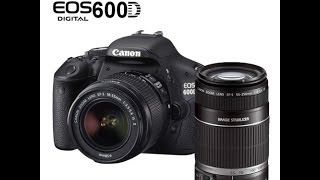
Canon EOS 600D 2 lens kit/Canon rebell EOS T3i 2 lens kit Unboxing
Manish Sharma
First look: ORACLE CERTIFIED ASSOCIATE (OCA) CERTIFICATE - ORACLE DATABASE ADMINISTRATOR
Manish Sharma
Oracle Database11g tutorials 8 || SQL DISTINCT with multiple columns |SQL Distinct with Two columns
Manish Sharma
Oracle Database11g tutorials 9 || What is archive log mode and how to enable archive log mode
Manish Sharma
Oracle Database11g tutorials 10 || SQL Single Row Function (SQL Functions )
Manish Sharma
Oracle Database11g tutorials 11: SQL case manipulation function in Oracle Database
Manish Sharma
how to add channel trailer and section on your youtube channel 2014
Manish Sharma
Oracle Database11g tutorials 12 || SQL Concat Function - SQL character manipulation function
Manish Sharma
Oracle Database11g tutorials 13 || SQL substr function / SQL substring function
Manish Sharma
Oracle Database11g tutorials 14 : How to CREATE TABLE using sql developer and command prompt
Manish Sharma
SQL tutorials 15 || How To CREATE TABLE using enterprise manager 11g
Manish Sharma
Oracle Database11g tutorials 16: How to uninstall oracle 11g from windows 7 64 bit
Manish Sharma
ORACLE CERTIFIED PROFESSIONAL(OCP) CERTIFICATE First look - ORACLE DATABASE ADMINISTRATOR
Manish Sharma
Plantronics audio 655 USB headset with Mic Unboxing and Review and Plantronics audio 655 Mic test
Manish Sharma
SQL tutorials 17: SQL Primary Key constraint, Drop primary Key
Manish Sharma
SQL tutorials 18: SQL Foreign Key Constraint By Manish Sharma
Manish Sharma
SQL tutorial 19: ON DELETE SET NULL clause of Foreign Key By Manish Sharma (RebellionRider)
Manish Sharma
SQL tutorials 20: On Delete Cascade Foreign Key By Manish Sharma (RebellionRider)
Manish Sharma
SQL tutorial 21: How To Rename Table in SQL using ALTER TABLE statement By Manish Sharma
Manish Sharma
SQL tutorial 22: How to Add / Delete column from an existing table using alter table
Manish Sharma
SQL tutorial 23: Rename and Modify Column Using Alter Table By Manish Sharma (RebellionRider)
Manish Sharma
SQL tutorial 24 :SQLJoins- Natural Join With ON and USING clause By Manish/Rebellionrider
Manish Sharma
Oracle Database11g tutorials 25: How to install Oracle Database 11g Express Edition R2 on Windows 7
Manish Sharma
SQL tutorial 26: Introduction to SQL Joins in Oracle Database
Manish Sharma
Vidcon 2014 YouTube Fan Funding: How to enable fan funding on YouTube Channel
Manish Sharma
SQL tutorial 27: Right Outer Join in SQL by Manish Sharma for RebellionRider
Manish Sharma
SQL tutorial 28: Left Outer Join By Manish Sharma / RebellionRider
Manish Sharma
SQL tutorial 29: Full Outer Join with example By Manish Sharma/ RebellionRider
Manish Sharma
SQL tutorial 30: Inner Join In SQL by Manish Sharma/RebellionRider
Manish Sharma
SQL tutorial 31 : SQL Cross Join In Oracle Database By Manish Sharma from RebellionRider
Manish Sharma
SQL tutorial 32: How To Insert Data into a Table Using SQL Developer
Manish Sharma
SQL tutorial 33:How To Insert Data into a Table Using SQL INSERT INTO dml statement
Manish Sharma
SQL tutorial 34: How to copy /Insert data into a table from another table using INSERT INTO SELECT
Manish Sharma
SQL tutorial 35: DELETE and TRUNCATE how to delete data from a table
Manish Sharma
SQL tutorial 36: how to create database using database configuration assistant DBCA
Manish Sharma
SQL tutorial 37: How to create NEW USER account using Create User statement in Oracle database
Manish Sharma
SQL tutorial 38: How to create user using SQL Developer in Oracle database
Manish Sharma
SQL tutorial 39: How to create user in oracle using Enterprise Manager
Manish Sharma
SQL tutorial 40: DBA Trick, How to drop a user when it is connected to the database
Manish Sharma
Motorola Moto G 2nd Generation / G2 Unboxing and Review
Manish Sharma
SQL tutorial 41: How to UNLOCK USER in oracle Database
Manish Sharma
SQL tutorial 42: How to Unlock user using SQL Developer By Manish Sharma RebellionRider
Manish Sharma
SQL tutorial 43: How to create an EXTERNAL USER in oracle database By Manish Sharma RebellionRider
Manish Sharma
SQL tutorial 44: How to import data from Microsoft Excel to Oracle Database using SQL Developer
Manish Sharma
SQL tutorial 45: Introduction to user Privileges in Oracle Database By Manish Sharma RebellionRider
Manish Sharma
SQL tutorial 46: What are System Privileges & How To Grant them using Data Control Language
Manish Sharma
SQL tutorial 47: How to Grant Object Privileges With Grant Option in Oracle Database
Manish Sharma
SQL tutorial 48: How to create Roles in Oracle Database
Manish Sharma
SQL tutorial 49: CASE - Simple Case Expression in Oracle Database (1/2)
Manish Sharma
SQL tutorial 50: CASE - Searched Case Expression In Oracle (2/2)
Manish Sharma
SQL tutorial 51: DECODE function in Oracle Database By Manish Sharma (RebellionRider)
Manish Sharma
Oracle Database Tutorial 52 : Data Pump expdp - How to Export full database using expdp
Manish Sharma
Oracle Database Tutorial 53 : Data pump expdp - How to Export tablespace in Oracle Database
Manish Sharma
Related Reads
📰
📰
📰
📰
BizNode gives you a full web dashboard at localhost:7777 — manage leads, conversations, knowledge base, and settings in one...
Dev.to AI
From Startup Founder to Meta PM: 3 Fatal Product Mistakes I Only Saw After Joining Big Tech
Medium · Startup
El Nuevo Principio de Pareto en Diseño (2026): Priorización Estratégica en la Era de la IA…
Medium · AI
Before You Buy Academy Software, Run It Through This Checklist
Medium · Startup
🎓
Tutor Explanation

 DeepCamp AI