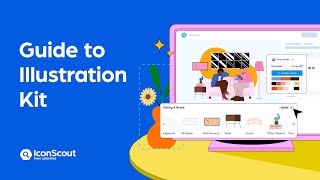
Illustration Kit | Quick guide to creating endless visual combinations
Key Takeaways
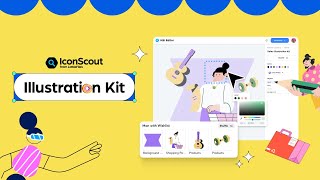
The video demonstrates how to use the Illustration Kit by LottieFiles to create thousands of unique variations of illustrations with just a click, allowing for customization of elements, color palettes, and more. The kit provides a range of options, including a shuffle button, color palette customization, and individual element editing.
Full Transcript
hello and welcome to iconscious now what if I told you that swapping out elements in your illustrations is as simple as it's literally at your fingertips customizing illustrations has never been simpler we have released an illustration kit that allows you to customize your illustrations with just a click let me give you a walkthrough foreign [Music] kit from here once you're in take your time and browse through the wonderful collection of illustrations [Music] once you've found an illustration you like you've got a bunch of options that you can play around with let's start with the shuffle button give it a click and watch the magic happen [Music] you can explore and apply different color palettes from here you can even create your own palette or tweak specific colors to match your style now let's say that you really like this couch or in the illustration and want to keep it just select the couch and lock it in place by clicking on the lock icon and now hit Shuffle again everything else changes except for the couch now try switching the palette once again and you will see that the color of the couch remains locked into [Music] but wait there is more you can also customize individual elements [Music] the element you want to change and choose a replacement [Music] try out different combinations and see what sparks your creativity [Music] and if there's an element that you don't want in your illustration you can easily get rid of it just select it and you can either click on the eye icon over here to hide it or just hit the delete key to remove it completely now once you've fine-tuned your Masterpiece and you're totally satisfied just hit the download button you can save it as a PNG or as an svg2 and that's it you're good to go and this is how simple it is so what are you waiting for get ready to unleash your creativity and create spectacular illustrations [Applause] [Music] thank you
Original Description
Customize your illustration with just one click! In this video, we will walk you through how to use our new Illustration Kit to create thousands of unique variations of your creations. Try our Illustration Kit 👉 https://l.iconscout.com/kit-yt
Timestamps:
00:00 Introducing the Illustration Kit
00:29 Navigating Illustration Kit
00:36 Browse and choose an Illustration Kit
00:51 Changing all elements using the shuffle button
01:01 Editing colors using color palette
01:19 Locking the illustration elements
01:46 Changing individual elements
02:09 Hiding illustration elements
02:32 Downloading and saving as PNG or SVG
Follow #IconScout on social media:
YouTube: https://l.iconscout.com/YouTubeSubscribe
Instagram: https://www.instagram.com/iconscout
Twitter: https://twitter.com/iconscout
Facebook: https://www.facebook.com/theiconscout
LinkedIn: https://linkedin.com/company/iconscout
If you found this video helpful, please consider giving it a thumbs up and subscribing to our channel for more design tips, tricks, and tutorials. Sharing it with your friends and colleagues would also be greatly appreciated! Thank you for watching.
#IconScout #IllustrationKit #DesignAssets #Vector #Illustrations #DesignAsset #KitBasedIllustration #CustomizeIllustration
Watch on YouTube ↗
(saves to browser)
Sign in to unlock AI tutor explanation · ⚡30
Playlist
Uploads from IconScout · IconScout · 36 of 43
1
 2
2
 3
3
 4
4
 5
5
 6
6
 7
7
 8
8
 9
9
 10
10
 11
11
 12
12
 13
13
 14
14
 15
15
 16
16
 17
17
 18
18
 19
19
 20
20
 21
21
 22
22
 23
23
 24
24
 25
25
 26
26
 27
27
 28
28
 29
29
 30
30
 31
31
 32
32
 33
33
 34
34
 35
35
 ▶
▶
 37
37
 38
38
 39
39
 40
40
 41
41
 42
42
 43
43

Best Sketch Plugins for UI/UX Designers in 2018 | iconscout.com
IconScout
Milestone: Celebrating 800,000+ Icons
IconScout
Icondrop for Adobe Xd
IconScout
Create stunning PowerPoint Presentation using Icondrop
IconScout
Free Illustrations - Indian Doodle library | Royalty-free | Vector | Figma | Adobe XD
IconScout
Iconscout API in Ludus
IconScout
Lottie Animations are now available on Iconscout 🎉
IconScout
Iconscout Plugins for Figma, PowerPoint
IconScout
Iconscout Premium
IconScout
10,000+ Lottie Animations available on Iconscout
IconScout
How to create 3D perspective mockups with Vectary and Iconscout
IconScout
Introducing IconScout’s new look | Rebrand video
IconScout
How to boost your design workflow with the IconScout plugin
IconScout
How to install the IconScout Desktop App for Windows and Mac
IconScout
IconScout plugin’s new features for Mac, Canva, Figma, Sketch, Adobe XD
IconScout
How to customize your settings in the IconScout plugin
IconScout
How to install the IconScout plugin for Canva, Figma, Sketch and Adobe XD
IconScout
How to Set 3-Point Lighting in a 3D Scene #shorts
IconScout
How to download 3D illustrations from IconScout
IconScout
How to modify 3D illustrations from IconScout - by changing colors and texture in Blender
IconScout
How to export IconScout’s 3D illustrations from different angles with Blender
IconScout
How to create 3D illustrations with Blender by combining multiple 3D assets
IconScout
How to use the IconScout Color Editor to edit icons, illustrations and Lottie animations!
IconScout
How to turn 3D illustrations into Lottie animations
IconScout
Create 3D design mockups to showcase your products | Blender tutorial
IconScout
IconScout desktop app Overview | Add icons, illustrations, 3D, & animation to your projects!
IconScout
A Complete Guide on how to use Unicons by IconScout
IconScout
IconScout plugin for Figma | Access icons, illustrations, 3D and Lottie animations within Figma
IconScout
All-in-one design assets plugin within Adobe XD | IconScout plugin for Adobe XD
IconScout
IconScout plugin for Adobe XD | Add icons, illustrations, 3D & Lottie animation to your projects
LottieFiles
Welcome to IconScout’s Ecosystem of Creativity
LottieFiles
IconScout app for Canva | Design like a pro with Icons, 3D Illustrations, Lottie animations & more
LottieFiles
Supercharge your presentations with IconScout for Google Slides
LottieFiles
Design like a pro with IconScout plugin for Figma | Icons, illustrations & animations made easy!
LottieFiles
Spark your creativity with Unicons | Unveiling 3D and animated icons
LottieFiles
Illustration Kit | Quick guide to creating endless visual combinations
LottieFiles
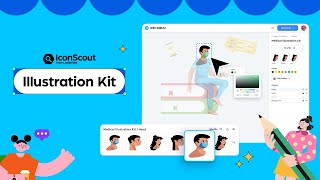
Illustration Kit | Mix, match and shuffle till it's yours
LottieFiles
Reverse Image Search | Discover design assets with the power of AI
LottieFiles
How to add IconScout design assets to your PowerPoint
LottieFiles
Illustration Kit | Mix, match and shuffle till it's yours
LottieFiles
IconScout for Figma: Create stunning designs in just a few clicks
IconScout
How to use IconScout for Figma
IconScout
My favorite websites ad a designer ‼️ #graphicdesign #graphicdesigner #freelancedesign #uidesign
IconScout
More on: UI Design
View skill →









Related Reads
📰
📰
📰
📰
How Our AI Agents Built the Universal CSS Utility Class Generator and Why You'll Love It
Dev.to AI
Why Great Creative Designers in Calicut Matter More Than Ever
Dev.to AI
AI Web Design Automation Tools Evaluated: From PRD To Interactive Prototype
Dev.to AI
UI/UX Design Course in Hyderabad
Medium · UX Design
Chapters (9)
Introducing the Illustration Kit
0:29
Navigating Illustration Kit
0:36
Browse and choose an Illustration Kit
0:51
Changing all elements using the shuffle button
1:01
Editing colors using color palette
1:19
Locking the illustration elements
1:46
Changing individual elements
2:09
Hiding illustration elements
2:32
Downloading and saving as PNG or SVG
🎓
Tutor Explanation

 DeepCamp AI