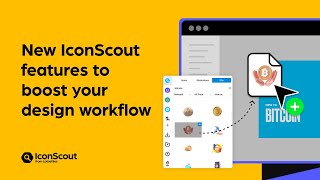
How to boost your design workflow with the IconScout plugin
Key Takeaways
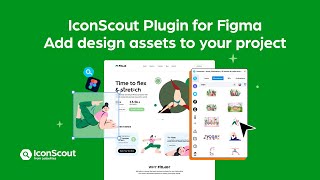
The IconScout plugin for Figma is demonstrated, showcasing its features for searching, filtering, and inserting design assets, including icons, illustrations, and 3D models, to boost design workflow efficiency.
Full Transcript
hello everyone and welcome to a new video my name is dan from icon scout and today i'm going to show you how you can make the most of the icon scout plugin and app so we're in figma right now and as you can see we have the plugin with us and you know let me explain you a little bit about about the ui so over here we have icon scout and we can call this as home and once we'll click here we have access to millions of assets divided in three different categories we have icons illustrations and treaties then over here you will see some other avatars and actually you can follow some of the most popular designers illustrators or 3d designers or probably you know some bundles so if for example you know i really into the impro studio as you can see over here you know i just follow them and you know i can have access to all the latest illustrations that they have and you know i can increase this list more and more just by clicking here and let's say i want to you know maybe follow a smashing stock so click follow that's it and so on and so forth okay let's go back now the other thing that we also have in the ui is my downloads so once i will click here you will see that we can visualize all the downloads that you made you know either from icons illustrations or treaties and this is really cool because sometimes you know you remember that you were using some type of icon but you don't remember the author or the pack and probably you know just come here and you say like hey i remember i was using this for you know maybe a laptop laptop icon so once you hit on search you will visualize the icon that you were using before so this is really cool now let's go back to icon scout and over here let me explain you a little bit more you know about the filters so let's say that we are in icons and then we look for bitcoin there you go and over here we have different filters for example we can choose between the most popular the latest or feature in this case probably we pick feature then also we can pick between all or maybe just free icons or premium ones let's say like i have a free account so i just pick free and also we can choose by style and this is really important because sometimes we are designing but you know a certain style and we want to keep everything like that so in this case probably i would choose line and then we have view as individual and also packs for example if we are looking this as individual we'll have more results as you can see but what if you know i would like to have probably some other options of different icons but in some way that they belong to the same family so we are talking about packs so if i pick packs you will see that we have this pack and inside this pack i have 30 icons so you know let's say like if i need this kind of icon i have also from the same family some other options so this is really really helpful especially when you are designing a specific ui but not only that let's say like we can see all the other different types that we have for these icons so if we pick this style boom everything changes and the same thing for this other one so this is really helpful if we go back to home and let's see like we pick illustrations you will see the same gimmick for example you know we can pick just premium illustrations and then you know regarding the format we can choose between all or just svg and then we can choose view as packs so over here you will have all the different packs from all the different designers or studios that they are inside icon scout let's say like i would like to pick maybe this one medical and healthcare and i can choose between all these different assets and of course i can add them just by dragging and dropping okay great so now you know the last thing let's talk about 3ds so over here you know again we just can filter them between you know maybe the popular ones in this case and also pick you know between free premium or all in this case premium it's fine and then we can choose between packs or individuals so we can choose packs and you have it and especially with 3ds this is very convenient again because if you're designing you know this kind of uis this is perfect and you know actually all the different assets that you see in my design all of them i took them from icon scout so let's say i will delete this one for instance and maybe you know we want to replace maybe this one i don't know you know we just can come here and of course we have the other filter which is search and as you can see we also have this which is the recent view it so this is also really helpful okay so let's go back let's say i will look for i don't know abstract and over here you would see that we have some really interesting results you know maybe we can pick this one with the playstation 5 controller so we just drag and drop it over here and who knows you know what if we replace this one for this one so you know i'll just pick this one hide it and you know just resize it and paste it over here there you go and we have a new card so yeah this is pretty cool and as you can see very very convenient so that's it for now and i will see you in the next part you
Original Description
Supercharge your design workflow ⚡ Search, filter and insert design assets more efficiently with these tips and tricks for the IconScout plugin. Get the plugin for Figma here 👉 https://iconscout.com/plugins/for-figma
Prefer another design tool? Explore IconScout’s full list of integrations 👉 https://iconscout.com/plugins
Timestamps:
00:00 How to boost your design workflow with the IconScout plugin
00:17 How the IconScout for Figma plugin’s user interface (UI) works
00:38 How to follow popular designers, illustrators or 3D designers
01:21 How to look at your past downloads
02:05 How to filter search results in IconScout
02:46 How to view as individual assets or asset packs
04:51 How to search, filter and add 3D design assets
05:58 How to drag and drop into Figma
Follow #IconScout on social media:
YouTube: https://www.youtube.com/c/Iconscout
Instagram: https://www.instagram.com/iconscout
Twitter: https://twitter.com/iconscout
Facebook: https://www.facebook.com/theiconscout
LinkedIn: https://linkedin.com/company/iconscout
#IconScout #DesignAssets #WebDesign #Vector #3D #Icons #Illustrations #Animation #Lottie #LottieAnimation #FreeIcons #FreeIllustrations #3DAssets #3DIllustrations #DesignAsset #IconScoutPlugin #Figma #FigmaPlugin
Watch on YouTube ↗
(saves to browser)
Sign in to unlock AI tutor explanation · ⚡30
Playlist
Uploads from IconScout · IconScout · 13 of 43
1
 2
2
 3
3
 4
4
 5
5
 6
6
 7
7
 8
8
 9
9
 10
10
 11
11
 12
12
 ▶
▶
 14
14
 15
15
 16
16
 17
17
 18
18
 19
19
 20
20
 21
21
 22
22
 23
23
 24
24
 25
25
 26
26
 27
27
 28
28
 29
29
 30
30
 31
31
 32
32
 33
33
 34
34
 35
35
 36
36
 37
37
 38
38
 39
39
 40
40
 41
41
 42
42
 43
43

Best Sketch Plugins for UI/UX Designers in 2018 | iconscout.com
IconScout
Milestone: Celebrating 800,000+ Icons
IconScout
Icondrop for Adobe Xd
IconScout
Create stunning PowerPoint Presentation using Icondrop
IconScout
Free Illustrations - Indian Doodle library | Royalty-free | Vector | Figma | Adobe XD
IconScout
Iconscout API in Ludus
IconScout
Lottie Animations are now available on Iconscout 🎉
IconScout
Iconscout Plugins for Figma, PowerPoint
IconScout
Iconscout Premium
IconScout
10,000+ Lottie Animations available on Iconscout
IconScout
How to create 3D perspective mockups with Vectary and Iconscout
IconScout
Introducing IconScout’s new look | Rebrand video
IconScout
How to boost your design workflow with the IconScout plugin
IconScout
How to install the IconScout Desktop App for Windows and Mac
IconScout
IconScout plugin’s new features for Mac, Canva, Figma, Sketch, Adobe XD
IconScout
How to customize your settings in the IconScout plugin
IconScout
How to install the IconScout plugin for Canva, Figma, Sketch and Adobe XD
IconScout
How to Set 3-Point Lighting in a 3D Scene #shorts
IconScout
How to download 3D illustrations from IconScout
IconScout
How to modify 3D illustrations from IconScout - by changing colors and texture in Blender
IconScout
How to export IconScout’s 3D illustrations from different angles with Blender
IconScout
How to create 3D illustrations with Blender by combining multiple 3D assets
IconScout
How to use the IconScout Color Editor to edit icons, illustrations and Lottie animations!
IconScout
How to turn 3D illustrations into Lottie animations
IconScout
Create 3D design mockups to showcase your products | Blender tutorial
IconScout
IconScout desktop app Overview | Add icons, illustrations, 3D, & animation to your projects!
IconScout
A Complete Guide on how to use Unicons by IconScout
IconScout
IconScout plugin for Figma | Access icons, illustrations, 3D and Lottie animations within Figma
IconScout
All-in-one design assets plugin within Adobe XD | IconScout plugin for Adobe XD
IconScout
IconScout plugin for Adobe XD | Add icons, illustrations, 3D & Lottie animation to your projects
LottieFiles
Welcome to IconScout’s Ecosystem of Creativity
LottieFiles
IconScout app for Canva | Design like a pro with Icons, 3D Illustrations, Lottie animations & more
LottieFiles
Supercharge your presentations with IconScout for Google Slides
LottieFiles
Design like a pro with IconScout plugin for Figma | Icons, illustrations & animations made easy!
LottieFiles
Spark your creativity with Unicons | Unveiling 3D and animated icons
LottieFiles
Illustration Kit | Quick guide to creating endless visual combinations
LottieFiles
Illustration Kit | Mix, match and shuffle till it's yours
LottieFiles
Reverse Image Search | Discover design assets with the power of AI
LottieFiles
How to add IconScout design assets to your PowerPoint
LottieFiles
Illustration Kit | Mix, match and shuffle till it's yours
LottieFiles
IconScout for Figma: Create stunning designs in just a few clicks
IconScout
How to use IconScout for Figma
IconScout
My favorite websites ad a designer ‼️ #graphicdesign #graphicdesigner #freelancedesign #uidesign
IconScout
More on: UI Design
View skill →









Related Reads
📰
📰
📰
📰
Good Design Is as Little Design as Possible
Medium · AI
The Senior Designer Plateau Isn’t a Skill Problem. It’s a Scope Problem.
Medium · UX Design
What Is Generative UI? A Practical Mental Model for Developers
Dev.to AI
How Our AI Agents Built the Universal CSS Utility Class Generator and Why You'll Love It
Dev.to AI
Chapters (8)
How to boost your design workflow with the IconScout plugin
0:17
How the IconScout for Figma plugin’s user interface (UI) works
0:38
How to follow popular designers, illustrators or 3D designers
1:21
How to look at your past downloads
2:05
How to filter search results in IconScout
2:46
How to view as individual assets or asset packs
4:51
How to search, filter and add 3D design assets
5:58
How to drag and drop into Figma
🎓
Tutor Explanation

 DeepCamp AI