Week 5: Monday - CS50 2011 - Harvard University
Skills:
PM Basics80%
Key Takeaways
CS50 Library, Heap, Pointers, and Forensics are demonstrated using C programming language, with a focus on project management and software development principles
Full Transcript
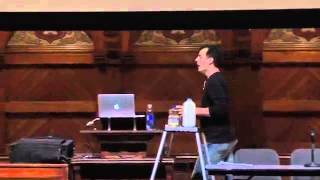
all right welcome back to cs50 this is the start of week five and this is recursion couldn't miss the opportunity here so this this fancy new technology here will hopefully Empower some of you to actually see the Blackboard if we actually sketch things over there so more on that to come so this might perhaps be the simplest Sudoku board that you might saw for those unfamiliar Sudoku is all about completing the rows columns and squares within a little board like this but if nothing else perhaps this little joke here makes a bit more sense now so this week and next and the week after we introduce one of our newest problem domains so the next problem set number five is actually going to focus on the world of forensics and the world of forensics is all about recovering data that's been accidentally deleted or intentionally deleted or generally trying to S answer questions that someone else does not want you to have the answer too one of the my favorite jobs to be honest years ago in grad school was an internship I started over the summer which was working for the middle sex District Attorney's office um working for their forensic investigator and learning a lot about how this stuff works um now nutshell what would happen is the local Mass state police would drop off things like hard drives and USB sticks sometimes keyboards and mice and monitors which are actually forensically not all that useful but we got everything from actual suspects homes or offices and our job was to answer questions of the form did he or she do it um now quite often the answer was unclear because there isn't necessarily A Smoking Gun digitally on a computer but I will say within middlex County sometimes the answer was as easy as double clicking a secret folder called my documents inside of which uh evidence could quite often be found but more technically interesting was when we would have to actually recover data whether it was images that had been deleted intentionally or from a browser's cache whether it was Excel spreadsheets with financial information that needed to be deleted or emails that had been sent or issuing subpoenas to local isps like uh Yahoo and Comcast and these folks to actually get records it's fascinating and it's also terrifying to be honest increasingly just how many remnants we all leave digitally when we so much as check our email these days and we'll talk more about this towards semester in the context of the internet but this week we'll begin to focus on the lower level details of your own laptops and your own USB sticks and external hard drives as to just how much data is actually there even when you think you have deleted said information now with that said shows like this have glorified the sexiness of uh doing forensic investigations and they've also conveyed to the population that we can do some amazing things with computers so that's not always the case for instance if you've ever been watching a TV show something like Law and Order and the like and the cops leaning over the shoulder of the uh the computer technician and he or she says something like can you enhance that like no you can't usually enhance that whether that is a license plate or some suspect's clothes that they're wearing we don't have infinite Zoom if you've taken a photo with your camera or with your digital camera and you start zooming in you typically start seeing things get pretty pixelated and pretty splotchy so for the most part that's what the uh cops would also see so we'll also try to debunk some of these mints that are propag ated by uh shows like this um also too hopefully after taking the semester we're going to kind of Ruin accidentally a whole bunch of movies for you because you're going to start noticing in movies and also TV that there's just crazy talk sometimes right they'll spend a million dollars producing some TV show and not so much as ask a computer oriented intern what a technically accurate thing to say would be uh you've all probably seen the movie Jurassic Park a famous clip that you might not have noticed at the time but is uh uh with us uh on YouTube to this day was this clip here it's a unic system I know this this how the files of the whole par it tells you everything I got to find the right file okay so first of all it's a unic system is essentially the same as saying it's a Mac or something ridiculous like that and the program that she then proceeded to use with all of those little um the the squares and the rectangles that you just saw depicted is apparently just a graphical file browser whereby your folders are depicted as cubes or squares on the screen so these were essentially things a person would have double clicked another one that we're fans of um this one uh related to uh CSI here um we haven't used all of this jargon here but it too is a bit of crazy talk by the writers for weeks I've been investigating the cabi killer murders with a certain morbid Fascination this is in real time I'll create a GOI interface using Visual Basic see if I can track an IP you to this okay that means nothing like I will create a graphical user interface using an old dated language to track an IP address it's not the right technical solution to this problem um we'll give you uh let's see uh one more one more and this one I'm looking forward to using this spring in our iPhone programming class for reasons that will become clear in a moment it's a 32-bit ip4 address IP inter private Network it's a me's private Network Charlie it's Mir IP dri she's letting us watch what she's doing in real time now let me rewind a split second here and go back to uh this one in particular again not a language we ourselves will be using but we'll be using in CS 164 this spring fast forward and so this is a programming language called Objective C used these days to program on the iPhone as well as on the Mac pretty sure whatever this hacker was doing has nothing to do with with crayons as suggested down here in the source code if you also look through this what this code is actually implementing is something completely benign it's like a little toggle switch on an iPhone or an iPod Touch where you touch the little blue thing and it moves left to right so there's a whole lot of Easter eggs ahead of you if you start pausing your to or Hulu online um but hopefully one of the goals of this course not just to ruin certain um popular media for you but really is to make sure that after a course like this you're actually making educated and informed decisions when it actually comes to these Technologies so without further Ado problem set 4 this week challenges you with an even larger set of distribution code whereas last week you did get a bit of distribution code for game of 15 this week we hand you more so the goal just like last week is to First understand code that someone else has written and this will be incredibly common not if you go off and necessarily program with uh for a uh company or with some partner working on some project but even if for your own final projects or side projects that you might want to implement you need to use something called an API an application programming interface quite common at the end of the semester is not for you guys to implement your entire project from scratch but rather to stand on the shoulders of other people who have written code that you can incorporate into your own programs so that your product is actually much more glamorous than it might be if you had to do absolutely everything from scratch so we've provided you with a framework for the game of Sudoku out of the box when you run it it looks a little something like this unfortunately it doesn't do anything if you hit up down left and right that green cursor doesn't actually move but once you begin to fill in some of the blanks and this time we're a little less explicit as to where these blanks are we don't say Tod do Tod do to-do we instead leave it to you to determine both on your own and with the help of the walkth through where you need to start augmenting the code in order to add things like support for the cursor up down left to right and also detecting when the game has actually been won so there's also the hacker ition this week whereas much like God mode last week in Game of 15 this week the hackers among you will have to implement a hint mode where by hitting H will begin to spoil the fun of the game and hitting H again and again and again will start to reveal one after the other correctly positioned numbers on the board so this is going to require that those of you tackling the hacker Edition essentially figure out how to solve Sudoku and then reveal one at a time a potential number to the user that is playing so that is sud Goku um so I'm wearing a little cs50 apparel here as you may have seen some of the courses staff wear um so the course has this tradition of Designing by students and staff alike fun designs that then in theory can then be uh sported at semester's end so that you don't need to just say to your friends I took cs50 you can literally wear cs50 so you'll see in the problem set this week that you are cordially invited to participate in this year's designs if you would like to contribute per those instructions there and so at this point um we have these pink forms here which is the past fail forms if you have any um doubts as to whether or not to remain in the course whether or not you're a little increasingly unsure whether or not you can actually um uh whether or not this is something you can in fact succeed at realize that the aim of pass fail which is wholeheartedly encouraged by the course is an opportunity really to take the edge off of a course like this so that if you do find yourself and you have found yourself over the past few weeks making it to some 1:00 a.m. 2: a.m. the night before or some pets do and you're feeling pretty good about it but damn there's just some bug or some bugs that you can't quite chase down one of the AIMS in our mind of past fail is to allow you to say you know what you know I'm 95 99% of the way there that's fine we're going to move on from there so realize I'm happy to still sign these and I thought I would show you just two things um this might only be of interest to me sort of nostalgically but this was the very first sheet of notes that I wrote in my very first day of cs50 a very famous uh computer scientist named Brian kernahan was here that year teaching us and uh I was just kind of amused to see one this was like the only day I took notes apparently I very quickly became one of those students um but I was just kind of amused to see that even for me years ago this stuff wasn't completely new what is an algorithm I actually wrote it down some precise sequence of steps for getting something done apparently my takeaway from lecture one that year was precision and correctness were really important um and I was really in a exclamation point phase here where I scroll let's see my last page of notes in my first section words to reinforce so these are the top three things apparently that I took away from the first weeks of cs50 but this is to say too like all of this was new to me when I first dove in years ago so realize you remain in very good company now one of your classmates last clip for now one of your classmates actually sent me this link after he had just finished pet 3 with great delight and it's perhaps representative of the emotions some of you have felt quite a bit it's working it's working all right so this was bad so this implementation of swap though at first glance seemingly correct and that it does swap two inputs A and B we've emphasized multiple times that this is actually fundamentally flawed because as soon as the swap function returns and you hit that curly brace well that's it what you all the work that you did with A and B and temp or we did last week with milk and orange juice it's just kind of lost because the values are not actually returned now one of the problems in C is that how many values maximally can you return from a function so just one right you can return nothing which is the case of void or you can return an INT or a Char or a pointer to a string as we'll see but you can really only return one thing now you can actually return multiple things if you return like a two element array or a three element array or you return this thing called a pointer but these are not very elegant Solutions and so in the world of C typically if you want a function to take inputs and produce multiple outputs what you do is you do not pass in those inputs by value by copy in other words you don't do this instead what you do is the promised solution from last week of you do this ever so slightly different but those Stars before the A and the B make all of the difference this notation star a and star b mean don't pass A and B in by by value don't pass in copies of them but rather pass them in by by their address by pointer so pointers are every semester for myself included back in the day like a very very often a very challenging concept but really if you just reduce it consistently in your mind to just the basic definition a pointer is an address and so star a means give me the address of some integer you can typically reason through any sort of new type of code that might at first glance look pretty arcane so this syntax here is saying when I take in two arguments let's call them A and B they're not going to be actual integers they are going to be the addresses of integers and just as I did over here with the milk and OJ by kind of writing directions on a sheet of paper and then handing those to the swap function in our imaginary tail here well that's exactly what's happening here you're being handed a map to the computer's memory and you're saying a is going to be here B is going to be there if you want to change those values go there change them and now you've actually effectively uh not returned two values but you've affected two values and so this is a very common Paradigm and it will also enable us to do much more interesting things and in fact we'll begin now to peel back even more layers the cs50 library that thing called argv for commandline arguments we've actually been using pointers and memory addresses for quite some time we just haven't revealed such syntax so let's actually see this work so I've gone ahead here and launched the cs50 appliance I've opened aile called swap. C I'm going to go ahead and zoom in on what is now the correct solution to this problem so I've got some boilerplate stuff up top include standard i.h I then have the swap prototype and now this is a copy paste of what we just saw in the green slide but it ends with the semicolon and that's just again the clue saying hey swap it is going to exist it's a message to GCC the compiler so now main we've seen this half a dozen times now where I assign x a value y a value and then I claim I'm swapping them but then they never actually swap but there's one more key syntactic difference this week that we didn't look at last week you do have to change the syntax that you use when you actually want to pass in a variable or two variables by their address you can't just say x you can't just say y you have to say give me the address of X and the address of Y and you can perhaps infer what the relatively simple syntax for that is is a single Ampersand by putting an Amper sand before a variable's name you're telling the compiler go find the address of X and pass that in do not pass X in itself now just a word on types so X and Y are indeed integers so what is the data type of Ampersand X would you say how would you answer that question what's the type of Ampersand X so it's it's the address of operator so it is passing in an address well what does that map to well that just maps to no need to project here that just maps to um int star so anytime you have a pointer pointers are meant to point to specific things so if you want a pointer to an INT you would typically if you're going to write it say int star if you want a pointer to a Char you say Char star if you want to pointer to a double you say double star so in this case Ampersand X I don't have to mention X at all I don't mention star because X already exists at this point in the story in this highlighted line that's called a swap all I wanted to do is tell GCC X whatever data type it is happens to be an INT get its address and pass that in so now what a swap look like it looks exactly as was promised in the swap function we say in Star a in Star B so now A and B are effectively local variables they're parameters but they're local to swap they only exist at this point in the story what gets stored to be clear in a so the address of X and what gets stored in B the address of y so now we can't Implement swap in precisely the same way we used to because notice what would immediately be bad about this if I go in and manually delete all of these stars for just a moment if I leave it alone as this what am I actually doing with the swap function now what am I swapping so I'm just swapping their addresses but that's not what I want I want to go to whatever a is pointing at which is X I want to go to whatever is pointing at and that's why I want to change those values and then that's it it would be completely meaningless just to change the addresses because at the end of the day if you put something at address 1 2 3 45 that's where it is if you put something else why at 4567 that's where it is if you want to change those values you have to go to those locations you can't just change the locations themselves the addresses themselves so what does this mean then if we walk through these three final lines so the left hand side here declar there is an integer called temp and that's how many bits just a quick sanity check so it's 32 bits in The Appliance could be 64 on more Modern Hardware but in the appliance and in a lot of computers 32 bits now star a means what in English Okay the location of a but not quite the location of a star a is the so the star in this case is the D reference operator and so star a means go to that address and find what's there so a quick sanity check if I you the address and it's called a and I say go to this address what are you going to find when you show up at that address X the number one so what is stored in temp right now is simply the number one okay so now in the second line here star a means go to a so what what what's currently at a so the number one AKA X so what am I putting there based on the assignment operator based on that equal sign well I'm saying go to B so I'm going to B and what's what do I find there so I find two AKA Y and so now it's saying take that value two put it at Star a which now has the effect of putting the number two where the number one once was so at this point in the story there's X and there's Y and there's a and b respectively pointing at them but what two values at this point in the story are in locations X and Y they're both two they're both the number two at this point so all we have to do now is fix the mess we just made we made two copies of two we need to now put the number one back in the location y so temp you already said earlier is the number one and there's nothing new there temp is an INT it's as simple as that it's just this number we put there which was one star b means go to wherever B's pointing and that is the location we think of as so that's y right star B is y so what do I put at y's location the number one so that's a bit of a a long tale to tell just verbally but recall how we can actually see see this relatively simply step by step let me go into my source directory let me go ahead and make swap which is the name of this file let me go ahead and run it just as a sanity check and it does seem to be finally all these Weeks Later working properly but that all happens too fast and underneath the hood so let me go ahead instead and run GDB of swap enter I'm going to go ahead and run it here okay that wasn't all that useful but it did run into the confines of GDB how do I actually pause execution and step through this so I want to actually do break it let's just break at the beginning break main enter it's now telling me there's a break point at some crazy address and that's where the program physically is in memory in the file swap. C line 22 and if I actually scrolled up the very start of main would indeed be at line 22 so now I type run to run the program but I'm instantly going to hit that break point so now we can just step through this one step at a time so int X gets zero so let me do a print X and that's already wrong y yeah it's the address uh it's the address so it's actually not the address here this is literally the value that's at X using what was stored there before you have exactly so this is an example of one of these garbage values right just because we see that we're at line 22 remember with GDB it shows you the line before it actually executes it for you so at this point in the story I've not yet executed line 22 so X has not been set to one so what in the world is X well we never know it's probably some garbage value that's there from some previous function call or some previous use of that location so if we ran this all day long on different computers might very well get different numbers again and again but the point is that it's just wrong it's not a useful number so now let's type next and this will actually move me to the next line it's not yet executed line 23 but if I now do print X I should see one and again don't be confused by the dollar sign two this is just a fancier feature so that if you want to refer back to some value you printed earlier you can still access it by way of this dollar sign notation but you'll rare for now you'll rarely need to use that all right so let's just go ahead and do next let's do next notice now it all of a sudden said X is one so it's actually printing the printfs let's do next all right it's about to say swapping so let's do next one more time and now before we dive into the swap function let's do a little sanity check let me clear the screen and print X okay let me print y so the state of the world is as we expect so if I do type next what's about to happen so they're going to get swapped but it's going to kind of happen all of a sudden I'd actually like to see what the swap function is going to do how do I actually go inside of the swap function so you do step so step steps you into what's about to happen as opposed to next which steps over in both cases though they'll make the code execute but all at once or one step at a time so now notice we're in Swap and not to make things look a little too crazy but I'm going to do a new command back Trace just in case you start to get lost in where you are if you type back Trace you'll see a quick if Arcane summary of those frames that we keep drawing on the board as rectangles so unfortunately it actually actually rather fortunately it draws them in the right order notice at the bottom of the stack is main it's indicated with number one here and then on top of that is number zero it's kind of unfortunate that they reverse the numbering but we can now see those stack frames and so what do we have here we're inside of the swap function so what's about to happen is line 42 is about to get executed so if I print out temp what's actually going to get displayed on the screen if I print temp yeah so it's going to be some garbage value right because this line has not executed so again there's no right answer happens to be zero but we're just lucky so if I actually now print out let's say star a what am I going to see so I'm star a so star means go there it's the D reference operator and if I go to a what am I going to see so I should see one so let's do a quick check Print Star a I do see the number one if I instead just print a what should i instead see so the address and again mostly meaningless but it is in fact the address in Ram of where a rather of um what is inside of a so when we say the address of X is in a where is X well it's Al it happens to be at that address there okay so let's just move on with the functionality so if I type next that line of code up here is going to execute in temp get star a so when I type next and now print temp I should see the number one and if I print star a I should also see the number one because we've moved star a into temp the next line of code that's about to get executed is this so as soon as I type next and then print out star a it should be this time so not one now cuz we just executed this line that I've highlighted so star a equals whatever is at Star B what was at Star B two so star a is now two as well so we seem to have now put into star a the number two and in Star B is the number two so we have that just one last step so now the last step recall is go ahead and replace what's at location B with whatever's in temp well what's in temp one so what's at Star B we already know it's two so in a moment when I type next hopefully this will have clobbered the value at Star B and in fact it's the number one and at Star a is two so if I now now I'm getting bored of this debugging I'm just going to type continue and that's going to run to the end of the program voila it's claimed swapped X is two Y is 1 so there should be two takeaways here so one exactly what the difference is between just saying a just saying B and saying star a and star B and what the difference is between saying X and Y versus saying Ampersand X and Ampersand Y and then lastly more in Practical terms again just going through this process of using GDB even though it might feel a little clunky or um a bit tricky to wrap your mind around at first it's incredibly useful as you start to try to find bugs in your own code um does the pointer have a scope does the pointer have a scope yes so a PO is still just a variable so A and B only exist inside of the swap function here so yes SC there's no change in the notion of scope all we've introduced is the star and the star means this is not an actual integer this is the address of an integer yeah what's the difference between the asterisk and the Amper sand again good question what's the difference between the asterisk the star and the Amper sand so the star means unfortunately two things when you specify a star in the Prototype of a function for instance right here in the line I've highlighted swap in Star a in Star B in that context you are saying a should be a pointer to an INT B should be a pointer to an INT this is identical to well let me not go there yet so that's all that's saying that is the data type of A and B now in the context of the actual function star takes on unfortunately a different meaning what does star a and star b mean in the three highlighted lines now inside of the swap function so it just means go there so it's the D reference operator it means go to that address and then lastly the syntax up here and this is really the third and final piece of syntax the Ampersand means X is some variable it's an INT in this case Ampersand X means get the address of X so if I can Hammer home just that one detail let me actually quickly go back into GDB we still have our break point even though the program stopped running let me run the Run command again now I'm back in main let me do next let me do next and let me clear the screen and just do a quick check print X print y they're one and two but now even in GDB I can play around with this I can print Ampersand X and what do I get back well that in fact is the numeric address albe it written in hexadecimal notation which we started looking at last week of the variable X so if you look at your 2 gigabytes worth of ram in your computer and you literally go to that address and I can't translate hexadecimal in my head to English words if you go to that address you can actually see the number one at that location uh yeah I was wondering um why do you need to you need to use star access the value inside poin uh do you need to use the star to access the value in the pointer yes if you want to go to that address to find its value you say star a or Star B if you just print a that would just give you the address if you just print a or you just print B yes that will only show you the address which for the most part is use less unless you're using the address to actually go there uh is that is correct because A and B were declared as pointers simply printing a or printing B would not be useful it might be interesting and that you can see where they are but it would not be useful yeah so when you spes in memory for A and B you know that you're not overwriting something something else is more so that value came up that's a really okay so that's a really good question so the garbage values we keep seeing and they're kind of acute curiosity but thus far they've been had no downsides but if we actually use these garbage values bad things can in fact happen if you have a pointer that has some junk value in it because of some previous function call or some previous execution of code and you do star and then that pointer value bad things will happen in fact let's see if we can implement this very idea really fast here so let me open up a new document in gedit I'm going to go ahead and save this as bad. C I'm going to go ahead and at the top here let's just first start doing in main void I'm not going to bother with any command line arguments and this is the other context in which you might use the star notation that I promised a moment ago I can actually say to the compiler give me a pointer to some data type I can actually say in Star r p and p denotes pointer here but notice I do not have in this simple example thus far an equal sign there's no assignment operator so what is actually at Star P if I were to do something like this print F percent D like print an integer what do I want to print go to p and print whatever integer is there what's going to happen what's going to print on the screen yeah it's kind of totally unclear right so p is a pointer and because I've not initialized it to anything it could be the number zero it could be the number one it could be five 555 51212 it could be any number and if I then presumptuously say doesn't matter what it is go there with star P well what if star p is in a particularly bad point in memory it's the part of memory up at the top that is where your own program is maybe it's address zero which we also said last week is bad because the null pointer is known as address zero so when short I dare say the most common way for crashing a program with a seg fault or with a core dump that some of you guys have accidentally induced thus far is by doing exactly something like that not realizing that a pointer has just some bogus value or some null value and accidentally going there and then you get the so-called segmentation fault so though this is a lot of new syntax again there are only three ways in which we've used the star here and this is just off the cuff we'll actually see this in more useful context in the future here when you actually want a pointer we'll we saw it in the function prototype of the swap function and then inside of the function itself where you say go there by way of the star notation and we'll see another example before long any other questions yeah what the so what is the advantage of swapping them in the function is I missed the back the end of it spping ah um so good question and if I can kind of uh reminisce what we did last week with the milk and OJ when I had two slips of paper and I said here's the address of the milk here's the address of the orange juice then I handed them to someone to do the swapping suppose I now receive these pieces of paper well if I just said okay here's these pieces of paper back it doesn't actually change the contents of memory all I've done is kind of a Switcheroo of the addresses but the physical layout of ram has been affected in no way and the goal typically of swapping two variables is to literally swap two variables not just change you know the order in which we're talking about them if that's not too um handwavy of an answer other questions yeah perfect yes so we could start to do crazy things whereby if you have let's do this again we'll see a more complete example in a moment if I have int X gets one and now I have in Star P I could actually do this because X is an integer and every integer every variable is somewhere in memory Ampersand X means find the location in memory so in Star p means give me a pointer to an integer and what address do I actually want to put there is X and so what I can then do is now I can either print out X like we did in week one and this would absolutely work print percent d as a placeholder print out X but what would also work now if I wanted to print the number one I could also say star P or if you want to get crazy I could also do well print X but wait a minute let's get the address of x wait a minute change my mind starx Ampersand star and yes these would invert each other's behaviors completely useless very bad style but it would in fact reverse the effects of those operators so all right so we've now swapped successfully um it's always around this point in the semester and you might have seen this in section already but a quick interlude here now that you get this particular joke let's go ahead and take a five minute break and we'll regroup as to how these pointers can be used and abused all right so we are back and recall that this is the picture we keep drawing the bottom part of our our computer's memory and we typically call these rectangular slivers frames and recall just a moment ago within GDB when I executed back Trace what I was seeing was pairs of these frames so even though I've drawn them at different heights here main is a frame and swap is a frame but I've kind of divided it out here pictorially whereby you see the parameters first then the local variables then swaps parameters then swaps locals and so forth and this simple relatively simple layout and this pattern is actually very easily exploitable so I mentioned a couple weeks ago this very popular way of hacking into systems and taking over servers and defacing websites and so forth and that very often but not always reduces to leveraging an understanding of all of this memory and then somehow figuring out how to inject your own code into one of these frames so that you overwhelm that frame with way more bits than it was supposed to store and the result is that your code not the original programmers uh gets executed but more on that in just just a bit so we had a couple of programs on Wednesday among them compare 1. C and this program recall if I scroll up to just the main function was actually flawed even if I typed in hello and then hello again it said you type different things and what now is the simple explanation for why typing hello and then hello again yields different things apparently yeah Comp address character exactly was what we're really doing with this one seemingly correct line of code is comparing two values but literally two values we're comparing S1 and S2 well what are they well recall we peeled back this layer last week and we said you know what this is a training wheel this is actually Char star this two is actually Char star and so S1 and S2 are Pointers to chars what Char in fact well the very first character in the string and recall that the convention the world adopted years a AG go for strings in C is that all you have to remember is the address of the first character because so long as you plant a little breadcrumb at the end back SL zero at the end of the string then you can figure out by just iterating from left to right exactly how long that string is and where it ends and therefore when you should stop printing out h e l l o so what was the solution to fixing this problem what's that so put star okay so we could do this we could say star S1 star S2 but borrowing the jargon from before break today what does star S1 mean here go to S1 and what should we find there if I typed in Hello both times I'll find H and then I'll find H again so this is a step toward correctness but unfortunately now it's going to say that any two words that start with hello that start with h are actually going to be the same and in fact they're not so we did have recall last week a loop where we started iterating from left to right and then just looking for difference looking for difference looking for difference and if we find one difference whether it's the string length whether it's a character that's not quite identical then it actually would say different otherwise if we get to the end of both strings we found nothing wrong we can then say the same or an even simpler approach and again consistent with this idea that you need not always reinvent the wheel if someone else has put it into some kind of library and header file we could do this and I've actually added one bit of error checking that we didn't have last week when we did it on the Fly recall that introduce this function stir comp string comparison and it can actually return three values but we only care about one what did it mean if it Returns the value zero yeah that the strings are actually equal they're the same length they're literally the same characters they are equal and recall that stom could return a negative number or a positive number but that had to do with alphabetical ordering if you actually cared about whether one comes first or last now I added one check here and this is one of these rules of thumbs that even though it might not seem all that compelling at first first take our word for it any any any time henceforth that you start using pointers which you've actually been using since week one we just called them strings we didn't call them Char Stars you should always be checking if a pointer is null before you do anything with it because as uh per the uh conversation before break if you've got some garbage value in a pointer if that pointer is itself zero either intentionally or accidentally and you say go to this address and that address is zero or some bogus garbage character you're going to what Segal but the problem is not always and this is why a lot of bugs go undetected by People Like Us by professional programmers sometimes for years because not always does a mistake like this induce an error typically we call these things frames and they also refer in general to segments of memory typically you're actually allowed to wander a little bit outside of the actual memory you're you've been given you can go a little higher a little lower but if you go too far then the segmentation fault happens but but the problem is that if you don't Venture terribly far or you just get lucky and you go to a garbage address but that address doesn't induce a crash you might not realize that your code is in fact flawed so one of the things we'll introduce in a couple of problem sets is a tool called valgrind which is a tool like GDB that you just run at the command line and amazingly it will actually analyze your program for you and try with some probability to figure out if you're misusing pointers in some way but for now the approach is to be defensive and anytime you're about to do something with a pointer check if it's in fact null and the reason is Stir comp is actually pretty simple function it does what we did last week it starts at the left of each string and Compares Compares Compares Compares Compares but it does not check if a pointer is bogus or if it's zero so the problem is if you accidentally somehow make S1 or S2 null for instance the computer's running low on memory or you've initialized them to null yourself any number of ways we'll see more over time and you accidentally pass null pointers to stir comp it probably will crash on you so in short always check the values of pointers all right so we saw one more sophisticated example namely trying to copy strings and our first attempt at this also was flawed so this was copy 1. C last week recall that I typed in a word I think hello then to um and I tried to capitalize it by just changing the first letter of the word but every time I tried to capitalize that word hello I ended up changing both copies the original and the copy because how did I try to copy these strings last week well I use this line S2 gets S1 and really I can simplify that and you might have tried this in previous problem sets this even looks more convincing this looks perfectly legit string S2 gets equal to S1 but it's not right because what is really happening in this one line of code sorry s exactly so you are creating a new pointer but you're not creating a new string if we Define a string as a bunch of contiguous characters all we're defining with Char s 2 Char star S2 is another pointer what are you pointing at well you are pointing at whatever the user typed in so if this is S1 this is S2 and the user typed hello and that word is over here in Ram at this point in the story they're both pointing to the same place all you've done is create a new pointer not a whole array of characters so we did solve this and we introduced finally copy 2. C so in copy 2 it was admittedly a little more complex but if you think about what each step is doing it solves the problem quite nicely so the left hand side stays the same Char star S2 and again if this is starting to intimidate it's again just string S2 but you have to start remembering now that strings involve pointers so what now am I storing inside of S2 well I claim I'm putting in S2 this time the address of a new chunk of memory that memory initially has Just Junk in it who knows what's in there but how much memory have I just allocated well malok is memory aloc and it takes an argument and that's a number an integer and that integer is how many bytes do you want so if I typed in h l l o i want five bytes for malok okay I actually want six the sixth one being for the back sl0 so I always want a plus one so I get the string length of S1 plus one and then just because I've kind of done this before and I know these kinds of crazy Corner cases that can arise why did we say last week that I then want to multiply that number by the size of a char yeah different different exactly let me tweak slightly could be different machines use different sizes for chars so in a typical system certainly the appliance and most of the computers you all own typically a Char would just be one bite or eight bits but just in case we hand this code off to a fancier computer or it lingers around for 10 years and the next computer actually uses two bytes for every Char this way we're being a little defensive and the program will keep working and silly though this example is think about again the Y2K issue right it was this mentality typically of either memory is expensive we need to shave off every bite we can and just use two uh digits or it was a Brash mentality like who the heck is going to be running our code in 30 years well a lot of people were still running the code so it's this kind of mentality trying to make sure that your code is future proofed and always correct that is a very good habit to get into so what is malok actually doing well it turns out that malok memory outlock is not taking memory from anywhere you see here on the screen because recall that the stack these frames that we keep drawing as slivers on this rectangle they go away pretty quickly right as soon as the function returns that's it that memory is no longer safe to use so this feels problematic if malok actually borrowed Ram from this part of the picture well as soon as the swap function returned or some other function returned even if it asked malok give me some memory how much memory well whatever number you pass passed in as an argument what if then someone else needs that memory so in other words when you call malok you want to allocate memory permanently or at least until you are ready to give it back the stack is in very ephemeral anything on the stack can go away at any time as soon as these functions return if you want to allocate a chunk of memory for like a word like hello and you want that memory to stay active even after your functions themselves have returned you actually need to put it elsewhere so we drew briefly in previous weeks this picture here this whole rectangle now might represent your computer's Ram at the bottom of this is the stack there's also this other stuff that are generally called environment variables these are special things like your username so it turns out that when you run a program the the word J Harvard is actually put in Ram and that is accessible to you the programmer we typically don't need it or use it but there's stuff like that that's put below your stack so that it's there for Main and anyone else who wants it at the very very top of your RAM is the so-called text segment and what does text mean so it's a little misleading but for historical reasons text segment is the zeros and ones that you wrote by way of compiling your code with GCC so the text segment is literally the zeros and ones that compose your program uh Sudoku or game of 15 anything like that they're loaded into RAM and that should just make intuitive sense right if you double click an icon or run a program's name for anything to happen those bits need to be loaded somewhere so the computer can start doing with something with them and indeed they're loaded into RAM in this way now lastly there's a couple other things that are put way up there initialized data and uninitialized data there's some subtleties there but in a nutshell on the rare occasions when we've used Global variables for instance the game of 15 we had G which was the global board at the very top of the file Global variables go there too and that should also now make intuitive sense because you don't want your Global variables on the stack because then they might disappear mid execution of program but if they're way at the top they're going to going to stay there is the takeaway here so that leaves just one last segment so this was someone's bright idea but you know why not have this thing called the stack grow up up up up up and we need some other space so let's have this other space grow down down down down down now of course this is like a problem waiting to happen and we've induced this problem before right when I wrote that silly function called Foo and then I had Foo called Foo and I didn't have any kind of base case or if condition to stop Foo from calling itself what happened well the stack went up up up up up up it clobbered the so-called Heap even though we didn't call that that day and the program terminated the operating system said segmentation fault you have exceeded your segments but this is kind of nice right this might seem kind of stupid in that this is like you know two trains on a track this is not going to end well but if you think about it in the real world with your computer you only have a finite amount of memory so it's not as though we could just flip this picture around and just say let the memory grow up for both of these sections of memory both Heap and stack right eventually you're just going to hit your 2 gigabyte your two billionth BTE of Ram or however ever much you have so this is actually nice and that it lets us use the whole potential memory and bad things only happen if we get greedy and we try to load in too big of a data set we call a function too many times but long story short malok puts memory on the Heap and it puts it way up there away from the stack and again if this is 2 gabes it actually takes a bit of effort or a bit of stupidity to actually have the stack hit the Heap though it does sometimes happen so let's take a look let me go ahead now and open up a little file called bar. C which actually does not do anything that's useful but it does now play with a bunch of these various syntactic details so if at any point something goes over your head just look confused raise your hand because all of these are just now re um re-emphasis on these same basic building blocks so this is bar. C at the top these two things are called quick sen uh quick quiz so prototypes right so apparently there's two functions Fu and bar defined elsewhere in this file I'm just informing GCC that they're going to exist at some point so here's main so this in English if uh you were asked what is this doing declare an integer called a what does that really mean allocate 32 bits and call it a where are those bits stored though where is a in this picture so it would be in the stack this is a local variable local variables have been and remain on the stack the only time something is going to end up on the Heap is if you explicitly call malok that is a safe rule of thumb now how about here as on the side two you might see differences between me and the TFS or even textbooks um this is probably the best Habit to get into whereby the star is immediately next to the variable name um only because it can be confusing if you have multiple variables declared on the same line so in short this is probably the best style to get into but Char star s means give me a pointer to a character more technically give me 32 bits in which I can store what not not a Char but the address of a character so star Char star s means give me 32 bits that are going to store an address the address of what the address of some Char all right so on the right hand side we now have Hello World now this is hardcoded right this is not a variable that I'm not using get string so just as an aside where is Hello World stored this is effectively global data so when I
Original Description
CS50 Library. Heap. Pointers, continued. Forensics.
Playlist
Uploads from CS50 · CS50 · 53 of 60
1
 2
2
 3
3
 4
4
 5
5
 6
6
 7
7
 8
8
 9
9
 10
10
 11
11
 12
12
 13
13
 14
14
 15
15
 16
16
 17
17
 18
18
 19
19
 20
20
 21
21
 22
22
 23
23
 24
24
 25
25
 26
26
 27
27
 28
28
 29
29
 30
30
 31
31
 32
32
 33
33
 34
34
 35
35
 36
36
 37
37
 38
38
 39
39
 40
40
 41
41
 42
42
 43
43
 44
44
 45
45
 46
46
 47
47
 48
48
 49
49
 50
50
 51
51
 52
52
 ▶
▶
 54
54
 55
55
 56
56
 57
57
 58
58
 59
59
 60
60

Hello, World: Hadi Partovi
CS50
Content Distribution and Archival in a Digital Age
CS50
CS50 2014 - Week 1
CS50
CS50 2014 - Week 3
CS50
CS50 2014 - Week 0, continued
CS50
CS50 2014 - Week 4
CS50
Week 3, continued
CS50
Quiz 0 Review
CS50
CS50 2014 - Week 3, continued
CS50
CS50 2014 - Week 7
CS50
CS50 2014 - Week 7, continued
CS50
Breaking Through The (Google) Glass Ceiling by Christopher Bartholomew
CS50
Introduction to Amazon Web Services by Leo Zhadanovsky
CS50
CS50 2014 - Week 9
CS50
How to Build Innovative Technologies by Abby Fichtner
CS50
Light Your World (with Hue Bulbs) by Dan Bradley
CS50
Building Dynamic Web Apps with Laravel by Eric Ouyang
CS50
CS50 2014 - CS50 Lecture by Steve Ballmer
CS50
CS50 2014 - Week 10
CS50
This is CS50 with Steve Ballmer?
CS50
Meteor: a better way to build apps by Roger Zurawicki
CS50
Data Analysis in R by Dustin Tran
CS50
Data Visualization and D3 by David Chouinard
CS50
CS50 2014 - Week 6
CS50
Build Tomorrow's Library by Jeffrey Licht
CS50
CS50 2014 - Week 9, continued
CS50
Essential Scale-Out Computing by James Cuff
CS50
iOS App Development with Swift by Dan Armendariz
CS50
Sam Clark Leads Yale Students on Tour to CS50 at Harvard
CS50
3D Modeling and Manufacture by Ansel Duff
CS50
CS50 2014 - Week 5, continued
CS50
hello, world
CS50
CS50 2014 - Deep Thoughts - Hash Table
CS50
CS50 2014 - Deep Thoughts - Binary Tree
CS50
CS50 2014 - Deep Thoughts - Scratch
CS50
CS50 2014 - Deep Thoughts - MySQL
CS50
LaunchCode Visits CS50
CS50
CS50 Live, Episode 100
CS50
CS50 Field Trip to Google
CS50
This is CS50 AP
CS50
Week 4: Monday - CS50 2011 - Harvard University
CS50
Week 2: Wednesday - CS50 2011 - Harvard University
CS50
Week 1: Wednesday - CS50 2011 - Harvard University
CS50
Week 11: Monday - CS50 2011 - Harvard University
CS50
Week 3: Wednesday - CS50 2011 - Harvard University
CS50
Week 12: Monday - CS50 2011 - Harvard University
CS50
Week 1: Friday - CS50 2011 - Harvard University
CS50
Week 3: Monday - CS50 2011 - Harvard University
CS50
Week 10: Wednesday - CS50 2011 - Harvard University
CS50
Week 2: Monday - CS50 2011 - Harvard University
CS50
Week 9: Monday - CS50 2011 - Harvard University
CS50
Week 7: Monday - CS50 2011 - Harvard University
CS50
Week 5: Monday - CS50 2011 - Harvard University
CS50
Week 5: Wednesday - CS50 2011 - Harvard University
CS50
Week 7: Wednesday - CS50 2011 - Harvard University
CS50
Week 8: Monday - CS50 2011 - Harvard University
CS50
Week 9: Wednesday - CS50 2011 - Harvard University
CS50
Week 8: Wednesday - CS50 2011 - Harvard University
CS50
Week 10: Monday - CS50 2011 - Harvard University
CS50
Week 2: Wednesday - CS50 2010 - Harvard University
CS50
More on: PM Basics
View skill →






Related Reads
🎓
Tutor Explanation

 DeepCamp AI