Week 1: Wednesday - CS50 2011 - Harvard University
Key Takeaways
The video covers the basics of backend engineering, including source code, compilers, object code, GCC, functions, comments, standard output, arithmetic operators, precedence, local variables, types, casting, standard input, libraries, boolean expressions, conditions, and loops, using C programming language.
Full Transcript
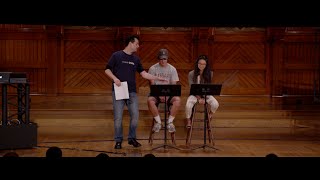
alright welcome back this is cs50 and this is the start of week one so just a couple of announcements one so problems that 0 is due tomorrow by noon realize that there are two aspects to submitting one is actually upload to the scratch a website on mi T's domain but also to submit the form and follow the instructions at that URL that URL is in the PDF itself just don't overlook it it's at the very end of the pset that says how to submit if you've not yet taken advantage of such or did this week and want to in the future as well do realize that for every one of this problem sets there will be a code walkthroughs led by one of our teaching fellows Tommy MacWilliam and these are meant to be opportunities again to get you started on the pset specifically this standard edition thereof though if you do have questions on the hacker edition Tommy is certainly happy to feel those these walkers take place in maxwell dworkin which is up the street at 33 Oxford Street it will it always takes time to get everyone's ID card activated so if you ever find yourself locked out of the building just call 617 bug cs50 hit the secret option zero and that will ring multiple folks on the teaching staff to help you solve that problem a help dot cs50.net so do take advantage of this resource throughout the term it's an opportunity to post questions receive answers and also see whether your classmates have asked similar questions as well office hours to debut two nights ago in tonight and tomorrow they'll be taking place in Lowell house upon arrival simply pull out your laptop and go to Q cs50.net and if and when you have a question that you'd like to ask of the TFS and Cas simply follow the simple three-step process what are you working on what's your question and click raise your hand the cs50 greeters iPad will then list your name in the order in which you've raised your hand and he or she will then touch your name and that of a staff member as soon as someone's available and your browser will start beeping and flashing at you saying it's your turn for help so that is cute cs50.net realize too that we do hold office hours not only tonight but again tomorrow night so that if you do side to cash in one of your four late days per the syllabus you still have a support structure in to take advantage of tomorrow evening as well so refer to the syllabus for the details on how to cash in such things lastly resources available in general so realize that retro actively after a lecture we will post a canonical set of scribe notes written by one of our teaching fellows Andrew seller grin who's been with the course for some time and is very good at documenting what happens in class as well as making snarky remarks in the footnotes so hopefully you will enjoy reading the PDFs that will always be posted a few days after lecture on the courses website particularly around quiz time where they're a useful set of got a useful guide to what actually happened in class which you'll also see appearing soon alongside the videos of lectures online is verbatim transcripts of every word that's uttered on stage here so that you can search for keywords topics of interest if you didn't quite catch something you can read as well as listen to and watch it online and lastly with regard to lectures in the interest of preserving trees we tend not to print many handouts except for last week during shopping period but realize PDFs of the slides PDFs of source code programming code that will start writing this week will always be available online if you want to print it yourselves or bring it on a laptop to tinker with it during class any questions of any sort anything at all all right so you've probably if you're an upper class oh and sectioning one last FYI sectioning will commence this weekend but more on that this coming Friday at class so indeed we have one final friday lecture this week thereafter we are back on our monday wednesday schedule so odds are if you're an upperclassman you've walked past this thing for like three years in the science center and never want to really thought stop to think about what it actually is maybe you indulge during pre frosh and actually read the little tourist-friendly signs describing what this thing is but this is one of this is the first electro mechanic computers named the mark one from many years ago that was actually invented by a professor and a graduate student by the name of Howard Aiken here in physics and it was meant to be an automatic calculator I thought I'd rattle off a few fun facts here namely one it did indeed handle some non-trivial amounts of math namely up to 23 significant digits so that in and of itself is impressive and that that could take a human some amount of time but in terms of the weight this thing was 10,000 pounds and what you see in the Science Center is only a portion of it most of it has actually been dismantled and in terms of its performance a multiplication took six seconds a division took fifteen point three seconds and a logarithmic or trigonometric function took over one minute so of course contrast this with your dell laptops your macbook airs and whatnot which you know maybe you're annoying when they're five pounds these days to carry around in your backpack and surely mathematically they can perform these calculations instantly but I thought I would give you a sense of just how exciting technology was some years ago replete with not only black-and-white footage in that voice that seems to be omnipresent from the 30s and 40s this is a little look back it's about a minute long as to the history and the utility of that mark one computer you've been ignoring for some years here user error a triumph of mathematical and mechanical skill is this great new automatic calculator at Harvard University intricate problems in mathematics put through the Machine encoded form on tape are accurately solved into my new fraction of the time required for human calculation designed to expedite all forms of mathematical and scientific research the giant mechanical brain will work for the United States Navy until war's end there's a magical time so do nothing else okay do if nothing else perhaps take a monocle more interest when walking past that machine because there actually is a lot of compelling history there and you might have heard terms like punch cards and tape with regard to how you actually feed input into a computer back in the day you actually toggle switches and you literally fed in cards pieces of paper with holes in them that represented zeros and ones and other such instructions we've moved beyond that certainly now with our keyboards and such but there's a lot of history on this campus in particular so perhaps at least pause the next time you walk past last week we introduced not only the course not only scratch but some of these fundamentals that we're going to now start take take for granted namely how to represent information and it's not that we're going to dwell on things like zeroes and ones and bits and such in this course we're very quickly going to start taking them for granted that somehow we have this ability to store numbers and data but just to tie this week to last week I thought I'd see if we could get eight brave volunteers to join me up here to hammer home one of last week's lessons how about you three there in the center four five six ah let's go over here seven and Rob eight come on up so you have to be comfortable as always appearing here on camera we have eight pieces of paper one for each of you here and if you could each align yourselves on stage consistent with the order here Rob you will be lets say the Rob will be number one over there on the right if you want to be the twos place if you'd like to be the eighth place i'll find the forest place in a moment you'd like to be the forest place how about the let's see the come on 16th place and three more 30 tues place 64's place and 128 splay so if you want to go ahead in front of the stage here so all can see indeed holds your number outwardly with these guys each have in Rob du monde shifting down just a little bit so we have now places one through 128 and recall one of the takeaways last week is that this system of binary of base 2 is not all that dissimilar to what we've been using for years namely base 10 or decimal where we have the ones place the tens plays the hundreds place and so forth instead in the world of computers we tend to use powers of two the two really deriving from the binary nature of bits zeros and ones and so our column placeholders are the ones place the twos place the 4 is 8 16 in other words instead of multiplying by 10 you multiply by 2 but we built up from this numeric capability last week to actually express numbers and does anyone recall with the code or the system was that map's numbers to letters and computers typically so it's something called a ski asci I which is just a code a mapping between numbers and letters and recall that that mapping looked a little something like this and the chart itself is certainly not worth memorizing but a few key values like 65 for capital letter a 97 for lower case a a few of those tend to be useful just to kind of ingrained in your mind so that they can be handy when we're actually writing code now these guys have on the backs of each of their sheets here a little cheat sheet it's round one round two round three and in each of these rounds their little cheat sheet advises them to either raise their hand or just stand there if they've raised their hand they're meant to be representing a one if they're just standing there they're meant to be representing a zero we've got a three letter word to represent with an 8-bit byte an ascii character if you will so let's see what three-letter word we can spell with these folks here so if you all as our volunteers round one could raise or not raise your hand as instructed by your cheat sheet what number first is being represented by these eight volunteers yeah 66 right because we got the 64's please plus the twos place add them together get 66 in that letter then maps to capital B all right so we're on our way how about round two what are we representing now that's definitely not universal agreement how about again okay I heard more 79 so if you just stole the person next to use number you are correct so the number 79 maps to what letter here Bo ok so now the third and final round round 3 go what number do we have here yeah so we've 87 and again you can get this by adding up the numbers in front of anyone with their hand raised 87 maps to a W so W and so we have a nice word here bow often pronounced by last year's class says bow which didn't really make for a good ending but if you would take your bow we've indeed spelled out beow so congrats to these guys here if you want to head off stage left we have a little parting gift for you in the way of a waiver form so we now have this ability to express numbers to express letters and so now let's start taking this for granted and indeed let's transition from last week's exploration of scratch which was very user-friendly and graphical but also very limited even if you've never programmed before you probably found it or are finding it or will find it difficult to do certain things because the program isn't necessarily as expressive as you might like it to be or that are you just not very active familiar with it yet so it just takes some time finding your way around and allow me to emphasize at this point in the course right before study cards are due there's quite the spectrum of students in this course in the weeks 0 through two we typically run this risk historically of why they're kind of boring those more comfortable because they're coming in with more background the goal of lectures in particular is to start filling in any holes that you might have from your prior experience whether formalin classes or just self-taught and for those less comfortable making sure that we equip you with the same basic mental model and understanding of some basics so that all of us in just a week's or two time can start having a conversation in exactly the same level now if you're finding that even scratch is kind of stressing you out is taking a ridiculous amount of time realize that all of these things get easier in sistant Lee every year even when I took it myself the best strategy in general and maybe it's too late for this first piece set is just start these things early they'll typically go out the door they'll go out the door by Friday's each week which means you have the weekend if you'd like to sort of ease into it the walkthroughs are on Sundays and really the key to programming is not to start on say wednesday night and say I'm going to finish this by morning or by midnight because it's just not fun and you can't think necessarily clearly and there's just a huge advantage to being able to walk away from some problem I've lost count over the years just how many bugs I've solved just by randomly thinking about them passively throughout the day and I'm like oh so that was what I was doing wrong and to allow yourself that opportunity honestly makes things easier makes things more fun and certainly eliminates the stress that's inevitably induced in any course by postponing things to the last minute so let me get off that soapbox there and now start to transition us to this programming language C so today we begin a more traditional programming language it's an older language but it's the one that really sets the direction of a lot of today's modern languages which will then begin to visit toward the end of the semester in the form of PHP and JavaScript and some other things as well and what's nice about see as will soon see is that it's relatively simple and it's not going to feel that way particularly to those less comfortable most likely the first week or so but relatively speaking you can learn this language in just a few weeks contrast that with some human language a spoken language you typically don't master a new language after just a few weeks of practice it can take months it can take semesters it can take years so just realize that the scope of the languages we're about to learn is actually fairly narrow so here's a little program that we saw last week when green flag clicked say oh hi world something to that effect so this was a script the purple piece there was a statement and statements again just do something well just to kind of tease you with how we're going to start translating with very user friendly and very sort of graphical and playful into something that's a little more easy for a machine to understand starting today and beyond if you want to write a program that just says something silly like oh hi world you're actually going to type in a text editor like notepad or said it whatever or more fancy programs that will introduce something like this int main void some curly braces printf and we mentioned printf last time in ojai world so there's some crazy syntax in here semicolons curly braces things that take a little getting used to but you start to see these things recurring so when you start to see code like this today and beyond just realize ah it's really just scratch it's really just those two puzzle pieces we saw last week but the syntax now is a little more cryptic it's not nearly as user friendly but you get good at it I daresay quickly so statements in general this was a statement oh hi world this would translate more directly just to this one line of code so when we say things like code and source code programming code any of these sorts of any of this sort of jargon we're talking about lines like that and in most programming languages when you want the computer to do something you express it in the form of a line of code and sometimes the line gets a little long but in general one line means do something just like one puzzle piece means do something well what about loops last week we saw something like this forever say oh hi it's just going to say this and say this and say this and say this the syntax this week and beyond is going to look a little more cryptic but we can express the same idea we're going to have a keyword called while we're going to have kind of a stupid structure here where we say while true and then in the curly braces we're just going to say printf which is you can kind of information to the screen and what are we going to print oh hi now while true why is this equivalent functionally to forever well true is always true so it's just as though you're saying do this again and again and again because there's no variable there there's just what we'll call a constant that he were true and it's like saying while one while one while one while 11 is always not 0 which means it's always true so again one and true and yes are all synonyms for our purposes thus far well what about loops like this repeat 10 times say oh hi well we need a slightly different construct because while true kind of implies an infinite loop but there's this syntax and see called a for loop and again we'll come back to this this doesn't all have to sink in now but you say something like four int and into mean integer int I is going to be a variable so set i equal to zero then do this loop so long as I is less than 10 and every time you do something go ahead and increment I with plus plus so there's going to be short hand notation like this plus plus which just means increment and one to a variable and we had a puzzle piece quite like that in scratch add one to some variable puzzle piece well variables in scratch looked indeed like this set counter 20 forever do this say counter change counter by one so this should just say one two three four five six infinitely long how can we implement that in C well we need a variable so it's going to look like this encounter gets zero or equals zero while true and now we kind of steal some syntax from previous examples the printf the plus + but the idea is the same so again even had we shown you the text in white in the first week it's kind of overwhelming it's kind of confusing it's not all that intuitive at all but the ideas are exactly the same and this is why we start with scratch because it gets across the ideas without the stupid distraction of what's ultimately some arbitrary syntax that humans decided on that we all just need to acclimate to but we will and quite quickly so boolean expressions boolean expressions were what in how do you define them it's so true or false something that's yes or no 1 or 0 true or false so they looked like this in scratch is X less than Y is X less than y and y less than Z well we can do this same sort of expression in C we use some parentheses we use some angle brackets but it looks like this X less than Y or is X less than Y ampersand ampersand & ampersand ampersand happens to represent the notion of boolean and like the ending things together it's distinct as we'll see from a single ampersand so there's some oddities like that but it's the exact same idea so we can do a few others with conditions we had something like this if X is less than Y say x is less than Y else if so remember we could embed one puzzle piece in another to have multiple Forks in the road not just one or two or three we could keep doing this well we can do this and see as well in this case I'm essentially saying if X is less than Y then say as much else if X is later than why say as much else say they're equal because that's the only possible alternative if it's neither less than or greater than so it translates to this if X less than Y curly braces printf else if X greater than Y printf else printf and the curly brace is kind of just like the if conditions and the elf conditions in scratch kind of have these embracing yellow bars similarly to the curly braces conjure up that same idea its enclosing one or more statements inside of them well what about a raise we only talked briefly about these maybe you've deployed them in your own program but an array is what in english it's like a list it's some kind of data structure data storage it's a container in which you can put zero or more things this is in contrast with a simple variable because with a variable you can just put one thing so if you wanted a store like in the game fruit crafts or PG which we played briefly last week if you wanted to collect the Apple and the orange and the pair and whatnot you could have an apple variable an orange variable a pair variable but your program very quickly gets bloated with all of these darn variables all of which are related and yet you need to sort of independently define them in array lets you say I need multiple such fruits and I want to keep them somehow together and sort of one bigger variable but still get at individual components as we did with the fruit crafts RPG so how do we translate this to see it takes a couple lines this time but add orange to inventory might map to something like this a string inventory bracket one and we'll come back to this next week but string is synonymous with word or phrase or sentence it's some number of characters that a human might type inventories just the name of this variable and the bracket one probably denotes what yeah the size in this case and we'll see this is kind of a stupid array cuz I'm only storing one thing but it's meant to be a simple example this just means give me an array of strings of words of size one so again it's stupid in that I could just use a single variable for this but we could just change that one to a two or 10 or 100 and that little character on the screen could then collect two or 10 100 pieces of fruit it wouldn't necessarily be bounded by one and an inventory open bracket zero equals quote unquote orange we'll see you next week this is just the way of saying put the string the word orange inside of location 0 in the inventory now here we see one of the first curiosities of computer scientists turns out computer scientists programmers more generally typically count starting at zero why well if you think about our discussion last week of bits and even just now what's the smallest number you can represent with a bit 0 what's the smallest number you can represent with 8 bits 0 just 0 0 0 0 0 so why not just start counting at zero why waste this arbitrarily like humans do in speech counting it one so in general it's just easier and it's definitely conventional to start counting at zero thus was born problem set 0 thus was born week 0 last week and so forth we've just preserved this same tradition so scratch however does not do this realize they made a pedagogical decision particularly for the target audience to actually start counting most things at once oh realize this is not universal but it is quite common so here is a complete program so this is again a language called C this is a program that I might write using a simple text editor how do I actually get to the point of writing this program how do I get to the point of translating this program into the zeros and ones that the computer actually understands well first let's tease this apart just to get some jargon out of the way even though some of it will just keep taking for granted until it more naturally fits into the conversation so this is a simple program and in C just like in scratch there's this win green flag clicked block that kind of kick starts the whole program in C as in a lot of languages Java C++ and others main is sort of the equivalent of the when green flag is clicked if you have a main function will call it scratch called them scripts will call them functions but they're essentially the same for today's purposes so long as your program the text file you're typing in on your computer Mac PC you or whatever contains the keyword main it's probably an executable program something you can run something you can double-click on now you can't just type man you have to adhere to a new some annoying conventions and among those conventions in CR first you have to say that main return something and we'll come back to this but for now just take for granted that main must be prefixed with the keyword int int now as an aside what is this all about well if you've ever used your own mac or pc or linux box and something weird or bad has happened you get some error message it freezes odds are you've seen a little text box on the screen that says something like an errors occurred you must reboot or your changes we're lost and then it will often say something like error negative one or error 253 or some random number that's of no value 20 of us it's probably of some value to the programmer who wrote that program because programs or specifically functions can return numeric values which are not often useful to people like us but they're useful to the programmers or other parts of the program and generally zero means everything went perfectly zero is it's a little counterintuitive in that 0 we typically say is false or no but 0 is perfect and why is it perfect well if so long as you choose 0 to mean success this program works great it quit without any problems you have a seemingly endless supply of error codes that your program can return if something's indeed broken so when you see these error messages on the screen and you see some numeric value their net almost never the number 0 it's the number one or two or negative 1 or negative 3 and that's so that Microsoft and Apple and others have again so many possibilities for error codes to return now it's not always error codes will see other uses but for now the reason that main returns a number because it's some way for an individual program to tell the OS it works great or there was a problem so what else is there void I'm going to wave my hand out for now but know that programs can take input when you run them by typing a command or by double clicking them void just means this program takes no input it's so simple it just does something doesn't take any input from a human the currently braces are what keep everything together just like the yellow structure of most scratch blocks printf is what we're going to call a function so main is a function print F is a function and what's nice here is that printf a function can call another function now what's a function you can kind of inferred from the name it's like a miniature program just does something it has some functionality so printf spur pACIN life is turns out to print something to the screen mains function in life is to kick start a program the moment it starts running main is what it's supposed to do first now functions here printf has this parentheses and then another parentheses inside of which is a quote unquote and just to see if we can tie the conversation together what would you call perhaps the thing inside quotes here yeah so it's a string so we used the word string before to just generally say a word a phrase so indeed printf can take as input a string and that string is what's printed on the screen and that's it all this conversation just to say here's how you implement hello hi world on a computer but it gets us to the point now of being able to write and run this so we need the ability now to write and run a program so how do we do this well those of you who are coming at this with prior programming experience you probably use something like eclipse or netbeans or emacs or there's a seemingly infinite number of programs with which you can write software write programs but again I could do this on my Mac I could open up a stupid little program called text edit it's analogous on a pc to notepad.exe and i could just start typing include standard i/o int int main void printf i'm literally just transcribing what we saw before oh hey i think i did that yesterday to ojai world again there's some syntax in here I'm waving my hand at the backslash and the semicolon but we'll come back to that all I need to write software is a text editor like this you could even use Microsoft Word so long as you don't save it as a dot doc but you save it as like a dot txt file or something like that but that's not the right program to use really you want us program dedicated to programming as will soon introduce so unfortunately this is not quite zeros and ones right I could if I really wanted to create a nightmare for myself right oh hi world by expressing myself with zeros and ones saving that file with a special program and then double clicking its icon or running some command but this is obviously not human friendly nor is it human friendly to feed punch car or tape into a machine instead we write programs in higher-level languages like C that look like this but what do you need especially if you have some prior background what do you need to do with this source code in order to convert it into those zeros and ones yeah so there's this other utility that's out there and it's called a compiler and it's not a text editor it doesn't let you write programs but it lets you prepare programs for running so step one in writing a program is just write the program in your choice of language for now will you see later in the semester we'll use PHP and JavaScript we just need to type it at our keyboard in some simple program but step two usually at least with a language called C we have to convert this into zeros and ones by passing this file as input to another program that will essentially convert this to zeros and ones and then once I have those zeros and ones then I have a dot exe on my desktop to borrow window speak or I have a dot app on my desktop to borrow Mac OS is speak whereby I can now run this program so how do we do this well if you have a Mac you can go to the mac store these days you can download a program called xcode for free if you have lion or you can pay some money if you have an older version and you can then install a compiler and again a program called xcode and you can do all this windows there is no xcode that's an apple product so instead on windows you go and buy a visual studio from microsoft or netbeans or eclipse or some other tool that there are freely available alternatives but that too is kind of a pain and that it doesn't come with the operating system and in class of this size we have all sorts of people using all sorts of versions of Mac OS and windows and even Linux and other OSS and my god it would be a nightmare all using different computers trying to get all of our code to work on completely different hardware and so thus was born the cs50 appliance and we made a mention of this last week but the cs50 appliance is our way of saying use your map use your pc use your fedora machine you're a bunting machine and instead install inside of a window on your computer or operating system now the cs50 appliance is going to be an operating system that runs inside of a window on your own computer that operating system happens to be called Linux with which you're probably at least familiar with it's freely available very popular super popular in the world of websites and running servers primarily because it's free and high-performing we're using a specific flavor of linux called fedora there's all sorts of competing alternatives fedora in ubuntu and all of these big names we chose fedora but it doesn't really matter which one you use but once you install this thing we will all have no matter what OS you brought to campus or what computer you brought to campus a similar environment that looks a little something like this and it actually looks like mac OS or Windows all of these manufacturers kind of put the menus in different places and the icons might be called something trash or recycle bin but at the end of the day they're all stealing ideas from each other and at the end it all kind of looks the same so if you look at top left here you have a home directory this is going to be like my computer or Macintosh HD you have file system which is everything you have the trash can at the bottom left corner you'll see that we don't have a start menu we have a cs50 menu and inside of that is going to be links to programs and so long story short even if you're using Mac OS or Windows starting this week and beyond we're all going to be running the same OS inside of a window on our own computer so how do you do this well we'll provide you with instructions with the first problem set but no for now that you'll download a free program happens to be called virtual box this is a program that exists for windows for mac OS for linux for solaris unfamiliar with some of those they're just other operating systems and when you run it on your computer it looks a little something like this on the left hand side you see a list of all of the virtual machines that you have installed on your computer and you see on the right the virtual specifications of those computers of those virtual machines so what is a virtual machine it is just a computer running inside of a window being tricked into thinking that it's actually running on a physical Hardware CPU with physical ram and a physical hard drive but no I mean we've gotten so sophisticated as a society that we can actually trick windows and trick Linux and even with some effort rick mac OS to thinking that those operating systems are not running on that those operating systems are running on a heart piece of hardware shooter that you bought at the store or online but in reality you're actually running it inside of a window on a computer that you bought online or in some store and you can really mess with your mind if you think about running a virtual machine in a virtual machine in a virtual machine but that tends not to work so well so you kind of do it once and you leave it at that but what's the advantage here well just as an aside and this is really just a teaser for things to come these days most of your laptops if relatively new have probably one cpu but multiple cores you might have two cores typically well these days for servers you might have 16 cores 32 cores and that's essentially equivalent to having two or 32 or more brains inside of your computer all of which can do something literally simultaneously now the world is not very good at taking advantage of 32 CPUs even two CPUs we humans we don't check our email all that quickly despite what you might think you don't need two gigahertz of power times two to check your mail so even our computers have a lot of spare resources at least if they're 34 or years old or newer and so what virtual machines take advantage of is all of the spare brain power and memory and disk space that we just don't typically use you don't use all of your computer's resources for microsoft word for instant messaging for facebook and the like so the virtual machine is going to borrow some of your CPU cycles so to speak some of your ram summon your of your disk space so what you see here in the cs50 appliance you will download essentially a dip file compressed file from the courses website for the next piece set when you follow the instructions you'll see that the virtual machine you're installing has turns out 768 megabytes of RAM now by modern standards that's actually not all that much and we could crank it down even further because most of your laptops have at least a gig or two or four or eight these days so realize these are all configurable but once you then double-click cs50 appliance at top left wawa your Mac becomes Linux or your PC becomes Linux and if you maximize the screen you don't even realize what operating system you're actually running and so now we are all on the same page now as an aside I've also have this icon here I just for fun installed windows in advance on my Mac inside of a window so that also in class move forward if we ever want to have a conversation about what something looks like on a mac or pc I don't need to have two separate computers I can use just the mac by default but then open a windows window and we can see what it would look like for the half of you or so that run windows seven or XP or Vista so realize that's another advantage as well to run multiple operating systems at once so enough about what the technology is let's actually use it and do something interesting so once I double click this icon a few seconds or minutes later the operating system would boot up in a window if I maximize it here I now have my home directory like my computer and I have the trash I have this menu at bottom left and I have all sorts of programs which will explore over time but the one that I care about first happens to be under programming and you'll see there's a few things under programming one of cut is called G edit there's a few other things we actually installed scratch in the appliance even though you didn't need the appliance for the first pset we just put it there so that in theory you could take the whole course inside of this appliance will see a program called Eclipse later in the semester which isn't even fancier tool with which to write programs and we'll c terminal as well but for now I just want G at it G edit is going to be a slightly better version of text edit on a Mac and notepad on a PC and it's still pretty simple I mean it's mostly a white screen with very few menus but it's in this area here in the middle that I'm actually going to start writing my programs and it's at the bottom of my screen here where it says J Harvard at appliance and there's this blinking prompt that's where I'm going to run my programs so typically in a Linux environment you don't have to double click icons you can actually type the name of the program at a prompt hit enter and that program will run and that's what will start to keep things simple so let's give this a try I'm going to go ahead and first increase the font size here just so we can zoom in but this is just for the sake of lecture here so now we've got a bigger font and I'm going to go ahead and save this file like I would on any operating system save as I'm going to go to my desktop just for kicks and again all this looks a little different for mac OS or Windows but it's the same thing once you get used to it hello dot C so the convention when writing programs and c is to call them something dot C so now I'm going to save this on my desktop the file itself contains nothing let's just do a sanity check if I minimize this window for a moment there it is it's just a file just like Mac OS or Windows there's nothing in it because it's just this big blank text file so let's start coding let's start programming include standard IOH we'll come back to that in a moment int main void I remember type seeing that before here's some curly braces and then the command was printf oh hi world ! backslash n semicolon now I've done this some time so it kind of gets easier over time but that is a transcription of what we had before so it's very underwhelming it even though it might syntactically be a bit ugly but let's actually run this thing so first I'm going to hit save either with ctrl s or I can do it sort of old-school file save and now I've saved the file on my desktop but now I need to run it but not yet what needs to happen before you can run it we need to compile it so it turns out that in a linux environment and also in a Mac environment and also in a Windows environment if you download the appropriate software but it's the instructions vary by operating system so again we're standardizing here notice that at the bottom of the screen inside of G edit I have this again blinking prompt so what the appliance does when you boot it up is even though we could give you all unique user names it's just kind of a pain to create a username and password for a program that's running on your own computer so instead we decided that everyone will take on the identity by default of john harvard and john harvard's user name is jay harvard and so when john harvard is automatically logged in you have his blinking prompt and his home directory his folder of storage but when you submit well that's at the point we'll ask you your actual name and so forth but for now only you can access this account and notice at this prompt I can do certain things in Linux and this is what we're seeing now the operating system linux is very often navigated by way of textual commands not by clicking and pointing and so the textual command will say first is LS LS is shorthand notation for list and when you hit LS and hit enter what you see is a list of all of the files and folders in John Harvard's default direct or folder John Harvard's default directory or folder is conventionally called his home folder so in Windows this would be my documents in Mac OS this would be documents in Linux its home directory so we're in my home directory and you can see that you have a desktop folder and also because I was doing a bit of prep work i also created a lectures folder and they're in bold just to kind of convey to me the human that these are directories so i want to actually go where to compile this program so it's on my desktop indeed it's not in this directory so instead of double clicking which we could do again we're starting at the simplest form here I can do CD desktop and then hit enter and notice what happens my prompt just changed so in the interests of user friendliness we've pre-configured the appliance to always remind you where you are by just telling you parenthetically what director you're in otherwise it's very quickly to kind of get lost or forget where you see deed into so now I'm in desktop so if I type LS I'll see the file I created I don't see trash I don't see a file system I don't see those fake icons that are just there to be user friendly I only see actual files and folders that I put there so there's hello dot C so now I need to compile this so how do you go about compiling a program well there's actually a few ways but they all produce the same result in the simplest way to translate a program written in C two zeros and ones is with a command called GCC the new compiler collection it's a ver ads very popular very standard very robust program that simply makes you type GCC space the name of the program you want to compile and that's it it does all the conversion for you so if i go back to G edit here and then let me zoom in just so it's nice and big and I type GCC hello dot C enter the fact that nothing happened is actually wonderful in fact when you sit down to write your first program and something does happen that means you made a mistake because what you'll see is a whole bunch of error messages you left off a semicolon or you did something wrong whereas scratch isn't quite as pedantic and doesn't yell at you it just doesn't work GCC will check your code and say mm-hmm okay I'm not converting that to zeros and ones there's some mistake or mistakes but no error messages is good if I now type LS you'll see two things I have just created a program that by convention is called a dot out this is something like whatever dot exe and Mac OS in Windows or whatever dot a pee-pee in Mac OS so al is just the default name for a program so to run it double clicking on this is not going to have any effect this is just text I can run dot slash a dot out so a dot out and then just as an aside the dot slash is for the following reason because this is a stupid little program I myself wrote and it didn't come with the operating system I didn't run an installer because it's in my current directory I can't just type its name like I typically can on a computer and it just knows where to look I have to tell it where to look and so in Linux and Mac OS and even in Windows if you use the right tools dot is shorthand notation for the current directory wherever i'm in whatever folder i opened and as an aside and you want to know what the parent directory is if you want to go backwards it's going to be dot dot so we're going to see conventions like this but for now dot just means look here and / just means here / file name so enter oh my god I wrote my first program like a dot out contains now zeroes and ones and they're in a nice specific pattern that's understood not only by the operating system but also by the cpu intel inside is relevant here because the zeros and ones that GCC outputted are structured in such a way that these zeros and ones mean print these zeros and ones mean quit these zeros and ones meet add these zeros and ones means subtract and so forth there are conventions that intel and others have decided on so unfortunately this is kind of a stupid name for a program so i can actually improve upon that so that when i write my programs i don't have to brag to my friends i just wrote a dot out which be nice to give it a name like hello so to compile a program with a specific name we just introduce one new idea most programs that you run by typing their names that are prompt take what are called command-line arguments or options or switches any of this jargon is relevant and here we're saying GCC hyphen o the O happens to represent output and I know that just from reading the documentation so GCC hyphen oh hello then hello dot C with spaces in between are saying compile hello dot C and output it to a file now called a dot out the default I'll put it to a file called hello so now if I go back to my prompt and zoom in I can recompile this with GCC oh hello then the name of the source code hello dot C enter nothing seems to have happened LS though there's hello but hmm that doesn't work why right so dot slash is important only because again this is not a standard program that I bought and installed or downloaded rather I wrote it it's in my own little directory which means i need to be more explicit and dot slash hello indeed runs that program there so you know we can actually simplify even further because you'll soon see that GCC oh hello one just gets hard to remember to it just gets tedious my god just to compile your program you have to type all these commands but as an aside realize that Linux comes with all these tricks right now I'm hitting the up and the down arrow on my keyboard and it's remembering seemingly an infinite supply of things I've typed before so there's lots of little tricks like this if you want to do what you just did you can typically hit up and hit enter and it will just do it again but I can do better than that to compile a program I can also just make it there is another program on Linux called make and make figures out for you typically what types of GCC commands need to be executed in order to compile your programs because we're doing something fairly simple right now but if I actually do make hello this will actually make a program called hello and figure out what to type for me so let's do this I'm going to go ahead and type just make hello notice the dichotomy here i'm not typing make hello dot C i'm typing just make hello and the program is going to assume if I've said hello it will look for a file called hello dot C I hit enter okay well that's even more friendly it's saying I don't even need to compile this into zeros and ones because you just did this well I really want it to do it so let me remove those files i created the command in linux to remove files is RM move so there's a pattern here right rather than ever type really a whole word the folks who invented linux and unix and these other operating systems try to make the commands as compact as possible so RM means remove so i can remove hello i'm going to also remove a dot out for good measure so just putting a space and separating them on the same line will then prompt me remove regular file hello whatever that means so y for yes enter remove regular file a dot out y for yes enter now if i do LS notice we're just back to where i started with just hello dot C so let me go ahead now and run make hello enter and notice even more stuff appeared on the screen and this is because we've pre-configured the compliance to know about all sorts of useful commands that my god it would be a pain in the neck to type that whole line of code every time you want to compile a program so make is going to automate this for you and will tease apart over time what these various flags or switches mean but for now the compelling feature is that we have a program called hello I can go ahead and run it as such and now I have oh hi world executed much more succinctly yeah programs that are actually runnable are typically in this program written in bold as our directories and it's just a convention it will differ in different programs so just to tease you with one other thing so this is again the cs50 appliance if I minimize this we're back at our desktop but realize this is a full-fledged modern computer I can click the firefox icon and I can go to google com inside of the appliance and actually now do everything I could on the internet inside of this machine moreover what's nice about the appliance irrespective of the Internet is that especially in the dorms and houses if you have kind of flaky wireless you don't need to be constantly connected to the Internet the appliance boots independent of the Internet so you can now work anywhere anytime including over breaks if that's at all appealing without actually needing to be perpetually online and it's all irrespective of what your actual operating system is any questions alright so that's a lot to absorb all at once why don't we oh yes good question why is it make hello and not make hello dot C honestly just because like the program's authors decided that if you type make hello it will assume that you want hello dot C and it will look for those files we'll also see that it's more motivating in future weeks because you can you can create nicknames so that when you say make something something can be defined by yo
Original Description
C. Source code. Compilers. Object code. GCC. Functions. Comments. Standard output. Arithmetic operators. Precedence. Local variables. Types. Casting. Standard input. Libraries. Boolean expressions, continued. Conditions, continued. Loops, continued.
Playlist
Uploads from CS50 · CS50 · 43 of 60
1
 2
2
 3
3
 4
4
 5
5
 6
6
 7
7
 8
8
 9
9
 10
10
 11
11
 12
12
 13
13
 14
14
 15
15
 16
16
 17
17
 18
18
 19
19
 20
20
 21
21
 22
22
 23
23
 24
24
 25
25
 26
26
 27
27
 28
28
 29
29
 30
30
 31
31
 32
32
 33
33
 34
34
 35
35
 36
36
 37
37
 38
38
 39
39
 40
40
 41
41
 42
42
 ▶
▶
 44
44
 45
45
 46
46
 47
47
 48
48
 49
49
 50
50
 51
51
 52
52
 53
53
 54
54
 55
55
 56
56
 57
57
 58
58
 59
59
 60
60

Hello, World: Hadi Partovi
CS50
Content Distribution and Archival in a Digital Age
CS50
CS50 2014 - Week 1
CS50
CS50 2014 - Week 3
CS50
CS50 2014 - Week 0, continued
CS50
CS50 2014 - Week 4
CS50
Week 3, continued
CS50
Quiz 0 Review
CS50
CS50 2014 - Week 3, continued
CS50
CS50 2014 - Week 7
CS50
CS50 2014 - Week 7, continued
CS50
Breaking Through The (Google) Glass Ceiling by Christopher Bartholomew
CS50
Introduction to Amazon Web Services by Leo Zhadanovsky
CS50
CS50 2014 - Week 9
CS50
How to Build Innovative Technologies by Abby Fichtner
CS50
Light Your World (with Hue Bulbs) by Dan Bradley
CS50
Building Dynamic Web Apps with Laravel by Eric Ouyang
CS50
CS50 2014 - CS50 Lecture by Steve Ballmer
CS50
CS50 2014 - Week 10
CS50
This is CS50 with Steve Ballmer?
CS50
Meteor: a better way to build apps by Roger Zurawicki
CS50
Data Analysis in R by Dustin Tran
CS50
Data Visualization and D3 by David Chouinard
CS50
CS50 2014 - Week 6
CS50
Build Tomorrow's Library by Jeffrey Licht
CS50
CS50 2014 - Week 9, continued
CS50
Essential Scale-Out Computing by James Cuff
CS50
iOS App Development with Swift by Dan Armendariz
CS50
Sam Clark Leads Yale Students on Tour to CS50 at Harvard
CS50
3D Modeling and Manufacture by Ansel Duff
CS50
CS50 2014 - Week 5, continued
CS50
hello, world
CS50
CS50 2014 - Deep Thoughts - Hash Table
CS50
CS50 2014 - Deep Thoughts - Binary Tree
CS50
CS50 2014 - Deep Thoughts - Scratch
CS50
CS50 2014 - Deep Thoughts - MySQL
CS50
LaunchCode Visits CS50
CS50
CS50 Live, Episode 100
CS50
CS50 Field Trip to Google
CS50
This is CS50 AP
CS50
Week 4: Monday - CS50 2011 - Harvard University
CS50
Week 2: Wednesday - CS50 2011 - Harvard University
CS50
Week 1: Wednesday - CS50 2011 - Harvard University
CS50
Week 11: Monday - CS50 2011 - Harvard University
CS50
Week 3: Wednesday - CS50 2011 - Harvard University
CS50
Week 12: Monday - CS50 2011 - Harvard University
CS50
Week 1: Friday - CS50 2011 - Harvard University
CS50
Week 3: Monday - CS50 2011 - Harvard University
CS50
Week 10: Wednesday - CS50 2011 - Harvard University
CS50
Week 2: Monday - CS50 2011 - Harvard University
CS50
Week 9: Monday - CS50 2011 - Harvard University
CS50
Week 7: Monday - CS50 2011 - Harvard University
CS50
Week 5: Monday - CS50 2011 - Harvard University
CS50
Week 5: Wednesday - CS50 2011 - Harvard University
CS50
Week 7: Wednesday - CS50 2011 - Harvard University
CS50
Week 8: Monday - CS50 2011 - Harvard University
CS50
Week 9: Wednesday - CS50 2011 - Harvard University
CS50
Week 8: Wednesday - CS50 2011 - Harvard University
CS50
Week 10: Monday - CS50 2011 - Harvard University
CS50
Week 2: Wednesday - CS50 2010 - Harvard University
CS50
More on: API Design
View skill →



![PHP REST API From Scratch [2] - Single & Create](https://i.ytimg.com/vi/-nq4UbD0NT8/mqdefault.jpg)



Related Reads
📰
📰
📰
📰
Why are Nest.js
Medium · Programming
Node.js Queue Push Webhook Subscriber: Public HTTPS Endpoint Verification
Dev.to · ZebedeeHolloway9023
The Database Isn’t Slow. Your Spring Boot Application Is Holding Connections Too Long.
Medium · Programming
25 Topics that you should know before a Java Interview
Medium · JavaScript
🎓
Tutor Explanation
 DeepCamp AI