Data Analysis in R by Dustin Tran
Key Takeaways
Data analysis in R, covering statistical modeling, machine learning, visualization, and data manipulation, as demonstrated by Dustin Tran in the CS50 seminar
Full Transcript
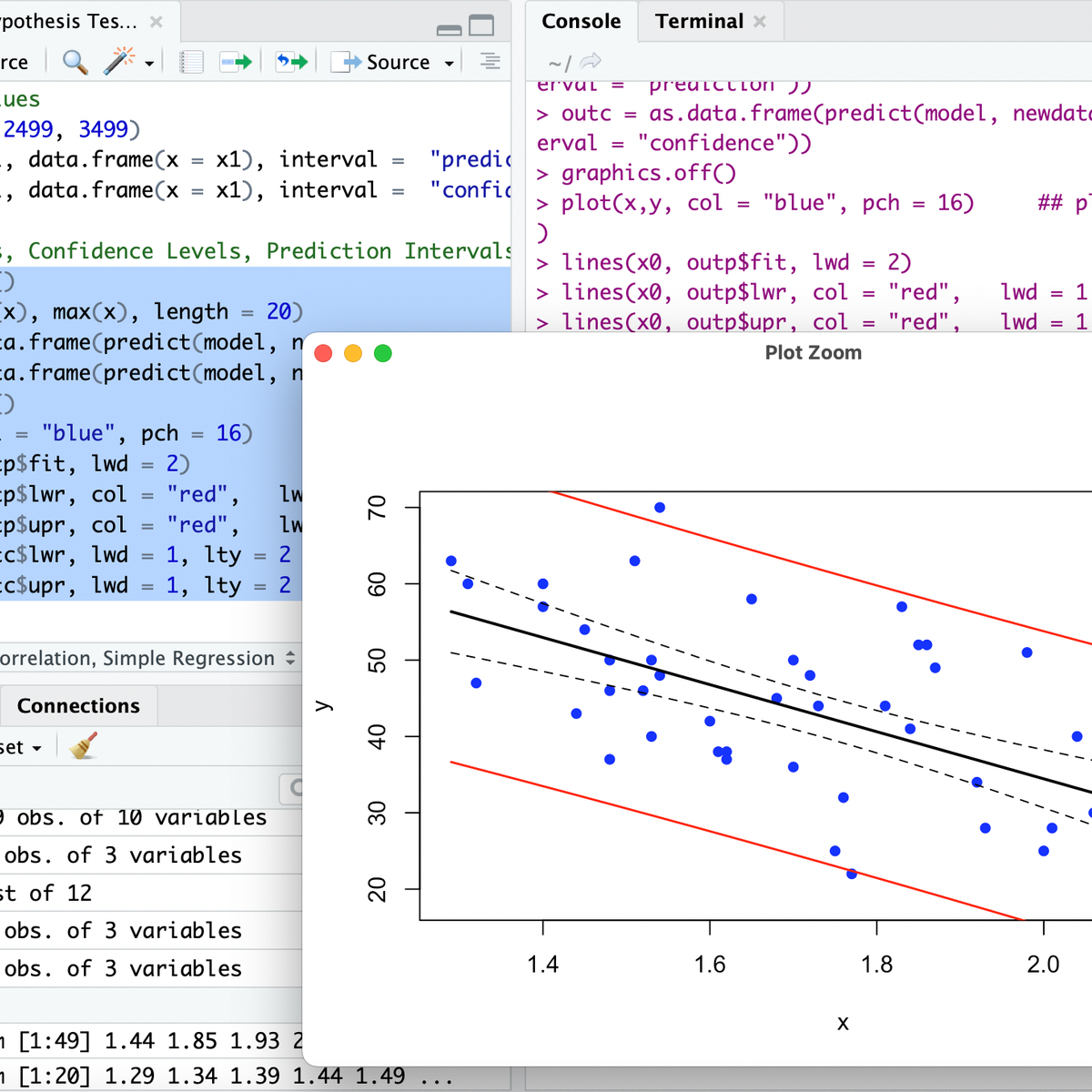
[Music] hi my name is Dustin um so I'll be presenting dat analysis and R um just a little bit about myself I'm currently a graduate student in uh the engineering applied sciences uh I study like a intersection of machine learning and statistics so Dad analysis and r is really fundamental to what I do on a daily basis um and R is especially good for data analysis because it's very good for prototyping um and usually when you're doing some sort of data analysis A lot of the problems are going to be cognitive and so you just want to have some really good language that is um just good for for doing like built-in functions as opposed to having to deal with like lowlevel things uh so in the beginning I'm just going to introduce what is R why would you want to use it and then go over into some some demo and and um just go on from there so what is r r is just a language developed for statistical Computing and visualization so what this means is that it's a very excellent language for any sort of thing that deals with um uncertainty or um data visualization so you have all these probability distributions that are going to be built-in functions you also have um excellent plot in packages um python is another competing language for data um and one thing that I find that our is uh much better at is visualization um so what you'll see um in the demo as well um is just um very intuitive language that that just works um extremely well um it is also free and open source um as is any other language I guess um and here A bunch of just key words throw at you um it's Dynamic meaning um if you have a specific type assigned to an object then it'll just change it on the Fly it's lazy so it's smart about how it does calculations functional meaning um it can really operate based off of functions so anything any sort of manipulation you're doing um it will be um based off functions so binary operators for example or just inherently functions um and everything that you're going to do is going to be run off functions itself um and then objectoriented as well so um here is an XKCD plot um not only because I feel like xqd is like fundamental to any sort of presentation but um because I feel like this really hammers the point that um a lot of the time when you're doing some sort of data analysis the problem is not so much um how fast it runs but how long it's going to take you to program the task so here is just um analyzing whether strategy A or B is more efficient this is going to be something that you're going to deal a lot with in sort of lowlevel languages where you're dealing with seg faults like memory allocation um initializations um even making the built-in functions um and this stuff is all handled very very elegantly in R um so just to hammer this point the biggest bottleneck is going to be cognitive so data analysis is a very hard problem um whether you're doing machine learning or you're doing um just some sort of basic data exploration you don't want to have to take a document and then um compile something every time you want to see what a column looks like what particular entries in a matrix looks like um so you just want to have some really nice interface you can run a simple function that indexes to whatever you'd like um and and just run it from there um and you need domain specific languages for this and R will really help you define the problem and and solve it in in this manner so here is um a plot showing um programming popularity of r as as it's gone over time so as you can see like 2013 or so it just blown up tremendously um and this has been um just because of like that huge Trend in um the technology industry while Big Data also not just the technology industry but really any industry that because a lot of a lot of these industries are sort of fundamental to um trying to solve these problems um and usually you can have some good way of a measuring these problems or even defining them or solving them using data um so so I think right now R is um the 11th most popular language on tiob um and it's it's um been growing since then uh so here are some more features of R it has an enormous number of packages um and for all these different things so anytime um you have a certain problem uh most of the time R will have that function for you so uh whether you want to build some sort of machine learning algorithm called random forest or decision trees or even um trying to take the mean of a function or any of this stuff uh R will have that um and if you do care about optimization um one thing that's common is that after you're done prototyping and some sort of high Lev language you will uh throw that in you'll just Port that over to some lowle language um what's good about R is that once you're done prototyping it you can run C++ or Fortran or any of these lower level ones directly into R so so um that's one really cool feature about R if you if you really care about the optimization Point um and it's also really good for web visualizations um so d3js for example is I guess another seminar that we presented today um and this is really awesome for for doing interactive visualizations and um d3js assumes that you have some sort of data to be plotted uh and R is a great way of being able to do the data analysis before you export it over to DCJS or or even just run d3js sort of commands into R itself as well as um all these other libraries as well um so that was just the introduction of um what is r and why you might use it so hopefully I conv you something about just trying to um see what it's like um so I'm going to go ahead and go through some fundamentals about um our objects um and what you can really do so here is just a bunch of math commands so say you're um you're you want to build a language yourself and you just want to have a bunch of different um tools um any sort of operation you think You' want is is pretty much going to be an R so here is 2 + 2 here is 2 * pi um R has a bunch of like built-in constants that you'll frequently use like Pi e um and then here's 7 plus r UNIF so runif of one this is a function that's um generates one random uniform from 0 to 1 um and then there's 3 to ^ 4 there's square roots um there's log so log um will do um base exponential by itself and then if you specify base then you can do whatever base you want um and then here are some other commands so you have 23 mod 2 then you have um the remainder then you have scientific notation if you also want to um do it um just more more complicated things so here is um assignment um so typical assignments in R is done with an arrow so it's less than and then the hyphen um so here I'm just assigning three to the variable vow um and I'm printing out vow and then prints out three um by default in our interpreter it um will print things out for you so you don't have to specify print vow anytime you want to print something you can just do vow and then it'll it'll do that for you also you can use equals technically as an assignment operator um there are slight subtleties between using the arrow operator and the equals operator for assignments um mostly by convention everyone will just use the arrow operator um and here I'm assigning um this um oblique notation called like one uh colon 6 this generates uh an a vector from 1 to six um and this is really nice because then you just assign the vector to Val and and that's and that works by itself um so so this is already going from a single a very intutive data structure just like a double some type of type into a vector and which will collect all the um scalar values for you so um after going from scaler you have R objects and this is a vector um a vector is any some sort of collection of um the same type so um here are a bunch of vectors so this is numeric numeric is R's way of saying double um so by default any um uh number will be a double so if you have C of 1.13 5.7 the C is a function this concatenates all three numbers into a vector um and this will be um so if you notice three by itself normally you would assume that this is like an integer but um because all um vectors are of the same type this is a vector of doubles or numeric in this case our Norm is is a function um that generates um standard normal variables or standard normal values um and I'm specifying two of them so I'm doing R Norm 2 assigning that to devs uh and then I'm printing out devs so these are just two random uh normal values and then ins if you do care about um integers so um this is just about memory allocation and um saving memory size so um you would have to append um your numbers by the capital L um and in general this is um R's historic notation for something called long integer um so most of the time you'll be deing with doubles um and if you ever will later on um sort of optimize your code you can just add these L's afterwards or during if you if you're um like Prett cognitive about what what you're going to do with these variables um so here is a character Vector so again I'm concatenating three um strings this time uh notice that uh double strings and single strings are the same in R so I have Arthur and Marvin's and so when I'm printing it out all of them are going to show double strings um and if you also want to include the double or single string in your characters then um you can either alternate your your strings so Marvin's uh for the second element this is going to show um you just have double strings and then a single string so this is um alternating other wise if you want to use a double string operator in a double string um when you're declaring it then you just use the the Escape operator so you're doing back slash u double string and finally we also have logical vectors um so logical so true and false um and they're going to be all capital letters um and then again I'm cating them and then assigning them to Bulls so Bulls is going to show you true false and true um so here is uh vectorized like indexing so um in the beginning I am taking a function this is called a sequence so sequence from 2 to 12 and I'm um taking a sequence by two so it's going to do 2 4 6 8 10 and 12 um and then I'm indexing to get the third element so one thing to keep in mind is that uh R indexes by by starting from one so vels three is going to give you the third element um this is um sort of different from other languages where um it starts from zero so in C or C++ for example you're going to get the fourth element uh and here is uh vowels from 3 to 5 so one thing that's really cool is that you can generate um temporary variables inside and then just use them on the fly so here is 3 to five so I'm generating a vector three four and five and then I'm indexing to get the third fourth and fifth elements um so similarly you can abstract this to just do any sort of vector um that gives you indexing so here is vals and then the first third and six elements um and then if you want to do um a complement so you just do the minus afterwards and that'll give you everything that's not the first third or sixth elements so this will be um 4 8 and 10 and um if you want to get even more advanced you can um concatenate um Boolean vectors so this is um this index is going to give you this this bulling Vector of length uh six so rep 2 comma 3 this will repeat true three times so this will give you a vector true true true um rep false four this is going to give you a vector false false false false and then C is going to concatenate those two booleans um together so you're going to get three trues and then four falses so when you index vals you're going to get uh the true true true so that's going to to say yes I want those three elements and then false false false false is going to say no I don't want those elements so it's not going to return them um and I guess there is actually a typo here because um this is saying repeat true three and repeat false four and technically you only have um six elements so um repeat false it should be repeat false three um I think R is also smart enough such that if you just specify for here then it won't even error out it will just give you this value so it will just ignore the that fourth false um so here is um vectorized assignment um so set. seed this just sets the seed for um pseudo random numbers so I'm setting the seed to 42 meaning that if I generate um three random normal values um and then if you run set. seed on your own computer using the same value 42 um then you'll also get the same um three random normals um so this is really good for reproducibility um usually when you're doing some sort of scientific analysis you would want to set the seed that way um other scientists can can just reproduce the exact same code you've done because they'll have the exact same random variables that or random values that that you've um taken out as well um and so the vectorized assignment here is showing vowels um one to two so it takes the first two elements of vowels and then assigns them to zero um um and then you can also just do um the similar thing with the booleans so vows is not equal to zero this will give you a vector um false false true in this case and then it's going to say any of those um indexes that were true then it's going to assign that to five so it takes a third element here and then assigns it to five um and this is really nice compared to um lowle languages where you have to use four Loops to do all this vectorized stuff um because it's just very intuitive and and it's a it's a single one liner um and what's cre about vectorized notation is that um in R these are sort of built in so that they're almost as fast as doing it in a low-l language as opposed to um making a for Loop in R and then having it to do Dynamic like indexing itself um and that'll be slower than doing the sort of vectorized thing where it can sort of like do it in parallel kind of where it's doing it in like in threading basically um so here is um vectorized operations so I'm generating a value 1 to three s uh assigning that to VC 1 3 to 5 V 2 adding them together it adds them component wise so it's 1 + 3 2 + 4 and so on um VC 1 * VC 2 this multiplies the two um values component wise so it's 1 * 3 um four uh 2 * 4 and then 3 * 5 and then similarly you can also do um uh um comparisons logical comparisons so it's false false true in this case because um one is not greater than three two is not greater than four U this is I guess another type of three is definitely not greater than five uh yeah so you can just um do all these um simple operations because they're inherited from um the classes themselves so that was just a vector um and that's sort of the most fundamental R object because given a vector you can construct more advanced objects so here is a matrix this is essentially um the abstraction of what a matrix is itself so um in this case it's three different vectors um where each one is a column or you can consider it as each one as a row um so I'm storing a matrix from one to 9 and then I'm specifying three rows um so 1 to N9 will give you a vector um 1 2 3 4 5 6 and then all the way to 9 uh one thing to also keep in mind is that uh R stores values um in column major format so in other words when you see 1 to n it's going to store them uh it's going to do 1 2 three in the First Column and then it's do 456 in the second column and then 789 in the third column um and here are some other um common um functions you can use so dim mat uh this will give you the dimensions of the matrix it's going to return you a vector of um the dimensions so in this case because our Matrix is 3x3 it's going to give you um a numeric vector uh that's 33 um and here is um just showing matrix multiplication so um usually if you just do um asterisk so Matt asterisk Mas mat this is going to be um component wise operation um or like that What's called the hadamar product so it's going to do um each uh element component wise however if you do if you want matrix multiplication so multiplying the first row um times the the second Matrix is first column and then so on um you you would use this percent operation and T of mat is just an operation for transpose so I'm saying take the transpose and M The Matrix Matrix multiply it by The Matrix itself and then it's going to return you um another 3x3 Matrix um showing the the the product you'd want um and so that was Matrix um here's what's called uh a data frame a data frame you can think of as a matrix but each column itself is going to be of a different type so what's really cool about data frames is that in in data analysis itself you're going to have all this heterogeneous data and all these um really messy things where each of the columns themselves can be of different types so here um I'm saying create a data frame um do ins from 1 to three and then also have uh a character Vector um so I can index to each of these um columns um and then I'll get the the values themselves and you can also do some sort of operations on data frames and most of the time when you're doing um data analysis or some sort of like pre-processing you'll be working with um these data structures where each column is going to be of a different type um finally so these are essentially just the four essential objects in our list will um just collect any other objects you want so it will store this into one variable that you can easily access so here I'm taking a list I'm saying stuff equals three so I'm going to have one element in the list and this is called stuff and it's going to have the value three um I can also um create a matrix so this is 1 to four um and N row equals 2 so a 2 x two Matrix also in the list and it's called Matt more stuff a character string and even another list in in itself so this is another this is a list that's five and bare so it has value five and it has the character string be and it's a list inside a list so you can have um sort of like these recursive things where you have another a type within a type so similarly you can have a matrix inside another Matrix and so on and a list is just a good way of collecting and aggregating all these different objects um and finally uh here is um just help in case um this was just gone over very quickly so um anytime time you're confused about some sort of um function you can do help of that function so you can do help uh Matrix or question mark Matrix and help and the question mark are are um just shorthand for the same thing so they're aliases um LM is um a function that just does a linear model um but if you just have no idea how that works you can just do help of LM and um that will give you some sort of um documentation that looks kind of like a man page in Unix um where you have a short description of what it does um also what its arguments are um what it returns and just like tips on how to use it and like some examples as well uh so let me go ahead and show some demo of um using R okay so I went over quickly just the data structures and um some sort of the op some some the operations here's um some functions um so uh here I'm just going to define a function so I'm also using assignment operator here uh and then I'm saying declare it as a function uh and it takes the value X so this is any value you want then I'm going to return X itself so this is just the identity function um and what's cool about this compared to other languages or in in other low-l languages is that X can be of any type itself and will return that typ type so you can imagine um so let me just run this quickly sorry so uh one thing I should also mention is that this um editor I'm using is called R Studio this is um what's called an IDE um and one thing that's really nice about this is that um it incorporates a lot of the things you want to do in R by itself um just uh very intuitively so here is like an interpreter console so similarly you can also get this console uh raw just by doing uh capital r and then and this is exactly the same thing as the console um so I can just do uh ID function x uh x x and then uh and then that'll be fine itself um so our studio is great because it has the console it also has the the documents you'd like to to run on and then it has some variables that you can see in environments um and then if you have some plots then you can see it here as opposed to managing all these different windows by themselves um I actually personally use Vim but I feel like R Studios um excellent just for um getting a good idea of how to use R um usually when you're trying to learn some like new task you don't want to handle like too many things at once so so R is just a very R studio is a very good way of of learning R without having to deal with all these other things so here I'm running ID hello hello this returns hello I do 1 2 3 here is um a vector of integers so similarly because it can take any some sort of um value it can do um returning uh ID of X so it returns 1 2 3 4 and five um and let me just show you that this is indeed uh integer um and similarly if you do class idx uh it's going to be in and then you can also compare the two and it's true so I'm checking if ID of x equals equals X and notice that it gives you two truths so this is not saying um are the two objects identical but are each of the entries within the vectors identical um here is bounded compare so this is um slightly more complicated in that it has um an if condition and else uh and then it takes two arguments this time so X is of any type and I'm saying um the second argument is a this can be anything as well um but by default it's going to take five if you don't specify anything so um here I'm going to say if x is greater than a so if I don't specify a it says if x is greater than 5 then I'm going to return true else I'm going to return false um so let me go ahead and Define this and now I'm going to run bounded do compare 3 so um it says is three less than is three greater than five um no it's not so false um and bound to. compare it's three and I'm going to compare it using a equal 2 so now I'm saying uh yes I now I want a to be something else so I'm going to say A you should be two um I can either do this sort of notation where I say a equals 2 um this is more readable and that um when you're looking at like these really complicated functions that take multiple arguments um and this can be dozens um oftentimes um just saying a equals 2 is more readable for you so that later on in the future you'll know what you're doing so um in this case I'm saying uh is three greater than two um yes it is um and similarly I can just remove this and say is three greater than two where a equals two and then it's also true yes um are you executing by line uh yes I am uh so what I'm doing here is taking this text document and what's great about R studio is that um I can just run a short um a key uh key shortcut so I'm doing controll Enter and then I'm taking the line in the text document and then putting in the console so here I'm saying bound to. compare and I'm doing contr X so I can just do run here as well and then that will take the line and then put it here and then um simly I can do run here and then it will just keep defining the lines into the console uh like that and if you also notice um the curly bases are there just like in in C um syntax um X if the if condition is also going to use parenthesis and then you can use else uh another one is like else if so this is going to be x equals equals a for example uh and then I'm going to return something here notice that um there are two different things here that's going on one is that um here I'm specifying return the value true here I'm just saying X so R will um usually by default take the last argument or take the last line of the code and that will be what it's returned so here this is the same thing as doing return x uh and just to show you and then it it will work just like that um so let me continue with this so else if um and really I can return anything I'd like so I don't even have to return booing all the time I can just return something else so I can do return bear um so if x equals equals a it's return be and otherwise and return true I can also do like um a vector or really anything um and normally in um statica type languages you have to specify a type here and notice that it can just be anything and R is intelligent enough that um it it it will just do this and it'll work fine um so let me Define this uh unexpected oh sorry there should be a curly brace here okay cool all right um so now let's compare three uh and AAL 3 so it should have return yeah the value be um so now uh a more General thing is like what about other data structure so you have this function um this is going to work on um any sort of value like three or any um numeric uh in other words double um but what about something like a vector so what happens if you do um so I'm going to assign Val to um say 4 to six uh so if I return this and this is a vector from 456 now let's see what happens if I do bounded do compare Val um so this is going to give you 151 1251 so in other words it's saying uh if you look at this uh condition so it says um X is less than a or something so this is like slightly confusing because now you just don't know what's going on so uh I guess one thing that's really good about uh just trying to debug is that you can just do um Val is greater than a and see what happens there uh so Val a is by default five so let's just do Val greater than five so this is uh a vector false false true so now um when you're looking at this it's going to say if and then it's going to give you a this is a vector false false true so when you pass this into r r has no idea what you're doing because it expects one single value which is a Boolean and now you're giving it a vector booleans um so by default R is just going to say what the heck I'm going to assume that you're going to take the first element here so I'm going to say I'm going to assume that this is false um so it's going to say no this is not right um similarly uh it's going to be Val equals equals a oh sorry five and it's also going to be false as well so it's going to say no it's it's it's not true as well so it's in return this last one um so this is either a good thing or a bad thing um depending on how you view it because uh um when you're creating these functions H you don't actually know what's going on so sometimes you'd want an error or maybe you just want a warning um and in this case r doesn't do that um so it's really up to you based off of what you think um the language should do in this case if you pass in a vector of booleans when you're doing an if condition um so like let's say that um you had the original one with if else return true and you're going return false so um one way of abstracting this is to say um I don't even need this uh conditional thing another thing I can do is um just uh returning the values themselves so if you notice uh if you do Val is greater than uh five this is going to return uh a vector false false true maybe this is what you want for bound do compare you want to return a vector of booleans where it Compares each of the values to themselves so uh you can just do bound. compare function uh x a = 5 uh and then instead of doing this if else condition I'm just going to return uh x uh is greater than five so if it's true then it's going to return true and then if it's not it's going to return false uh and this will work for um any of these structures so I can do bound in. compare uh C1 5 1 six or n uh and then I'm going to say a equal 6 for example and then it's going to give you the right bullan Vector um that that you're designing um so those are just functions um and now let me just show you some um interactive uh visuals uh I don't think I actually have uh Wi-Fi here so um let me just go ahead and skip this one I guess um one thing that's cool though is that uh if you just want to um test um a bunch of like different data commands um there's a bunch of different data sets that are already pre-loaded into R so one of them is called the iris data set um this is one of like the most well-known ones in machine learning um you'll usually just do some sort of like um test cases to see for code runs so um let's just check what iris is so this is thing is um uh going to be a data frame and it's kind of long because I just printed a iris and it's printing out the entire thing um so it has uh all these different um names so iris is a collection of different flowers in this case um it's telling you the species of it all these different widths and lengths of the SEO and the pedal um and so normally you just don't you if you want to print out Iris for example you don't want to have it do all of this because that can um take over your entire console um so one thing that's U really nice is um the head function so if you just do head Iris this will give you the first five rows or six I guess uh and then well you can specify here um so 20 this will give you the first 20 rows um and I actually was kind of surprised that this gave me six so let me go ahead and check Iris or head sorry uh and here will give you the documentation of what um the value head does so Returns the first or last of an object uh and then I'm going look at the defaults and then says the default method had X and Nal 6 l so this Returns the first six elements um and similarly if you notice here I didn't have to specify the N equal 6 um by default it uses six I guess and then if I want specify a certain value then I can do that as well um so that is um some simple commands and uh here's another one that just will um I can't this is actually a little more complex but this will just take the class of each column of the iris sta set so this will show you what each of these columns are in terms of their types so SEO length is numeric SE width is numeric all these all these values are just numeric because you can tell from this data structure um these are all going to be numeric and the species um column is going to be um a factor um so normally you would think that this is like a character string but if you just do Iris uh species uh and then I'm going to do head five uh and this is going to print out the first five um values and then notice this levels um so this is saying um this is R's way of having Cate orical variables so instead of um instead of just having character strings it has levels specifying which of these things are so let's say um Iris species uh one so what what I'm doing here is I'm subsetting to uh the species column so uh this takes a species column and then it indexes to get the first element so this should give you Sosa and it also gives you levels here so you can also compare this to the character satsa and this is not going to be true because one is of a different type than the other or I guess it is true because r r is more intelligent than that and uh it it looks at this and then it says um maybe this is what you want so it's going to say uh the the character string at TOA is the same as this one um and then similarly you can also just grab these uh like so on um so that is just some sort of quick commands of the data set so here's um some data exploration um so this is a little more involved with the data analysis um this is taken from um uh some boot camp and R for in Berkeley um so um Library forign so I'm going to load in a library that's called foreign um so this um is going going to give me read. DTA so like assume that I have this data set uh this is stored in the current working directory of this um uh of my console so let's just see what the working directory is so here's my working directory um and a read. data this thing is saying uh this file is located in the data folder of this current working directory um and R.A um this isn't default command uh I guess I loaded in already uh I yeah I assume I loaded this in already but uh so read. ZTA is not going to be a default command and that's why you're have to uh load in this Library package this package called forign uh and if you don't have the package I think forign is one of the built-in ones um otherwise you can also um do install that packages uh and this will install the package uh and this will give you R uh no uh and then I'm just going to stop this because I already have it um but what's really nice about R is that the package man the package management system is very elegant because um it will store everything uh really nicely for you so in this case it's going to store it in I believe um this this Library here um so anytime you want to install new packages it's it's just as simple as doing install. packages and R will manage all the packages for you so you don't have to um use something like in Python where you have external um package managers like pip or anaconda where you're doing you install the packages outside of python and then you try to run them yourself um so this is really nice way and um install the packages um requires internet it takes it from um a server um and um the repository that collects all packages is called cran and you can specify which um sort of mirror you want to to download the packages from um so here I am taking this uh data set I'm reading it in using this function um so let me go ahead and do that so um let's assume that you have this data set and you have absolutely no idea what it is um and this actually comes up fairly often in the industry um where you just have these tons and tons of messy things and they're incredibly unlabeled so um here I have this data set um and I don't know what it is so I'm just going to check it out so I'm going to do head first um so I check the first six Columns of what this data set is so this is uh States press 04 and then all these different sort of um columns um and what's what's interesting here I guess is that um you would assume that this looks like some sort sort of election um uh and I guess just from looking at the file name this is um uh some sort of um collection of data about um candidates or uh voters who voted for specific presidents or um president candidates for the 2004 election so here is um values one two so um one way of storing the president candidates are um their names in this case it looks like they're just integer values so 2004 it was uh Bush vers carry I believe um and now let's say you just don't know whether one corresponds to Bush or two corresponds to carrye or and so on and so forth right and this is just going be a fairly um common problem um so what can you do in this case um so let's check all these other things state I'm assuming this comes from different states party ID income uh let's look at uh party ID so maybe one thing you can do is look at each of the observations that have a party ID of like republican or democrat or something so let's just look at what party ID is so I'm going to um take that and then I'm going to do this um uh uh dollar sign operator that I did previously um and this is going to subset to that column uh and then I'm going to head this in 20 just to see what this looks like so this uh is just a bunch of Nas so in other words um you have missing data about these guys but you also notice this that party ID is um a factor um so this gives you different categories so in other words party ID can take Democrat Republican independent or something else um so let's go ahead and uh let's see which of these oh okay so I'm going to subset to um party ID uh and then look at which ones are Democrat for example um this is going to give you a bulling a huge bullying of TRS and falses um and now let's say I want to subset to um these guys so this is going to take my dat and subset to whichever observations have party ID equals equals Democrat uh and this is quite long because there's so many of them so now I'm going to have this 20 uh and as you notice um equals equals is interesting in that you're already you're also including the nas so so in this case you still can't get any information because um now you have Na and and you just want to see which of the observations correspond the Democrat and not these missing values themselves so how would you get rid of these n uh uh so here I'm just using the um up key on my cursor uh and then saying um moving around and then here I'm going to say is. na that party ID um so this and and will take two different um bullan vectors and say um it's it's going to be true and false for example so it's going to do this the component wise so here I'm saying take uh the data frame subset to the ones that correspond to Democrat and remove any of them that are not na so so this will uh should give you something uh let see is. na uh let's try this na do party ID and this should give you uh sorry uh just a Boolean vector and then because it's so long I'm going to subset to 20 okay so this should work uh and this one will also be TR ah so my error here is that um I'm I'm I use C++ and R interchangeably so I I make this mistake all the time uh the and operator is actually the one you want that you don't want to use two amber Sands just a single one okay uh so let's see so we now we subsided to the party ID we're the Democrat and they're not missing values and now let's look at which ones voted for so it seems like most of them voted for one so I'm going to go ahead and say that that is is carry um and similarly you can also go to Republican um and hopefully this should give you two uh this bunch of different columns and indeed it's two so party ID all Republican most of them are voting for two so it seems like just why looking at this Republican is going to be a very or the party idea is going to be a very big factor in determining which um candidate they're going to vote for and this is obviously true in general and this matches your intuition of course um so it seems like I'm running out of time so let me just go ahead and show some quick um images so here's something that's slightly more complicated um with visualization so in this case um this is a very simple um analysis of just checking what the president a 04 is so in this case let's say um you wanted to answer uh this question so suppose we wanted to know the voting behavior in the 2004 president election and it have how that varies by race so not only do you want to see um the voting behavior but you want to subset to each race and sort of summarize that um and you can already tell by this complex notation that this is kind of getting hazy so um one of the more advanced our packages it's also kind of recent is called uh uh D plier so it is this one right here uh and G GG plot 2 is just a nice way of um doing better visualizations than the built-in one so I'm going to load these two libraries uh and then I'm going to go ahead and uh run this command you can just treat this as a blackbox um what's happening is that this pipe operator is passing in um this argument into here so I'm saying Group by dat race and then president 04 and then all these other commands are filtering and then summarizing where I'm doing count and then I'm plotting in here okay cool uh so let's go ahead and see what this looks like so what's happening here is that I just plotted um each of the races and then which ones they they um voted for and these two different values correspond to two and one um if you want to be more elegant you can also just specify that two is um Carry or two is uh Bush and then one is carry and you can also have that in your Legend and um you can also split these um bar graphs because one thing is that if you notice this is not very uh easy to identify which of these two values are larger um so one thing you'd want to do is take this um blue area and just move it over here so that you can compare these two side by side um and I guess that's something I don't have time to do right now but um that's also very easy to do you can just um look into the Man pages of uh ggplot so you just do uh ggplot like that and read into this man page um so let me just quickly show you some cool things um let's go ahead and go to um this an application of machine learning so let's um say we have these three packages um so I'm going to load these in uh so this just prints out some information after I loaded in the thing so I am saying this read.csv this data set um and now I'm going to look go ahead and look at and see what's inside this data set so uh the first 20 observations so I just have X1 X2 and Y so it seems like a bunch of these values are ranging from maybe 20 to 80 or so uh and then similar for X2 and then this y seems to be labels uh 0o and one um to verify this I can just do um summary uh data X1 uh and then similarly for all these other columns so summary is a quick wave just showing you quick uh values oh sorry this one should be y so in this case gives you the quantiles medians um Maxes as well uh in this case data y you can see that it's just going to be 0er and one also the mean saying 0.6 just means that it seems like I have more ones than zeros um so uh let me go ahead and show you what this looks like so I'm just going to plot this uh let's see this okay okay so this is what it looks like so it seems like uh yellows uh I specified as uh zero and then red I specified as ones so here looks it looks like um labeled points and uh it seems like you just want to do some sort of clustering on this um and let let me just go ahead and show you um some of these built-in functions so here is um LM um so this is just trying to fit a line to this so what is the best way that I can fit a line such that it will best separate um this sort of um clustering um and ideally you can just see that um I just run all these commands uh and then I'm going ahead and add the the line so this seems like the best guess um it's it's taking the best one that that minimizes the error um in trying to fit this line obviously um this looks this looks kind of good um but it's not the best um and uh linear models in general it's going be really great for Theory and and just sort of building fundamentals of machine learning but in in practice you're don't want to do something more General so um you can just try running something called a neural network um these things are increasingly more common uh and they just work fantastically for for large data sets so in this case we only have um let's see we have n row so n row is just saying number of rows so in this case I have 100 observations um so let me go ahead and make a neural network so this is really nice because I can just say um N Net and then I'm regressing y so the Y is that column and then regressing on the other two variables so this is this is short notation for X1 and X too so let me go ahead and run this oh sorry I need to run this whole thing okay and this is just printing notation for how how quickly or not not quickly it converged so it looks like it did converge um so let me go ahead and print out what this looks like so here's the picture and here is a conert showing um how well it fits and this is just um you can see that this is very very nice uh uh it could even be overfitting but um you can also account for this with um other techniques like cross validation um and these are also built into R um and let me just show you uh support Vector machine this is another really common technique in machine learning um it it's very similar to linear models but it uses um what's called the kernel method um and let see how well that does so this one uh is very similar to how well a neural network performs but but it's much more smoother and this is based off of um what uh how spms work um so so this is just very quick overview of um some like the built-in functions you can do and also some of the data exploration um so let me just go ahead and go back to the slides um so obviously this is not very comprehensive and this is really just a teaser showing you what you can really do in are so if you just like to learn more here are a bunch of um different resources so if you're fond of textbooks or you're just fond of um reading things online then this uh is a fantastic one by Hadley Wickham who also created all these um really cool packages if you're follow the videos then um Berkeley has um an awesome boot camp that's several very like that's kind of long um and they will teach you almost everything you'd like to know about R and similarly there's um code and all these other sort of interactive websites um they've also been coming more and more common so this is very similar to code academy and finally if you just want community and help these are a bunch of um things you can go to obviously we we still use mailing lists just like almost every programming language um Community um and our stats this is um our community in Twitter that's actually quite common and then USR is just our our conference and then of course you can use all these other um Q&A things like sack overflow Google and then GitHub because most of these packages and a lot of the community will be centered around um developing code because it's open source and it's just really nice on GitHub um and finally you can contact me if you just have any like quick questions so you can find me on Twitter here my website and uh just my email so um hopefully that was um something just a short teaser of what R is really capable of doing um and um hopefully you just check out these three links and and see what you can do more um and I guess that's just about it thanks
Original Description
Data has increasingly become crucial for solving problems in industry and research. R provides a powerful and flexible toolkit for this sort of analysis: statistical modeling, machine learning, visualization, and the fundamental process of importing and manipulating data. This seminar will provide a quick introduction to using R and show the tremendous capabilities that the language has to offer.
Playlist
Uploads from CS50 · CS50 · 22 of 60
1
 2
2
 3
3
 4
4
 5
5
 6
6
 7
7
 8
8
 9
9
 10
10
 11
11
 12
12
 13
13
 14
14
 15
15
 16
16
 17
17
 18
18
 19
19
 20
20
 21
21
 ▶
▶
 23
23
 24
24
 25
25
 26
26
 27
27
 28
28
 29
29
 30
30
 31
31
 32
32
 33
33
 34
34
 35
35
 36
36
 37
37
 38
38
 39
39
 40
40
 41
41
 42
42
 43
43
 44
44
 45
45
 46
46
 47
47
 48
48
 49
49
 50
50
 51
51
 52
52
 53
53
 54
54
 55
55
 56
56
 57
57
 58
58
 59
59
 60
60

Hello, World: Hadi Partovi
CS50
Content Distribution and Archival in a Digital Age
CS50
CS50 2014 - Week 1
CS50
CS50 2014 - Week 3
CS50
CS50 2014 - Week 0, continued
CS50
CS50 2014 - Week 4
CS50
Week 3, continued
CS50
Quiz 0 Review
CS50
CS50 2014 - Week 3, continued
CS50
CS50 2014 - Week 7
CS50
CS50 2014 - Week 7, continued
CS50
Breaking Through The (Google) Glass Ceiling by Christopher Bartholomew
CS50
Introduction to Amazon Web Services by Leo Zhadanovsky
CS50
CS50 2014 - Week 9
CS50
How to Build Innovative Technologies by Abby Fichtner
CS50
Light Your World (with Hue Bulbs) by Dan Bradley
CS50
Building Dynamic Web Apps with Laravel by Eric Ouyang
CS50
CS50 2014 - CS50 Lecture by Steve Ballmer
CS50
CS50 2014 - Week 10
CS50
This is CS50 with Steve Ballmer?
CS50
Meteor: a better way to build apps by Roger Zurawicki
CS50
Data Analysis in R by Dustin Tran
CS50
Data Visualization and D3 by David Chouinard
CS50
CS50 2014 - Week 6
CS50
Build Tomorrow's Library by Jeffrey Licht
CS50
CS50 2014 - Week 9, continued
CS50
Essential Scale-Out Computing by James Cuff
CS50
iOS App Development with Swift by Dan Armendariz
CS50
Sam Clark Leads Yale Students on Tour to CS50 at Harvard
CS50
3D Modeling and Manufacture by Ansel Duff
CS50
CS50 2014 - Week 5, continued
CS50
hello, world
CS50
CS50 2014 - Deep Thoughts - Hash Table
CS50
CS50 2014 - Deep Thoughts - Binary Tree
CS50
CS50 2014 - Deep Thoughts - Scratch
CS50
CS50 2014 - Deep Thoughts - MySQL
CS50
LaunchCode Visits CS50
CS50
CS50 Live, Episode 100
CS50
CS50 Field Trip to Google
CS50
This is CS50 AP
CS50
Week 4: Monday - CS50 2011 - Harvard University
CS50
Week 2: Wednesday - CS50 2011 - Harvard University
CS50
Week 1: Wednesday - CS50 2011 - Harvard University
CS50
Week 11: Monday - CS50 2011 - Harvard University
CS50
Week 3: Wednesday - CS50 2011 - Harvard University
CS50
Week 12: Monday - CS50 2011 - Harvard University
CS50
Week 1: Friday - CS50 2011 - Harvard University
CS50
Week 3: Monday - CS50 2011 - Harvard University
CS50
Week 10: Wednesday - CS50 2011 - Harvard University
CS50
Week 2: Monday - CS50 2011 - Harvard University
CS50
Week 9: Monday - CS50 2011 - Harvard University
CS50
Week 7: Monday - CS50 2011 - Harvard University
CS50
Week 5: Monday - CS50 2011 - Harvard University
CS50
Week 5: Wednesday - CS50 2011 - Harvard University
CS50
Week 7: Wednesday - CS50 2011 - Harvard University
CS50
Week 8: Monday - CS50 2011 - Harvard University
CS50
Week 9: Wednesday - CS50 2011 - Harvard University
CS50
Week 8: Wednesday - CS50 2011 - Harvard University
CS50
Week 10: Monday - CS50 2011 - Harvard University
CS50
Week 2: Wednesday - CS50 2010 - Harvard University
CS50
More on: ML Maths Basics
View skill →



![AI With Python Full Course 2026 [FREE] | Learn Artificial Intelligence With Python | Simplilearn](https://img.youtube.com/vi/IvFW-r_S6UI/mqdefault.jpg)

Related Reads
📰
📰
📰
📰
I regret reviewing for AAAI [D]
Reddit r/MachineLearning
GenTrace: Automating Telecom Network Fault Diagnosis from Raw Packet Traces
Medium · Machine Learning
GPU Rental Guide: H100 vs A100 vs L40S vs RTX4090
Dev.to · YingSuan AI
Kafka Consumer Lag Is Growing. Your API Is Healthy While the Business Falls Behind.
Medium · Programming
🎓
Tutor Explanation

 DeepCamp AI