Top 50 ChatGPT Prompts You Should Use (including PDF download)
Key Takeaways
The video showcases the top 50 ChatGPT prompts, organized into categories, and demonstrates their usage with examples. It covers basic and advanced prompts, including Q&A, text summarization, spreadsheet creation, and code explanation.
Full Transcript
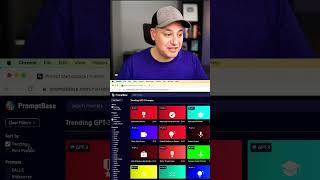
I want to show you the top 50 prompts for chat GPT and this comes directly from open AI the company behind chat GPT this is from their website but what I did is I organized it into a simple sheet that I'll include below for download where you have based on categories the different categories that these fall into the purpose for using each prompt and the actual prompt themselves and this is going to have very basic things for prompting like creating recipes or grammar correction or summarizing text to some more advanced things that I've never seen anyone else covered regarding chat GPT prompts let's jump in so I'll start here with my list but I'll show you where I got this prompts from this is directly from the openai website but here the Q a prompt is one of the most useful ones where it answers questions based on existing knowledge so I could basically take this prompt and I'll copy it over to chatgpt and I could paste it over here so when you basically give this prompt to charge repeat if you ask it a question that doesn't make sense what is the square root of a Nana it's not going to actually give you an answer and it's going to answer you in unknown but if you use this without doing that if you just ask chat GPT what is the square root of a banana it tries to actually give you an answer so that is a way to basically Prime Chan GPT to give you factual answers and just tell you unknown when it doesn't have a good answer okay here's another one that most people don't know about and that is actually adding this at the end of long text to summarize it in a shorter version and all you have to do is add this prompt at the end of any large text which stands for too long didn't read and if you just type this prompt exactly like this and press enter it summarizes the text for you and you could do this with a big amount of text as well and it will give you a summary and you don't even have to write a sentence it's literally five characters here gets you that result this one is really useful this is a spreadsheet Creator so this creates a spreadsheet of various kind of data and I'm just going to show you here the top 10 and then I'll go ahead I'll link this below so this one I could basically have it create a spreadsheet for me and it's going to have a title and year of release I could press enter and it puts it in this really nice spreadsheet format and I could copy it from here so creating these tables or spreadsheet is a really good prompt this is kind of a fun one but you could turn movies or music into emojis so it says convert a movie title into emoji and here is the prompt let me go ahead and copy and paste this one and this is basically what Star Wars would look like as an emoji this is a translation prompt so translate English to different languages and the prompt is translate into one the first language you want to the second and third and I'll type some text here and I'll press enter and as you can see I got French Spanish and Japanese and they're in different sections here and I could easily copy and paste from here this one is for coders very useful but it could explain code you could even explain code if you have no idea what you're looking at so I'm going to take this piece of code here I'm going to copy yet and the actual prompt is basically asking what the above code is doing explain in a concise way and I'm going to press enter and it's going to use just basic English here to explain to you what different types of code does you could do this with basic HTML code from your website or more advanced python or Json code too this one is really useful especially for work this one turns notes into a summary turn meeting notes into a summary and basically the prompt is convert my shorthand notes from a meeting into a summary so I could just copy this over I'll paste that into chatgpt and it's going to give me a much better way of basically sharing this in email format for example so this is one of the prompts that I actually use all the time and this one is also very useful if you use email it says extract contact information from a block of text you could do this with lots of different texts and extract very specific information without manually doing it and you could do it with large amount of text as as well and just like that I got the name and the address just from this text by using this prompt now this all came from this platform is called playground is from openai the company behind chat GPT and you could access it at platform.openai.com playground and these are basically these type of presets so I started with the Q a and it basically is putting this type of prompt here and you could submit this prompt to get an answer so this is kind of similar to chat GPT and it's again from the same company but it does help you with these kind of prompts these presets that again I just organized into that document but you could also access all of them over here if you prefer this does have a nice search function but you'll have to just click on each one here and you'll get the prompt again where I pulled the prompt from and you could open each one of them in the playground and it will load up the prompts and you could submit that prompt and have a back and forth just like you do with chat GPT we're also so finishing up an entire Netflix style learning platform for generative AI this includes entire courses on things like mid-journey chat GPT prompt engineering and all our courses are very complete with downloadable resources and they're always being updated with the latest updates in Ai and we add new courses and new tutorials on the latest in generative AI every single week the link for that is in the description if you want to learn more I hope you found this useful and I'll see you on the next video
Original Description
I'm going to walk you through the top 50 ChatGPT prompts, straight from the source - OpenAI. I've put everything into an organized, easy-to-use sheet which you can find in the link below.
https://skillleap.ai/pages/top50-prompt-list
You'll discover everything from basic prompts, like creating recipes or correcting grammar, to more complex ones that you might not have come across before.
We'll take a deep dive into OpenAI's Playground, where I've pulled these prompts from. You'll see firsthand how you can use these prompts to get the most out of ChatGPT. From Q&A prompts that give you factual answers to prompts that help you summarize long texts, I've got you covered.
By the end of this video, you'll have the tools to use ChatGPT for everything from creating spreadsheets to translating languages, and even understanding code. We'll even have some fun with prompts that can turn movie titles into emojis!
We just launched a new platform for learning ChatGPT, Midjourney and the top 20 AI tools.
You can try it for free here: https://bit.ly/skillleap
Watch on YouTube ↗
(saves to browser)
Sign in to unlock AI tutor explanation · ⚡30
Playlist
Uploads from Skill Leap AI · Skill Leap AI · 58 of 60
1
 2
2
 3
3
 4
4
 5
5
 6
6
 7
7
 8
8
 9
9
 10
10
 11
11
 12
12
 13
13
 14
14
 15
15
 16
16
 17
17
 18
18
 19
19
 20
20
 21
21
 22
22
 23
23
 24
24
 25
25
 26
26
 27
27
 28
28
 29
29
 30
30
 31
31
 32
32
 33
33
 34
34
 35
35
 36
36
 37
37
 38
38
 39
39
 40
40
 41
41
 42
42
 43
43
 44
44
 45
45
 46
46
 47
47
 48
48
 49
49
 50
50
 51
51
 52
52
 53
53
 54
54
 55
55
 56
56
 57
57
 ▶
▶
 59
59
 60
60

How to Use Endel - Personalized Mood Music to Help Focus & Relax
Skill Leap AI
How to Start Running with Zombie Run App - Gamify Running
Skill Leap AI
How to Learn New Creative Skill - Skillshare App Overview
Skill Leap AI
How to Use Khan Academy Mobile App
Skill Leap AI
How to Learn to Code - SoloLearn App Overview
Skill Leap AI
How to Use Google Hangouts Meet App on iPhone or Android
Skill Leap AI
How to Use Google Classroom Mobile App on iPhone or Android
Skill Leap AI
How to Develop Film Negatives on your Phone - Filmbox App Tutorial
Skill Leap AI
How to use Google Sheets Mobile App - Beginner's Guide
Skill Leap AI
How to Use Smule - Social Singing and Karaoke App
Skill Leap AI
How to Learn to Code - Mimo App Walk-through
Skill Leap AI
How to Use Microsoft Teams Mobile App (iOS and Android)
Skill Leap AI
How to Use Reddit Mobile app
Skill Leap AI
How to Use Thumbtack - Find Handyman, Plumbers and local professionals
Skill Leap AI
How to Use Cash App
Skill Leap AI
How to Use Linkedin Mobile App - Complete Beginner's Guide
Skill Leap AI
How to Use Amazon Alexa App
Skill Leap AI
How to Use Signal Private Messenger App
Skill Leap AI
How to Use Telegram
Skill Leap AI
How to Use Skype Mobile App for iPhone and Android
Skill Leap AI
How to Use Brave Private Web Browser
Skill Leap AI
How to use Coinbase to Buy and Sell Cryptocurrency
Skill Leap AI
How to Bring Pictures to Life using MyHeritage app Deep Nostalgia Effect
Skill Leap AI
How to Check Your Credit Score for Free
Skill Leap AI
How to Cartoon Yourself - Voila Ai Artist App Tutorial
Skill Leap AI
how to Use Acorns App - Investing For Beginners
Skill Leap AI
How to Live Stream from Your Phone - Melon App Tutorial
Skill Leap AI
How to Edit Videos on iPhone or Android - Filmr Tutorial
Skill Leap AI
Top 5 Social Media Apps You've Never Heard Of
Skill Leap AI
How to Use Google Pay
Skill Leap AI
How to Use Slack
Skill Leap AI
How to Send Messages in your own Handwriting on iPhone - Fontmaker App Tutorial
Skill Leap AI
How to Use Live Text on iPhone - iOS 15 Update
Skill Leap AI
How to use inShot Video Editor - Edit videos on iPhone or Android
Skill Leap AI
How to Check if iPhone is Refurbished or New or Personalized
Skill Leap AI
Oculus Quest 2 Unboxing, Setup and Review
Skill Leap AI
What is the Metaverse? Complete Beginner's Guide
Skill Leap AI
Oculus Quest 2 Must Have Accessories
Skill Leap AI
How to Buy Ethereum for Beginners - 2022 Update
Skill Leap AI
How to Buy Bitcoin
Skill Leap AI
ChatGPT for Beginners - Explained in 90 seconds
Skill Leap AI
Best prompts for chat GPT
Skill Leap AI
Chat GPT Plus is here!
Skill Leap AI
ChatGPT 4 is now live! 3 biggest upgrades #chatgpt #chatgpt4 #ai
Skill Leap AI
ChatGPT competitor from Google is live - Bard Ai #ai #bard #goolgeai #chatgpt
Skill Leap AI
How to Use Bing Ai App - ChatGPT Powered Search Engine
Skill Leap AI
How to Get ChatGPT 4 for Free with new Bing Ai
Skill Leap AI
How to Use Auto GPT God Mode Ai - Auto GPT got a Huge upgrade
Skill Leap AI
Top 10 Life Changing Ai Tools You Need to Know
Skill Leap AI
ChatGPT Plugins and Web Browsing - Everything You Need to Know
Skill Leap AI
Play games with ChatGPT #ai #gpt #chatgpt
Skill Leap AI
ChatGPT Just Got Web Browsing - HUGE UPDATE
Skill Leap AI
I Discovered The Perfect ChatGPT Prompt Formula
Skill Leap AI
ChatGPT iPhone App is finally here! And it can hear you! #ai #iphone #gpt #chatgpt #iphonehacks
Skill Leap AI
Google Ai for Gmail just ended email #ai #gmail #goolge #technology
Skill Leap AI
You Won't Believe this AI Combo
Skill Leap AI
Share ChatGPT conversations with just a link! #chatgpt #ai
Skill Leap AI
Top 50 ChatGPT Prompts You Should Use (including PDF download)
Skill Leap AI
Top 10 ways to use ChatGPT Code Interpreter
Skill Leap AI
Google Bard just got a Massive Upgrade
Skill Leap AI
More on: LLM Foundations
View skill →






![Run Any AI LOCALLY for FREE Forever! [100% Beginner Tutorial]](https://i.ytimg.com/vi/8GFPZRgtEn8/mqdefault.jpg)


Related Reads
📰
📰
📰
📰
Cómo automatizar el 30% de tu trabajo docente con IA (sin ser experto)
Dev.to AI
On-Device Diffusion, Zed 1.0, and Five Reasons to Patch Node.js Right Now
Dev.to · The Dev Signal
Title: something like "AI-Powered Batch Processing for Consistent Portrait Sessions"
Dev.to AI
Markdown as the Source of Truth: Building AI-Generated Websites on Azure
Medium · LLM
🎓
Tutor Explanation

 DeepCamp AI