Stability Seconds: How to Improve Your Prompts
In this week's Stability Seconds, we’re getting you up to speed on how to use simple prompting techniques to create more precise images faster by not having to rewrite your prompt. Here’s how:
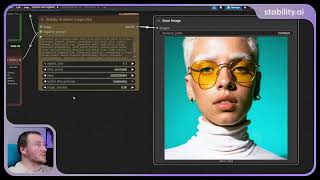
1️⃣ Use positive and negative prompts: Combine positive prompts to describe what should appear in the image, like “an editorial close-up,” and negative prompts to guide the model away from unwanted elements, such as “low resolution.”
2️⃣ Create prompt journals: When using Stable Image Ultra, try the prompt journal node to store a list of prompts directly into your workflow. This keeps your best prompts in one place, so you can easily reuse them or build on them later.
You can find more prompting techniques and start creating with Stable Image Ultra here 👉 https://bit.ly/4kQCp29
Watch on YouTube ↗
(saves to browser)
Sign in to unlock AI tutor explanation · ⚡30
Playlist
Uploads from Stability AI · Stability AI · 2 of 8
1
 ▶
▶
 3
3
 4
4
 5
5
 6
6
 7
7
 8
8
Stability Seconds: Using Stable Diffusion 3.5 and Stable Image Ultra in ComfyUI
Stability AI
Stability Seconds: How to Improve Your Prompts
Stability AI
What To Expect When You're Expected to Adopt AI
Stability AI
Introducing Brand Studio | The creative platform powered by your brand
Stability AI
Quick Guide to Getting Started with Brand Studio
Stability AI
Change exactly what you wanted with precision editing in Brand Studio
Stability AI
How to put together your first workflow in Brand Studio
Stability AI
Tips for creating smarter, not harder in Brand Studio
Stability AI
More on: Prompt Craft
View skill →








Related AI Lessons
⚡
⚡
⚡
⚡
The missing layer in prompt engineering: thinking quality
Dev.to · Julien Avezou
The Complete Guide to Prompt Engineering: Unlock the Full Potential of AI
Medium · ChatGPT
Structuring Prompt Guide: Reusable Templates That Actually Work
Medium · JavaScript
Prompt Engineering Room Walkthrough Notes | TryHackMe
Medium · Cybersecurity
🎓
Tutor Explanation
 DeepCamp AI