
MS Project for Planning and Performance Analysis
Key Takeaways
Teaches project planning and performance analysis using Microsoft Project for planning, tracking, reporting, and optimization
Original Description
Learn how to create project plans, apply scheduling techniques, allocate resources, and analyze project performance using Microsoft Project. This course provides practical skills in project planning, tracking, reporting, and optimization to help learners manage projects efficiently in real-world environments.
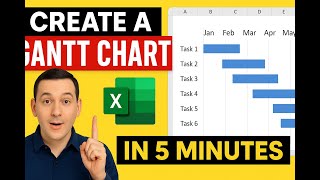
The course begins with MS Project fundamentals, helping learners understand project management concepts, scheduling principles, and the MS Project interface. Learners will explore essential tools such as Gantt charts, ribbons, calendars, and resource setup to build a strong foundation in professional project planning.
As the course progresses, learners focus on project creation and resource management by developing structured task plans, defining milestones, assigning resources, and configuring project calendars. The course also explains baseline creation and change control techniques to maintain project accuracy and consistency.
Advanced modules cover project tracking and performance analysis, including updating task progress, comparing actual performance against baseline data, and generating meaningful reports for schedule, cost, and resource analysis. Learners will also explore earned value management concepts using key metrics such as CPI and SPI.
The course concludes with advanced optimization and automation techniques, including resource leveling, schedule optimization, and workflow improvement using practical tools and real-world project scenarios.
What makes this course unique is its structured, hands-on approach that combines project planning theory with practical MS Project application. By the end of the course, learners will be able to confidently plan, execute, track, analyze, and optimize projects using industry-relevant project management techniques and MS Project tools.
AI explanation not available for this lesson yet
This lesson is still being prepared for the AI tutor. In the meantime, explore lessons that are ready.
Browse explainer-ready lessons →
More on: PM Basics
View skill →




Related Reads
🎓
Tutor Explanation
 DeepCamp AI